
Introduction
This manual provides detailed instructions for the Casio Vintage Metal Watch ABL100WE. This timepiece combines a classic design with modern features, including a step tracker and Bluetooth connectivity for smartphone integration. Please read this manual thoroughly to ensure proper use and maintenance of your watch.
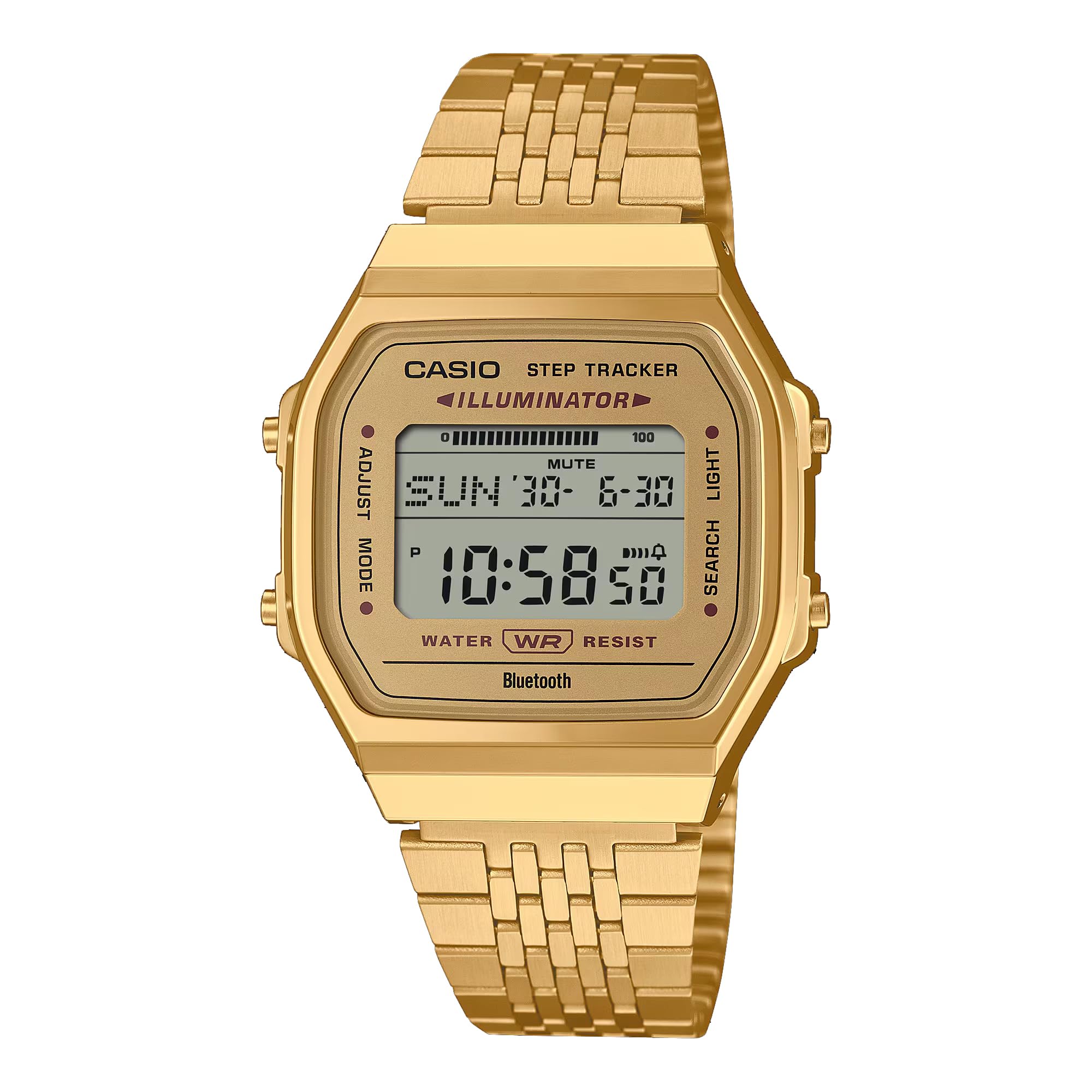
Image: Front view of the Casio Vintage Metal Watch ABL100WE in gold. The digital display shows the time, date, and step tracker indicator.
Setup
1. Initial Time and Date Setting
Your watch can automatically set the time and date by connecting to your smartphone via Bluetooth. Manual adjustment is also possible.
Using Smartphone Link (Recommended):
- Download the official Casio Watch app from your smartphone's app store.
- Enable Bluetooth on your smartphone.
- On the watch, press and hold the ADJUST button (usually top-left) until the Bluetooth icon appears and flashes.
- Open the Casio Watch app and follow the on-screen instructions to pair your watch. Once paired, the watch will synchronize time and date automatically.
Manual Adjustment:
- Press the ADJUST button to enter time setting mode. The seconds will flash.
- Use the MODE button (usually bottom-left) to cycle through settings: seconds, hour, minute, year, month, day.
- Use the SEARCH button (usually top-right) to increase the value, and the LIGHT button (usually bottom-right) to decrease (if applicable).
- Press ADJUST again to exit setting mode.

Image: Close-up of the watch face, highlighting the 'ADJUST', 'MODE', 'SEARCH', and 'LIGHT' button labels for reference during setup.
2. Adjusting the Band
The watch features an adjustable clasp stainless steel band for a comfortable fit.
- Locate the small lever on the clasp.
- Lift the lever to unlock the clasp mechanism.
- Slide the clasp along the band to the desired position.
- Press the lever down firmly to lock the clasp in place. Ensure it is securely fastened before wearing.

Image: The Casio ABL100WE watch worn on a wrist, demonstrating its fit and appearance.
Operating the Watch
1. Basic Timekeeping and Mode Switching
In normal timekeeping mode, the watch displays the current time and date. Press the MODE button to cycle through different functions:
- Timekeeping Mode
- Step Tracker Mode
- Stopwatch
- Alarm
- Dual Time
2. Step Tracker Function
The built-in sensor automatically detects body movements and counts your steps. The step count is displayed on the LCD screen.
- To view your current step count, switch to Step Tracker Mode using the MODE button.
- The watch can store daily step data, which can be transferred to the Casio Watch app on your smartphone for detailed tracking and analysis.

Image: Detailed view of the watch face, showing the 'STEP TRACKER' and 'ILLUMINATOR' indicators, confirming the presence of these features.
3. Bluetooth Connectivity and Smartphone Link
The watch features Bluetooth for seamless connection with your smartphone, enhancing its functionality.
- Automatic Time Correction: Once paired, the watch automatically adjusts its time based on your smartphone's time.
- Watch Function Configuration: Use the Casio Watch app to easily set alarms, dual times, and other watch settings.
- Life Log Data Transfer: Transfer step counts and other activity data from your watch to the app for health management.

Image: Two Casio Vintage watches, one gold and one silver, positioned next to a smartphone, illustrating the 'Smartphone Link' feature.
4. Light Function
Press the LIGHT button (usually bottom-right) to illuminate the watch face for visibility in low-light conditions.
5. Water Resistance
The Casio ABL100WE is Water Resistant. This means it is suitable for everyday use and can withstand splashes or brief immersion in water. It is not suitable for swimming, diving, or prolonged water exposure. Avoid operating buttons while the watch is wet.
Maintenance
1. Cleaning Your Watch
- Wipe the watch case and band with a soft, dry cloth to remove dirt and moisture.
- For stubborn dirt, use a slightly damp cloth and then dry thoroughly.
- Avoid using chemical cleaners, solvents, or abrasive materials, as these can damage the watch's finish.
2. Battery Replacement
The watch is powered by a CR2016 battery with an approximate life of 2 years. When the display becomes dim or functions become erratic, it may be time for a battery replacement.
- Battery replacement should ideally be performed by a qualified watch technician to ensure proper sealing and water resistance.
- Opening the watch case yourself may void the warranty and compromise its water resistance.
3. Storage
When not in use for extended periods, store your watch in a cool, dry place away from direct sunlight and extreme temperatures.
Troubleshooting
- Time is incorrect: Ensure the watch is properly paired with your smartphone for automatic time correction. If manually set, re-adjust the time following the "Manual Adjustment" steps in the Setup section.
- Step Tracker not counting: Ensure the watch is worn securely on your wrist. If the issue persists, try resetting the watch (refer to the full Casio module manual for specific reset procedures, usually involving holding multiple buttons).
- Bluetooth connection issues: Check if Bluetooth is enabled on your smartphone and the watch. Ensure the Casio Watch app is updated. Try unpairing and re-pairing the watch.
- Display is dim or blank: The battery may be low. Refer to the "Battery Replacement" section under Maintenance.
- Water ingress: If water enters the watch, stop using it immediately and take it to a qualified technician for inspection and repair.
For more detailed troubleshooting or issues not listed here, please refer to the comprehensive Casio module manual available on the official Casio website or contact Casio customer support.
Specifications
| Feature | Detail |
|---|---|
| Model Number | ABL100WE |
| Case Size (L× W× H) | 41.6 × 37.9 × 8.2 mm |
| Case and Bezel Material | Resin / Gold tone |
| Weight | 60 g |
| Band Material | Stainless Steel (Adjustable Clasp) |
| Water Resistance | Water Resistant |
| Power Supply | CR2016 (Approx. 2 years battery life) |
| Display Type | Digital |
| Watch Movement Type | Japanese Automatic (Note: This seems to be a general classification; the watch is digital and battery-powered.) |
| Additional Features | Smart Connectivity, Fitness Tracking (Step Tracker), Illuminator Light |
| Crystal | Sapphire Crystal |
Note: Some specifications, such as "Japanese Automatic" movement, may be general classifications and not directly applicable to this specific digital model. The watch is digital and battery-powered.
Warranty Information
Your Casio Vintage Metal Watch ABL100WE comes with a limited warranty. Please refer to the included Warranty Card for specific terms, conditions, and duration of coverage.
Keep your purchase receipt as proof of purchase for warranty claims.
Support
For further assistance, product registration, or to download the full module manual, please visit the official Casio website:
You can also contact Casio customer service for direct support regarding your watch.


