
1. Product Overview
The Lenovo IdeaPad Slim 3 15Q8X10 is a portable notebook designed for work, study, and multitasking. It features a 15.3-inch IPS display, a Snapdragon X X1-26-100 processor, 16GB of LPDDR5X RAM, and a 512GB SSD. This manual provides essential information for setting up, operating, and maintaining your device.
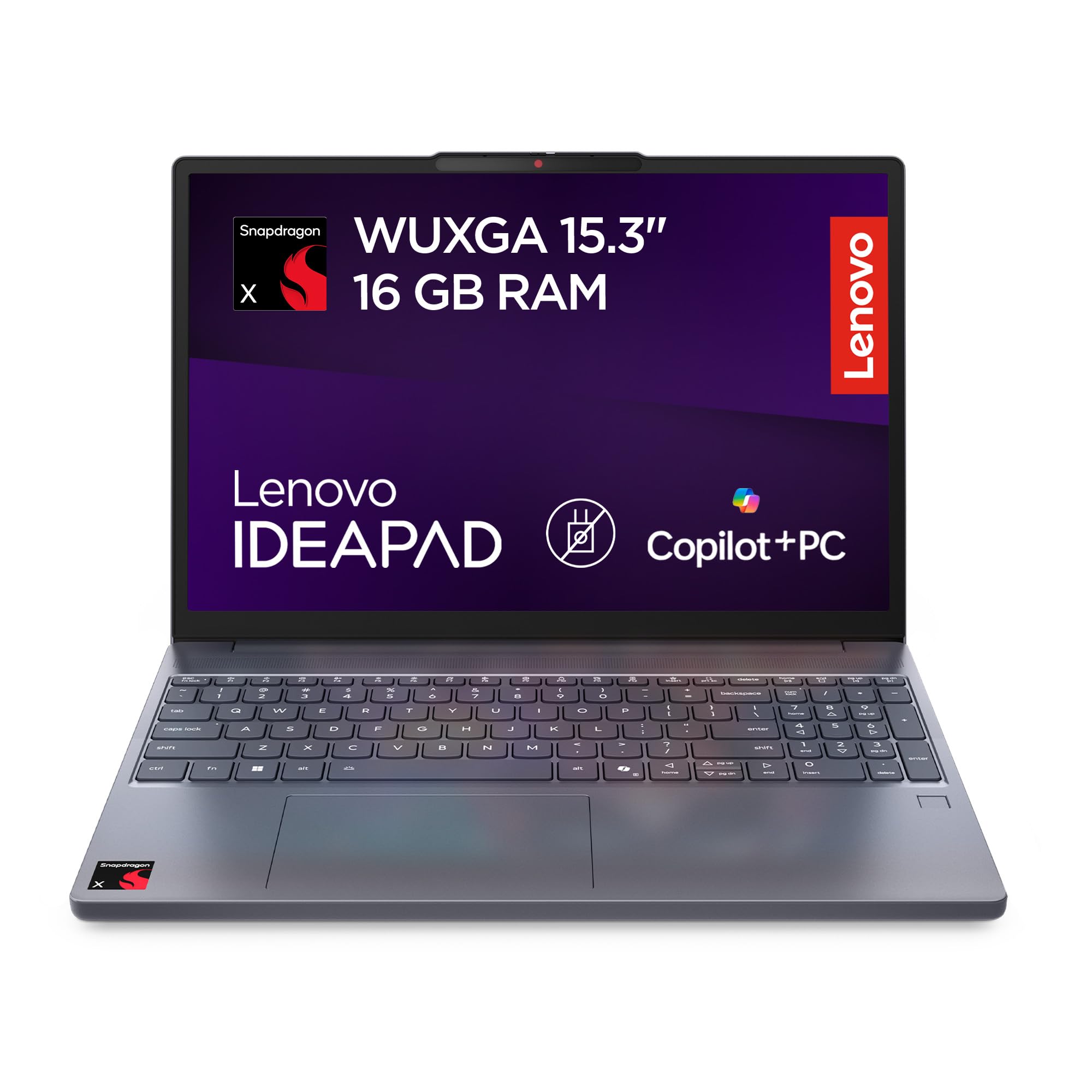
Figure 1: Front view of the Lenovo IdeaPad Slim 3 Notebook.
2. Setup
2.1 Unpacking
Carefully remove the notebook and any included accessories from the packaging. The package contents typically include the laptop user manual. Please note that the charger is not included in the box, in compliance with Directive (EU) 2022/2380.

Figure 2: Information regarding the charger not being included. The notebook requires a compatible USB-C Power Delivery charger.
2.2 Connecting Power
Since the charger is not included, you will need a compatible USB-C Power Delivery charger. Connect the USB-C charger to one of the USB-C ports on the notebook. It is recommended to fully charge the battery before initial use.
2.3 Initial Power On
Press the power button to turn on the notebook. Follow the on-screen instructions to complete the initial setup of Windows 11.
2.4 Ports and Connectors
Familiarize yourself with the available ports on your IdeaPad Slim 3:

Figure 3: Diagram illustrating the various ports and slots on the Lenovo IdeaPad Slim 3.
- Power Connector
- USB-A 3.2 Gen 1 Port
- HDMI Port
- USB-C 3.2 Gen 1 Port
- Combo Audio Jack (headphone/microphone)
- Power Button
- Card Reader
- USB 3.2 Gen 1 Port
3. Operating Instructions
3.1 Using the Keyboard and Touchpad
The notebook features a QWERTY keyboard and a multi-touch touchpad for navigation. Refer to the Windows 11 documentation for specific gestures and shortcuts.
3.2 Performance and Multitasking
The Snapdragon X X1-26-100 processor with 8 cores and 16GB LPDDR5X RAM provides fluid performance for daily tasks, including browsing, document editing, and video calls. The 512GB M.2 PCIe 4.0 SSD ensures fast boot times and quick application loading.
3.3 Display Features
The 15.3-inch WUXGA (1920x1200) IPS display offers a comfortable viewing experience with 300 nits brightness and an anti-glare finish. Dolby Audio enhances the sound experience.
3.4 Connectivity
- Wi-Fi 6E: For high-speed wireless internet access.
- Bluetooth 5.2: For connecting wireless peripherals such as headphones and mice.
- USB Ports: Multiple USB-A and USB-C ports for connecting external devices.
- HDMI: For connecting to external monitors or projectors.
3.5 Battery Management
The notebook is equipped with a 50Wh battery. It supports Rapid Charge Boost technology, allowing for quick recharges. Battery life can vary based on usage and settings.
4. Maintenance
4.1 Cleaning the Notebook
Use a soft, lint-free cloth slightly dampened with water or a screen cleaner to clean the display and exterior surfaces. Avoid harsh chemicals or abrasive materials.
4.2 Software Updates
Regularly check for and install operating system updates (Windows Update) and driver updates from the Lenovo support website to ensure optimal performance and security.
4.3 Battery Care
To prolong battery life, avoid exposing the notebook to extreme temperatures. It is recommended to occasionally discharge the battery below 20% and then fully recharge it.
5. Troubleshooting
5.1 Power Issues
- Notebook does not turn on: Ensure the battery is charged. Connect a compatible USB-C Power Delivery charger and try again.
- Battery not charging: Verify the charger is properly connected and functional. Try a different compatible USB-C charger if available.
5.2 Display Issues
- No image on screen: Check if the notebook is powered on. Connect an external monitor via HDMI to test if the issue is with the internal display.
5.3 Connectivity Problems
- Wi-Fi not connecting: Ensure Wi-Fi is enabled in Windows settings. Restart your router and the notebook.
- Bluetooth device not pairing: Ensure the Bluetooth device is in pairing mode and within range. Check Bluetooth settings on the notebook.
For further assistance, refer to the official Lenovo support website or contact customer service.
6. Specifications
| Feature | Detail |
|---|---|
| Brand | Lenovo |
| Model Name | IdeaPad Slim 3 15Q8X10 |
| Model Number | 83N30076IX |
| Screen Size | 15.3 Inches |
| Native Monitor Resolution | 1920 x 1200 pixels (WUXGA) |
| Display Technology | IPS, LED, Anti-glare |
| Maximum Display Brightness | 300 Nits |
| CPU Model | Snapdragon X X1-26-100 |
| Processor Cores | 8 |
| Installed RAM Memory | 16 GB LPDDR5X-8448 |
| Hard Drive Size | 512 GB SSD (M.2 PCIe 4.0) |
| Operating System | Windows 11 |
| Connectivity Technology | Wi-Fi 6E (802.11ax), Bluetooth 5.2, USB, HDMI |
| Total USB Ports | 3 (USB-A 3.2 Gen 1, USB-C 3.2 Gen 1) |
| Total HDMI Ports | 1 |
| Battery Type | Lithium Ion, 50 Watt-hours |
| Item Dimensions (LxWxT) | 34.3L x 23.9W x 1.7H cm |
| Weight | 1.55 kg |
| Webcam Features | Yes, Front-facing |
| Audio Output Type | Speakers, Headphones (2W x2 Dolby Audio) |
7. Warranty and Support
7.1 Product Warranty
This Lenovo IdeaPad Slim 3 notebook comes with a 2-year product warranty. Please retain your proof of purchase for warranty claims. For detailed terms and conditions, refer to the warranty information provided with your product or visit the official Lenovo support website.
7.2 Customer Support
For technical assistance, driver downloads, or service requests, please visit the official Lenovo support website. You can find contact information for customer service in your region on the website.
Lenovo Support Website: support.lenovo.com


