
1. Introduction
This user manual provides essential information for the safe and efficient operation of your new LG 8 Kg 5 Star Fully Automatic Top Load Washing Machine, model T80KMOB1Z. Please read this manual thoroughly before using the appliance and keep it for future reference. Proper use and maintenance will ensure optimal performance and extend the lifespan of your washing machine.

Figure 1: Front view of the LG T80KMOB1Z Washing Machine with the lid closed.
2. Important Safety Instructions
Always follow basic safety precautions when using this appliance to reduce the risk of fire, electric shock, or injury to persons.
- Read all instructions before using the appliance.
- Do not wash articles that have been previously cleaned in, washed in, soaked in, or spotted with gasoline, dry-cleaning solvents, or other flammable or explosive substances, as they emit vapors that could ignite or explode.
- Do not allow children to play on or in the appliance. Close supervision of children is necessary when the appliance is used near children.
- Do not reach into the appliance if the tub or agitator is moving.
- Do not install or store this appliance where it will be exposed to the weather.
- Do not tamper with controls.
- Do not repair or replace any part of the appliance or attempt any servicing unless specifically recommended in the user-maintenance instructions or in published user-repair instructions that you understand and have the skills to carry out.
- Always disconnect the appliance from the power supply before attempting any service.
3. Product Overview
Key Features
- 8 Kg Capacity: Ideal for medium to large families, suitable for daily and heavy laundry loads.
- ProShield Motor: Long-lasting and durable motor designed for reliable performance.
- Hard Water Wash Technology: Ensures effective washing even in hard water conditions.
- Turbo Spin Function: Powerful spinning helps reduce moisture and drying time.
- Low Pressure Fill: Operates efficiently even with low water pressure.
- Manual Fill Option: Allows manual water filling for added flexibility.
- Eco Wash Mode: Reduces energy consumption while maintaining wash performance.
- Fully Automatic Top Load Design: Easy to operate with one-touch convenience.
- 5 Star Energy Rating: Energy efficient operation for lower electricity bills.
- Premium Onyx Black Finish: Stylish and modern design.
Components Included
The following components are included with your washing machine:
- 1U Top Load Fully-Automatic Washing Machine
- Cold Water Inlet Hose
- Cover
- Drain Hose
- Power Cord
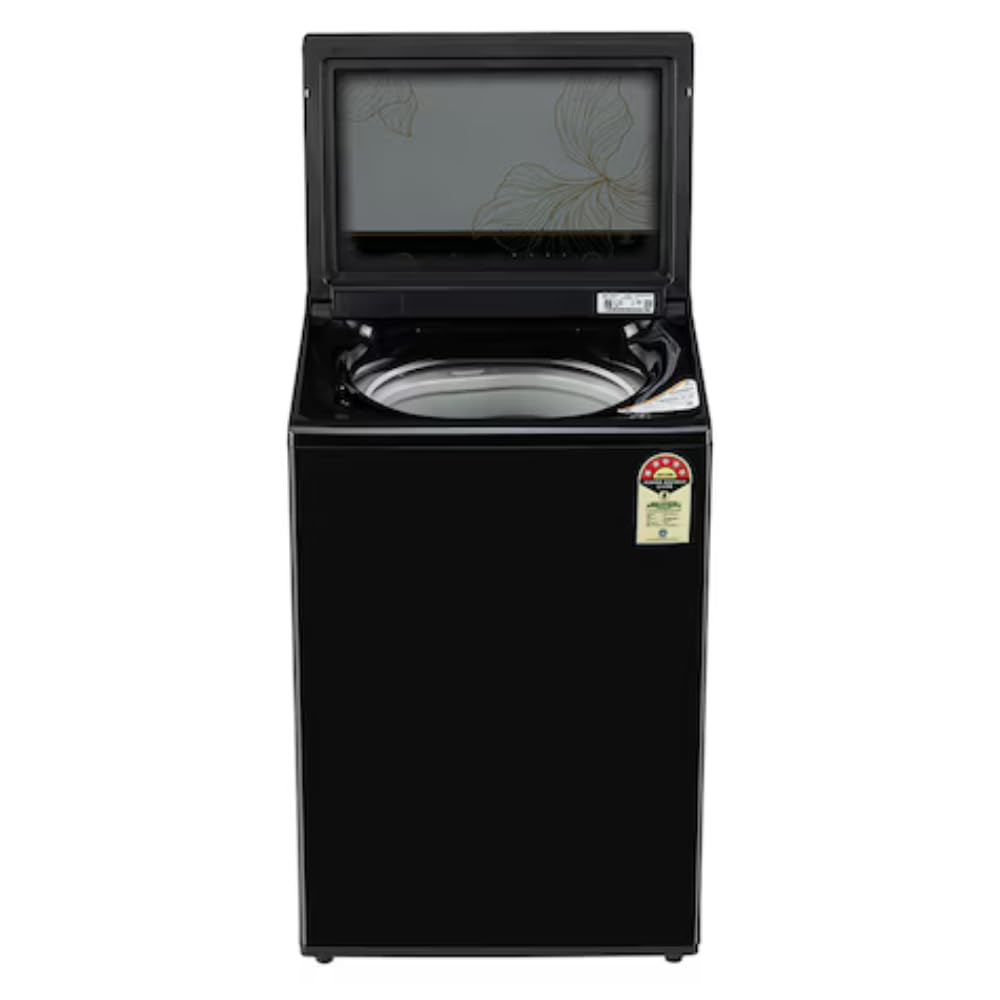
Figure 2: Top view of the washing machine with the lid open, showing the drum.

Figure 3: Close-up view of the stainless steel drum interior.
4. Setup
Unpacking
Carefully remove all packaging materials. Ensure all included components are present. Keep packaging materials away from children.
Placement
Place the washing machine on a firm, level surface. Ensure there is adequate space around the machine for ventilation and access. The product dimensions are 58D x 54W x 90.5H Centimeters.

Figure 4: Washing machine dimensions (Depth, Width, Height).
Water Connection
Connect the cold water inlet hose to the water tap and the inlet valve on the back of the washing machine. Ensure connections are tight to prevent leaks. The minimum inlet pressure required is 50 Kilopascal.
Drain Hose Connection
Securely attach the drain hose to a suitable drain pipe or sink, ensuring it is positioned to allow proper drainage without kinking.
Power Connection
Plug the power cord into a grounded electrical outlet. The washing machine operates on 230 Volts.

Figure 5: Rear view of the washing machine, indicating water inlet and drain hose connections.
5. Operating Your Washing Machine
Control Panel Overview
The control panel features push buttons for various functions and cycle selection.
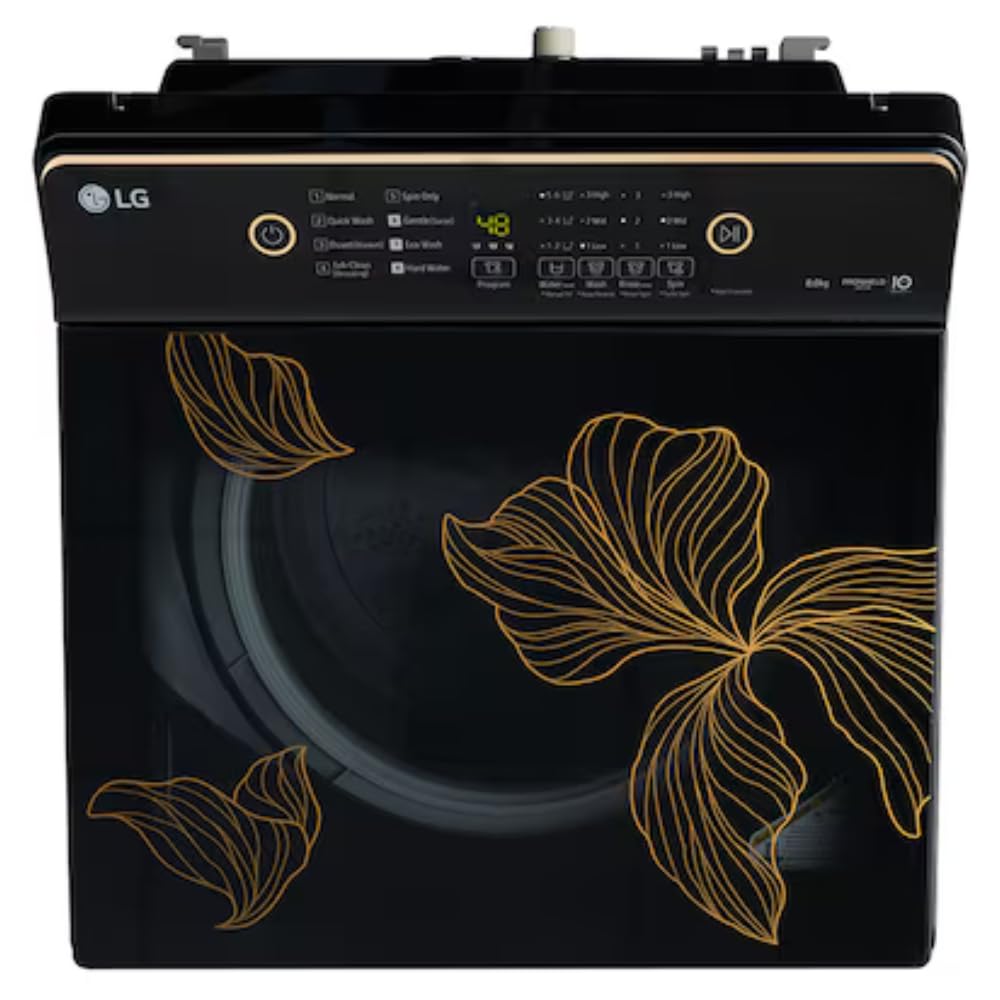
Figure 6: Detailed view of the control panel with various program options and buttons.
Loading Laundry
Open the top lid and load clothes loosely into the drum. Do not overload the machine to ensure effective washing and rinsing. The maximum capacity is 8 kg.
Adding Detergent and Softener
Add appropriate amounts of detergent, fabric softener, or bleach to their designated compartments in the dispenser. The machine supports liquid detergent.
Selecting a Wash Cycle
Turn the program selector or press the cycle button to choose the desired wash cycle. Available cycle options include:
- Delicates
- Heavy Wash
- Normal
- Quick Wash
- Quick Wash Rinse+Spin
- Eco Wash
- Hard Water Wash
Starting a Wash
Press the Start/Pause button to begin the selected wash cycle. The machine will automatically fill with water, wash, rinse, and spin.
Special Functions
Utilize special features like Turbo Spin for enhanced drying or Smart Diagnosis for troubleshooting.
6. Care and Maintenance
Regular maintenance ensures the longevity and efficiency of your washing machine.
Cleaning the Exterior
Wipe the exterior with a soft, damp cloth. Do not use harsh chemicals or abrasive cleaners.
Cleaning the Drum
Periodically run a 'Tub Clean' cycle (if available) or a hot wash with a washing machine cleaner to remove detergent residue and odors from the stainless steel drum.
Cleaning the Lint Filter
Locate and clean the lint filter regularly to prevent lint buildup and ensure efficient drainage.
Cleaning the Water Inlet Filter
If water supply is restricted, check and clean the water inlet filter located at the connection point of the inlet hose to the machine.
Winterizing
In cold climates, if the machine is exposed to freezing temperatures, drain all water from the hoses and pump to prevent damage.
7. Troubleshooting Guide
Refer to this table for common issues and their solutions before contacting service.
| Problem | Possible Cause | Solution |
|---|---|---|
| Machine does not start | Power cord unplugged; Lid not closed properly; Power outage. | Check power connection; Ensure lid is fully closed; Check household circuit breaker. |
| No water fill | Water tap off; Water inlet hose kinked; Water inlet filter clogged. | Open water tap; Straighten hose; Clean inlet filter. |
| Machine vibrates excessively | Machine not level; Laundry unevenly distributed; Shipping bolts not removed. | Adjust leveling feet; Redistribute laundry; Ensure shipping bolts are removed (if applicable). |
| Water not draining | Drain hose kinked or clogged; Drain pump filter clogged. | Straighten or clear drain hose; Clean drain pump filter. |
| Clothes not clean | Overloading; Insufficient detergent; Incorrect wash cycle. | Reduce load size; Use recommended detergent amount; Select appropriate wash cycle. |
8. Technical Specifications
| Feature | Specification |
|---|---|
| Model Name | LG WM TL T80KMOB1Z |
| Product Dimensions (D x W x H) | 58D x 54W x 90.5H Centimeters |
| Capacity | 8 kg |
| Item Weight | 31.5 Kilograms |
| Brand | LG |
| Access Location | Top Load |
| Operation Mode | Fully Automatic |
| Voltage | 230 Volts |
| Installation Type | Freestanding |
| Controls Type | Push Button |
| Laundry Appliance Drum Material | Stainless Steel |
| Material Type | Stainless Steel Drum, Plastic Body |
| Colour | Onyx Black |
| Special Features | Auto Restart, Hard Water Wash, Smart Diagnosis, Smart Inverter Motor, TurboDrum Technology |
| Cycle Options | Delicates, Heavy Wash, Normal, Quick Wash, Quick Wash Rinse+Spin |
| Washer Dispenser Options | Bleach, Detergent, Fabric Softener, Liquid Detergent |
| Inlet Minimum Pressure | 50 Kilopascal |
9. Warranty and Customer Support
Warranty Information
Your LG Washing Machine comes with a 2 Years Comprehensive Warranty and a 10 Years Warranty on the Motor (Terms & Conditions Apply). Please retain your purchase invoice for warranty claims.
Customer Support
For any queries, assistance, or to schedule service, please contact LG Customer Service:
- Telephone: 08069379999
- WhatsApp: 9711709999
- Email: serviceindia@lge.com
When contacting support, please provide your product's model name (T80KMOB1Z) and the seller's details as mentioned on your invoice. The service center will assist you in scheduling a convenient slot for service.
Manufacturer Address: LG Electronics India Limited, 51, Udyog Vihar, Gr. Noida (U.P) - 201306


