
TAGRY X88 Hybrid Active Noise Cancelling Wireless Earbuds User Manual
Model: X88
Product Overview
The TAGRY X88 Hybrid Active Noise Cancelling Wireless Earbuds offer a premium audio experience with advanced noise cancellation and transparency modes. Designed for comfort and durability, these earbuds are suitable for various activities, from daily commutes to intense workouts.
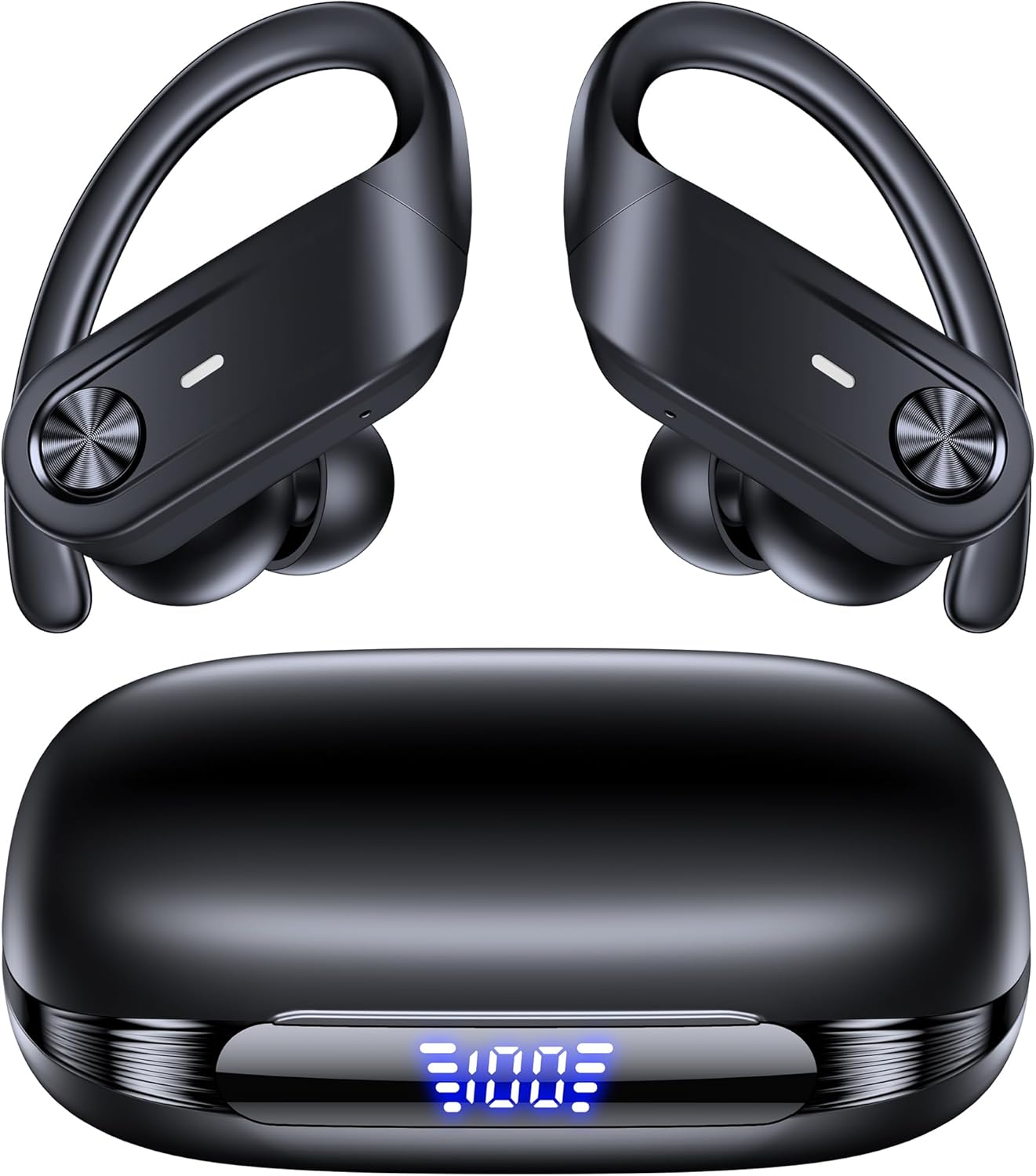
Image: The TAGRY X88 Hybrid Active Noise Cancelling Wireless Earbuds, showcasing their sleek design.
What's in the Box
Ensure all items are present upon unboxing:
- X88 Active Noise Cancelling Earbuds (1 pair)
- Wireless Charging Case (1)
- Eartips (S/M/L sizes)
- User Manual (this document)
- Charging Cable (Type-C)

Image: The TAGRY X88 earbuds inside their charging case, displaying the LED battery indicator.
Setup
1. Initial Charging
Before first use, fully charge the earbuds and the charging case. Connect the provided Type-C cable to the charging case and a power source. The LED display on the case will indicate the charging status and battery level.
2. Fitting the Earbuds
Select the appropriate eartip size (S, M, L) for a comfortable and secure fit. The earhook design ensures stability, especially during physical activity. Insert the earbud into your ear canal and adjust the earhook over your ear.

Image: A close-up of a TAGRY X88 earbud properly fitted in an ear, demonstrating the earhook design.
3. Pairing with Your Device
- Open the charging case. The earbuds will automatically enter pairing mode.
- On your device (phone, tablet, etc.), enable Bluetooth.
- Search for available devices and select "X88" from the list.
- Once connected, the earbuds are ready for use. They will automatically reconnect to the last paired device when removed from the case.

Image: An illustration showing the simple one-step pairing process of the TAGRY X88 earbuds with a smartphone.
Video: An official product video demonstrating the features of the TAGRY Active Noise Cancelling Wireless Earbuds X88, including pairing and usage scenarios.
Operating Instructions
Button Controls
The X88 earbuds feature a multi-function button on each earbud for easy control:
- Single Tap: Play/Pause music, Answer/End calls.
- Double Tap (Left Earbud): Previous track.
- Double Tap (Right Earbud): Next track.
- Triple Tap (Left Earbud): Cycle through ANC Mode & Transparency Mode.
- Triple Tap (Right Earbud): Activate Voice Assistant.
- Long Press (Left Earbud): Volume Down.
- Long Press (Right Earbud): Volume Up.

Image: A visual guide to the one-button, multiple actions control scheme for the TAGRY X88 earbuds.
Active Noise Cancelling (ANC) & Transparency Modes
The earbuds feature hybrid ANC technology to reduce ambient noise by up to 90%. To switch between ANC and Transparency modes, triple-tap the left earbud. Transparency mode allows you to hear your surroundings while still enjoying your audio.

Image: A graphic illustrating the noise reduction capability of the TAGRY X88 earbuds' Active Noise Cancelling mode.
Video: An official product video highlighting the ANC and Transparency modes of the TAGRY X88 earbuds, showing users in various environments.
Call Functions
The earbuds provide clear call quality. Use the single tap control to answer or end calls. The integrated microphone ensures your voice is transmitted clearly.

Image: A person using the TAGRY X88 earbuds to make a phone call, emphasizing exceptional call clarity.
Maintenance
Cleaning
Regularly clean your earbuds and charging case to maintain optimal performance and hygiene. Use a soft, dry, lint-free cloth. For eartips, remove them and clean with a mild soap solution, then rinse and dry thoroughly before reattaching.
Water Resistance
The earbuds are IPX7 waterproof, meaning they can withstand immersion in water up to 1 meter for 30 minutes. However, the charging case is not waterproof. Ensure earbuds are dry before placing them back in the charging case.

Image: The TAGRY X88 earbuds with water droplets, illustrating their IPX7 waterproof rating.
Troubleshooting
- Earbuds not pairing: Ensure both earbuds are charged and removed from the case. Turn off Bluetooth on other nearby devices. Forget "X88" from your device's Bluetooth list and try pairing again.
- No sound from one earbud: Place both earbuds back in the charging case, close it, then open it again. This often resets the connection.
- Charging issues: Check the charging cable and power source. Ensure the charging contacts on the earbuds and inside the case are clean and dry.
- Poor sound quality: Ensure eartips are correctly sized and sealed in your ear. Clean any debris from the earbud speakers.
Specifications
| Feature | Detail |
|---|---|
| Brand | TAGRY |
| Model Name | X88 |
| Color | Black |
| Ear Placement | In Ear |
| Form Factor | In Ear |
| Impedance | 32 Ohms |
| Connectivity Technology | Wireless |
| Wireless Technology | Bluetooth |
| Bluetooth Version | 5.4 |
| Bluetooth Range | 10 Meters (33 feet) |
| Noise Control | Active Noise Cancellation |
| Frequency Range | 20 - 20000 Hz |
| Audio Driver Size | 13 Millimeters |
| Battery Average Life | 80 Hours (with charging case) |
| Battery Charge Time | 1 Hour |
| Water Resistance Level | Waterproof (IPX7) |
| Control Type | Button Control |
| Item Weight | 131 Grams |
Warranty and Support
For warranty information and customer support, please refer to the official TAGRY website or contact your retailer. Keep your proof of purchase for any warranty claims.