
1. Product Overview
The Electactic 8000 BTU Window Air Conditioner is designed to efficiently cool rooms up to 350 sq. ft. This unit combines cooling, fan, and dehumidification functions to provide a comfortable indoor environment. Key features include a 24-hour programmable timer, remote control operation, and energy-saving modes.

Front view of the Electactic 8000 BTU Window Air Conditioner.
Key Features:
- 3-in-1 Functionality: Offers powerful cooling, 3 fan speeds, and a dehumidification function to manage moisture.
- Multi-Mode Operation: Includes Sleep, Auto, and Eco modes for customized comfort and energy efficiency.
- 24-Hour Timer: Program the unit to turn on or off within a 0.5 to 24-hour period.
- Remote Control: Conveniently adjust settings from a distance.
- Energy-Efficient: Features a CEER rating of 10.9 to reduce energy consumption.
- Washable Filter: Reusable filter helps maintain air quality, with a Clean Filter indicator.
- Auto-Restart: Automatically resumes previous settings after a power outage.
Video: Overview of the Electactic Window AC unit's features and benefits, including cooling, fan, and dehumidifier functions.
2. Installation and Setup
This section provides instructions for safely installing your Electactic window air conditioner. Ensure you have all components from the packaging before beginning.
2.1 What's in the Box

Image showing the included components: Window Sash Seal (Sponge), Lock Frame, Sash Lock (Two holes), Filler Panels, Top Rail (With sponge), and Foam Top Window Gasket.
2.2 Window Requirements
The air conditioner is designed for installation in standard double-hung windows with opening widths between 23 and 36 inches, and a minimum clear height of 14.5 inches.

Diagram illustrating the required window dimensions: minimum 14.5 inch clear height, 13.31 inch unit height, 15.59 inch unit depth, 18.58 inch unit width, and a window width range of 23-36 inches.
2.3 Installation Steps
- Prepare the Window: Open the window and clean the area where the unit will be installed.
- Attach Top Rail: Secure the top rail to the top of the air conditioner unit.
- Install Filler Panels: Slide the filler panels into the side channels of the unit.
- Place Unit in Window: Carefully lift the air conditioner and place it into the window opening, ensuring the bottom rail rests on the window sill.
- Extend Filler Panels: Extend the side filler panels to fill the window opening completely.
- Secure the Unit: Use the provided lock frames and sash locks to secure the unit to the window frame, preventing movement and ensuring a tight seal. Apply window sash seal and foam top window gasket as instructed in the full manual to minimize air leakage.
- Plug In: Once securely installed, plug the unit into a standard 115-volt electrical outlet.
3. Operating Instructions
Your Electactic air conditioner features an intuitive control panel and a remote control for easy operation.
3.1 Control Panel Overview

Close-up of the control panel showing buttons for Fan Speed, Eco, Mode, Power, Filter, Sleep, and Timer, along with temperature adjustment arrows and digital display.
3.2 Operating Modes
Press the MODE button to cycle through the available operating modes:
- Cool Mode: Provides maximum cooling. Adjust temperature using the Up/Down arrows.
- Fan Mode: Circulates air without cooling. Choose from Low, Medium, or High fan speeds.
- Dry Mode (Dehumidification): Reduces humidity in the room.
- Auto Mode: Automatically selects cooling or fan mode based on the room temperature to maintain the set temperature.
- Sleep Mode: Gradually increases the set temperature over time for comfortable sleeping and energy saving.
- Eco Mode: Optimizes energy consumption by cycling the compressor and fan on and off to maintain the set temperature.

Visual representation of the Cool, Fan, Dry, and Auto operating modes.
3.3 Timer Function
The 24-hour timer allows you to program the unit to turn on or off automatically. Press the TIMER button and use the Up/Down arrows to set the desired time in 0.5 to 24-hour increments.
3.4 Remote Control
The included remote control provides full access to all functions of the air conditioner. Ensure the remote has batteries installed (requires a small screwdriver to open the battery compartment) and point it directly at the unit's receiver.
4. Maintenance
Regular maintenance ensures optimal performance and longevity of your air conditioner.
4.1 Cleaning the Air Filter
The air filter should be cleaned every two weeks or when the "Clean Filter" indicator light illuminates. A dirty filter can reduce cooling efficiency and airflow.
- Remove Filter: Gently pull out the filter from the front panel of the unit.
- Clean Filter: Wash the filter with warm, soapy water. Rinse thoroughly. For heavily soiled filters, a vacuum cleaner can be used before washing.
- Dry Filter: Allow the filter to air dry completely before reinserting. Do not expose to direct sunlight or high heat.
- Reinstall Filter: Slide the dry filter back into its original position.
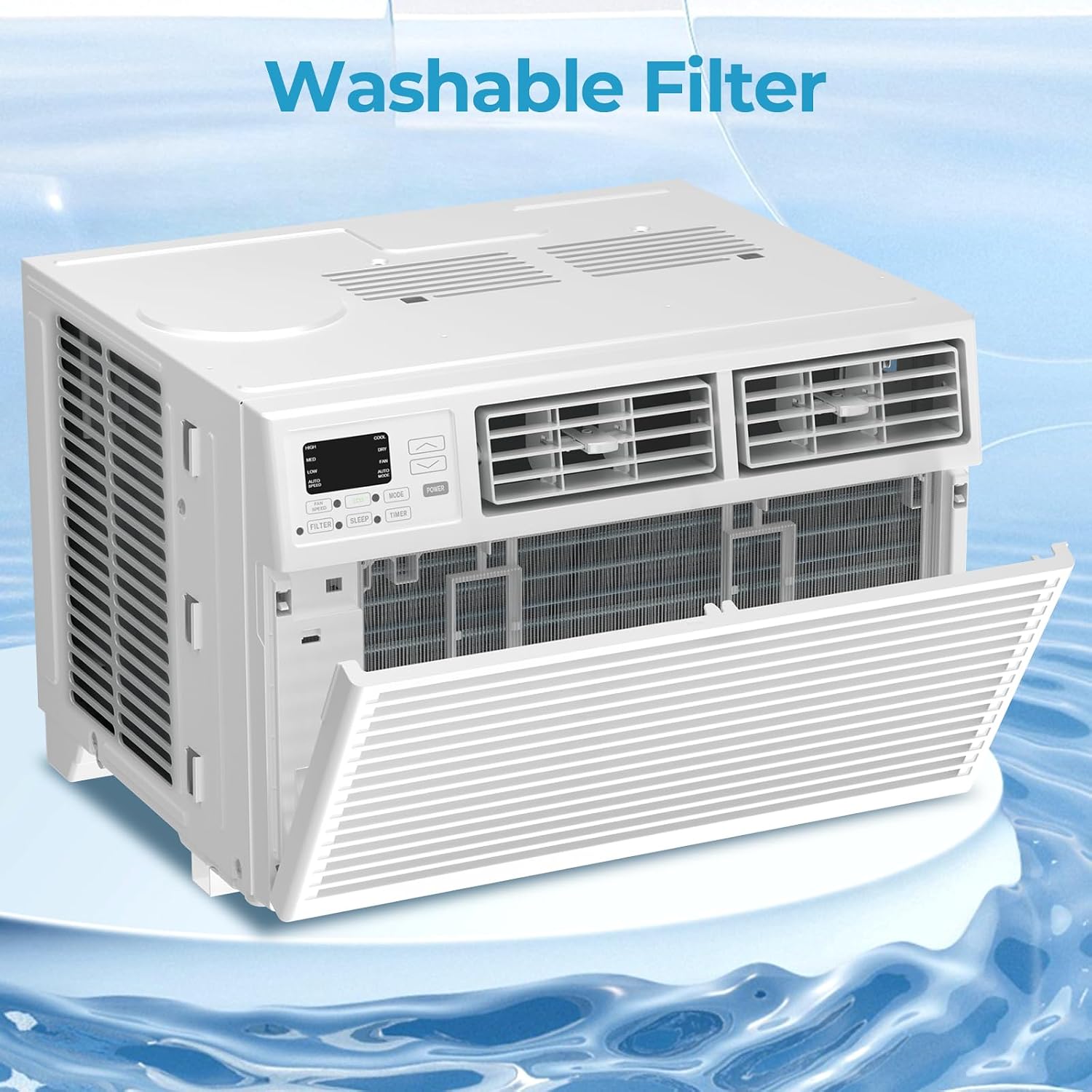
Image showing the removable and washable air filter of the unit.
4.2 General Cleaning
- Wipe the cabinet with a soft, damp cloth. Do not use harsh chemicals or abrasives.
- Ensure the drainage area at the back of the unit is clear of debris.
5. Troubleshooting
Before contacting customer support, refer to the following common issues and solutions:
| Problem | Possible Cause | Solution |
|---|---|---|
| Unit does not turn on | No power, tripped circuit breaker, faulty outlet. | Check power cord connection, reset circuit breaker, test outlet with another device. |
| Insufficient cooling | Dirty air filter, blocked air intake/outlet, room too large, open windows/doors. | Clean air filter, ensure clear airflow, close windows/doors, verify room size is within unit's capacity. |
| Unit is noisy | Loose installation, fan obstruction, normal operating sounds. | Ensure unit is securely installed. Check for obstructions. Some fan noise is normal. |
| Water leakage | Unit not level, clogged drain. | Ensure unit is slightly tilted outwards for proper drainage. Clear any drain obstructions. |
6. Product Specifications
| Feature | Detail |
|---|---|
| Brand | Electactic |
| Model Number | TWAC-08CRA1/L0U(DOE) |
| Cooling Power | 8000 British Thermal Units (BTU) |
| Coverage Area | Up to 350 Sq.Ft. |
| Product Dimensions (D x W x H) | 15.59"D x 13.31"W x 18.58"H |
| Item Weight | 44.75 Pounds |
| Voltage | 115 Volts |
| Wattage | 500 watts |
| Seasonal Energy Efficiency Ratio (CEER) | 10.9 |
| Noise Level | 54 Decibels |
| Refrigerant | R-32 |
| Control Method | Remote Control |
| Installation Type | Window |
| Color | White |
7. Warranty and Support
7.1 Warranty Information
The Electactic 8000 BTU Window Air Conditioner comes with a 1-Year Limited Warranty from the date of purchase. This warranty covers defects in materials and workmanship under normal use. Please retain your proof of purchase for warranty claims.
7.2 Customer Support
For technical assistance, troubleshooting beyond this manual, or warranty service, please contact Electactic Customer Support. Refer to the contact information provided in your product packaging or visit the official Electactic website for the most up-to-date support details.
Online Resources: For additional information and FAQs, please visit the Electactic Store on Amazon.


