
1. Introduction
The AIOMEST AI-5800G is a portable ammonia gas detector designed for real-time monitoring of NH3 concentration, humidity, and temperature. It features a high-accuracy electrochemical sensor, a large color LCD screen, and a dual light/sound alarm system to alert users to elevated ammonia levels. This device is suitable for various environments including home decoration, mining, poultry farms, and industrial settings.
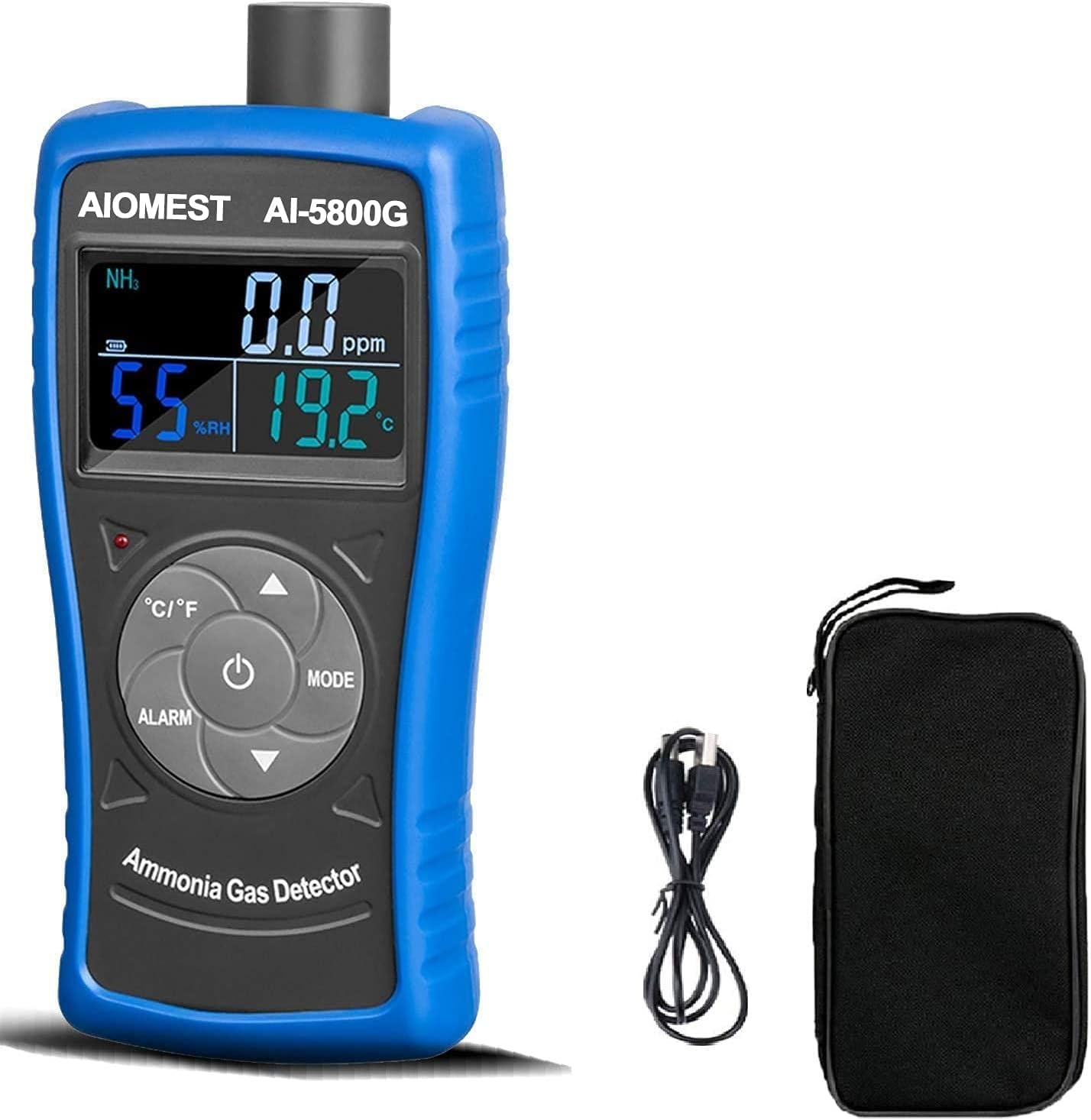
Image: The AIOMEST AI-5800G Ammonia Gas Detector displaying NH3, humidity, and temperature readings.
2. Product Components
Familiarize yourself with the various parts of the AIOMEST AI-5800G detector:

Image: Front view of the AIOMEST AI-5800G detector with key components labeled.
- Sensor: Located at the top, detects ammonia gas.
- Display: Large color LCD screen showing NH3 concentration, humidity, and temperature.
- Charging Interface: USB port for charging the device.
- Charging Indicator Light: Indicates charging status.
- Alarm Indicator Light: Flashes when an alarm threshold is reached.
- °C/°F Button: Toggles temperature display between Celsius and Fahrenheit.
- Alarm Setting Button: Used to enter and adjust alarm thresholds (AL1, AL2).
- Increment Button (Up Arrow): Increases values during settings adjustment.
- Mode / Power On/Off Button: Powers the device on/off and cycles through display modes.
- Decrement Button (Down Arrow): Decreases values during settings adjustment.
3. Technical Specifications
The following table outlines the technical specifications of the AIOMEST AI-5800G Ammonia Gas Detector:
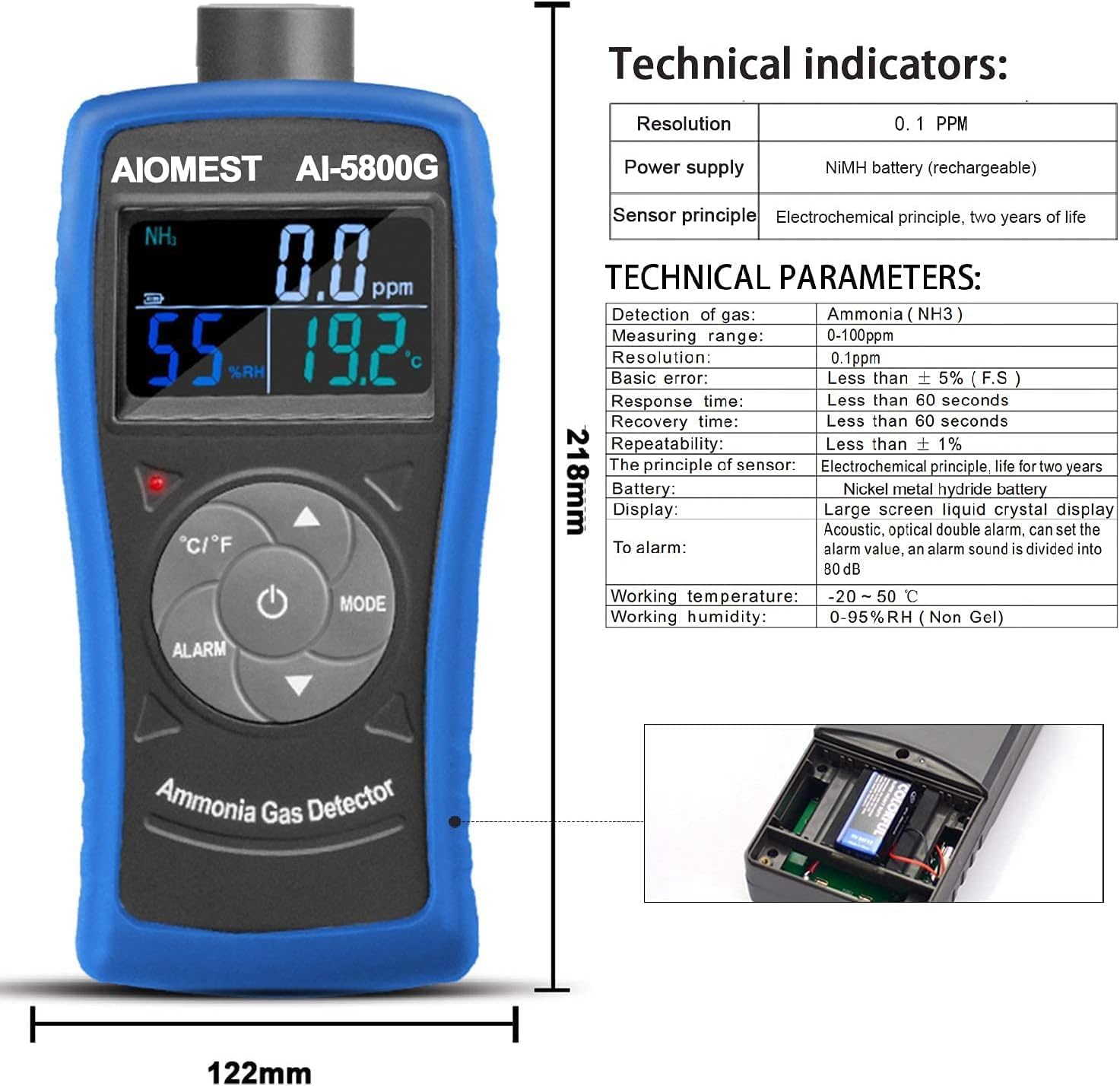
Image: Technical specifications and physical dimensions of the AIOMEST AI-5800G detector.
| Parameter | Value |
|---|---|
| Detection Gas | Ammonia (NH3) |
| Measuring Range | 0-100 PPM |
| Resolution | 0.1 PPM |
| Basic Error | ± 2% (F.S.) |
| Response Time | Less than 60 seconds |
| Recovery Time | Less than 60 seconds |
| Repeatability | Less than ± 1% |
| Sensor Principle | Electrochemical, life for two years |
| Battery | Built-in 1600mAh rechargeable NiMH battery |
| Display | Large screen liquid crystal display |
| Alarm | Acoustic, optical double alarm (AL1, AL2) |
| Working Temperature | -10 ~ 50°C (14 ~ 122°F) |
| Working Humidity | 0-95% RH (Non-condensing) |
| Product Dimensions (D x W x H) | 12" x 6" x 9" (Approx. 30.5cm x 15.2cm x 22.9cm) |
4. Setup
4.1 Package Contents
Before use, ensure all items are present in the package:
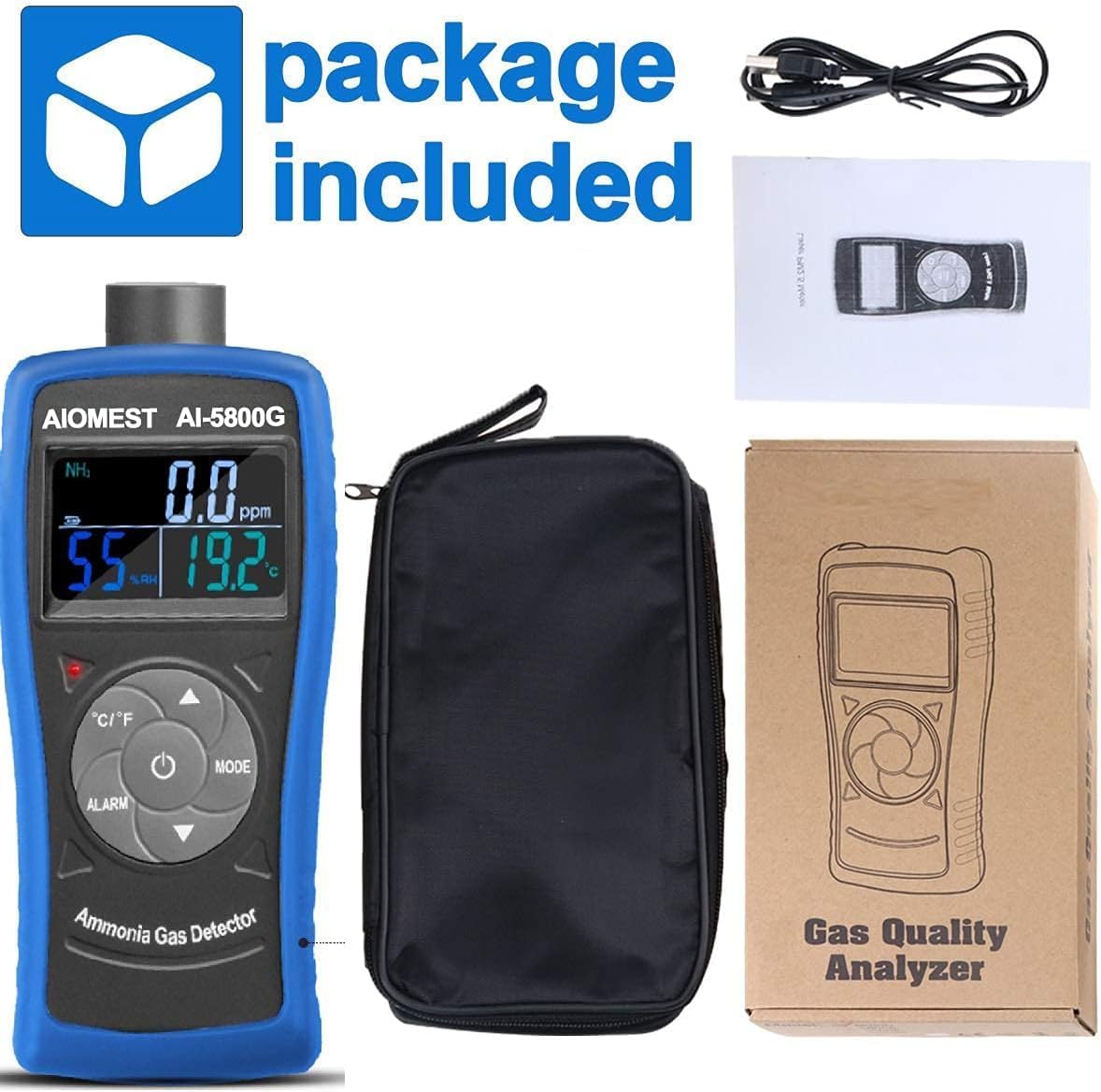
Image: The AIOMEST AI-5800G detector, carrying case, USB charging cable, and user manual.
- AIOMEST AI-5800G Ammonia Gas Detector
- USB Charging Cable
- Portable Carrying Case
- User Manual
4.2 Charging the Device
The device is equipped with a built-in rechargeable battery. Before first use, fully charge the detector.
- Connect the provided USB cable to the charging interface on the detector.
- Connect the other end of the USB cable to a standard USB power adapter (not included) or a computer USB port.
- The charging indicator light will illuminate during charging.
- Once fully charged, the indicator light may change color or turn off (refer to specific device behavior). A full charge provides extended operating time.
4.3 Power On/Off
- To Power On: Press and hold the Mode / Power On/Off button for approximately 3 seconds until the display illuminates.
- To Power Off: Press and hold the Mode / Power On/Off button for approximately 3 seconds until the display turns off.
5. Operating Instructions
5.1 Display Information
The large LCD screen displays the following information:
- NH3 Concentration: Shown in PPM (parts per million).
- Relative Humidity (%RH): Ambient humidity level.
- Temperature: Ambient temperature in Celsius (°C) or Fahrenheit (°F).
- Battery Indicator: Shows remaining battery life.
- Alarm Indicators: Visual cues for alarm states.
5.2 Button Functions
- Mode / Power On/Off Button: Short press to cycle through different display modes (if available). Long press to power on/off.
- °C/°F Button: Short press to switch the temperature unit between Celsius and Fahrenheit.
- Alarm Setting Button: Press to enter the alarm setting mode. Use the Increment/Decrement buttons to adjust AL1 and AL2 thresholds. Press the Alarm Setting button again to confirm and exit.
- Increment (Up Arrow) / Decrement (Down Arrow) Buttons: Used to adjust numerical values when in alarm setting mode or other configurable settings.
5.3 Taking Measurements
Once powered on, the device will automatically begin detecting ammonia gas, humidity, and temperature. Ensure the sensor at the top of the device is exposed to the air in the area you wish to monitor. Readings will be displayed in real-time on the LCD screen.
5.4 Alarm Function
The AI-5800G features a dual alarm system (light and sound) that activates when ammonia concentration exceeds preset thresholds (AL1 and AL2).

Image: Visual representation of the sound and light dual alarm feature of the detector.
- When the NH3 concentration reaches AL1, a visual alarm (flashing light) and an audible alarm will activate.
- When the NH3 concentration reaches AL2 (a higher threshold), the alarm intensity may increase.
- To adjust AL1 and AL2, use the Alarm Setting Button and the Increment/Decrement buttons as described in Section 5.2.
6. Ammonia Concentration Levels and Effects
Understanding the potential effects of different ammonia concentrations is crucial for safety:

Image: A chart illustrating the human physiological reactions at various ammonia concentration levels in the atmosphere.
- 5 ~ 10 PPM: The nose may be aware of the smell.
- 20 PPM: Awareness of the special smell of ammonia.
- 40 PPM: A few people feel mild stimulation.
- 100 PPM: Causes ocular and nasal stimulation.
- 400 PPM: Causes throat, nasal cavity, and upper respiratory tract acute stimulation.
- 700 PPM: Exposure for more than thirty minutes may cause permanent damage to the eye.
- 1700 PPM: Severe cough, wheeze; thirty minutes can be fatal.
- 5000 PPM: Severe pulmonary edema disease; a moment can be fatal asphyxia.
7. Applications
The AIOMEST AI-5800G detector is versatile and can be used in various environments where ammonia monitoring is necessary:

Image: The AIOMEST AI-5800G detector shown in typical application environments such as farms, motor parks, chemical plants, and laboratories.
- Poultry and Pig Farms: Monitoring ammonia levels to ensure animal welfare and worker safety.
- Industrial Facilities: Detecting ammonia leaks in chemical plants, refrigeration units, and manufacturing processes.
- Home and Office: Checking air quality, especially in areas with new construction or potential sources of ammonia.
- Laboratories: Ensuring safe working conditions when handling ammonia-containing substances.
8. Maintenance
8.1 Cleaning
- Regularly wipe the device with a soft, dry cloth.
- Do not use abrasive cleaners, solvents, or corrosive chemicals, as these can damage the casing or sensor.
- Keep the sensor opening free from dust and debris.
8.2 Battery Care
- Recharge the battery when the low battery indicator appears on the display.
- Avoid completely draining the battery frequently to prolong its lifespan.
- If storing the device for an extended period, charge it periodically to maintain battery health.
8.3 Sensor Lifespan
The electrochemical sensor has an estimated lifespan of two years. After this period, the sensor's accuracy may degrade, and replacement or recalibration may be necessary. Contact customer support for service options.
9. Troubleshooting
If you encounter issues with your AIOMEST AI-5800G detector, refer to the following common problems and solutions:
| Problem | Possible Cause | Solution |
|---|---|---|
| Device does not power on | Low battery; device not properly charged. | Charge the device using the provided USB cable. Ensure the charging indicator light is active. |
| Inaccurate or inconsistent readings | Sensor obstruction; sensor nearing end of life; extreme environmental conditions. | Ensure the sensor is clear of obstructions. Operate within specified temperature and humidity ranges. If the sensor is old, consider replacement. |
| Alarm does not sound/flash | Alarm thresholds set too high; alarm function disabled (if applicable); device malfunction. | Check and adjust alarm thresholds (AL1, AL2) as per Section 5.4. Ensure the device is functioning correctly. |
| Display is blank or frozen | Software glitch; low battery. | Try restarting the device by holding the power button. If unresponsive, charge the device. |
If the problem persists after attempting these solutions, please contact customer support.
10. Safety Information
- This device is intended for detecting ammonia gas (NH3) and providing environmental readings. It is not a substitute for professional safety equipment or procedures.
- Do not expose the device to extreme temperatures, high humidity, or corrosive environments beyond its specified operating range.
- Avoid strong impacts or dropping the device, as this may damage internal components or the sensor.
- Do not attempt to disassemble or modify the device. Unauthorized modifications will void the warranty and may pose safety risks.
- Keep the device out of reach of children.
- In case of a high ammonia alarm, follow your facility's safety protocols, which may include evacuation, ventilation, or contacting emergency services.
11. Warranty and Support
11.1 Warranty
The AIOMEST AI-5800G Ammonia Gas Detector comes with a 1-year manufacturer's warranty from the date of purchase. This warranty covers defects in materials and workmanship under normal use. It does not cover damage caused by misuse, accidents, unauthorized modifications, or normal wear and tear.
11.2 Customer Support
For technical assistance, warranty claims, or any questions regarding the operation of your AIOMEST AI-5800G detector, please contact AIOMEST customer support. Refer to the contact information provided with your purchase or visit the official AIOMEST website for support details.
