
Introduction
Thank you for choosing the ODEAR mini02 Rechargeable LED Headlamp. This manual provides essential information for the safe and effective operation, maintenance, and troubleshooting of your headlamp. Designed for versatility and durability, this headlamp offers powerful illumination and multiple lighting modes, making it suitable for various outdoor activities such as camping, fishing, hiking, and running.
Key features include a bright spotlight and floodlight with a beam distance of up to 200 feet, five versatile lighting modes, a 90-degree adjustable head, a convenient motion sensor function for hands-free operation, and an IPX4 waterproof rating. The integrated USB-C rechargeable battery ensures long-lasting performance without the need for disposable batteries.
What's in the Box
Upon opening your package, please ensure all the following items are present:
- 1 x ODEAR mini02 Rechargeable LED Headlamp
- 1 x Adjustable Headband
- 1 x USB-C Charging Cable

Image: The ODEAR mini02 headlamp, adjustable headband, and USB-C charging cable as packaged.
Setup
1. Initial Preparation
- Remove Protective Cap: Before first use, locate and remove the small switch protective cap from the headlamp. This cap is designed to prevent accidental activation during shipping.
2. Charging the Headlamp
The headlamp comes with a built-in rechargeable Lithium-Ion battery. For optimal performance, fully charge the headlamp before its first use.
- Open the rubber cover on the side of the headlamp to expose the USB-C charging port.
- Connect the provided USB-C charging cable to the headlamp's port.
- Connect the other end of the USB-C cable to a compatible USB power source (e.g., wall adapter, computer USB port, power bank).
- The power level display on the headlamp will indicate charging status. Once all indicator lights are solid, the headlamp is fully charged.
- After charging, securely close the rubber cover to maintain the headlamp's waterproof rating.
Battery Maintenance Note: If the headlamp is not used frequently, recharge it once every three months to prolong battery life. For long-term storage, remove the switch protective cap.
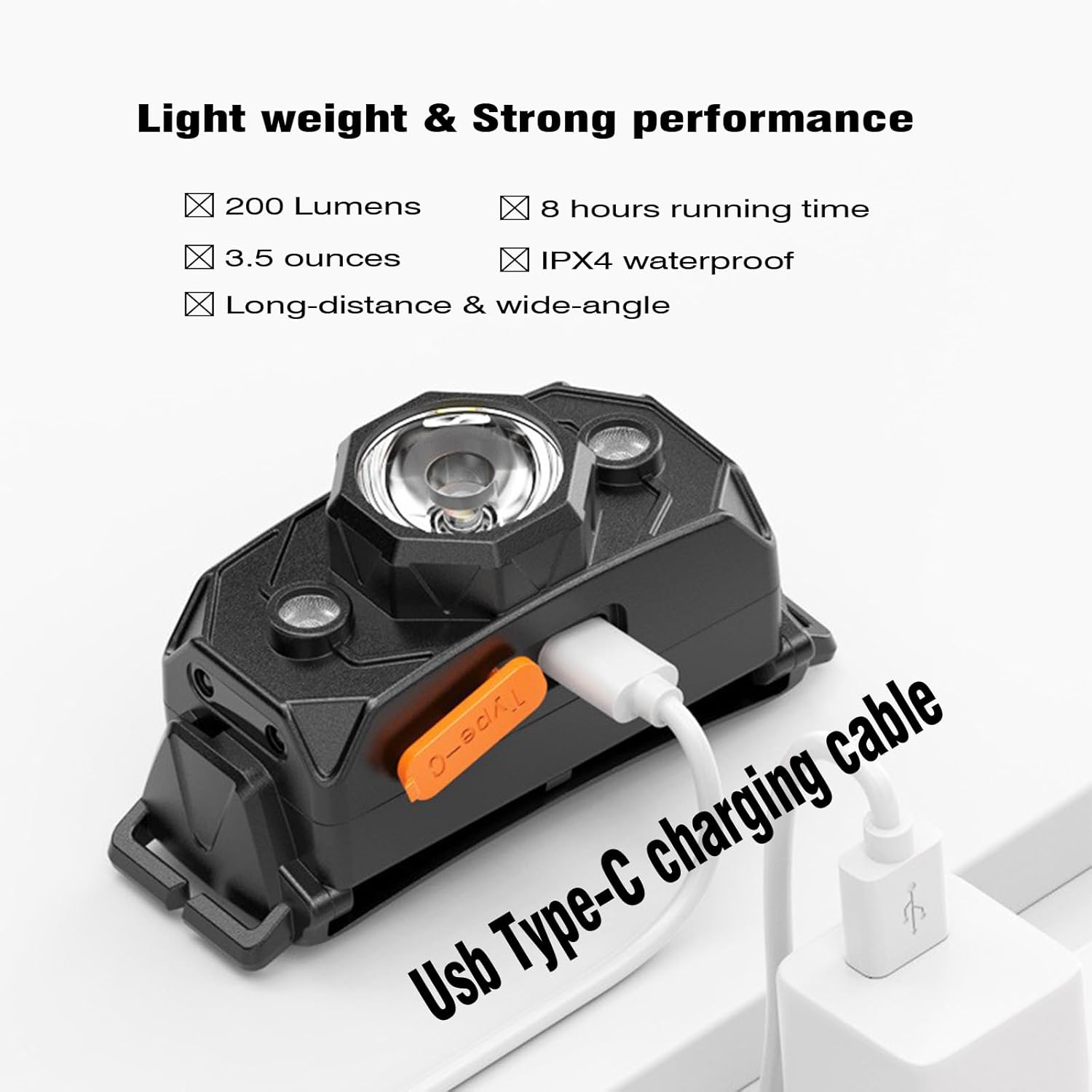
Image: The USB-C charging port on the ODEAR mini02 headlamp.
3. Attaching and Adjusting the Headband
The adjustable headband allows for a comfortable and secure fit.
- Thread the ends of the adjustable headband through the slots on either side of the headlamp unit.
- Adjust the strap length to fit comfortably around your head. Ensure it is snug but not too tight.
Operating Instructions
1. Power On/Off and Mode Selection
The headlamp features two main buttons: a power button and a mode selection button.
- Power Button: Press the power button (typically on the left side when worn) to turn the headlamp on or off.
- Mode Button: Press the mode button (typically on the right side when worn) to cycle through the 5 available lighting modes:
- Spotlight (focused beam)
- Floodlight (wide area illumination)
- Spotlight + Floodlight (combined illumination)
- Red Light (for preserving night vision)
- Strobe Flash (for emergencies or signaling)

Image: Visual representation of the headlamp's five distinct lighting modes.

Image: Red floodlight mode in use during a night fishing activity.
2. Motion Sensor Function
The headlamp is equipped with a motion sensor for hands-free operation.
- To activate the motion sensor, press the dedicated sensor button (usually located near the power button). A green indicator light will confirm activation.
- Once activated, you can turn the headlamp on or off by simply waving your hand in front of the sensor.
- This feature is particularly useful when your hands are dirty or occupied.
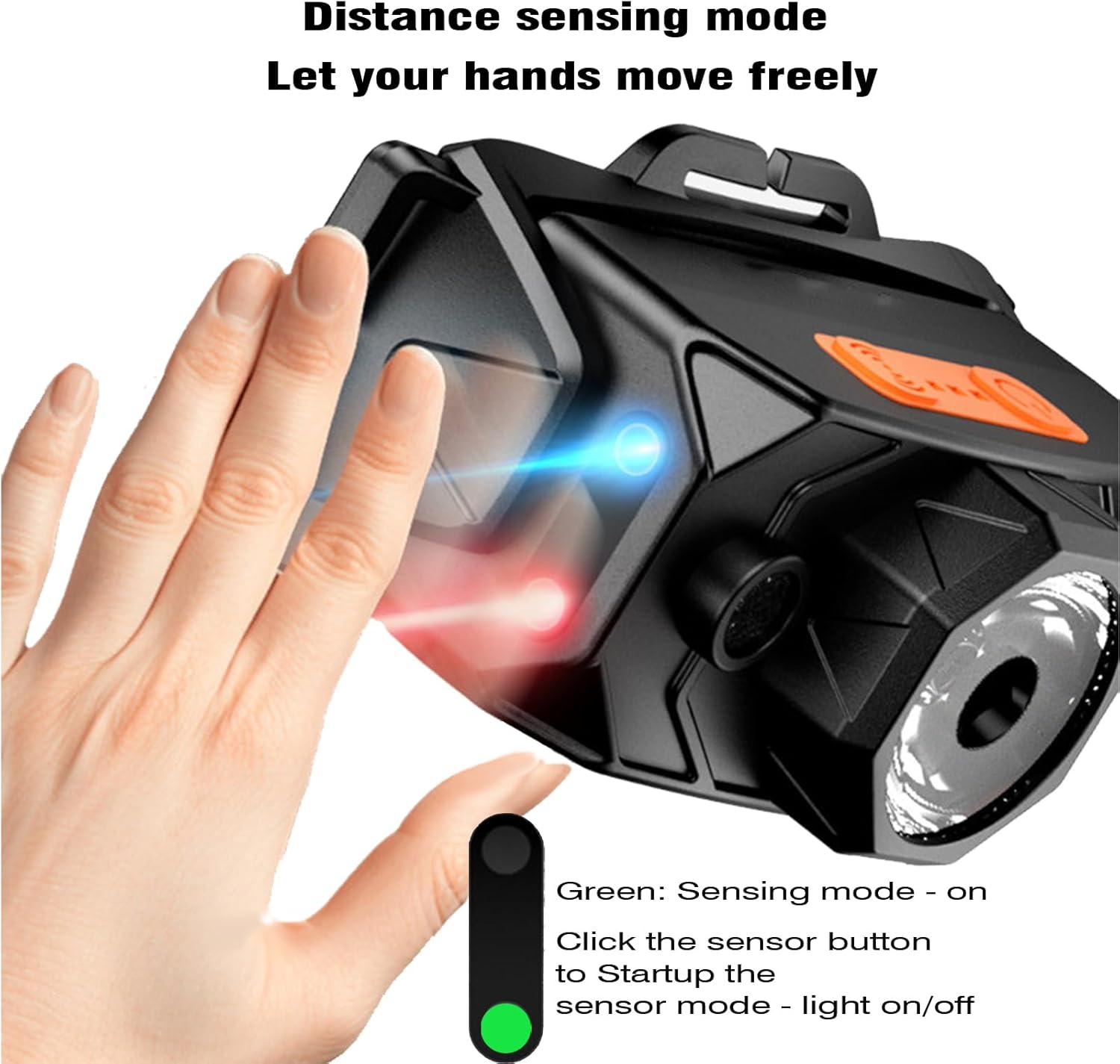
Image: Demonstrating the motion sensor function for hands-free control.
3. Adjustable Head Angle
The headlamp unit can be tilted up to 90 degrees to direct the light precisely where needed.
- Gently push or pull the headlamp unit to adjust its vertical angle.
- The mechanism is designed to hold the chosen angle securely during use.

Image: Illustration of the headlamp's 90-degree adjustable tilt feature.
Maintenance
1. Cleaning
- Wipe the headlamp body with a soft, damp cloth. Avoid using abrasive cleaners or solvents.
- Ensure the USB-C charging port cover is clean and free of debris before closing to maintain its waterproof seal.
2. Storage
- Store the headlamp in a cool, dry place away from direct sunlight and extreme temperatures.
- For long-term storage, ensure the battery is partially charged (around 50%) and recharge every three months to prevent deep discharge and extend battery life.
Troubleshooting
| Problem | Possible Cause | Solution |
|---|---|---|
| Headlamp does not turn on. | Battery is depleted. Protective cap still in place. | Charge the headlamp fully. Ensure the switch protective cap has been removed. |
| Motion sensor is inconsistent. | Sensor obstruction or sensitivity issue. | Ensure no objects are blocking the sensor. Try activating the sensor function again. If issues persist, use manual button controls. |
| Headlamp is uncomfortable to wear. | Hard plastic pressing against forehead. | Adjust the headband for a looser fit. Consider wearing the headlamp over a hat or a thin piece of cloth for added cushioning. |
| Light output dims over time. | Battery level decreasing. Heat management. | This is normal as the battery depletes or as a heat management feature. Recharge the headlamp for full brightness. |
Specifications
| Feature | Detail |
|---|---|
| Model Number | mini02 |
| Special Features | Adjustable Light Modes, High Power, Lightweight, Rechargeable, Weatherproof |
| Color | Black |
| Power Source | Battery Powered |
| Light Source Type | LED |
| Material | Plastic |
| White Brightness | 200 Lumens |
| Battery Type | 1 Lithium Ion battery (included) |
| Water Resistance Level | IPX4 Waterproof |
| Mounting Type | Head-mounted |
| Item Weight | 3.5 ounces |
| Item Dimensions (L x W x H) | 3.7" x 1.6" x 1.9" |
| Manufacturer | ODEAR |
Warranty
The ODEAR mini02 Rechargeable LED Headlamp comes with a twelve-month manufacturer's warranty. Please retain your proof of purchase for any warranty claims. For detailed warranty terms and conditions, please refer to the product packaging or contact customer support.
Support
For further assistance, technical support, or inquiries regarding your ODEAR mini02 Rechargeable LED Headlamp, please contact ODEAR customer service through the retailer's platform or the official ODEAR website. Our support team is available to help with any questions or concerns you may have.