
Introduction
This manual provides detailed instructions for the setup, operation, and maintenance of your Vrriis WL096PRO 4K Wireless HDMI Transmitter and Receiver system. This system is designed for high-quality 4K30Hz video transmission with low latency, suitable for surveillance, recording, and live streaming applications. It features 20 adjustable channels, UVC output for direct computer connection, and supports multiple receivers.

Image: The Vrriis WL096PRO Wireless Video Transmitter and Receiver connected to a professional camera, demonstrating its application in video production.
What's in the Box?
Verify that all items are present in your package:
- 1 x Transmitter
- 1 x Receiver
- 6 x Antennas
- 2 x USB-C Cables
- 2 x 5V2A Adapters
- 1 x User Manual
- 3 x HDMI Cables (Standard, Mini, Micro)
- 1 x USB 3.0 Cable (for UVC OUT)

Image: A visual representation of all components included in the Vrriis WL096PRO package.
Product Overview
Transmitter (TX)
The transmitter unit sends the video and audio signal wirelessly. It includes an HDMI input, a loop-out port for local monitoring, a reset button, an audio output, and a USB-C port for power.

Image: Detailed view of the Transmitter unit, highlighting HDMI IN, Loop Out, Reset, Audio, and 5V2A USB-C power ports.
Receiver (RX)
The receiver unit receives the wireless video and audio signal. It features an HDMI output, a UVC port for computer connection, a reset button, an audio output, and a USB-C port for power.

Image: Detailed view of the Receiver unit, highlighting HDMI OUT, UVC, Reset, Audio, and 5V2A USB-C power ports.
LCD Display
Both the transmitter and receiver are equipped with LCD displays that show real-time connection status, signal strength, current channel, video input/output resolution, and power source information. This display aids in intuitive operation and monitoring.

Image: A close-up of the full-color LCD screen, showing channel (CH03), resolution (3840x2160P 30Hz), signal strength, and battery status.
Setup Instructions
The Vrriis WL096PRO system is designed for plug-and-play operation. The units are pre-paired from the factory.
- Power the Transmitter (TX): Connect the transmitter to a power source using an NP-F series battery (not included) or the provided 5V2A adapter via the USB-C port.
- Connect Signal Source to TX: Plug one end of an HDMI cable into the HDMI IN port of the transmitter and the other end into your signal source (e.g., camera, laptop, TV box).
- Power the Receiver (RX): Connect the receiver to a power source using an NP-F series battery (not included) or the provided 5V2A adapter via the USB-C port.
- Connect Display to RX: Plug one end of an HDMI cable into the HDMI OUT port of the receiver and the other end into your display device (e.g., monitor, TV, projector).
- Automatic Connection: After powering both units and connecting the HDMI cables, the transmitter and receiver will automatically connect within a few seconds. The LCD screens will display the connection status.

Image: Visual guide illustrating the plug-and-play setup process for the transmitter and receiver units.
Pairing Video Guide
For a visual guide on the pairing process, please refer to the official video below:
Video: Official Vrriis WL096Pro Pairing Video Guide. This video demonstrates the steps to connect and pair the transmitter and receiver units.
Operating Instructions
Channel Selection
The system operates on a 5G frequency with 20 selectable channels (1-20). You can manually adjust channels on both the transmitter and receiver to avoid interference and ensure optimal signal quality.
- Press the Up or Down buttons on the unit to select a channel (1-20).
- Press the OK button to confirm your selection. The selection will be automatically confirmed after 6 seconds if no further input is received.
- The TX/RX units will auto-sync channels. In a one-to-many setup, all receivers will match the transmitter's channel.
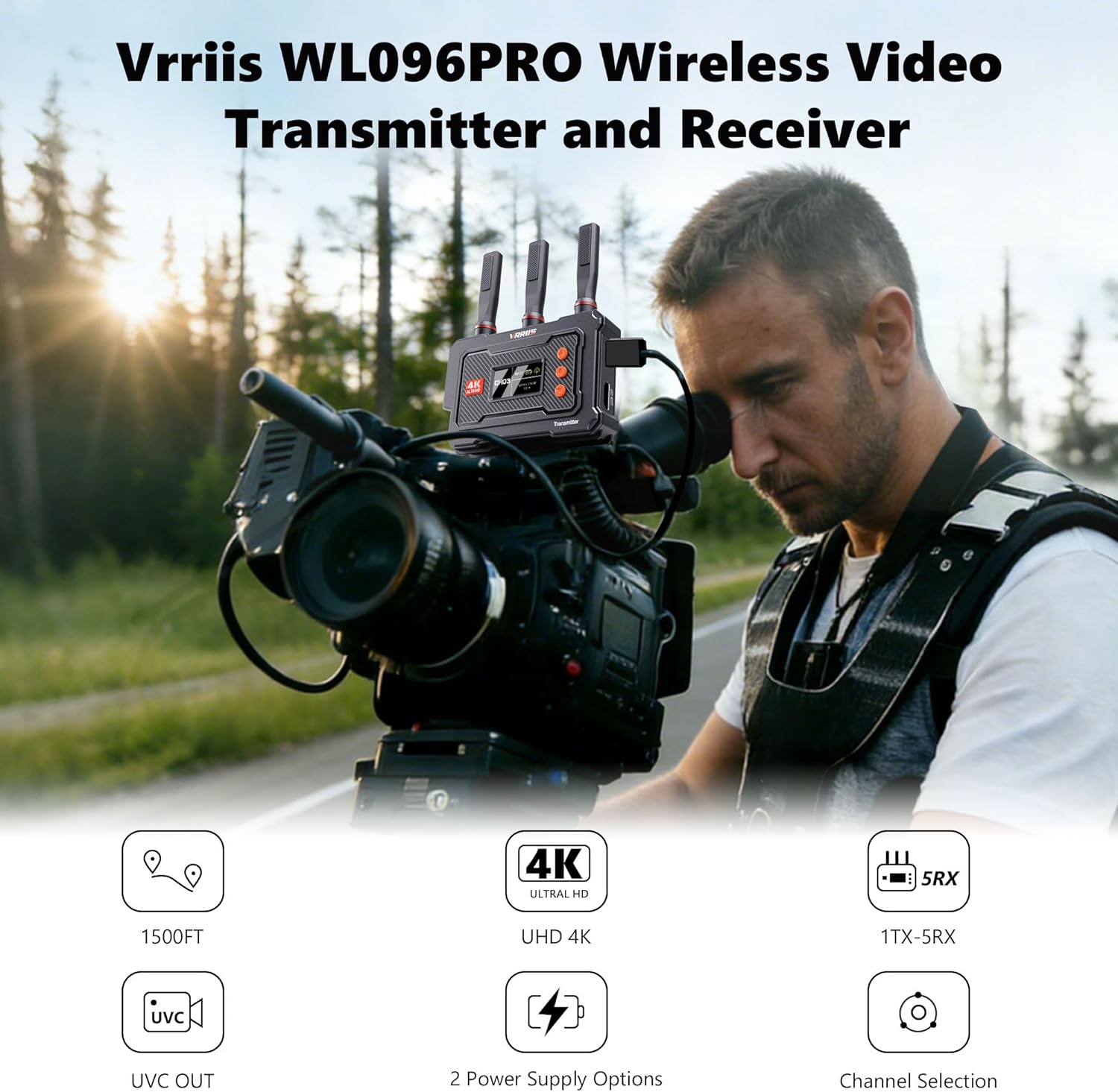
Image: The transmitter unit displaying various channel options (CH01-CH12) and the control buttons for manual channel selection.
UVC Output for Live Streaming
The WL096Pro 4K Wireless Video Transmission System supports UVC (USB Video Class) output, allowing direct connection to a computer for live streaming without a separate capture card.
- Connect the receiver to your computer via a USB-C 3.0 cable (not included).
- The computer will recognize the receiver as a video source.
- You can then use software like OBS Studio or other third-party platforms for live streaming (up to 1080p@60Hz output) and local video storage.

Image: The receiver unit connected to a laptop, demonstrating its UVC output capability for live streaming applications like OBS Studio.
Multi-Receiver Setup (One Transmitter to Five Receivers)
The Vrriis WL096PRO system supports transmitting audio and video signals from one transmitter to up to five receivers simultaneously. This is ideal for multi-camera monitoring setups.
- Each additional receiver must be paired with the original transmitter before use.
- Ensure all receivers are powered and connected to their respective displays.
- The transmitter's loop-out port allows real-time monitoring directly at the signal source while transmitting to multiple receivers.

Image: An illustration of a multi-receiver setup, where one transmitter broadcasts to five individual receivers, each connected to a display.
Multiple Power Options
The system offers flexible power options:
- NP-F Series Batteries: Compatible with NP-F970, F750, F550 series batteries (not included).
- 5V2A Type-C Power: Use the provided adapters and USB-C cables for continuous power.
Caution: Power adapters exceeding 5V may damage the product. When using a power station or V-type battery for power supply, please use the USB-C or USB-A port for charging. Other ports (such as DC-C) may deliver excessively high voltage, potentially causing damage to the product.

Image: The transmitter and receiver units demonstrating their compatibility with NP-F batteries and USB-C power input.
Product Introduction Video
For a general overview and demonstration of the product's features, please watch the official introduction video:
Video: Official Vrriis WL096PRO Product Introduction. This video highlights the key features and benefits of the wireless video transmission system.
Maintenance
To ensure the longevity and optimal performance of your Vrriis WL096PRO system, follow these maintenance guidelines:
- Cleaning: Use a soft, dry cloth to clean the units. Avoid using liquid cleaners or solvents, which may damage the surface or internal components.
- Storage: Store the units in a cool, dry place away from direct sunlight and extreme temperatures. When not in use for extended periods, remove any attached batteries.
- Antennas: Handle antennas with care. Ensure they are securely attached during operation and gently removed or folded for storage to prevent damage.
- Firmware Updates: Check the official Vrriis website periodically for any available firmware updates to ensure your device has the latest features and performance improvements.
Troubleshooting
If you encounter issues with your Vrriis WL096PRO system, refer to the following common problems and solutions:
| Problem | Possible Cause | Solution |
|---|---|---|
| No Signal / Disconnection | Incorrect cable connection, power issue, signal interference, out of range. | Ensure all HDMI and power cables are securely connected. Check power supply. Try switching to a different channel (1-20) to avoid interference. Reduce distance between TX and RX. Ensure line of sight. |
| Video Lag / High Latency | Signal interference, excessive distance, obstacles, channel congestion. | Change to a less congested channel. Reduce distance between units. Minimize obstacles. Note that the system has an inherent latency of approximately 0.1s, which is not suitable for real-time gaming. |
| No UVC Output on Computer | Incorrect USB-C cable, driver issue, software settings. | Ensure you are using a USB-C 3.0 cable. Check your computer's device manager to see if the UVC device is recognized. Verify settings in your streaming software (e.g., OBS). |
| LCD Display Not Working | Power issue, unit malfunction. | Ensure the unit is properly powered. If the problem persists, contact customer support. |
| Cannot Connect to Multiple Receivers | Receivers not paired, channel mismatch. | Ensure each additional receiver has been paired with the transmitter. Verify all units are on the same channel. |
Specifications
| Feature | Detail |
|---|---|
| Model Name | WL096 PRO |
| Brand | Vrriis |
| Connectivity Technology | HDMI |
| Wireless Technology | HDMI, 5GHz |
| Frequency Response | 5 GHz |
| Maximum Range | 1500 Feet (line of sight) |
| Latency | Approximately 0.1s |
| Video Resolution | Up to 4K30Hz (input/output), 1080p@60Hz (UVC output) |
| Channels | 20 adjustable channels |
| Multi-Receiver Support | 1 Transmitter to up to 5 Receivers |
| Power Source | Corded Electric (5V2A USB-C), NP-F Series Camera Batteries |
| Audio Output Mode | Stereo |
| Enclosure Material | Metal, Plastic |
| Dimensions (D x W x H) | 6.69" x 5.2" x 2.24" |
| Specific Uses | Home Theatre, Live streaming, Outdoor filming, Real-time monitoring |
Warranty and Support
Warranty Information
The Vrriis WL096PRO Wireless HDMI Transmitter and Receiver comes with a 1-Year Limited Warranty from the date of purchase. This warranty covers manufacturing defects and ensures the product functions as intended under normal use. Please retain your proof of purchase for warranty claims.
Customer Support
For technical assistance, troubleshooting, or warranty inquiries, please contact Vrriis customer support through the official Vrriis store on Amazon or visit the Vrriis website for contact information.
Additional protection plans may be available for purchase:
- 2-Year Protection Plan
- 3-Year Protection Plan
- Complete Protect (monthly renewal)
Please refer to the specific terms and conditions of these protection plans at the time of purchase.
