
1. Introduction
Thank you for choosing the Seauto SAT20 Pro Robotic Pool Cleaner. This manual provides essential information for the safe operation, maintenance, and troubleshooting of your device. Please read it thoroughly before first use and retain it for future reference.
The Seauto SAT20 Pro is an advanced, cordless robotic pool cleaner designed for inground pools. It features AI Sonar Smart Navigation, multiple cleaning modes, and a powerful filtration system to ensure comprehensive and efficient pool cleaning.
2. Safety Information
- Read all instructions carefully before operating the cleaner.
- Do not operate the cleaner when people or pets are in the pool.
- Ensure the charging port is dry before connecting the charger.
- Use only the original charger provided by Seauto.
- Keep the cleaner out of reach of children.
- Do not attempt to repair the unit yourself. Contact customer support for assistance.
- Store the cleaner in a cool, dry place away from direct sunlight when not in use.
- Always rinse the cleaner with clean water after each use to prevent chemical buildup.
3. Package Contents
Verify that all items are present in the package:
- Seauto SAT20 Pro Robotic Pool Cleaner (fully assembled)
- Charging Adapter
- Retrieval Hook (for use with an existing pool pole)
- User Manual
- Debris Filter Basket (pre-installed)
4. Product Overview
The Seauto SAT20 Pro is designed for efficient and thorough pool cleaning. Key features include:
- AI Sonar Smart Navigation: Optimizes cleaning paths for maximum coverage.
- AWD Traction: Ensures adaptability to various pool surfaces like tile, vinyl, pebble, and mosaic.
- Cordless Operation: Eliminates tangled cords and simplifies deployment.
- Long Battery Life: Up to 180 minutes of continuous cleaning.
- Multiple Cleaning Modes: Floor, Wall (including waterline), and Wall & Floor modes.
- Advanced Filtration System: Captures fine debris and larger particles.

Figure 4.1: Seauto SAT20 Pro Robotic Pool Cleaner. This image shows the overall design of the robotic pool cleaner, highlighting its compact and robust construction.

Figure 4.2: Comprehensive Cleaning. The image illustrates the cleaner's ability to operate on both the pool floor and walls, demonstrating its multiple cleaning modes for thorough coverage.
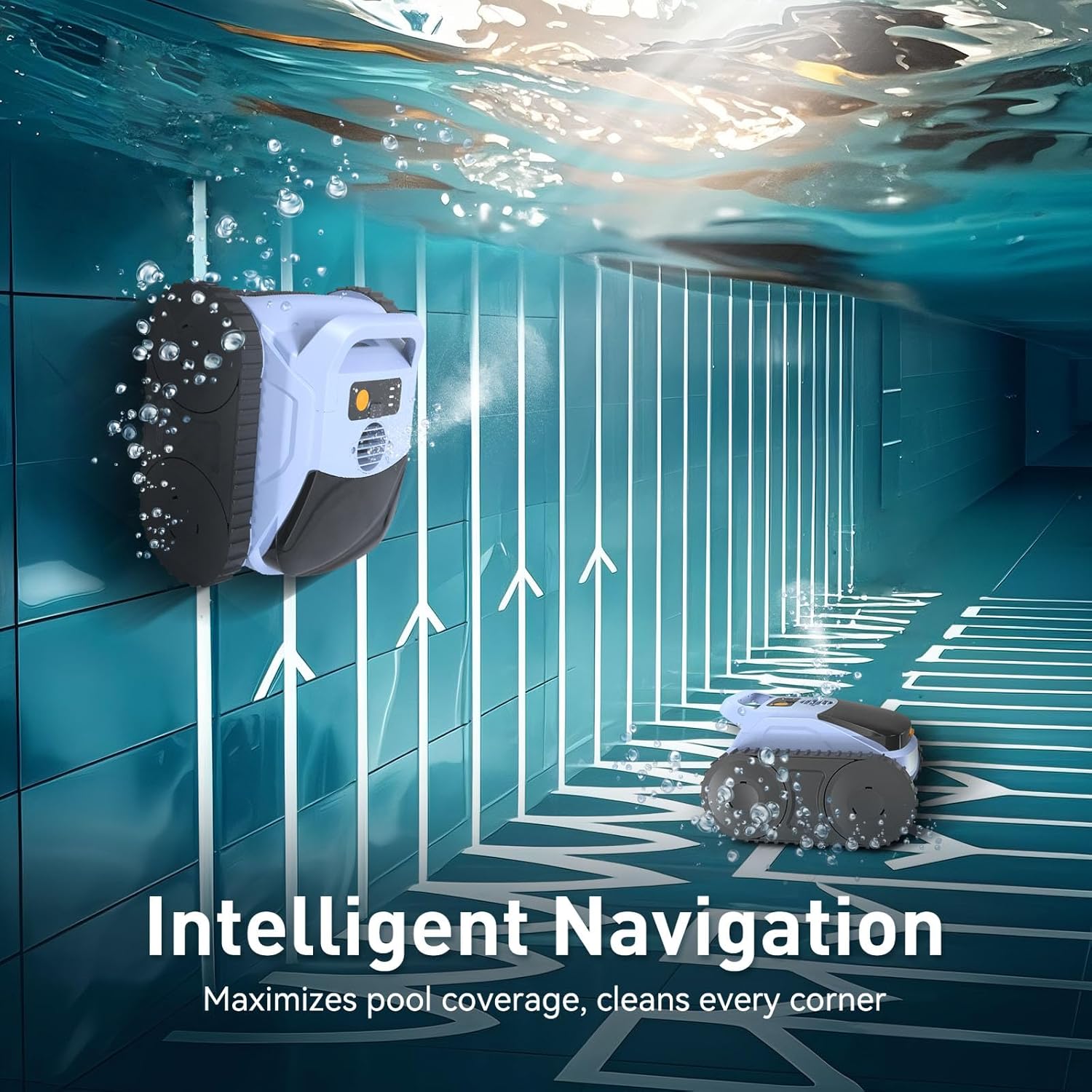
Figure 4.3: Intelligent Navigation. This image depicts the cleaner's smart navigation system, showing arrows indicating its methodical path along pool surfaces to maximize coverage.
5. Setup
5.1 Initial Charging
- Ensure the cleaner's charging port is completely dry before connecting the charger.
- Connect the charging adapter to the cleaner and then plug it into a power outlet.
- Allow approximately 3 hours for a full charge. The indicator light on the cleaner will change to indicate charging status (refer to the cleaner's specific LED indicators for details).
5.2 Preparing for Deployment
- Before placing the cleaner in the pool, ensure the filter basket is clean and properly installed.
- Gently lower the cleaner into the pool. It will sink to the bottom.
6. Operation
6.1 Starting a Cleaning Cycle
The Seauto SAT20 Pro uses a push-button control method for ease of use.
- Once the cleaner is submerged, press the power button (location specified in product diagram, usually on top) to activate it.
- The cleaner will begin its cleaning cycle according to the selected mode.
6.2 Cleaning Modes
The SAT20 Pro offers three distinct cleaning modes:
- Floor Mode: Focuses solely on cleaning the pool floor.
- Wall Mode: Cleans pool walls and the waterline.
- Wall & Floor Mode: Provides comprehensive cleaning of both the pool floor and walls.
To switch between modes, refer to the specific instructions on the cleaner's control panel or the detailed user guide for button sequences.

Figure 6.1: Effortless Complete Clean. This image highlights the cleaner's long battery life (up to 180 minutes) and large cleaning area (up to 2100 sq.ft.), demonstrating its capability for a complete cleaning cycle on a single charge.

Figure 6.2: Strong Cleaning Power. The image illustrates the cleaner's ability to lift various types of debris from the pool floor, including sand, twigs, leaves, and pet hair, showcasing its powerful suction.

Figure 6.3: Efficient Debris Suction. This image shows the internal mechanism of the cleaner, emphasizing its 4800 GPH flow rate for powerful and efficient debris removal.
6.3 Retrieving the Cleaner
Once the cleaning cycle is complete or the battery is low, the cleaner will typically move to a wall for easy retrieval. Use the provided retrieval hook attached to a standard pool pole to lift the cleaner out of the water.
Important: Always lift the cleaner slowly and allow excess water to drain before fully removing it from the pool to avoid straining the handle.
7. Maintenance
Regular maintenance ensures optimal performance and extends the lifespan of your Seauto SAT20 Pro.
7.1 Cleaning the Filter Basket
- After each cleaning cycle, remove the cleaner from the pool.
- Locate the orange button at the front of the machine and press it to release the debris basket.
- Open the smokey gray plastic lid of the basket by pressing the two black tabs on the left and right sides.
- Empty all collected debris.
- Rinse the filter basket thoroughly with clean water to remove fine particles.
- Reinstall the clean filter basket into the cleaner, ensuring it clicks securely into place.

Figure 7.1: Advanced Filtration System. This image shows the transparent top cover and the internal filter basket, illustrating how the system captures debris and delivers clean water.
7.2 Brush Maintenance
- Periodically check the PVC traction brushes for wear or entanglement with hair/fibers.
- Clean any debris from the brushes to maintain optimal traction and cleaning performance.
7.3 Storage
- After cleaning, ensure the cleaner is completely dry before storing.
- Store the unit in a dry place, away from direct sunlight and extreme temperatures.
- For long-term storage, ensure the battery is charged to approximately 50-70% to preserve battery health.
8. Troubleshooting
| Problem | Possible Cause | Solution |
|---|---|---|
| Cleaner does not start. | Battery is low or depleted. | Charge the cleaner for 3 hours. |
| Cleaner moves slowly or erratically. | Filter basket is full or clogged; Brushes are dirty or worn. | Clean the filter basket; Inspect and clean/replace brushes. |
| Poor cleaning performance. | Filter basket is full; Incorrect cleaning mode selected. | Empty and clean the filter basket; Select the appropriate cleaning mode (e.g., Wall & Floor). |
| Cleaner does not climb walls effectively. | Battery is low; Pool surface is excessively slippery; Brushes are worn. | Ensure battery is fully charged; Check and clean brushes; Some pool surfaces may reduce climbing ability. |
| Cleaner stops mid-cycle. | Battery depleted; Obstruction detected. | Recharge the cleaner; Remove any obstructions. |
If the problem persists after attempting these solutions, please contact Seauto customer support.
9. Specifications
| Feature | Detail |
|---|---|
| Brand | Seauto |
| Model Name | SAT20 Pro |
| Material | Plastic |
| Product Dimensions (L x W x H) | 14.1" x 10" x 16.1" |
| Item Weight | 15.5 Pounds |
| Power Source | AC/DC Adapter (for charging) |
| Control Method | Push Button |
| Battery Type | Lithium-Ion |
| Lithium Battery Voltage | 3.7 Volts |
| Lithium Battery Energy Content | 144.3 Watt Hours |
| Number of Lithium-ion Cells | 15 |
| Charging Time | 3 Hours |
| Max Runtime | Up to 180 Minutes |
| Max Cleaning Range | Up to 2100 sq.ft. |
| Suction Power | 5500 GPH |
| Filter Basket Size | 295 µm |
| Special Features | AI Sonar Smart Navigation, Cordless, Advanced Filtration System, Robotic |
| Product Care Instructions | Rinse With Clean Water After Each Use, Clean Filter Basket Regularly, Store In A Dry Place Away From Direct Sunlight, Check And Clean Brushes Periodically, Ensure Battery Is Charged Before Storage |
10. Warranty & Support
10.1 Warranty Information
The Seauto SAT20 Pro Robotic Pool Cleaner comes with an Extended Warranty. Please refer to the warranty card included in your package or visit the official Seauto website for detailed terms and conditions.
10.2 Customer Support
For any questions, technical assistance, or warranty claims, please contact Seauto customer support directly. Purchasing from our official online store ensures direct and authoritative after-sales support.
Contact Information: Refer to the official Seauto website or the contact details provided in your product packaging.


