
Introduction
This manual provides essential instructions for the safe and effective use of your Metasources AC/DC Adapter. Please read this manual thoroughly before using the product and retain it for future reference. This adapter is designed to provide reliable power to compatible KJK and JDL series WiFi Trail Cameras and Game Cams.
Product Overview
The Metasources AC/DC Adapter is a switching power supply designed for various trail camera models. It features a durable design and incorporates multiple safety protections to ensure stable and secure power delivery.
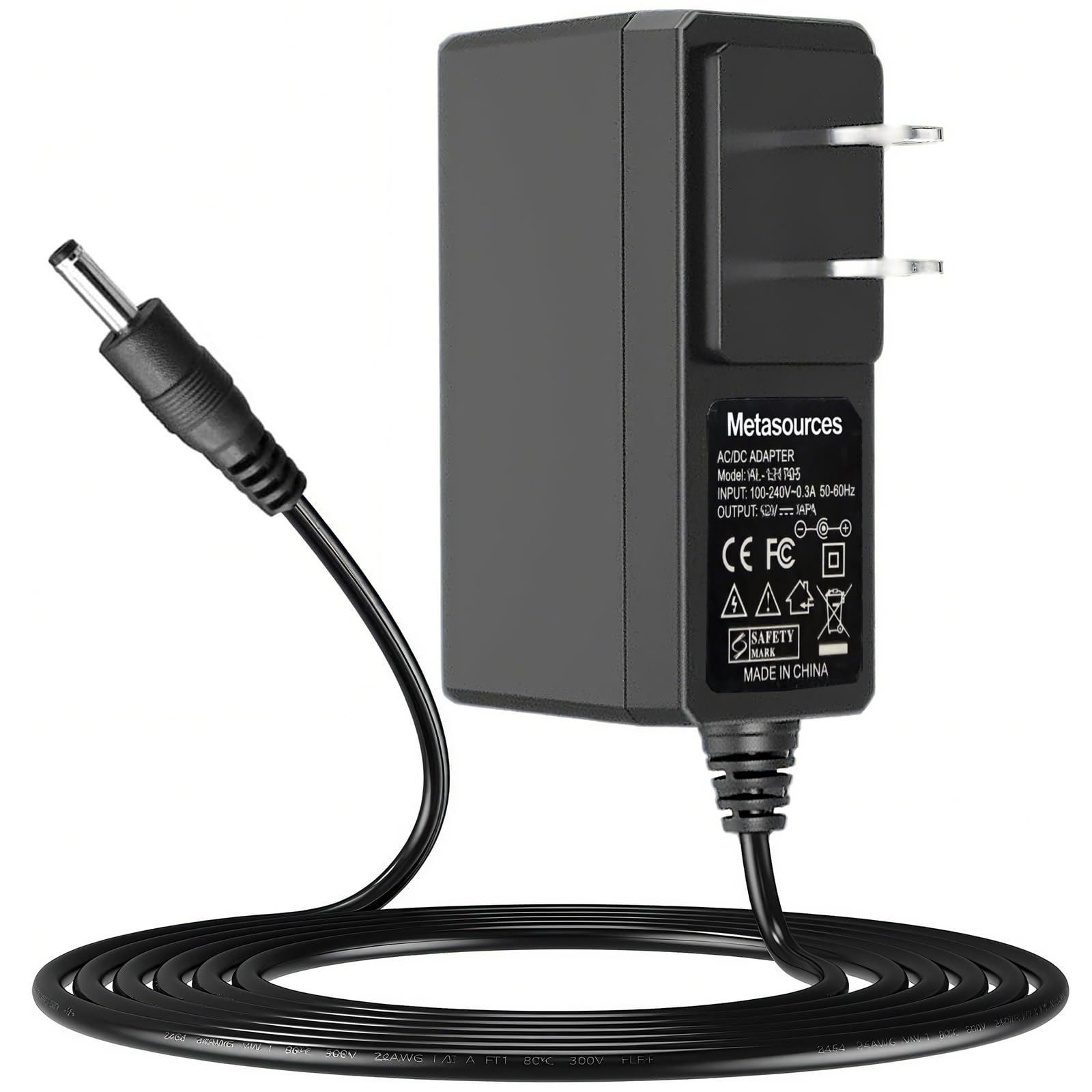
Image: The Metasources AC/DC Adapter, showing the main unit, power cord, and barrel round connector.
Key Features:
- Universal Input: 100-240V AC, 50/60Hz, suitable for global use.
- Safety Certifications: FCC approved with built-in overcurrent, short-circuit, and overvoltage protection.
- Durable Design: Constructed for extended reach and daily reliability.
- Compatibility: Specifically designed for KJK and JDL series WiFi Trail Cameras.
Compatibility
This AC/DC adapter is compatible with the following WiFi Trail Camera and Game Cam models:
- KJK KJK228
- KJK KJK201
- JDL201
- JDL-201
- GE-HC201-1
- KJK230
- KJK229
- KJK226
- LCK226
It serves as a direct replacement for lost or damaged power cords for these models.
Setup Instructions
- Verify Compatibility: Ensure your device is listed in the compatibility section above.
- Connect to Device: Insert the barrel round connector end of the adapter cable into the power input port of your compatible trail camera or game cam.
- Connect to Power Outlet: Plug the AC adapter's two-prong plug into a standard 100-240V AC wall outlet.
- Power On: Once connected, your device should receive power. Refer to your device's manual for specific power-on procedures.

Image: The AC/DC adapter showing the barrel connector, ready for connection to a device.
Operating Instructions
Once properly connected, the adapter will supply continuous power to your device. No further user interaction is required for the adapter itself during operation. Always ensure the adapter is placed in a well-ventilated area and away from direct heat sources or moisture.
- Do not cover the adapter during use.
- Avoid placing the adapter in areas where it might be stepped on or tripped over.
- Disconnect the adapter from the power outlet when not in use for extended periods.
Safety Information and Protections
Your Metasources AC/DC Adapter is designed with multiple safety features to protect both the adapter and your connected device:
- Overcurrent Protection (OCP): Prevents damage from excessive current flow.
- Short-Circuit Protection (SCP): Automatically shuts down power in case of a short circuit.
- Overvoltage Protection (OVP): Safeguards against damage from voltage spikes.
- Overcharge Protection: Protects devices from being overcharged.
- Overpower Protection: Prevents damage from excessive power draw.
- Over Temperature Protection: Monitors and regulates internal temperature.
- Fire-Resistance: Constructed with fire-resistant materials.

Image: Visual representation of the 7-Point Safety Protection features, including Short Circuit, Overcurrent, Over Temperature, Fire-Resistance, Overcharge, Overpower, and Overvoltage Protection.
The adapter also utilizes pure copper plates for high-speed heat dissipation, which helps to reduce heat generation during charging and operation, further enhancing safety and longevity.
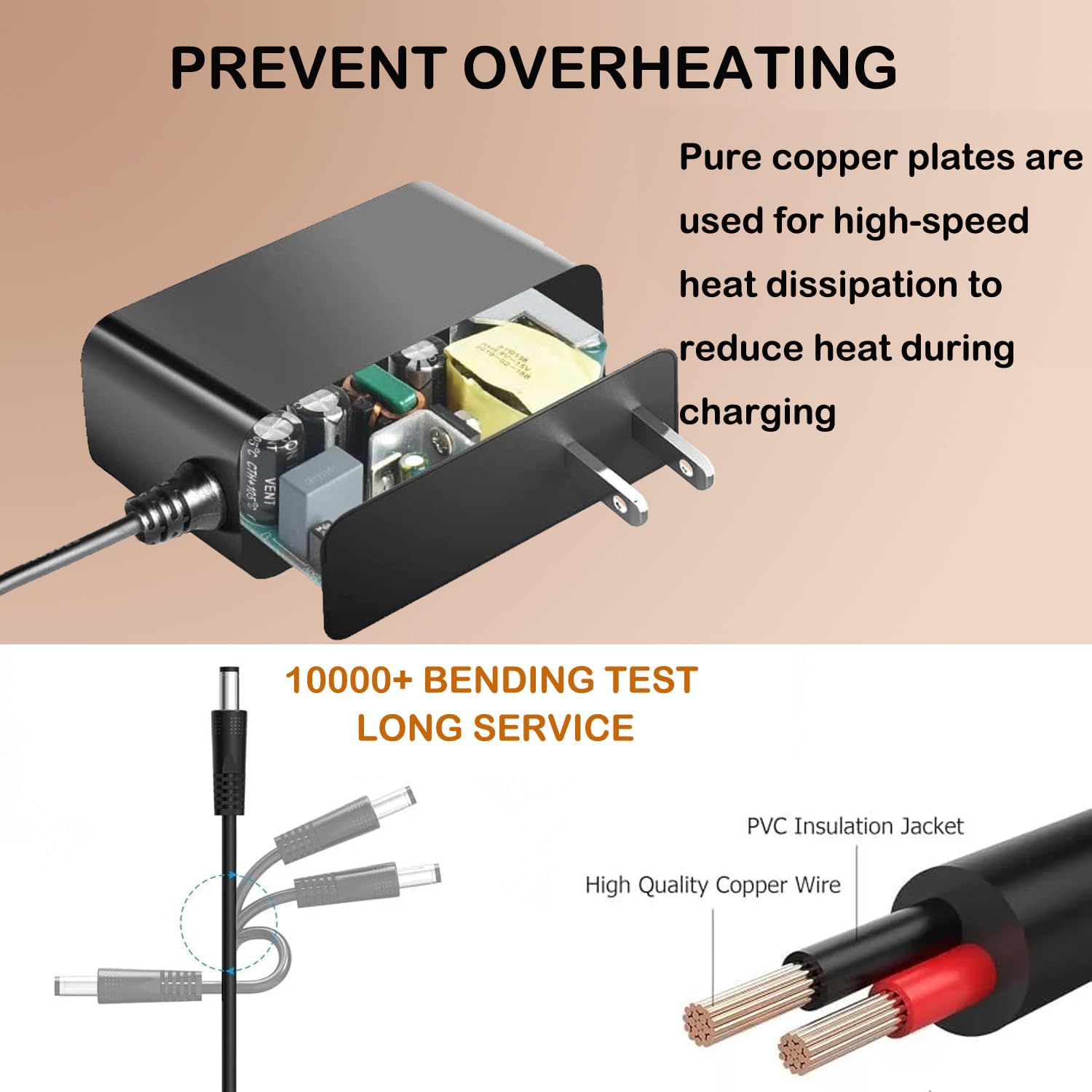
Image: Illustration detailing the internal pure copper plates for heat dissipation and the results of a 10000+ bending test for cable durability, highlighting high-quality copper wire and PVC insulation.
Care and Maintenance
- Cleaning: Disconnect the adapter from the power source and device before cleaning. Use a dry, soft cloth to wipe the surface. Do not use liquid cleaners or solvents.
- Storage: Store the adapter in a cool, dry place when not in use. Avoid extreme temperatures and humidity.
- Cable Care: Do not bend or crimp the cable excessively. Avoid placing heavy objects on the cable.
- Inspection: Periodically inspect the adapter and cable for any signs of damage, such as frayed wires or cracked casing. If damage is found, discontinue use immediately.
Troubleshooting
| Problem | Possible Cause | Solution |
|---|---|---|
| Device not powering on. |
|
|
| Adapter feels unusually hot. |
|
|
Specifications
| Feature | Detail |
|---|---|
| Brand | Metasources |
| Model Number | KJK201 JDL201 Power Supply |
| Input Voltage | 100-240V AC, 50/60Hz |
| Connector Type | Barrel Round Connector |
| Color | Black |
| Item Weight | 5 Ounces |
| Safety Features | OCP, SCP, OVP, Overcharge, Overpower, Over Temperature, Fire-Resistance |
| Included Components | 1 AC Adapter |
Warranty and Support
Your Metasources AC/DC Adapter comes with a 24-month exchange warranty. In addition, a 30-day refund policy is available from the date of purchase.
For technical support, warranty claims, or any questions regarding your product, please contact Metasources customer service through the retailer where the product was purchased.
Please retain your proof of purchase for warranty purposes.