
1. Introduction
Thank you for choosing the YOTON YE01 Compressed Air Duster. This cordless electric air duster is designed to replace traditional canned air sprays, offering a powerful, rechargeable, and eco-friendly solution for various cleaning needs. With its 110,000 RPM brushless motor and 3-gear adjustable airflow, it effectively removes dust from electronics, car interiors, and other hard-to-reach areas.
2. Package Contents
Please check the package to ensure all items are present:
- 1 x YOTON YE01 Compressed Air Duster (with Universal Nozzle pre-installed)
- 1 x Type-C Charging Cable
- 1 x Storage Pouch
- 1 x User Manual
- 1 x Flat Nozzle
- 1 x Round Nozzle
- 1 x Long Nozzle
- 1 x Inflatable Nozzle (for Air Beds)

Image 2.1: The YOTON YE01 Compressed Air Duster and its included accessories, neatly arranged in their packaging.
3. Product Features
- Powerful 110,000 RPM Brushless Motor: Delivers strong, consistent airflow for deep cleaning.
- 3-Gear Adjustable Airflow: Choose from low, medium, or high settings for various tasks.
- Rechargeable 5000mAh Battery: Provides up to 4 hours of continuous runtime on the lowest setting and charges in approximately 3.5 hours via Type-C.
- Versatile Nozzles: Includes flat, round, long, and inflatable nozzles for specialized cleaning and inflation.
- Compact & Portable Design: Weighs just 0.45lb (205g) with dimensions of 5.16x3.39 inches, making it easy to handle and store.
- Eco-Friendly: A reusable alternative to disposable canned air, producing 100% dry air without liquid spray or chemical residue.
- Overheat Protection: Built-in safety mechanism to prevent overheating during extended use.

Image 3.1: An internal diagram illustrating the powerful brushless motor and dual 2500mAh batteries that provide long-lasting performance.

Image 3.2: The compact and portable design of the YOTON YE01, shown being held in one hand, emphasizing its ease of use and transport.
4. Setup
4.1 Charging the Device
- Connect the provided Type-C charging cable to the charging port on the duster.
- Plug the other end of the cable into a compatible USB power adapter (not included).
- The blue LED indicator lights will flash during charging and remain solid when fully charged. A full charge takes approximately 3.5 hours.
4.2 Attaching/Detaching Nozzles
- To attach a nozzle, align the nozzle with the air outlet and twist clockwise until it clicks securely into place.
- To detach a nozzle, twist counter-clockwise and pull it off.

Image 4.1: The four specialized nozzles provided with the duster, designed for various cleaning and inflation tasks.
5. Operating Instructions
5.1 Power On/Off and Speed Adjustment
- Power On: Long press the power button (located on the handle) for 3 seconds until the blue LED indicator lights illuminate.
- Adjust Speed: Short press the power button to cycle through the 3 airflow speeds (Low, Medium, High). The number of illuminated blue LEDs indicates the current speed.
- High Speed Operation: For the highest speed setting, you must continuously hold down the trigger button located on the front of the device. Releasing the trigger will stop the airflow.
- Low/Medium Speed Operation: For low and medium speeds, a single short press of the trigger button will activate continuous airflow. Press again to stop.
- Power Off: Long press the power button for 3 seconds to turn off the device.
5.2 Recommended Uses
The YOTON YE01 Compressed Air Duster is highly versatile:
- Electronics: Ideal for cleaning PC towers, mechanical keyboards, laptops, cameras, and other intricate electronic components.
- Home: Dusting furniture, clearing sofa crevices, cleaning air conditioner vents, and removing pet hair.
- Automotive: Detailing car interiors, dashboards, and hard-to-reach areas.
- Outdoor: Blowing leaves, starting campfires (using consistent airflow), and inflating air beds or pool floats with the specialized nozzle.
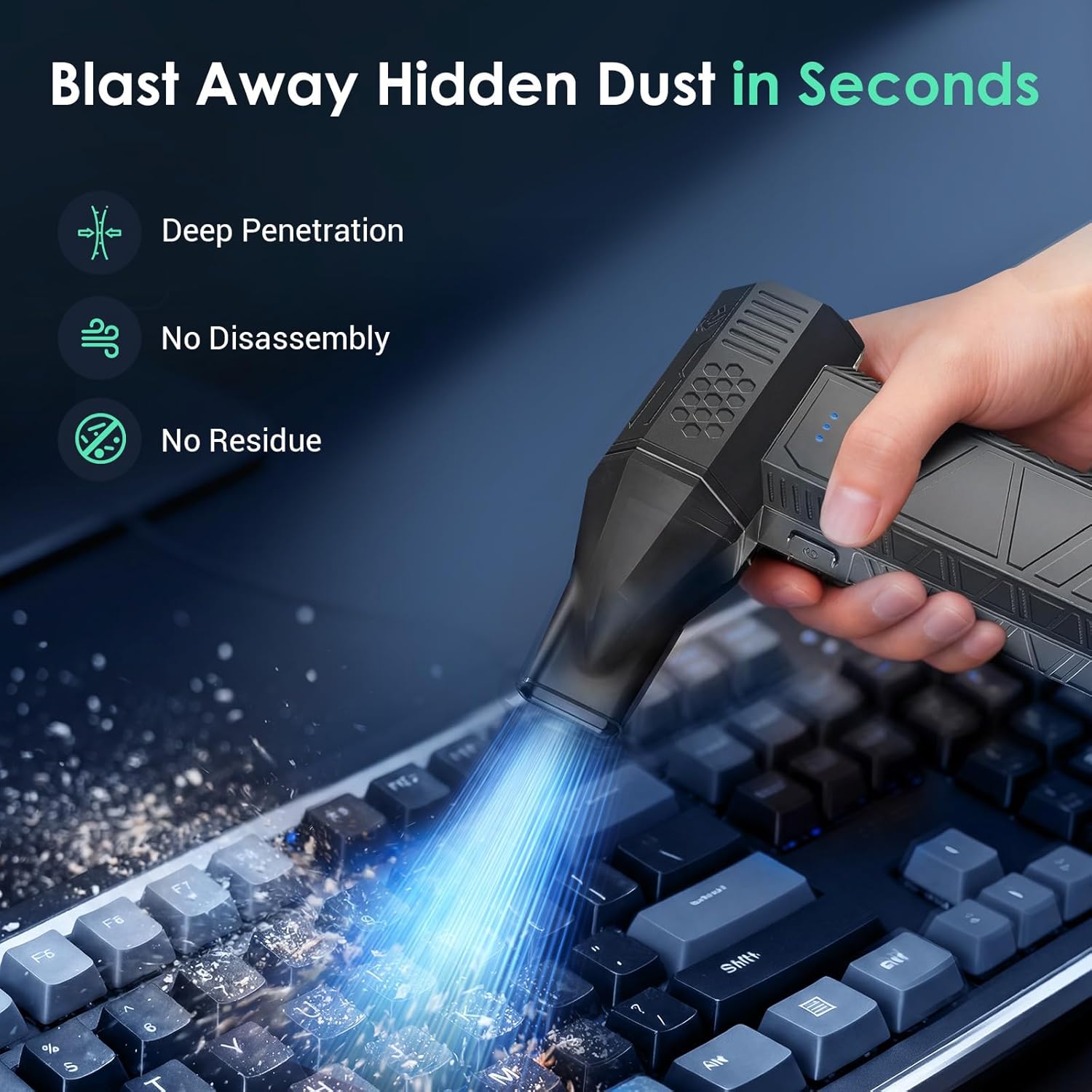
Image 5.1: Cleaning a keyboard with the air duster, demonstrating its effectiveness on electronics.

Image 5.2: The air duster being used to clean a car's dashboard, highlighting its utility for automotive detailing.
Video 5.1: Demonstration of the YOTON YE01 Air Duster in action, showcasing its powerful airflow for various cleaning tasks.
Video 5.2: A short video illustrating the YOTON YE01 Air Duster's use in different scenarios, emphasizing its versatility.
6. Maintenance
- Keep the device clean by wiping its exterior with a soft, dry cloth.
- Ensure the air inlet and outlet are free from obstructions.
- Store the duster and its accessories in the provided storage pouch in a cool, dry place when not in use.
7. Troubleshooting
If you encounter any issues with your YOTON YE01 Compressed Air Duster, please consider the following:
- No Power: Ensure the device is fully charged. If not, connect it to the charger.
- Weak Airflow: Check if the battery is low. Also, ensure the correct nozzle is attached securely and there are no obstructions in the air path.
- Device Overheating: If the device feels excessively hot, discontinue use immediately and allow it to cool down. Avoid prolonged use on the highest setting without breaks.
For further assistance, please refer to the Warranty & Support section.
8. Specifications
| Feature | Detail |
|---|---|
| Model Number | YE01 |
| Product Dimensions | 3.39 x 3.39 x 5.16 inches |
| Item Weight | 7.2 ounces |
| Motor Speed | Up to 110,000 RPM |
| Battery Capacity | 5000mAh (2 x 2500mAh) |
| Charging Time | Approx. 3.5 hours (via Type-C) |
| Runtime (Lowest Setting) | Up to 4 hours |
| Manufacturer | Yoton |
9. Warranty & Support
YOTON offers comprehensive support for your product:
- Warranty: Enjoy a 12-month warranty from the date of purchase.
- Returns: Benefit from a 30-day no-reason return policy.
- Customer Service: Our dedicated 24/7 customer service team is available to assist with any product inquiries or usage issues. We aim to respond within 24 hours.
- Contact Information:
Email: support.vp@yoton.co
WhatsApp: +86 17878704651