
1. Introduction
Thank you for choosing the GRSICO 9-Piece Home Security System. This wireless alarm system is designed to provide reliable security for your home or apartment with easy DIY installation and no monthly fees. This manual will guide you through the setup, operation, and maintenance of your system.
The system operates on a 2.4GHz WiFi network. Please ensure your router supports 2.4GHz WiFi as 5GHz WiFi is not supported.
2. Package Contents
The GRSICO 9-Piece Home Security System (Model W2A-9PACK) includes the following components:
- 1 x Base Station (Main Hub)
- 8 x Door/Window Sensors
- 2 x Motion Sensors
- 1 x Keypad
- 2 x Remote Controls
- 1 x Power Adapter for Base Station
- Mounting Hardware (e.g., adhesive tape, screws)
- User Manual (this document)

3. Product Overview
3.1 Base Station
The Base Station is the central hub of your security system. It connects all sensors, communicates with the Smart Life App, and emits the 120dB siren during an alarm event. It features an 8-hour backup battery.

3.2 Door/Window Sensors
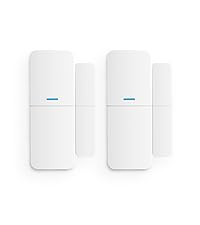
These two-piece sensors detect when a door or window is opened. They are typically installed with one part on the frame and the other on the moving part of the door/window.
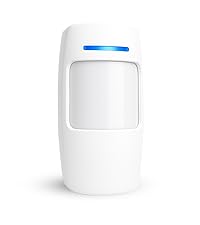
3.3 Motion Sensors
Motion sensors detect movement within their field of view. They are ideal for securing larger areas like living rooms or hallways.
3.4 Keypad
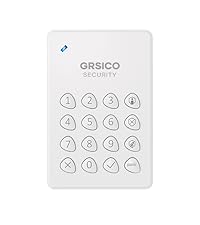
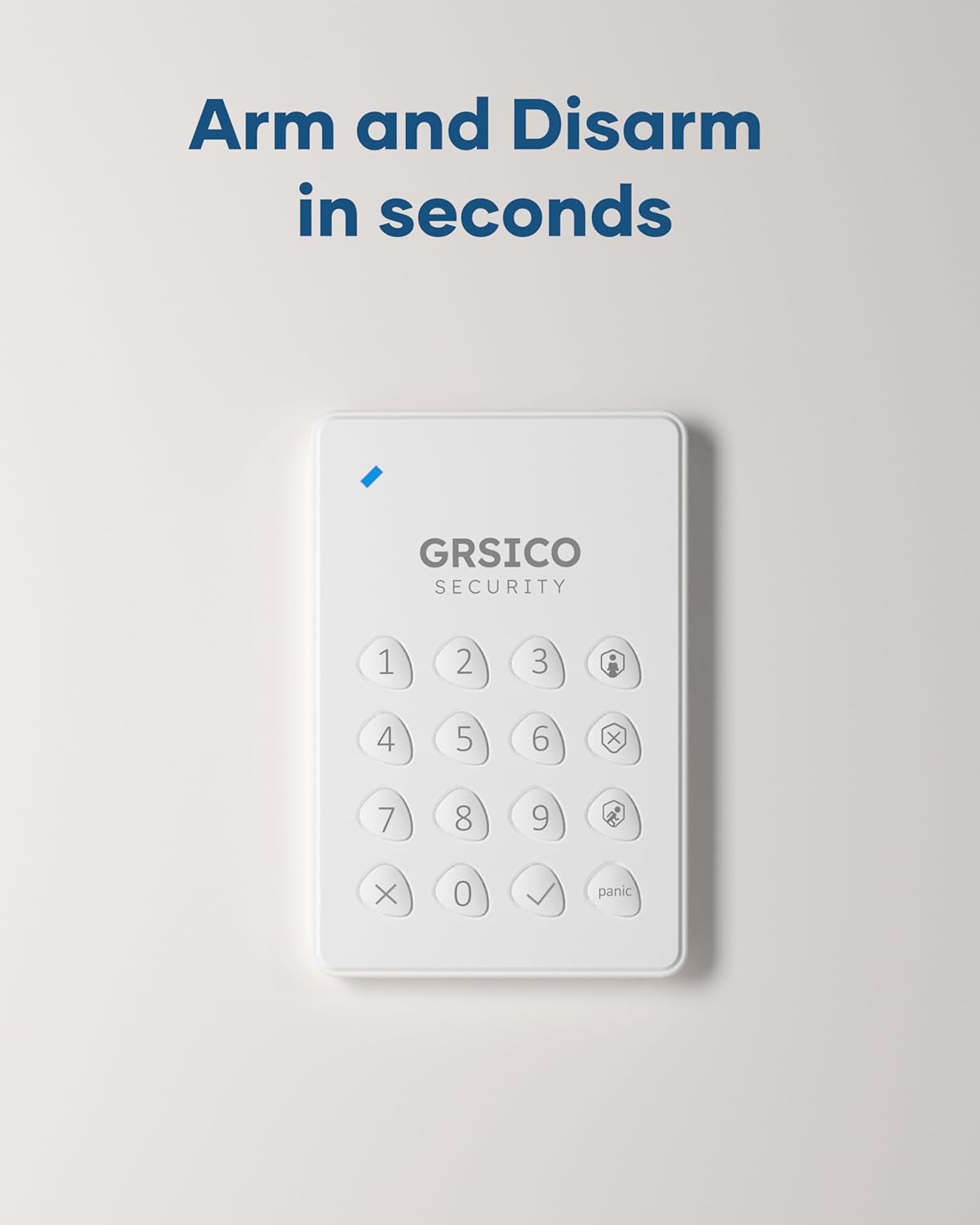
The keypad allows for convenient arming and disarming of the system using a PIN code. It can be mounted near entry points.
3.5 Remote Control
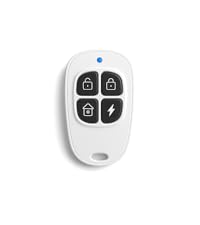
The remote control provides quick access to arm, disarm, and panic functions from a distance.
4. Setup Instructions
4.1 Initial Base Station Setup
- Power On: Connect the Base Station to a power outlet using the provided adapter.
- Download App: Download the "Smart Life" app from your smartphone's app store (iOS or Android).
- Register/Login: Open the Smart Life app and register a new account or log in if you already have one.
- Add Device: In the app, follow the instructions to add a new device. Select "Security & Video Surveillance" then "Alarm (Wi-Fi)".
- Connect to Wi-Fi: Follow the in-app prompts to connect the Base Station to your 2.4GHz WiFi network. Ensure your phone is also connected to the same 2.4GHz network during setup.

4.2 Sensor Installation
All sensors are pre-paired with the Base Station. Simply install them in desired locations.
4.2.1 Door/Window Sensors
- Identify the two parts of the sensor: the main sensor and the magnetic strip.
- Mount the main sensor on the door/window frame and the magnetic strip on the moving part of the door/window.
- Ensure the two parts are aligned and within 1 cm (0.4 inches) of each other when the door/window is closed.
- Use the provided adhesive tape or screws for installation.

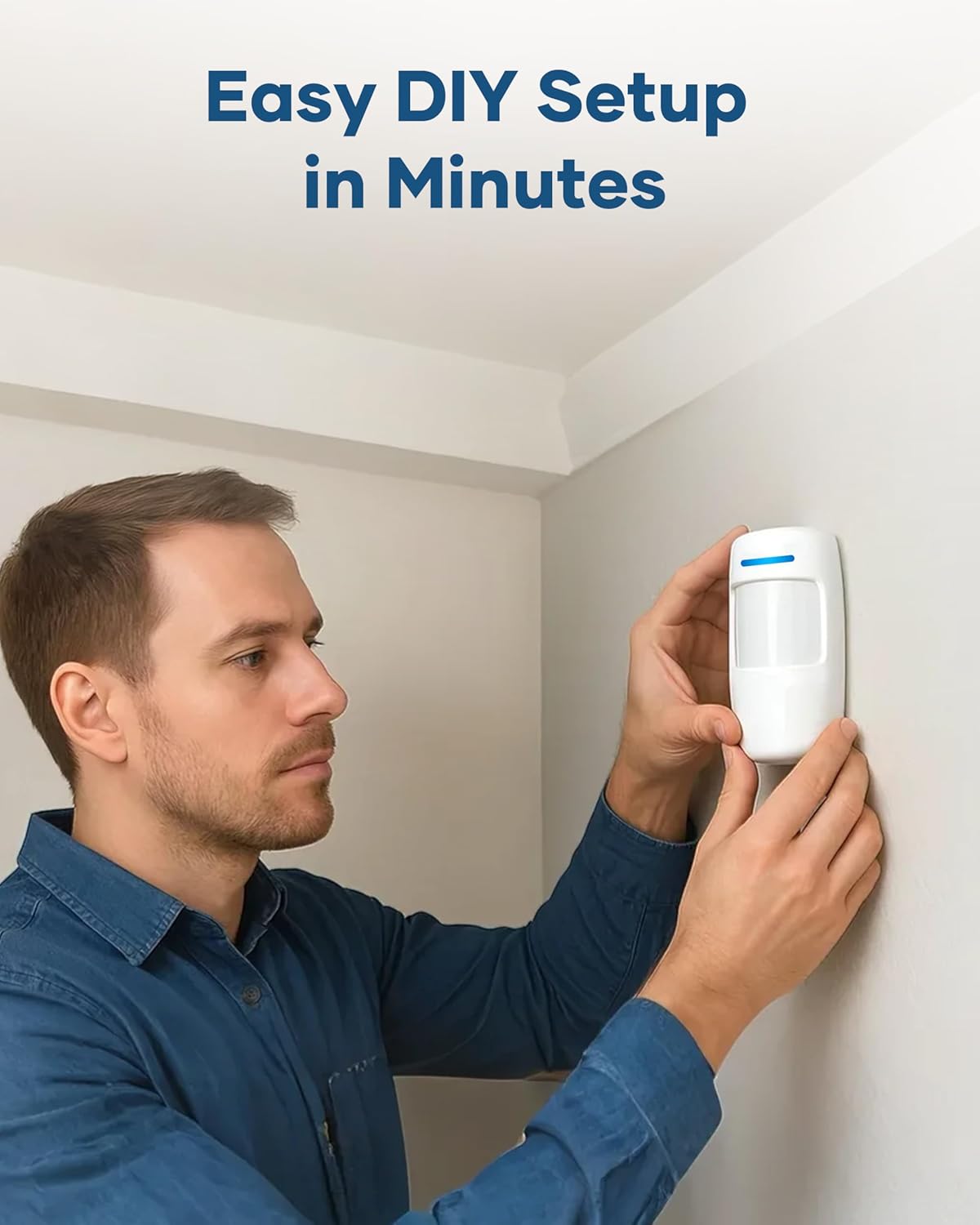
4.2.2 Motion Sensors
- Choose a location that covers the desired area, typically in a corner or on a wall at a height of 2-2.5 meters (6.5-8 feet).
- Avoid placing sensors directly facing heat sources, windows, or areas with strong air currents to prevent false alarms.
- Use the provided adhesive tape or screws for installation.
4.3 Keypad Installation
- Mount the keypad near your main entry/exit door at a convenient height.
- Use the provided adhesive tape or screws.
5. Operating Instructions
5.1 Arming and Disarming
Your GRSICO security system offers multiple ways to arm and disarm:
- Smart Life App: Open the app, select your security system, and choose between "Arm," "Disarm," or "Home" modes.
- Keypad: Enter your PIN code followed by the desired mode button (e.g., Arm, Disarm, Home).
- Remote Control: Press the corresponding button on the remote for Arm, Disarm, or Home mode.

5.2 System Modes
- Away Mode: All sensors (door/window, motion) are active. Use this mode when no one is home.
- Home Mode: Typically, only perimeter sensors (door/window) are active, allowing movement inside the house without triggering the alarm.
- Disarmed Mode: All sensors are inactive.
5.3 Alarm Alerts
When a sensor is triggered in an armed state:
- The Base Station will sound a loud 120 dB siren.
- Instant notifications will be sent to your smartphone via the Smart Life App.

5.4 Voice Control
The GRSICO system is compatible with voice assistants like Amazon Alexa. You can arm or disarm your system using voice commands after linking the Smart Life app with your voice assistant.
- Example command: "Alexa, arm my system."

6. Maintenance
6.1 Battery Replacement
- Base Station: The Base Station has an internal backup battery that provides power during outages. If the main power is disconnected, the battery will activate.
- Sensors/Keypad/Remote: These devices are typically powered by alkaline batteries (e.g., AA for motion sensors). The Smart Life app will notify you when sensor batteries are low. Refer to the individual sensor's compartment for specific battery types and replacement instructions.
6.2 Cleaning
Wipe all components with a soft, dry cloth. Do not use liquid cleaners or abrasive materials.
7. Troubleshooting
| Problem | Possible Cause | Solution |
|---|---|---|
| System not connecting to Wi-Fi | Incorrect Wi-Fi band (5GHz), weak signal, incorrect password. | Ensure your router is broadcasting a 2.4GHz Wi-Fi signal. Move the Base Station closer to the router. Double-check your Wi-Fi password. |
| Sensor not triggering alarm | System is disarmed, sensor battery is low, sensor improperly installed. | Verify the system is armed. Check the sensor's battery status in the app and replace if necessary. Re-align door/window sensors or reposition motion sensors. |
| False alarms | Motion sensor placement (facing windows, heat sources), pets. | Adjust motion sensor placement to avoid direct sunlight, vents, or areas where pets might trigger them. Some motion sensors have pet-immune settings (check app settings). |
| App not receiving notifications | App permissions, phone settings, internet connectivity. | Ensure the Smart Life app has notification permissions enabled on your smartphone. Check your phone's internet connection. Restart the app. |
8. Specifications
- Brand: GRSICO
- Model Number: W2A-9PACK
- Connectivity: 2.4GHz WiFi (IEEE 802.11b/g/n)
- Power Source: Corded Electric (Base Station), Alkaline Batteries (Sensors, Keypad, Remote)
- Alarm Volume: 120 dB
- Control Methods: Smart Life App, Keypad, Remote Control, Voice Control (via Alexa)
- Installation: Self-Adhesive / Screw-Mount
- Base Station Dimensions: Approximately 2 x 3 x 5 inches (L x W x H)
9. Product Video
10. Warranty and Support
GRSICO products come with a standard manufacturer's warranty. For specific warranty details, technical support, or customer service inquiries, please refer to the contact information provided on the product packaging or visit the official GRSICO website.
For additional support, you may also contact the seller directly through your purchase platform.
