
1. Introduction
This manual provides detailed instructions for the installation, operation, and maintenance of your Vratzn Car Radio Stereo. Please read this manual thoroughly before installation and use to ensure proper function and to maximize your device's capabilities. This unit is designed for specific Toyota Tundra (2007-2013) and Toyota Sequoia (2008-2018) models.
2. Package Contents
Verify that all components are present in your package:
- Car Radio Stereo Unit
- AHD Backup Camera
- Plug-and-Play Wiring Kit
- Factory Antenna Adapter
- RCA Cable
- Power Cable
- Reversing Line
- Installation Tools (Crowbar, Screwdriver)
- USB Cables (x2)
- GPS Module
- Can Bus Decoder
- Microphone

3. Setup and Installation
The Vratzn Car Radio Stereo is designed for a plug-and-play installation, retaining factory steering wheel controls, reverse camera, and antenna adapter where applicable. Professional installation is recommended if you are unfamiliar with car audio system wiring.
3.1 Pre-Installation Check
Before starting, ensure your vehicle is compatible with the unit. This unit is specifically for Toyota Tundra (2007-2013) and Toyota Sequoia (2008-2018).

3.2 Wiring Diagram
Refer to the following diagrams for proper wiring connections. Not all connectors may be used depending on your vehicle's specific configuration (e.g., with or without JBL system, factory camera).


3.3 Installation Video Guide
For a visual guide on the installation process, please refer to the video below:
Video 3.1: Installation Guide for Toyota Tundra/Sequoia. This video demonstrates the step-by-step process for installing the Vratzn car radio stereo in compatible vehicles.
4. Operating Instructions
This section covers the primary functions and features of your Vratzn Car Radio Stereo.
4.1 10-Inch HD Touch Screen Display
The unit features a 10-inch high-resolution touch screen for clear visibility and responsive controls. Navigate through menus and applications by touching the screen.

4.2 Wireless CarPlay & Android Auto
Connect your iPhone or Android device wirelessly to access navigation, calls, messages, and music through the stereo's interface. This feature utilizes a smart voice assistant for hands-free operation.

Video 4.1: How to Connect to Wireless CarPlay. This video demonstrates the steps to establish a wireless CarPlay connection with your device.
4.3 GPS Navigation
The built-in GPS module supports both online and offline maps, providing precise turn-by-turn guidance. Ensure the GPS antenna is properly installed for optimal signal reception.

4.4 Bluetooth & WiFi Connection
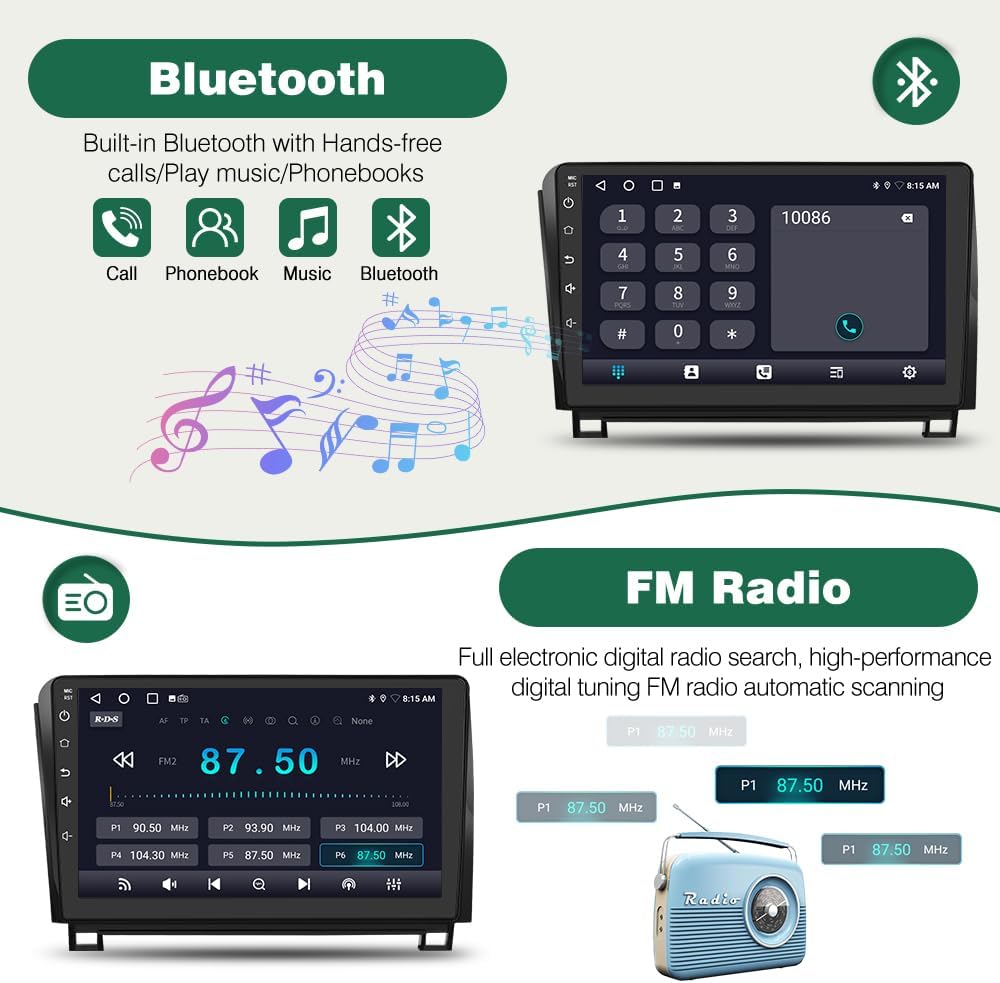
Utilize Bluetooth for hands-free calling and wireless music streaming. Connect to WiFi via a mobile hotspot to download apps and access online content.
Video 4.2: How to Connect the Device to WiFi. This video guides you through connecting your stereo unit to a WiFi network using a mobile hotspot.
Video 4.3: How to Pair Bluetooth Devices Correctly. This video demonstrates the process of pairing your phone with the car stereo via Bluetooth.
4.5 AHD Backup Camera
The included AHD backup camera provides a clear, wide-angle view when reversing, enhancing safety and ease of parking. The image automatically displays on the screen when the vehicle is in reverse gear.

5. Maintenance
To ensure the longevity and optimal performance of your Vratzn Car Radio Stereo, follow these general maintenance guidelines:
- Cleaning: Use a soft, dry cloth to clean the screen and unit. Avoid abrasive cleaners or solvents that may damage the surface.
- Software Updates: Periodically check for available software updates to ensure you have the latest features and performance enhancements. Updates can typically be found via the system settings or the manufacturer's website.
- Environmental Conditions: Avoid exposing the unit to extreme temperatures, direct sunlight for prolonged periods, or excessive moisture.
6. Troubleshooting
If you encounter issues with your car stereo, refer to the following common problems and solutions:
| Problem | Possible Cause | Solution |
|---|---|---|
| Unit does not power on. | Incorrect wiring, blown fuse, power supply issue. | Check power connections and vehicle fuses. Ensure ACC and B+ wires are correctly connected. |
| No sound from speakers. | Speaker wires disconnected, incorrect audio settings, amplifier issue. | Verify speaker wire connections. Check audio settings (volume, balance, fader). Ensure external amplifier (if used) is powered. |
| Bluetooth/CarPlay/Android Auto not connecting. | Bluetooth/WiFi off, device not discoverable, pairing issue. | Ensure Bluetooth/WiFi is enabled on both devices. Make sure the stereo is in pairing mode. Delete previous pairings and try again. |
| GPS signal weak or inaccurate. | GPS antenna improperly placed or obstructed. | Relocate the GPS antenna to a clear area, away from metal obstructions. |
| Backup camera not displaying. | Camera wiring issue, reverse trigger wire not connected. | Check camera power and video signal connections. Ensure the reverse trigger wire is correctly connected to the vehicle's reverse light circuit. |
If the problem persists after attempting these solutions, please contact customer support for further assistance.
7. Specifications
| Feature | Detail |
|---|---|
| Brand | Vratzn |
| Model | 4 CORE 2+64G |
| Operating System | Android 13 |
| RAM | 2GB |
| ROM (Storage) | 64GB |
| Screen Size | 10.1 inches |
| Display Type | Capacitive Touch Screen |
| Connectivity | Bluetooth, WiFi, Wireless CarPlay, Android Auto |
| Navigation | Built-in GPS, supports Online/Offline Maps |
| Backup Camera | AHD 720P (Included) |
| Compatible Vehicles | Toyota Tundra (2007-2013), Toyota Sequoia (2008-2018) |
8. Warranty and Support
Your Vratzn Car Radio Stereo comes with a standard manufacturer's warranty. Please refer to the warranty card included in your package or visit the official Vratzn website for detailed warranty terms and conditions.
For technical support, troubleshooting assistance, or warranty claims, please contact Vratzn customer service through the contact information provided with your purchase or on the official product page.