
volantexrc US-EXA76110
Volantexrc F-16 Fighting Falcon RC Plane Instruction Manual
Model: US-EXA76110
Introduction
This manual provides comprehensive instructions for the safe operation, setup, and maintenance of your Volantexrc F-16 Fighting Falcon RC Plane. Designed for adult and expert pilots, this 4-channel remote control airplane features an Xpilot stabilizer system and one-key aerobatic functions. Please read this manual thoroughly before operating the aircraft to ensure optimal performance and safety.

Image: Volantexrc F-16 Fighting Falcon RC Plane highlighting key features.
Safety Information
For external use only. Always operate the RC plane in open, clear areas away from people, animals, and obstacles. Do not fly near power lines, roads, or water bodies. Ensure the battery is fully charged and securely installed before each flight. Adult supervision is recommended for younger users, although this model is designed for adults and experts.
Package Contents
Verify that all items are present in your package:
- F-16 Fighting Falcon RC Plane
- Remote Control Transmitter
- Flight Battery
- USB Charging Cable
- Extra Propellers
- Product Manual (this document)

Image: Contents of the Volantexrc F-16 Fighting Falcon package and aircraft dimensions.
Setup
1. Transmitter Battery Installation
The remote control requires 4 AA batteries (not included). Open the battery compartment on the back of the transmitter, insert the batteries according to the polarity markings, and close the compartment securely.
2. Aircraft Battery Charging
Connect the flight battery to the USB charging cable, then plug the USB cable into a suitable USB power source (e.g., computer USB port, USB wall adapter). The indicator light on the charger will show the charging status. Ensure the battery is fully charged before the first flight. Do not leave charging batteries unattended.
3. Binding the Aircraft and Transmitter
Ensure both the aircraft and transmitter are powered off. First, turn on the transmitter. Then, connect the flight battery to the aircraft. Place the aircraft on a flat surface. The aircraft's indicator light will flash, then turn solid once binding is successful. If binding fails, repeat the process.
Operating Instructions
1. Pre-Flight Checks
- Ensure all batteries (aircraft and transmitter) are fully charged.
- Check all control surfaces (ailerons, elevator, rudder) for free movement.
- Verify propeller is securely attached and free from damage.
- Perform a range check of the remote control system.
- Choose an open, clear area for flight, free from obstacles and people.
2. Take-Off
The F-16 Fighting Falcon can be launched by hand-throw or from a smooth surface.
- Hold the middle of the plane firmly.
- Choose the desired flight mode (Beginner or Intermediate).
- Push the throttle to 3/3 power.
- Gently throw the plane forward horizontally into the wind.

Image: Instructions for hand-launching the RC plane.
3. Flight Controls and Features
The F-16 Fighting Falcon is equipped with advanced features for enhanced flight experience.
Xpilot Stabilization System
The Xpilot gyro stabilizer system provides ultra-stable flight, assisting pilots in maintaining control. This system is particularly helpful for learning and performing stable maneuvers.

Image: The Xpilot Stabilization System in action, ensuring stable flight.
3-Level Flight Control
Adjust the flight assistance level to match your skill:
- Full Assist (Beginner Mode): Provides maximum stabilization with restricted control angles, making it easier for new pilots.
- Soft Assist (Intermediate Mode): Offers increased control angles with moderate stabilization, suitable for pilots gaining confidence.
- Slight Assist (Expert Mode): Minimal stabilization with complete control angles, allowing for advanced maneuvers and full manual control.

Image: Visual representation of the 3-level flight control system.
One-Key Aerobatics
Perform impressive aerial stunts with a single button press. The aircraft can execute rolls, flips, and automatic take-offs.
- Roll: Press the designated button to initiate an automatic roll.
- Flip: Press the designated button to initiate an automatic flip.
- Take Off: Press the designated button to initiate an automatic take-off to a certain altitude.
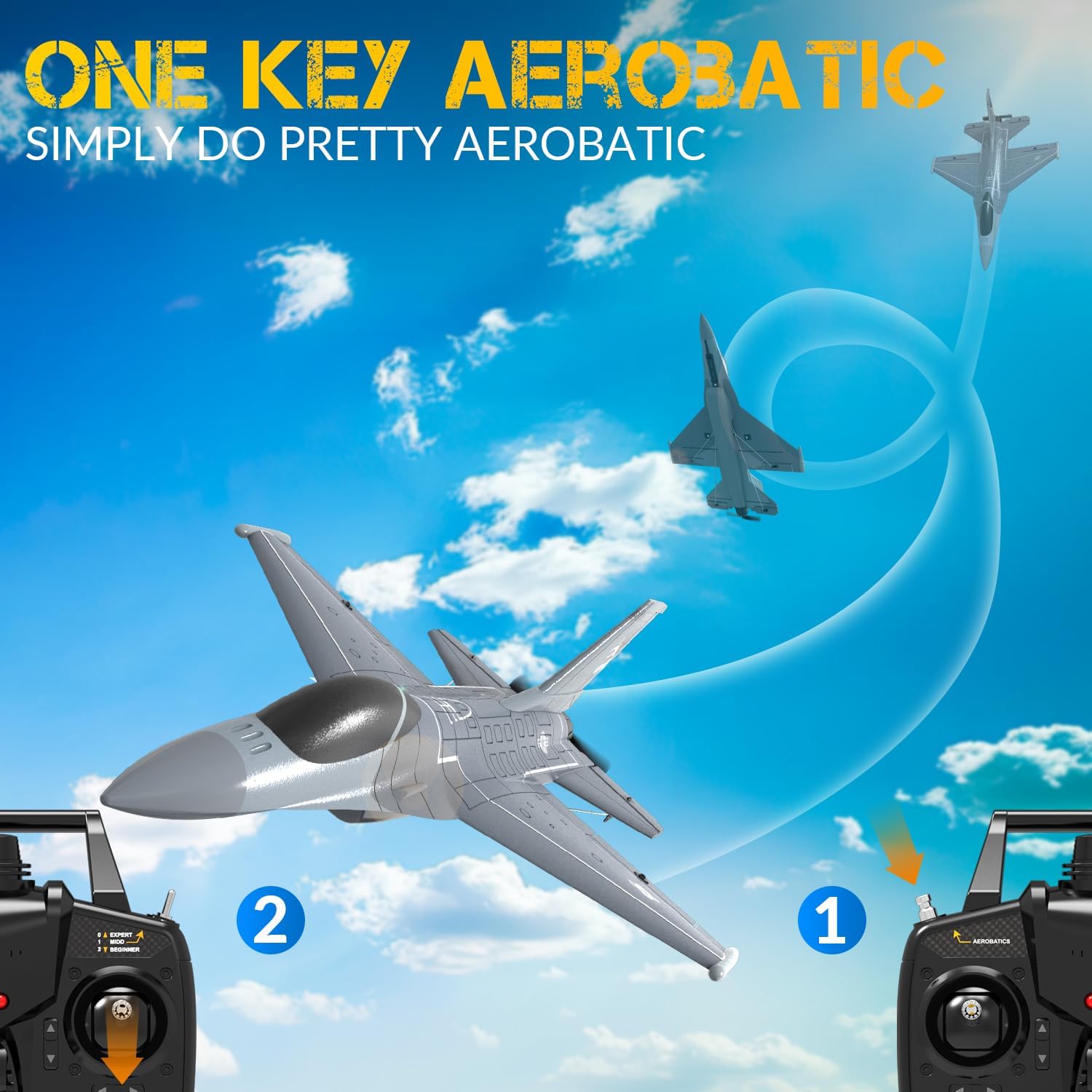
Image: One-Key Aerobatic function in use.
One-Key U-Turn
Activate the one-key U-turn function to have the plane automatically return by reversing its direction of flight.

Image: One-Key U-turn feature for easy direction reversal.
4. Landing
To land the aircraft, reduce throttle gradually and guide the plane into a gentle descent. Aim for a smooth, flat surface. In beginner modes, the Xpilot system will assist in maintaining stability during landing. For expert pilots, manual control allows for more precise landing maneuvers.
5. 2.4GHz Remote Control
The 2.4GHz radio control system provides a reliable connection up to 656 feet (200 meters) with strong anti-interference capabilities, allowing multiple planes to fly simultaneously without signal conflicts.

Image: The 2.4GHz remote control system in an outdoor setting.
Maintenance
1. Propeller Replacement
The F-16 Fighting Falcon is designed with a durable propeller system. In case of damage, replace the propeller with an extra one provided in the package. Ensure the new propeller is securely attached before flight. If the foam body cracks during a hard crash, use appropriate foam-safe glue for repairs.
2. General Care and Storage
- Keep the aircraft clean and free from dirt or debris.
- Store the plane in a cool, dry place away from direct sunlight and extreme temperatures.
- Remove batteries from both the aircraft and transmitter during long-term storage.
Troubleshooting
| Problem | Possible Cause | Solution |
|---|---|---|
| Aircraft does not respond to transmitter. | Low battery in aircraft or transmitter; binding failed; out of range. | Charge batteries; re-bind aircraft and transmitter; ensure within operating range. |
| Aircraft flies erratically or is unstable. | Xpilot system not calibrated; damaged propeller; strong wind conditions. | Ensure aircraft is on a flat surface during power-on for calibration; replace propeller; fly in calm conditions. |
| Short flight time. | Battery not fully charged; old battery; aggressive flying. | Ensure full charge; consider replacing old batteries; practice smoother flying. |
| Propeller breaks easily. | Hard impacts during crashes; incorrect propeller type (e.g., 3-blade vs 2-blade). | Use the more durable 2-blade propeller if available; practice softer landings; avoid crashes. |
Specifications
- Model Name: US-EXA76110
- Brand: Volantexrc
- Channels: 4CH
- Stabilization: Xpilot Gyro Stabilizer System
- Flight Control Modes: 3-Level (Full Assist, Soft Assist, Slight Assist)
- Aerobatic Functions: One-Key Roll, Flip, Take Off, U-Turn
- Radio Frequency: 2.4GHz
- Control Distance: Up to 656 ft (200 meters)
- Motor: Powerful 10mm Coreless Motor
- Flight Time: Approximately 20 minutes per battery
- Material: Foam, Plastic
- Dimensions (L x W x H): Approximately 15 x 10 x 3.8 inches
- Power Source: Battery Powered
- Recommended Age: 14 years and up
- Usage Environment: Outdoor

Image: Key technical features of the F-16 RC plane.
Warranty and Support
Warranty and specific support contact information are not provided in the product data. Please refer to the product packaging or the manufacturer's official website for the most up-to-date warranty details and customer support contacts.
Related documentsUS-EXA76110


Ask a question about this manual
Ask about setup, troubleshooting, compatibility, parts, safety, or missing instructions. Manuals+ will review the question and use this page’s manual context to help answer it.