
1. Product Overview
The DUMOS L Shaped Desk is designed for versatile use in home offices, gaming setups, study areas, bedrooms, or dorms. This 39-inch computer desk features a space-saving L-shape design with reversible 3-tier storage shelves, allowing for flexible configuration to suit your space. It provides a large workspace for multiple monitors and essentials, supported by a robust steel frame with X-brace support for stability. Adjustable leveling feet ensure stability on uneven surfaces, and the desktop is made from durable engineered wood that is waterproof, scratch-resistant, and easy to clean.
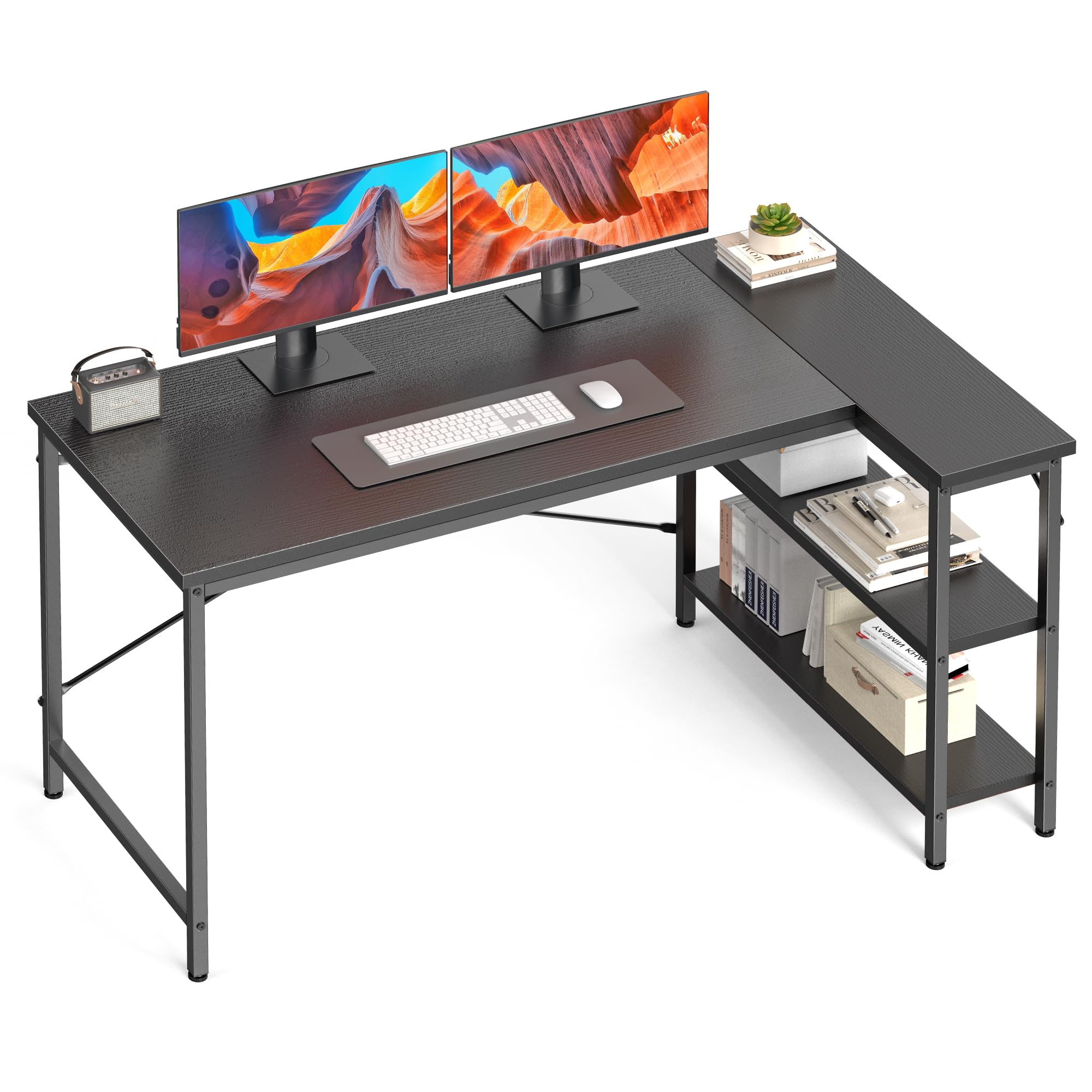
Figure 1.1: The DUMOS L Shaped Desk in a typical gaming environment, showcasing its ample surface area and integrated shelving.
2. Safety Information
- Always assemble and anchor the desk to the wall or floor to prevent tipping. This is crucial for stability, especially in households with children or pets.
- Do not use the desk on uneven surfaces without properly adjusting the leveling feet. Failure to do so may result in instability and potential damage.
- Ensure all screws and fasteners are tightened securely during assembly and periodically check for any loosening.
- Do not overload the desk or shelves beyond the recommended maximum weight of 198 pounds.
- Keep small parts and assembly tools away from children to prevent choking hazards.
3. Package Contents
Before beginning assembly, verify that all components listed below are present and undamaged. If any parts are missing or damaged, please contact DUMOS customer support.

Figure 3.1: An exploded view of all desk components and hardware. Refer to this diagram to identify each part before assembly.
Parts List:
- Desktop Panels (A, B, C)
- Metal Frame Components (D, E, F, G, H, I, J, K, L)
- Support Brackets (M)
Hardware List:
- Screws (various sizes)
- Adjustable Leveling Feet
- Wooden Dowels
- Allen Wrench (Hex Key)
4. Assembly Instructions
Follow these step-by-step instructions carefully to assemble your DUMOS L Shaped Desk. It is recommended to have a second person assist with assembly for easier handling of larger components. All necessary tools are included.
Video 4.1: Official DUMOS Gaming Desk Installation Video. This video provides a visual guide for the complete assembly process.
Step-by-Step Guide:
- Assemble the Shelf Frames: Attach the adjustable leveling feet to the bottom of the vertical metal frame pieces. Connect the horizontal frame pieces to form the shelf structure.
- Install Shelf Boards: Secure the wooden shelf boards into the assembled shelf frames using the provided screws and Allen wrench. Ensure they are firmly attached.
- Connect Shelf Top Frame: Attach the top horizontal metal frame pieces to complete the shelf unit.
- Assemble the Main Desk Frame: Connect the vertical and horizontal metal frame pieces for the main desk section. Attach the adjustable leveling feet to the bottom.
- Join Desk Sections: Connect the main desk frame to the shelf unit frame. Ensure all connections are secure and aligned.
- Prepare Desktop Panels: Insert wooden dowels into the designated holes on the desktop panels. Align and join the L-shaped desktop panels together.
- Attach Desktop to Frame: Carefully place the assembled desktop onto the metal frame. Align the screw holes and secure the desktop to the frame using the provided screws.
- Install Support Brackets: Attach the diagonal support brackets (X-shaped bars) to the underside of the desk frame for added stability. Tighten all screws.
- Install Rear Crossbar: Attach the long metal crossbar to the rear of the main desk frame to enhance structural integrity.
- Insert Cover Caps: Place the decorative cover caps over any exposed screw heads on the desktop for a finished appearance.
5. Operating Instructions
Reversible Storage Shelves:
The 3-tier storage shelves can be installed on either the left or right side of the desk during assembly to best fit your room layout and personal preference. This flexibility allows you to customize your workspace for optimal efficiency.

Figure 5.1: The reversible design of the storage shelves allows for installation on either side of the L-shaped desk.
Adjustable Leveling Feet:
The desk is equipped with adjustable leveling feet to ensure stability on uneven floor surfaces. To adjust, simply rotate the feet clockwise or counter-clockwise until the desk is level and stable. This prevents wobbling and provides a secure foundation for your work or gaming setup.

Figure 5.2: Detail of the adjustable feet, which can be rotated to stabilize the desk on uneven floors.
6. Maintenance and Care
Cleaning the Desktop:
The desk features a durable, waterproof, and scratch-resistant surface. To clean, simply wipe with a soft, damp cloth. Avoid using harsh chemicals or abrasive cleaners, as these can damage the finish. For spills, wipe immediately to prevent staining.

Figure 6.1: The durable desktop surface is designed to be waterproof and easy to clean.
General Care:
- Periodically check all screws and connections to ensure they remain tight. Re-tighten as necessary.
- Avoid placing extremely hot or cold items directly on the desktop without protective coasters.
- Do not drag the desk when moving it; lift it to prevent damage to the legs and floor.
7. Troubleshooting
Desk is Wobbly:
- Solution: Check if the desk is on an uneven surface. Adjust the leveling feet at the bottom of each leg until the desk is stable.
- Solution: Ensure all screws connecting the metal frame components and the desktop are securely tightened. Over time, screws may loosen and require re-tightening.
- Solution: Verify that the X-brace support bars are correctly installed and tightened. These provide crucial structural stability.
Parts Do Not Align During Assembly:
- Solution: Do not fully tighten screws until all parts for a section are loosely assembled. This allows for minor adjustments. Once all parts are in place, then tighten all screws.
- Solution: Double-check the part numbers against the assembly diagram to ensure you are using the correct components for each step.
Missing or Damaged Parts:
- Solution: Carefully review the package contents list and assembly video. If parts are genuinely missing or damaged, contact DUMOS customer support for assistance.
8. Specifications
| Feature | Specification |
|---|---|
| Brand | DUMOS |
| Model Number | DUFHLXZ |
| Shape | Rectangular (L-Shaped) |
| Product Dimensions (D x W x H) | 31.5"D x 39.37"W x 29.13"H |
| Color | Black |
| Style | Modern |
| Base Material | Metal (Alloy Steel) |
| Top Material Type | Engineered Wood |
| Finish Type | Painted |
| Special Features | Reversible, Rust Resistant |
| Item Weight | 24.25 Pounds |
| Maximum Weight Recommendation | 198 Pounds |
| Number Of Enclosed Shelves | 4 (3-tier shelving unit) |
| Assembly Required | Yes |
| Includes All Assembly Tools | Yes |
| Recommended Uses | Gaming, Home Office, Study |
9. Warranty and Support
Limited Warranty:
This DUMOS L Shaped Desk comes with a limited warranty. Please refer to the warranty card included in your package for specific terms, conditions, and duration of coverage. The warranty typically covers manufacturing defects and material flaws under normal use.
Customer Support:
For any questions, assistance with assembly, missing parts, or warranty claims, please contact DUMOS customer support. You can typically find contact information on the product packaging or through the retailer where the product was purchased. Please have your model number (DUFHLXZ) and proof of purchase ready when contacting support.