
1. Product Overview
The PetJoy Dog Bark Collar System is designed to assist in dog training and bark control. This system includes a remote control and three receiver collars, offering multiple training modes and an automatic bark detection feature.
The system allows for individual or simultaneous control of up to three dogs, providing flexibility for various training needs. It features adjustable levels for vibration and static stimulation, along with a sound (beep) mode and an automatic bark mode with adjustable sensitivity.
2. Package Contents
Before beginning, please verify that all components are present in your package:
- 1 x Remote Transmitter
- 3 x Receiver Collars (Pink, Blue, Yellow)
- 3 x Adjustable Collar Straps
- 1 x USB Charging Cable (for remote)
- 3 x USB Charging Cables (for receivers)
- 1 x Test Light Tool
- Contact Points (short and long sets)
- User Manual


3. Setup
3.1 Charging the Devices
Ensure both the remote transmitter and all receiver collars are fully charged before first use. Use the provided USB cables. The remote has a Micro-USB port, and the receivers have Type-C ports.
- Remote: Connect the Micro-USB cable to the remote and a power source. A full charge provides approximately 90 days of work time.
- Receivers: Connect the Type-C cable to each receiver and a power source. A full charge provides approximately 30 days of work time.

3.2 Attaching the Collar Strap and Contact Points
- Select the appropriate length of contact points (short for short-haired dogs, long for long-haired dogs) and screw them securely into the receiver collar.
- Thread the adjustable collar strap through the slots on the receiver unit.
- Fit the collar snugly around your dog's neck. Ensure the contact points touch the dog's skin. You should be able to fit two fingers comfortably between the collar and your dog's neck. Avoid overtightening.
3.3 Pairing the Remote and Receivers
The system allows for controlling multiple dogs either simultaneously or separately. Follow these steps to pair your collars:
- Turn on the receiver collar by pressing its power button.
- On the remote, select the desired channel (1, 2, or 3) for the receiver you are pairing.
- Press and hold the power button on the receiver collar until its indicator light flashes.
- While the receiver's light is flashing, press any function key (e.g., Beep, Vibration, or Shock) on the remote. The receiver will beep, indicating successful pairing.
- Repeat for additional receiver collars, assigning each to a different channel if you wish to control them separately, or to the same channel for simultaneous control.


4. Operating the Collar System
4.1 Remote Control Functions
The remote control features a display and several buttons for different functions:
- Power Button: Turns the remote on/off.
- Channel (CH) Button: Switches between dog channels (1, 2, 3) or selects all channels for simultaneous control.
- Beep Button: Activates an audible tone on the receiver.
- Vibration Button: Activates vibration on the receiver. Intensity is adjustable from 1-100.
- Shock Button: Activates static stimulation on the receiver. Intensity is adjustable from 1-100.
- +/- Buttons: Adjusts the intensity levels for Vibration and Shock modes.
- Light Button: Activates a light on the receiver for visibility in low light conditions.
4.2 Training Stimulation Modes
The PetJoy collar offers four training modes:
- Beep: A default audible tone.
- Vibration: Adjustable intensity from 1 to 100 levels.
- Shock: Adjustable intensity from 1 to 100 levels.
- Auto Mode: Automatic bark detection with 5 sensitivity levels.
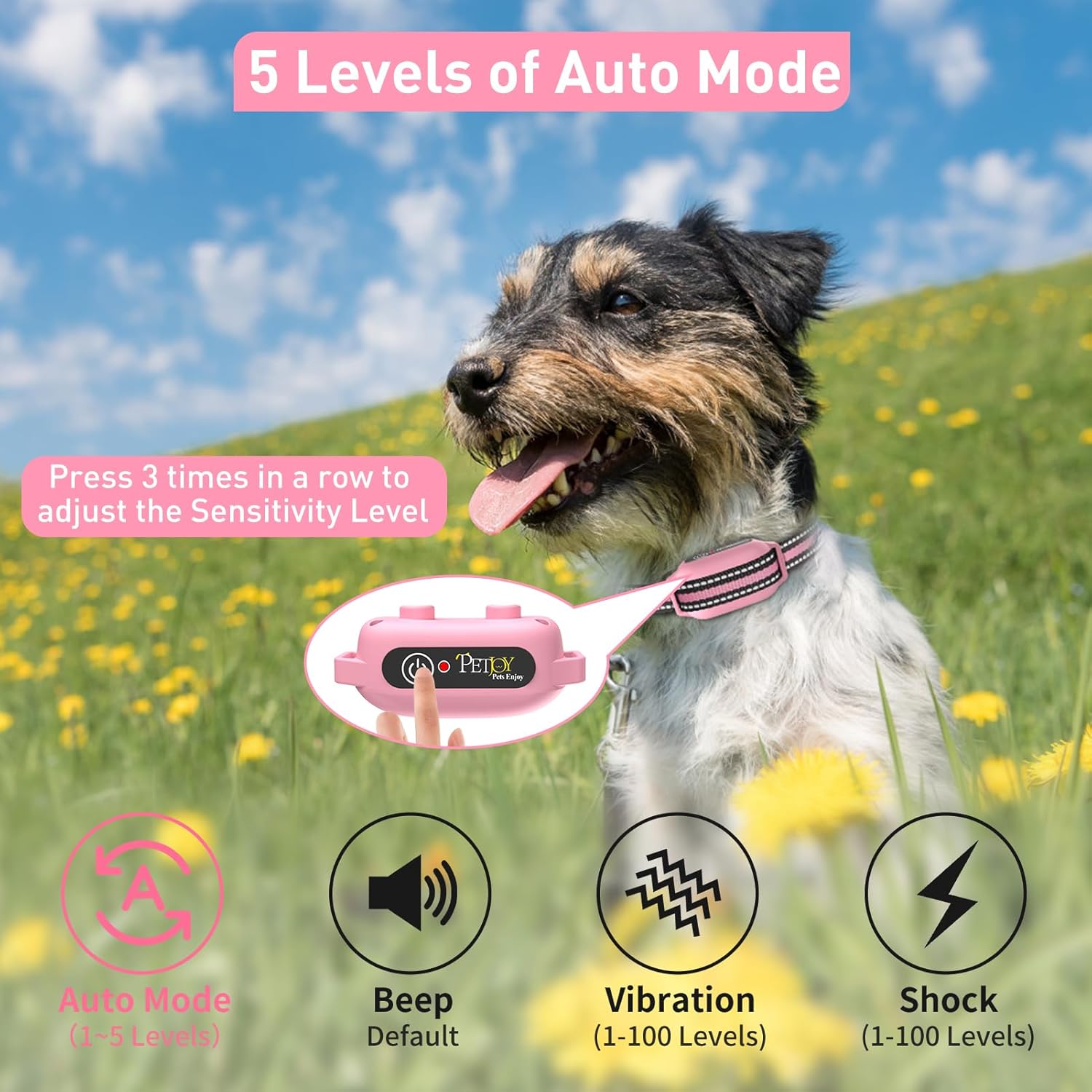

4.3 Activating and Adjusting Automatic Bark Mode
The automatic bark mode allows the collar to detect and respond to barking without remote intervention. It can be turned on or off via the remote.
- To Turn On/Off Auto Mode: With the collar paired, press and hold the remote's power button for 3 seconds. The receiver will beep once for 'on' or twice for 'off'.
- To Adjust Sensitivity (5 Levels): Press the receiver's power button 3 times in quick succession. Each press will cycle through the 5 sensitivity levels, allowing you to choose the most suitable setting for your dog's barking habits.


5. Maintenance
5.1 Cleaning
Regularly clean the receiver collar and contact points to ensure proper function and hygiene. Use a damp cloth to wipe down the surfaces. Avoid harsh chemicals.
5.2 Battery Care
To prolong battery life:
- Charge the devices fully before long periods of inactivity.
- Avoid extreme temperatures.
- Do not attempt to replace the internal Lithium Polymer batteries.
5.3 Waterproof Rating
The receiver collars have an IPX7 waterproof rating, meaning they can withstand immersion in water up to 1 meter for 30 minutes. This makes them suitable for use in various weather conditions and allows dogs to play in water without damage to the device. However, it is recommended to dry the collar and your dog's neck after water exposure to prevent skin irritation.
6. Troubleshooting
If you encounter issues with your PetJoy Dog Bark Collar System, refer to the following common solutions:
| Problem | Possible Cause | Solution |
|---|---|---|
| Collar not responding to remote. | Not paired, low battery, out of range. | Re-pair the collar. Charge both devices. Ensure within 3300 ft range. |
| Automatic bark mode not working. | Auto mode off, sensitivity too low, improper fit. | Activate auto mode. Increase sensitivity. Adjust collar fit so contact points touch skin. |
| No static stimulation. | Low battery, contact points not touching skin, shock level too low. | Charge receiver. Adjust collar fit. Increase shock level. Use the test light tool to verify function. |
| Collar causes skin irritation. | Collar too tight, worn for too long, dirty contact points. | Loosen collar slightly. Do not leave on for more than 12 hours. Clean contact points regularly. Consult a veterinarian if irritation persists. |
7. Specifications
- Model: B0GFL2MGN1
- Brand: PetJoy
- Control Range: Up to 3300 feet
- Receiver Battery: 1 Lithium Polymer battery (included), 30 days work time per charge
- Remote Battery: 1 Lithium Polymer battery (included), 90 days work time per charge
- Waterproof Rating: IPX7 (receiver collars)
- Collar Adjustment: Fits dog necks 8-27 inches
- Training Modes: Beep, Vibration (1-100 levels), Shock (1-100 levels), Auto Bark Mode (5 sensitivity levels)
- Material: Plastic, Rubber
- Package Dimensions: 7.56 x 6.1 x 2.2 inches
- Weight: 1.21 pounds

8. Warranty and Support
For warranty information or technical support, please contact PetJoy directly through their official website or the retailer where the product was purchased. Keep your purchase receipt as proof of purchase.


