
1. Setup Instructions
Follow these steps to correctly assemble and prepare your Voluas Dog Water Fountain for use.

Image: 6-Step Easy Installation Guide
- Soak the Filter: Submerge the filter in water for 5 minutes before initial use.
- Install Filter: Place the soaked filter into the filter case and ensure it is securely closed.
- Attach Control Module: Install the main control module onto the fountain lid.
- Insert Pump: Install the silent pump into its designated slot, ensuring the hose connects properly.
- Add Water Faucet: Insert the water faucet into the pump outlet.
- Fill and Power: Fill the fountain with water up to the maximum level indicated, then connect the USB-C cable to power the unit.
Video: Detailed guide on how to install the Voluas Dog Water Fountain.
2. Operating Instructions
Your Voluas Dog Water Fountain offers multiple operating modes to suit your pet's needs and conserve energy.
Operating Modes

Image: Overview of the 3 Working Modes
- Sensor Mode: The fountain detects your pet's presence and releases water, providing fresh water on demand.
- Time Mode: Water flows for 15 seconds every 15 minutes, ensuring regular hydration while conserving battery life.
- Constant Mode: Provides a continuous flow of water when the unit is plugged into a power source.
Battery Life and Water Level

Image: Long-lasting Standby with 4000mAh Battery
The fountain is equipped with a 4000mAh battery, offering extended operation. In Time Mode, it can last up to 50 days on a full charge. Standby time in Sensor Mode varies based on your pet's drinking frequency. A built-in water-level window and indicator light allow for quick visual checks of the water level.

Image: Ultra-Silent Pump Operation
The ultra-quiet pump operates below 25dB, ensuring a peaceful environment for your pets and household.
3. Maintenance
Regular cleaning and filter replacement are crucial for maintaining water quality and extending the life of your fountain.
Cleaning the Pump

Image: Pump Cleaning Guide
Clean the pump weekly to prevent mineral buildup and ensure optimal performance:
- Remove the pump cover and impeller cap.
- Carefully remove the impeller.
- Use the provided brush to clean all parts of the pump, including the impeller, its housing, and the cover. Rinse thoroughly.
Video: Visual instructions on how to clean the fountain pump.
Filter System
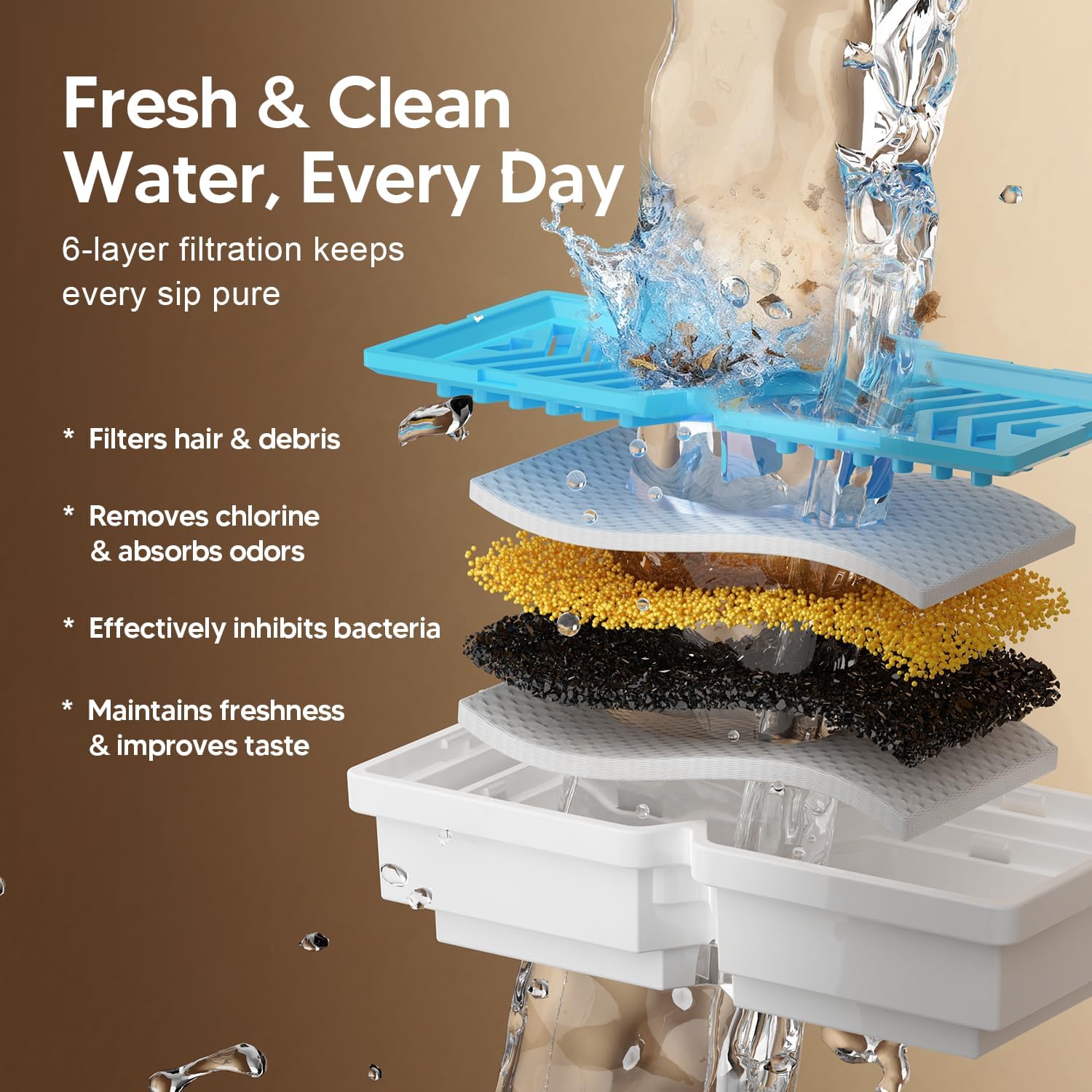
Image: 4-Layer Filtration System
The fountain utilizes a 4-layer filtration system to ensure clean and fresh water:
- Non-Woven Fabric: Traps hair and debris.
- Activated Carbon: Eliminates odors and impurities.
- Ion Exchange Resin: Removes heavy metals.
- Additional Non-Woven Fabric: Provides further filtration.
Replace the filter regularly (typically every 2-4 weeks, depending on usage and number of pets) to maintain optimal water quality and pump longevity.
General Cleaning
The food-grade 304 stainless steel components are easy to clean. Disassemble the fountain and wash all parts (except the pump and control module) with mild soap and water. Rinse thoroughly before reassembly.
4. Troubleshooting
If you encounter issues with your Voluas Dog Water Fountain, refer to the following common solutions:
- Fountain Not Dispensing Water:
- Check the water level; refill if low.
- Ensure the pump is clean and free of debris (refer to Maintenance section).
- Verify the pump is properly installed and connected.
- If battery-operated, ensure the battery is charged.
- Water Flow is Weak:
- Clean the pump and impeller thoroughly.
- Replace the filter if it appears clogged or has been in use for an extended period.
- Ensure there is sufficient water in the reservoir.
- Fountain is Noisy:
- Check the water level; low water can cause pump noise.
- Clean the pump and impeller to remove any trapped debris or mineral deposits.
- Ensure the fountain is placed on a flat, stable surface.
- Fountain Not Responding to Sensor/Timer:
- Ensure the correct operating mode is selected.
- For Sensor Mode, ensure the sensor is clean and unobstructed.
- Check battery charge.
If these steps do not resolve the issue, please contact Voluas customer support for further assistance.
5. Specifications
Key technical details and features of the Voluas 7L Wireless Stainless Steel Dog Water Fountain.

Image: 7L Large Capacity
| Model Number | 409-7L-1Filter |
| Capacity | 7 Liters (1.8 Gallons) |
| Material | Food-grade 304 Stainless Steel |
| Power Source | Battery Powered (4000mAh Lithium-Ion) |
| Noise Level | Below 25dB |
| Product Dimensions (L x W x H) | 11.5" x 11.5" x 5.4" |
| Item Weight | 2 Pounds |
| Indoor/Outdoor Usage | Indoor |
| Included Components | Stainless Steel Fountain, Filter (x1), Brush (x1), USB-C Cable (x1), User Manual (x1) |
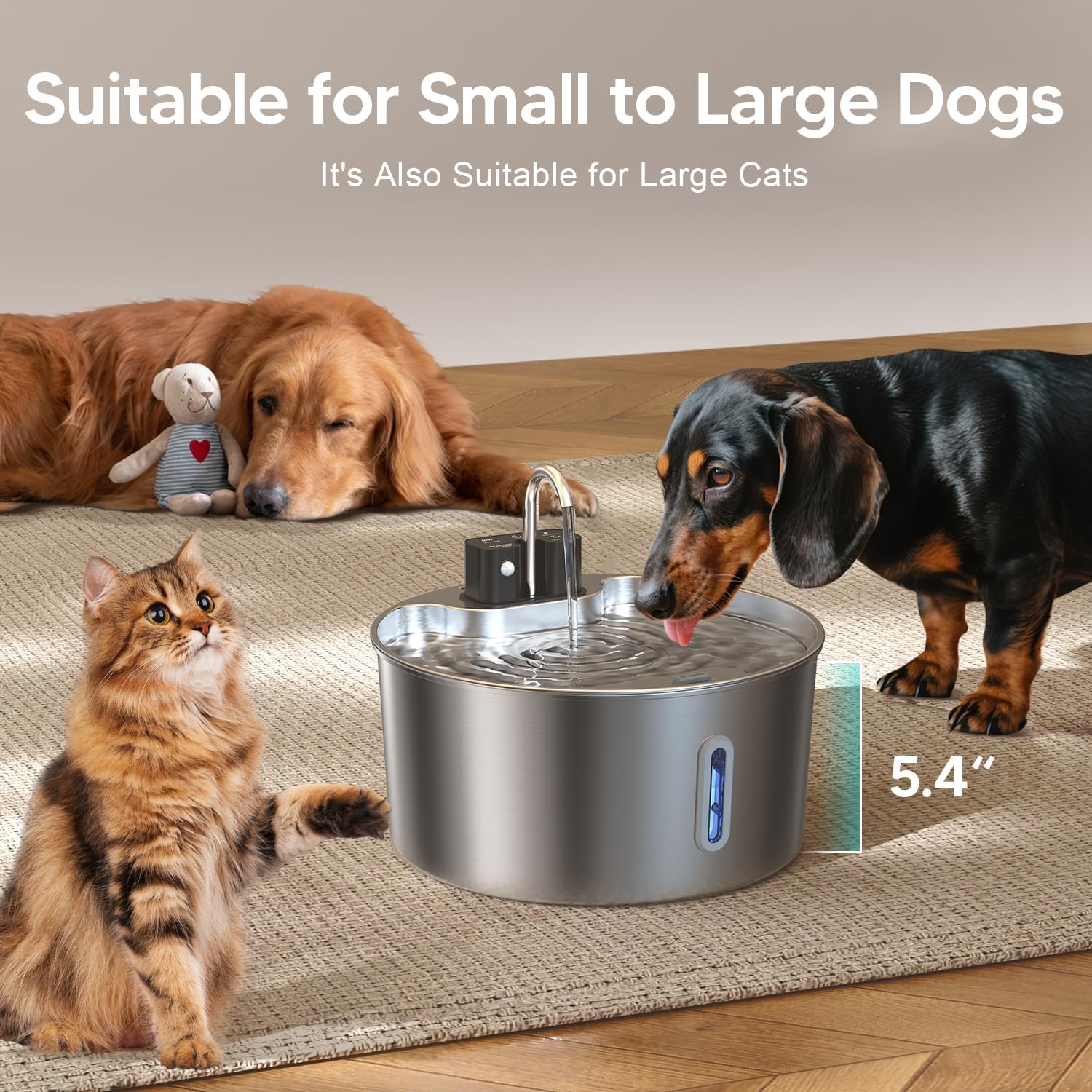
Image: Suitable for Various Pet Sizes
6. Warranty & Support
Warranty Information
The Voluas 7L Wireless Stainless Steel Dog Water Fountain comes with a 1-year warranty from the date of purchase. This warranty covers manufacturing defects and malfunctions under normal use. Please retain your proof of purchase for warranty claims.
Customer Support
For any questions, concerns, or technical assistance not covered in this manual, please contact Voluas customer support. You can typically find contact information on the product packaging or the official Voluas website.