
1. Introduction
This manual provides detailed instructions for the setup, operation, and maintenance of your Lemorele R5000 Wireless HDMI Transmitter and Receiver system. Please read this manual thoroughly before using the product to ensure proper functionality and to prevent damage.
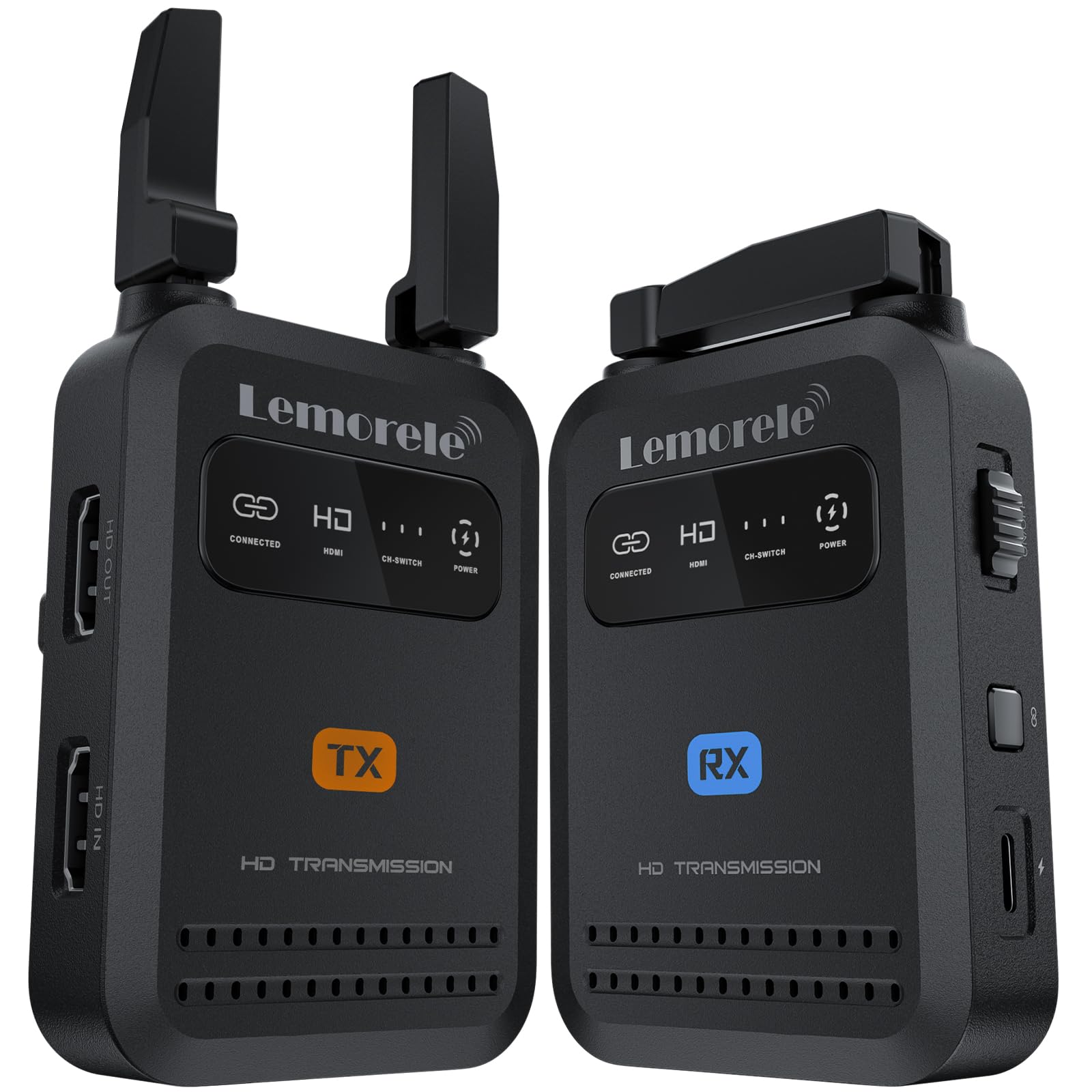
Image: The Lemorele R5000 Wireless HDMI Transmitter and Receiver units, showcasing their compact design.
2. Product Overview
2.1 Package Contents
The Lemorele R5000 package includes the following items:
- Transmitter x1
- Receiver x1
- HDMI Cable x2 (25cm)
- USB-C Cable x2 (60cm)
- User Manual x1

Image: A visual representation of the package contents, including the transmitter, receiver, HDMI cables, USB-C cables, and the user manual.
2.2 Key Features
- Professional-Grade Wireless HDMI: Designed for filmmakers and videographers, compatible with DSLRs, camcorders, monitors, and streaming setups.
- Simultaneous 1-to-4 Receiver Connections: Connect one transmitter to up to four receivers for flexible viewing.
- Full HD 1080P @ 60Hz with Ultra-Low Latency: Delivers smooth, real-time video with latency as low as 30ms.
- 5GHz Wi-Fi Transmission: Ensures stable performance up to 200 meters (656 feet) in open areas.
- Mobile App Support: Monitor live footage directly from the transmitter within 20 meters using a dedicated iOS/Android app.
- Portable Design: Features foldable antennas for compact storage and easy transport.
- Plug and Play: Simple setup with HDMI input, loop-out, and USB-C power.

Image: An infographic highlighting the main features of the Lemorele R5000 system, including app monitoring, foldable antennas, transmission range, and video quality.
3. Setup Instructions
Follow these steps to set up your Lemorele R5000 Wireless HDMI system:
- Connect the Transmitter (TX):
- Connect your HDMI source (e.g., camera, DSLR) to the HDMI IN port on the transmitter using one of the provided HDMI cables.
- If you require local monitoring, connect an external monitor to the HDMI OUT (loop-out) port on the transmitter.
- Power the transmitter using the provided USB-C cable connected to a 5V/2A power source, or attach a compatible NP-F battery (sold separately).
- Connect the Receiver (RX):
- Connect the HDMI OUT port on the receiver to your display device (e.g., monitor, TV) using an HDMI cable.
- Power the receiver using the provided USB-C cable connected to a 5V/2A power source, or attach a compatible NP-F battery (sold separately).
- Power On and Pair:
- Press the Power Button on both the transmitter and receiver to turn them on.
- The units are designed for plug-and-play operation and should automatically pair. If pairing does not occur, press the Pairing Button on both units simultaneously until the connection is established.

Image: A diagram illustrating the various ports and buttons on both the transmitter and receiver units for easy identification during setup.
3.1 Video Guide: How to use Lemorele Wireless HDMI Video Transmission System
Video: An official guide from Lemorele demonstrating the setup and usage of the wireless HDMI video transmission system.
4. Operating Instructions
Once the transmitter and receiver are powered on and paired, the video signal from your source device will be wirelessly transmitted to the connected display. The system supports Full HD 1080P at 60Hz with ultra-low latency, ensuring a smooth and responsive viewing experience.
4.1 Mobile App Monitoring
The Lemorele R5000 supports real-time monitoring via a dedicated mobile application (TuTuplay) available for iOS and Android devices. This allows you to view live footage directly from the transmitter within a 20-meter range without needing an additional receiver.
- Download the TuTuplay app from your device's app store.
- Ensure your mobile device is within 20 meters of the transmitter.
- Open the app and follow the on-screen instructions to connect to the transmitter.

Image: An example of mobile app monitoring in action, showing a tablet displaying live camera feed.
4.2 Multiple Receiver Setup
The R5000 system allows one transmitter to connect to up to four receivers simultaneously. This is ideal for scenarios requiring multiple monitoring points, such as director monitors, client screens, or multi-camera environments.

Image: A visual representation of the 1-to-4 receiver connection capability, demonstrating how one transmitter can feed multiple displays.
5. Powering Options
The Lemorele R5000 units offer flexible power options:
- USB-C Power: Use the provided USB-C cables to connect to a 5V/2A power adapter or a power bank.
- NP-F Battery Support: Both the transmitter and receiver units have a battery plate compatible with NP-F970, F750, and F550 batteries (batteries are not included and must be purchased separately).

Image: The transmitter unit demonstrating both USB-C and NP-F battery power options.
6. Mounting
The R5000 units feature a standard 1/4"-20 screw hole, allowing for easy attachment to various camera rigs, cold shoe mounts, or tripods. This ensures versatile placement options for your setup.
7. Specifications
| Feature | Specification |
|---|---|
| Brand | Lemorele |
| Model Number | R5000 |
| Connectivity Technology | Wi-Fi (5GHz) |
| Video Resolution | 1080P @ 60Hz |
| Latency | As low as 30ms |
| Transmission Range | Up to 200m (656ft) in open areas |
| Receiver Support | 1 Transmitter to 4 Receivers |
| Mobile App Monitoring | iOS, Android (within 20m) |
| Power Input | USB-C (5V/2A), NP-F Battery (F970, F750, F550) |
| Compatible Devices | Smartphone, Tablet, PC, DSLR, Camcorder, Monitor, Television, Amplifier, Speaker |
| Connector Type | HDMI |
8. Troubleshooting
If you encounter issues with your Lemorele R5000 system, please refer to the following common troubleshooting steps:
- No Signal:
- Ensure both the transmitter and receiver are powered on.
- Verify all HDMI cables are securely connected to the correct ports (HDMI IN on TX, HDMI OUT on RX).
- Check if the input source on your display is set to the correct HDMI input.
- Confirm that the transmitter and receiver are paired. If not, press the pairing buttons on both units.
- Reduce the distance between the transmitter and receiver, and ensure there are no significant obstructions.
- Intermittent Signal/Poor Quality:
- Ensure the units are within the recommended transmission range (up to 200m in open areas, less with obstructions).
- Minimize interference from other 5GHz Wi-Fi devices.
- Check that the antennas on both units are properly unfolded and oriented.
- Ensure power supply is stable and sufficient (5V/2A).
- App Monitoring Issues:
- Ensure your mobile device is within 20 meters of the transmitter.
- Verify your mobile device's Wi-Fi is enabled and connected to the transmitter's network (if applicable, refer to app instructions).
- Restart the app and the transmitter.
9. Maintenance
To ensure the longevity and optimal performance of your Lemorele R5000 system, follow these maintenance guidelines:
- Cleaning: Use a soft, dry cloth to clean the units. Avoid using liquid cleaners or solvents.
- Storage: When not in use, store the units in a cool, dry place. Fold the antennas to prevent damage during storage or transport.
- Handling: Handle the units with care. Avoid dropping them or exposing them to extreme temperatures or humidity.
- Cables: Regularly inspect HDMI and USB-C cables for any signs of wear or damage. Replace damaged cables immediately.
10. Warranty and Support
The Lemorele R5000 Wireless HDMI Transmitter and Receiver system comes with a 2-Year Manufacturer Warranty.
For technical support, warranty claims, or further assistance, please contact Lemorele customer service through their official website or the retailer from whom you purchased the product. Please have your model number (R5000) and proof of purchase ready when contacting support.


