
Important Safety Instructions
Please read all instructions carefully before installation and use. Retain this manual for future reference.
- Ensure all electrical connections are performed by a qualified electrician and comply with local codes.
- Do not immerse the product in water or spray water directly onto electrical components.
- Unplug the toilet from the power outlet before cleaning or performing any maintenance.
- Do not use abrasive cleaners, solvents, or chemical sprays on any part of the toilet.
- Keep children and individuals with reduced physical, sensory, or mental capabilities away from the product unless supervised.
- This product is designed for indoor use only.
Product Overview
The VIPBEAR Tankless One-Piece Smart Toilet Model OPT12 offers advanced features for enhanced hygiene and comfort. This section provides an overview of its key functionalities.
Key Features
- Touchless operation with foot sensor flush and auto seat-sensing flush.
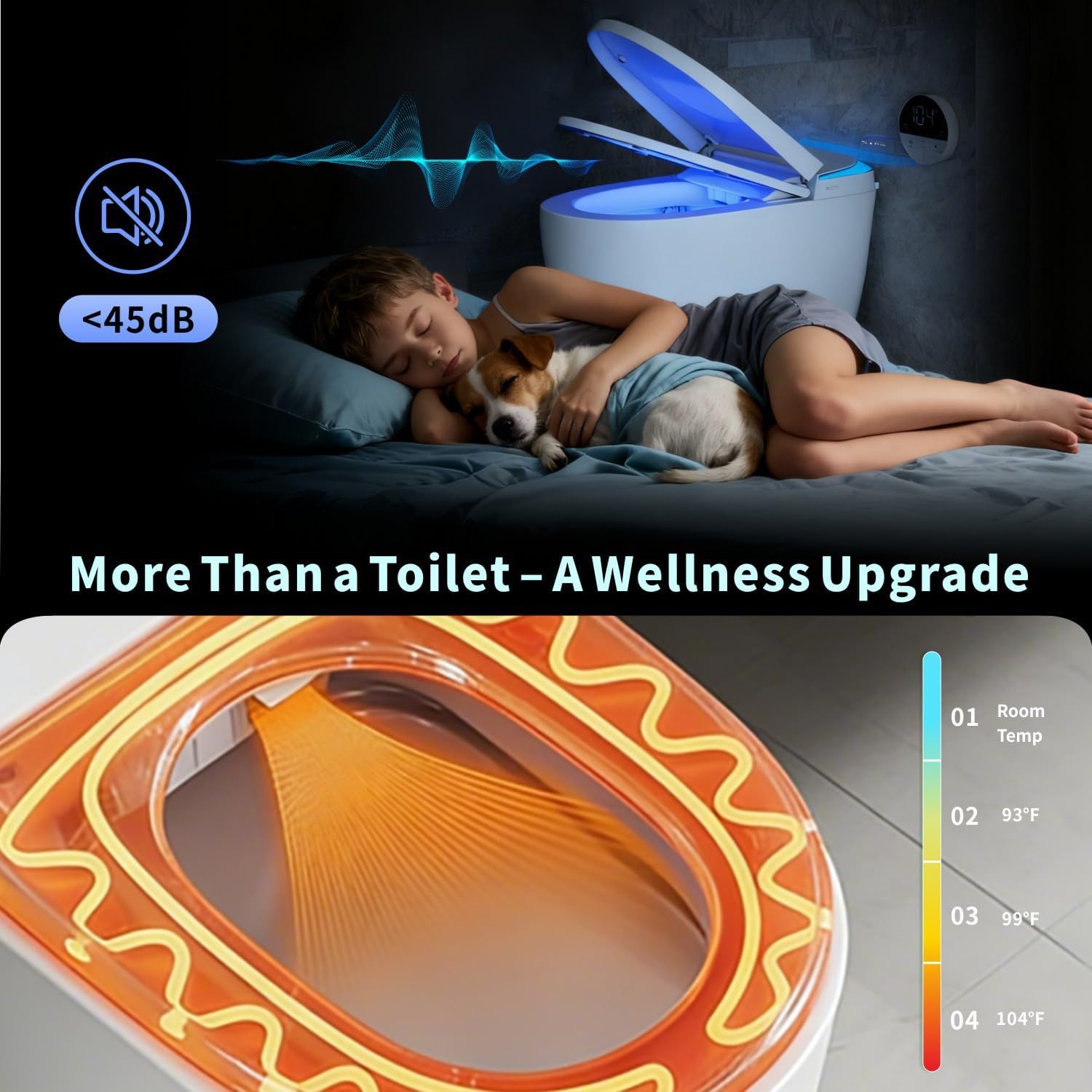
- Soft-glow night light for safe nighttime use.
- High-efficiency dual flush (1.0/1.27 GPF) with MaP 1000g certified waste removal.
- Tankless design for space-saving and leak prevention.
- Foam Shield technology to prevent splash, control odor, and provide an antibacterial barrier.
- Heated toilet seat with quick-warm technology and four temperature settings (Room Temp to 104°F).
- LED display for real-time temperature indication.
- Auto open/close soft-close lid.
- Battery backup for flushing during power outages.


Package Contents
Verify that all components are present before beginning installation:
- Angle valve
- Fixed disk
- Flange ring
- Remote Control
- User Manual (this document)
- Foam solution bottle
- Foam liquid effervescent tablet
- Power Outage Flushing Battery

Setup and Installation
Professional installation is recommended. Ensure water supply and electrical outlets are properly prepared according to local plumbing and electrical codes.
Pre-Installation Checklist
- Verify rough-in dimensions (minimum 12 inches).
- Ensure a dedicated GFCI electrical outlet is available near the installation area.
- Confirm water supply line is accessible and has a shut-off valve.
- Gather necessary tools (wrench, screwdriver, sealant, etc.).
Installation Steps (General)
- Prepare the floor flange and ensure it is clean and level.
- Install the angle valve and connect the water supply line to the toilet.
- Position the toilet over the floor flange, ensuring proper alignment.
- Secure the toilet to the floor using the provided fixed disk and screws.
- Connect the power cord to the GFCI outlet.
- Turn on the water supply and check for leaks.
- Perform initial function tests as described in the operating instructions.
Operating Instructions
Automatic Functions
- Foot Sensor Flush: A sensor at the base of the toilet detects foot movement, initiating a flush. This provides a hands-free flushing experience.
- Auto Open/Close Lid: The lid automatically opens when a user approaches and closes after a set period of inactivity, or after flushing. This feature enhances hygiene and convenience.
- Night Light: An integrated soft-glow night light illuminates the bowl and surrounding area, providing visibility in low-light conditions without being overly bright.

Manual Controls
- Side Console: An intuitive side console allows for manual control of various functions, including foam shield activation, lighting modes, and seat temperature adjustments.
- Remote Control: A dedicated remote control is included for convenient access to all smart toilet features from a distance. Refer to the remote control section in the full manual for detailed instructions.

Heated Seat
The heated seat offers four adjustable temperature levels for personalized comfort:
- Level 1: Room Temperature
- Level 2: 93°F (34°C)
- Level 3: 99°F (37°C)
- Level 4: 104°F (40°C)
Adjust the temperature using the side console or remote control. The LED display shows the current temperature setting.


Flushing Options
- Dual Flush: Choose between a 1.0 GPF (Gallons Per Flush) for liquids, meeting EPA WaterSense standards, and a 1.27 GPF for solids, providing powerful cleaning while conserving water.
- Blackout Flush with Battery Backup: In the event of a power outage, the integrated battery backup ensures that flushing functionality remains available.


Foam Shield Technology
The Foam Shield creates a protective layer on the water surface, offering multiple benefits:
- 99% Splash Reduction: Minimizes splash-back during use.
- Odor Control: Traps odor molecules beneath the foam layer.
- Antibacterial Barrier: Helps inhibit bacterial growth and keeps the bowl cleaner.
- Stain Prevention: Reduces the likelihood of stains adhering to the bowl surface.


Video 1: Demonstration of the VIPBEAR One-Piece Tankless Smart Toilet's features.
Maintenance and Cleaning
Regular cleaning and maintenance will ensure the longevity and optimal performance of your smart toilet.
General Cleaning
- Unplug the toilet before cleaning.
- Use a soft cloth and mild, non-abrasive cleaner to wipe down the exterior surfaces.
- For the bowl, use a toilet brush and a standard toilet bowl cleaner. Avoid harsh chemicals that could damage internal components.
- Clean sensors regularly with a soft, dry cloth to ensure proper functionality.
Foam Solution Refill
When the foam solution level is low, refill the dedicated foam solution bottle with the provided effervescent tablets and water, or a compatible foam solution. Refer to the full manual for specific instructions on accessing and refilling the foam solution reservoir.
Troubleshooting
If you encounter issues, consult the table below for common problems and solutions. If the problem persists, contact customer support.
| Problem | Possible Cause | Solution |
|---|---|---|
| Toilet does not power on. | No power supply; GFCI tripped. | Check power cord connection. Reset GFCI outlet. Ensure power outlet is functional. |
| Flush is weak or not working. | Water supply valve closed; low water pressure; obstruction. | Ensure water supply valve is fully open. Check household water pressure. Inspect for any blockages in the trapway. |
| Heated seat not warming. | Heated seat function off; temperature setting too low. | Activate heated seat function via side console or remote. Increase temperature setting. |
| Auto lid not opening/closing. | Sensor obstructed; sensor malfunction. | Ensure the sensor area is clean and unobstructed. Try resetting the toilet by unplugging and replugging. |
| Foam Shield not activating. | Low foam solution; foam function off. | Refill foam solution reservoir. Activate foam function via side console or remote. |
Specifications
| Feature | Specification |
|---|---|
| Brand | Vipbear |
| Model Number | OPT12 |
| Color | OPT12 (Black) |
| Material | Ceramic |
| Item Weight | 100 Pounds |
| Installation Type | Floor Mounted |
| UPC | 753747376814 |
| Flush Type | Dual Flush (1.0 GPF / 1.27 GPF) |
| MaP Rating | 1000g |
Warranty and Support
The VIPBEAR Tankless One-Piece Smart Toilet Model OPT12 comes with a comprehensive warranty. For specific warranty details, please refer to the warranty card included with your product or contact Vipbear customer support.
If you require assistance with installation, operation, troubleshooting, or warranty claims, please contact Vipbear customer support through the contact information provided on our official website or your purchase documentation. Our team is dedicated to providing reliable performance and peace of mind.
