
1. Introduction
This manual provides essential instructions for setting up and operating your artfone F30 4G flip phone. Designed with seniors in mind, the F30 features large buttons, a clear display, and an intuitive interface for ease of use. Please read this manual thoroughly to ensure proper function and safety.
2. Package Contents
Verify that all items are present in your product package:
- artfone F30 4G Flip Phone
- Rechargeable Lithium Metal Battery
- Charging Dock
- USB Cable (Type C)
- User Manual
3. Device Overview
The artfone F30 is a compact flip phone with a robust design, tested for durability. Its clamshell design protects the screen and keypad when closed.
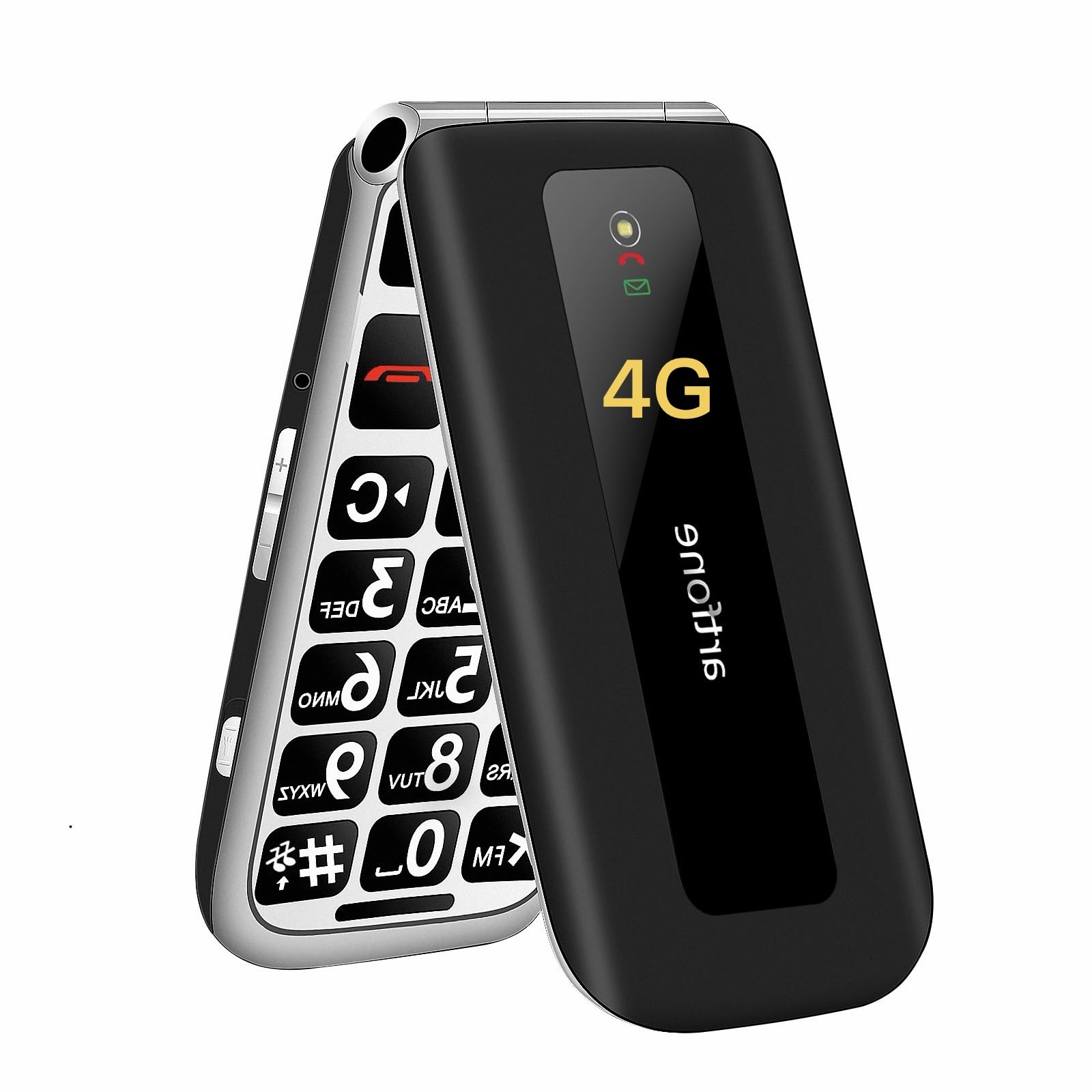
Image: The artfone F30 flip phone resting in its dedicated charging dock, showcasing its compact and user-friendly design.
3.1 Keypad and Display
The phone features large, backlit buttons for easy dialing and navigation, even in low light conditions. The 2.4-inch color display provides clear text and icons.
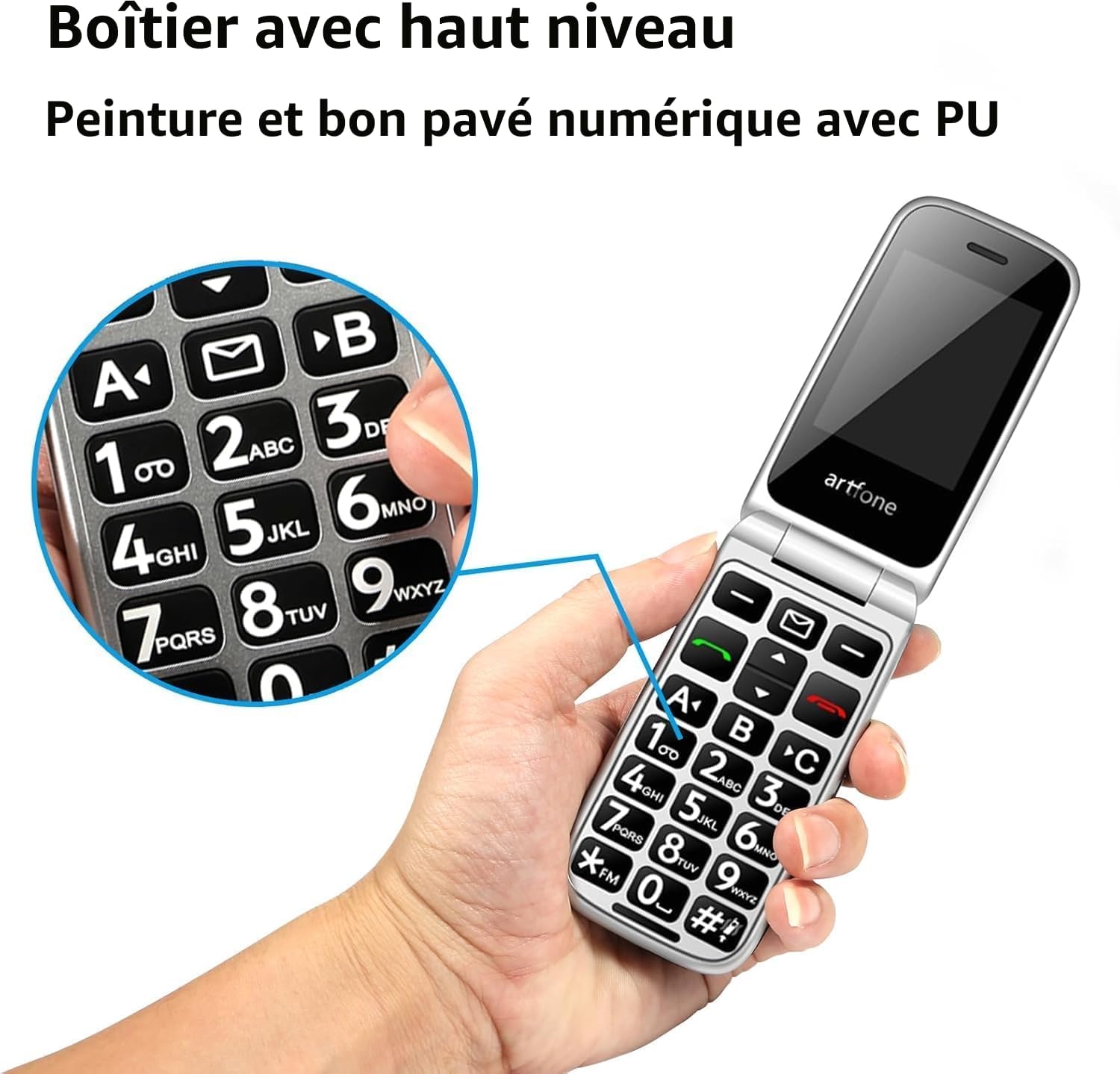
Image: A hand holding the open artfone F30, with a magnified inset showing the large, high-contrast numeric and function keys, designed for easy visibility and operation.
3.2 SOS Button
A dedicated SOS button is located on the back of the phone for emergency situations.

Image: A finger pressing the prominent SOS button located on the rear of the artfone F30, illustrating the emergency call feature.
4. Setup
4.1 SIM Card and Battery Installation
The artfone F30 supports Nano-SIM cards for 2G, 3G, and 4G networks. It also has a slot for a Micro SD card to expand storage.
- Remove the back cover of the phone.
- Insert your Nano-SIM card(s) into the designated slot(s). Ensure the gold contacts face downwards.
- If desired, insert a Micro SD card into its slot.
- Insert the battery, aligning the contacts.
- Replace the back cover until it clicks securely.

Image: An internal view of the artfone F30 with the back cover removed, clearly showing the slots for Nano SIM and Micro SD cards for installation.
4.2 Charging the Phone
Before first use, fully charge the phone. You can charge it using the included charging dock or directly via the USB-C cable.
- Using the Charging Dock: Place the phone into the charging dock, ensuring it is seated correctly. The charging indicator light will illuminate.
- Using the USB-C Cable: Connect the USB-C cable to the phone's charging port and the other end to a compatible USB power adapter.
The phone will automatically stop charging once fully charged to protect the battery.

Image: The artfone F30 phone securely placed in its charging dock on a table, ready for charging.
5. Operating Instructions
5.1 Power On/Off
- To Power On: Press and hold the red End Call/Power button until the screen lights up.
- To Power Off: Press and hold the red End Call/Power button, then confirm 'Power Off' on the screen.
5.2 Making and Receiving Calls
- Making a Call: Dial the number using the keypad and press the green Call button.
- Receiving a Call: Open the flip to answer an incoming call. Alternatively, press the green Call button.
- Ending a Call: Close the flip or press the red End Call button.
5.3 Contacts with Pictures
You can assign a picture to each contact. When an assigned contact calls, their picture will appear on the 2.4-inch display, making it easier to identify the caller.

Image: The artfone F30 displaying a contact's photo on its screen during an incoming call, illustrating the picture contact feature for easy recognition.
5.4 SOS Emergency Function
The SOS button allows for quick assistance in emergencies. You can pre-set up to five family numbers.
- Setting up SOS Numbers: Navigate to the SOS settings in the phone's menu to add emergency contacts.
- Activating SOS: In an emergency, press and hold the SOS button on the back of the phone. The phone will automatically call and send an SMS to the pre-set numbers.
5.5 Innovative Time Announcement
For users with visual impairments, the artfone F30 offers a unique time announcement feature. Long-press the volume (+) button to hear the current time announced in multiple languages.

Image: The artfone F30 displaying the time, with an overlay indicating the voice announcement feature activated by pressing the volume button.
5.6 Other Features
The F30 includes additional useful features:
- FM Radio: Listen to your favorite radio stations.
- Flashlight: A built-in flashlight for convenience.
- Organizer: Basic calendar and alarm functions.

Image: A collage showing the artfone F30 in various states: closed, in its charging dock, and displaying the FM radio interface, along with an illustration of its flashlight function.
6. Maintenance
- Cleaning: Use a soft, dry cloth to clean the phone's exterior. Avoid liquid cleaners.
- Battery Care: Avoid extreme temperatures. Do not leave the phone fully discharged for extended periods.
- Storage: Store the phone in a cool, dry place when not in use for long periods.
7. Troubleshooting
| Problem | Possible Cause | Solution |
|---|---|---|
| Phone does not power on | Low battery; Battery not inserted correctly | Charge the phone; Re-insert battery |
| Cannot make/receive calls | No SIM card; SIM card not active; Out of network coverage | Insert SIM card; Contact your service provider; Move to an area with network coverage |
| Poor sound quality | Low signal; Speaker/microphone obstructed | Move to an area with better signal; Clean speaker/microphone openings |
| Battery drains quickly | Heavy usage; Old battery | Reduce usage; Replace battery if necessary |
8. Specifications
| Feature | Detail |
|---|---|
| Brand | artfone |
| Model Number | F30 |
| Product Type | Flip Phone |
| Operating System | artfone OS |
| Screen Size | 2.4 Inches |
| Connectivity | Bluetooth, 2G/3G/4G (Nano-SIM) |
| Ports | 3.5mm Jack, USB Type C |
| Battery Type | Lithium Metal |
| Battery Capacity | 1300mAh (typical) |
| Special Features | SOS Button, Large Backlit Keys, Charging Dock, Time Announcement, FM Radio, Picture Contacts |
9. Warranty and Support
Your artfone F30 is covered by a standard manufacturer's warranty. Please refer to the warranty card included in your package for specific terms and conditions. For technical support or service inquiries, please contact artfone customer service through their official website or the retailer where you purchased the device.


