
Introduction
Thank you for choosing the IKT 4-in-1 Hot and Cold Water Dispenser with Ice Maker. This appliance provides convenient access to hot, cold, and room temperature water, along with a built-in ice maker. Please read this manual thoroughly before operation to ensure proper use, maintenance, and safety.
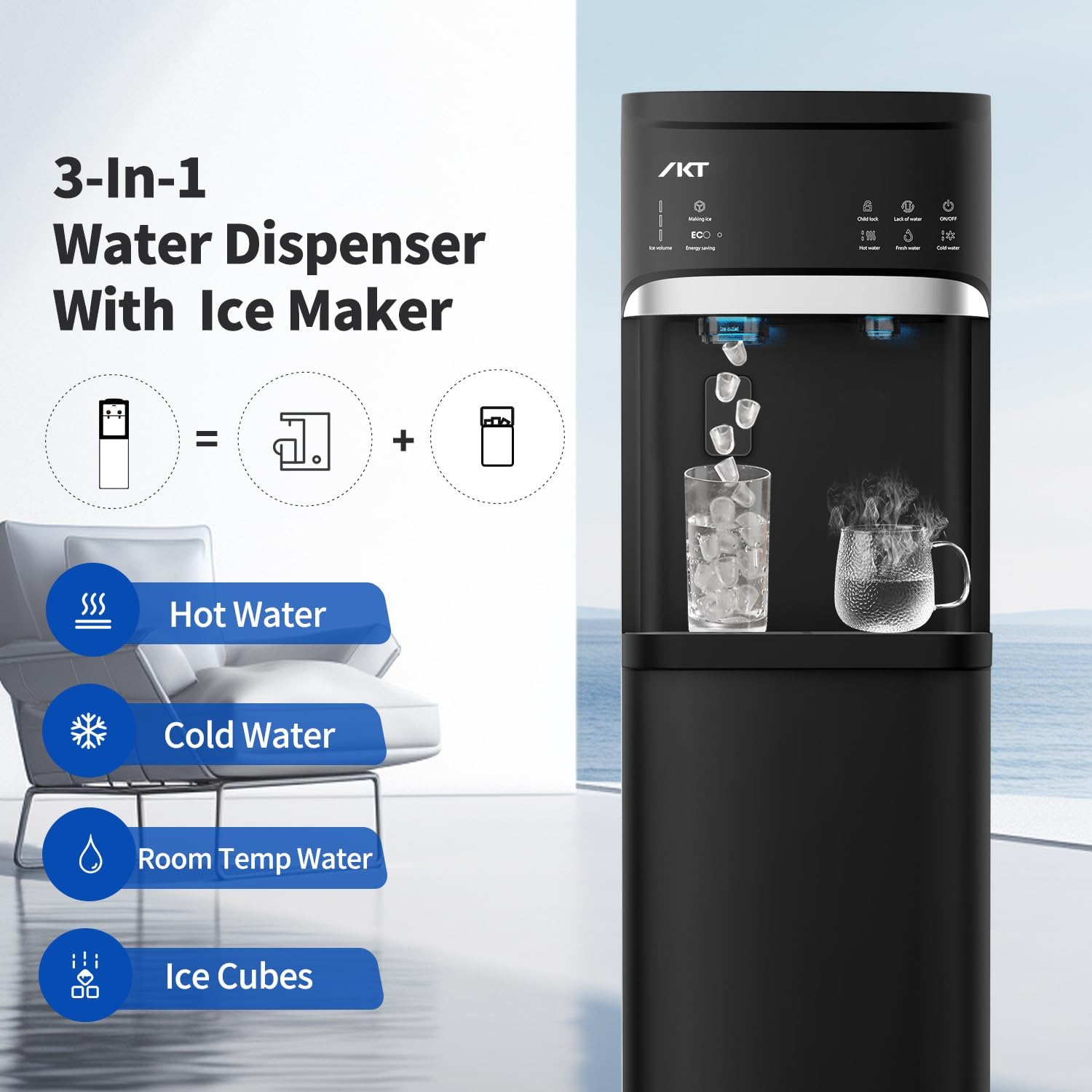
Image: The IKT 4-in-1 Water Dispenser highlighting its capabilities for hot, cold, room temperature water, and ice cubes.
Important Safety Instructions
- Always place the dispenser on a flat, stable, and level surface.
- Ensure adequate ventilation around the unit. Do not block ventilation openings.
- Do not operate the dispenser with a damaged power cord or plug.
- Keep the appliance away from direct sunlight and heat sources.
- Do not immerse the appliance, cord, or plug in water or other liquids.
- Hot Water Safety: The hot water function dispenses water at high temperatures. Always use the child safety lock when dispensing hot water to prevent accidental burns.
- Unplug the dispenser before cleaning or performing any maintenance.
- This appliance is for indoor use only.
Product Overview
The IKT water dispenser combines multiple functions for your convenience:
- 3 Temperature Water: Provides hot, cold, and room temperature water.
- Built-in Ice Maker: Produces bullet-shaped ice cubes with a daily capacity of up to 22 lbs. Note: The unit does not keep ice frozen for extended periods.
- Bottom Loading: Accommodates 3-5 gallon water bottles, eliminating heavy lifting.
- Self-Cleaning Function: Automated cleaning cycle for hygiene.
- Child Safety Lock: Prevents accidental hot water dispensing.
- Energy Saving Mode (ECO): Reduces power consumption, especially at night.
- Empty Bottle Alert: Indicator to notify when the water bottle needs replacement.
- Night Light: Illuminates the dispensing area for convenience in low light.

Image: Front view of the IKT 4-in-1 Water Dispenser.
Control Panel
The control panel features intuitive buttons and indicators for various functions:
- Ice Making Indicator: Shows ice production status.
- Energy Saving (ECO) Button/Indicator: Activates and shows ECO mode.
- Child Lock Button: Engages safety for hot water.
- Empty Water Indicator: Alerts when the water bottle is low.
- ON/OFF Button: For general power control.
- Hot Water Button: Dispenses hot water.
- Fresh Water Button: Dispenses room temperature water.
- Cold Water Button: Dispenses cold water.

Image: Detailed view of the control panel, showing various function buttons and indicators.
Setup
- Unpacking: Carefully remove the dispenser from its packaging. Retain packaging for future transport if needed.
- Placement: Place the dispenser on a hard, level surface in a cool, dry place away from direct sunlight and heat. Ensure there is at least 4 inches of clearance from walls for proper ventilation.
- Rest Period: After transport, allow the unit to stand upright for at least 2 hours before plugging it in. This allows refrigerants to settle.
- Initial Cleaning: Before first use, it is recommended to run a self-cleaning cycle (refer to the Maintenance section) or flush the system by dispensing several cups of water from each tap.
- Install Water Bottle: Open the bottom cabinet door. Place a 3 or 5-gallon water bottle onto the probe inside the cabinet. Close the door securely.
- Power Connection: Plug the power cord into a grounded electrical outlet.
- Prime the System: Before turning on heating or cooling functions, dispense water from the cold and hot taps until water flows steadily. This ensures the tanks are filled and prevents dry heating.
Operating Instructions
Water Dispensing
- Cold Water: Press the 'Cold Water' button. The cold water function can be turned on or off via the power button on the control panel.
- Room Temperature Water: Press the 'Fresh Water' button.
- Hot Water: To dispense hot water, first press and hold the 'Child Lock' button, then press the 'Hot Water' button. Release both buttons once dispensing begins.
Ice Making
The built-in ice maker produces bullet-shaped ice cubes. It has a daily capacity of approximately 22 lbs and can store up to 0.88 lbs of ice. Please note that the unit does not keep ice frozen; it will melt if not used.
- Activation: The ice maker typically starts automatically when the unit is powered on and water is available.
- Ice Full Alert: The machine will make 3 beeps and stop making ice when the ice bin is full.
- Ice Production: Produces 9 pieces of ice per cycle, with ice ready in approximately 7 minutes.
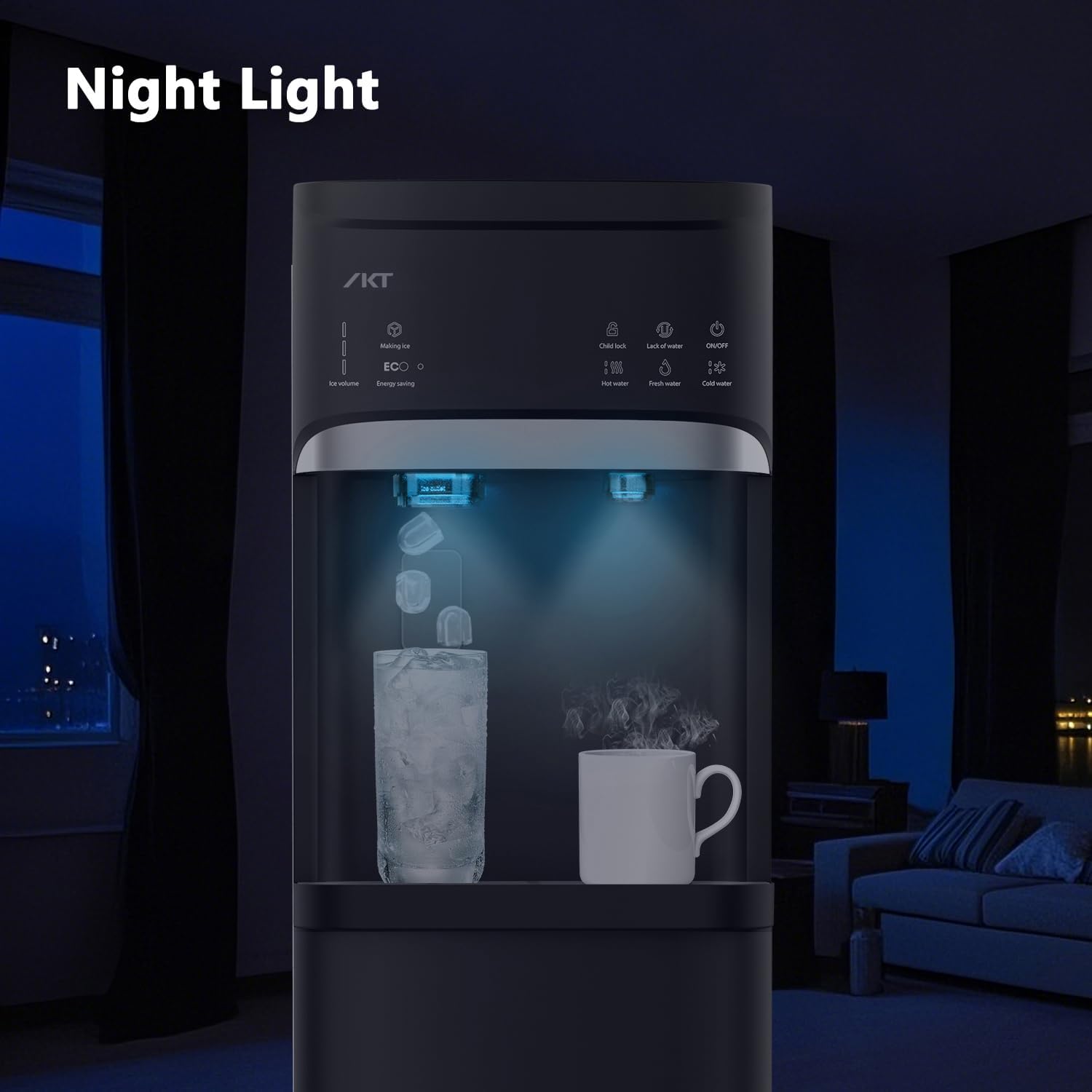
Image: Features of the ice maker, including capacity and speed.

Image: Internal view of the ice maker, showing ice cubes and the UV lamp.
Energy Saving Mode (ECO)
Press the 'Energy Saving' button to activate the ECO function. When active, the machine will stop heating water at night to conserve energy.
Empty Bottle Alert
The 'Empty Water' indicator light will illuminate when the 5-gallon bottle needs to be replaced.
Night Light
The night light automatically illuminates the dispensing area when water or ice is being dispensed, providing visibility in low-light conditions.
Maintenance
Self-Cleaning Function
The dispenser features a self-cleaning function to maintain hygiene:
- Turn off the machine using the main power button.
- Press and hold the 'Ice Making' button for 3 seconds to activate the self-cleaning function.
- The indicator light will blink during the cleaning cycle.
- The machine will automatically shut off after approximately 10 minutes, indicating the completion of the cycle.

Image: Instructions for activating the self-cleaning function.
Drip Tray Cleaning
The removable drip tray should be emptied and cleaned regularly to prevent overflow and maintain hygiene. Simply pull out the tray, empty any accumulated water, wash with mild soap and water, rinse thoroughly, and replace.
External Cleaning
Wipe the exterior surfaces of the dispenser with a soft, damp cloth. Do not use abrasive cleaners or solvents.
UV-Infused Cleaning
The dispenser incorporates UV technology to help reduce contaminants in the water and tanks, improving water taste and minimizing maintenance.

Image: Illustration of the UV-infused cleaning technology within the dispenser.
Troubleshooting
| Problem | Possible Cause | Solution |
|---|---|---|
| No water dispensing | Empty water bottle; Air lock; Unit not plugged in. | Replace water bottle; Prime the system by dispensing water until flow is steady; Check power connection. |
| No hot/cold water | Hot/cold function not activated; Unit not primed; ECO mode active. | Ensure hot/cold functions are turned on; Prime the system; Deactivate ECO mode if hot water is needed at night. |
| No ice production | No water; Ice bin full; Unit not powered on. | Replace water bottle; Empty ice bin; Ensure unit is powered on. |
| Compressor is loud | Normal operation; Unit not level. | Some compressor noise is normal. Ensure the unit is on a level surface. |
| Water tastes unusual | New bottle; Initial use; Need for cleaning. | Dispense several cups of water to flush; Run self-cleaning cycle. |
Specifications
| Feature | Detail |
|---|---|
| Model Number | CAIKTLYCZ628B-BK |
| Brand | IKT |
| Dimensions (D x W x H) | 12.2"D x 17.72"W x 41.34"H |
| Weight | 20 kg (approx. 44 lbs) |
| Installation Type | Freestanding, Bottom Loading |
| Power Source | Corded Electric |
| Water Bottle Compatibility | 3-5 Gallon Bottles |
| Ice Making Capacity | Up to 22 lbs per day |
| Ice Storage Capacity | Approx. 0.88 lbs |
| Ice Shape | Bullet-shaped |
Warranty and Support
For warranty information or technical support, please contact IKT customer service. Refer to your purchase documentation for specific warranty terms and contact details.
Manufacturer Contact Information: IKT


