
Introduction
Thank you for choosing the EcoLink Tiny Tornado Mini Fan. This compact and portable personal fan is designed to provide powerful, quiet, and convenient cooling for various environments. Please read this manual carefully before use to ensure proper operation and maintenance.
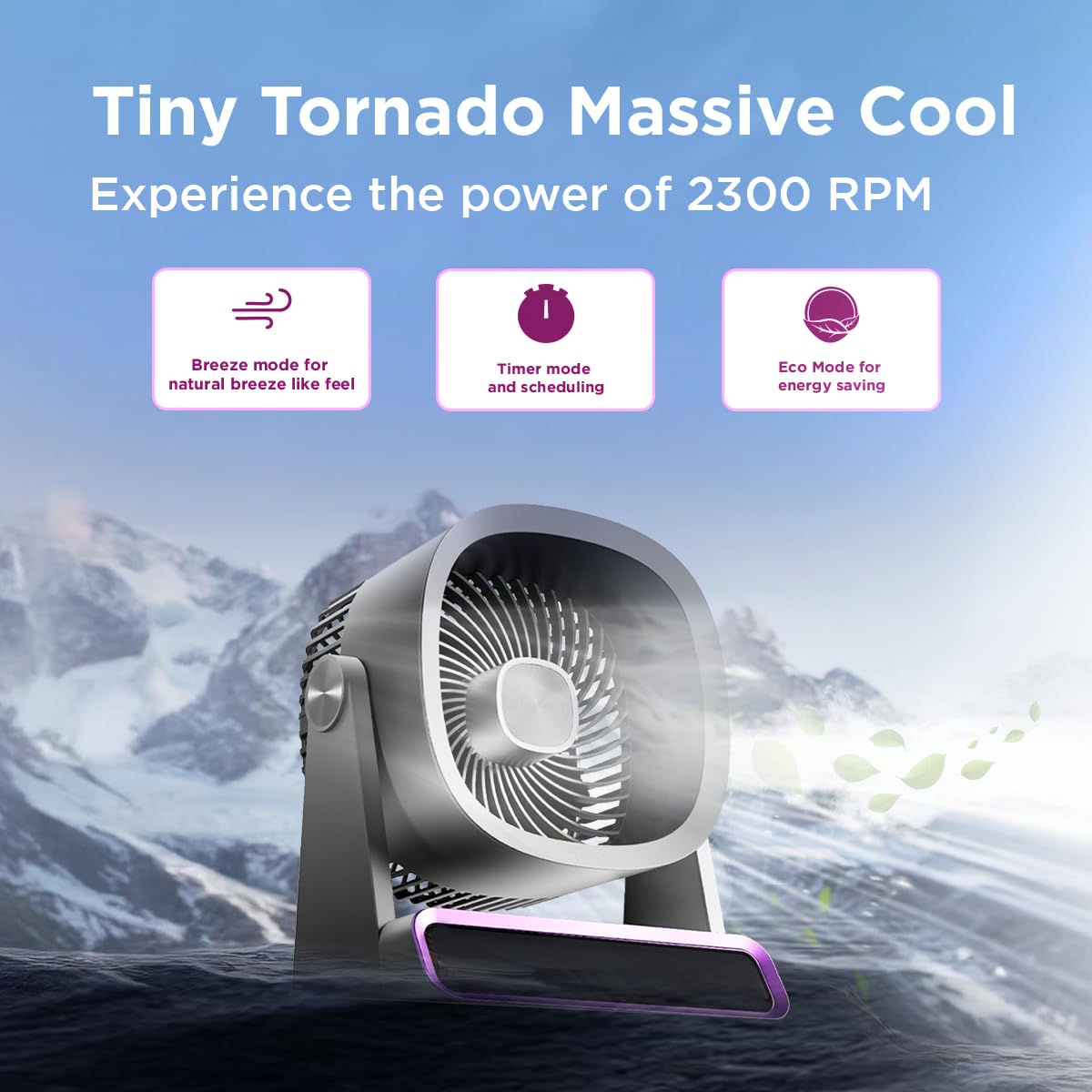
The EcoLink Tiny Tornado Mini Fan delivers powerful airflow in a compact design.
Key Features:
- Mini Yet Powerful Cooling: Delivers strong airflow in a compact size for instant personal cooling.
- Ultra-Compact & Lightweight: Easy to carry and place on desks, tables, or in bags.
- Smooth & Quiet Operation: Low-noise performance suitable for various quiet environments.
- USB Rechargeable Convenience: Rechargeable via laptop, power bank, or USB adapter.
- Versatile Usage: Ideal for desk use, travel, outdoor activities, commuting, and emergency cooling.
Package Contents
Ensure all items are present in the package:
- EcoLink Tiny Tornado Mini Fan (1 unit)
- USB Type-C Charging Cable (1 unit)

The fan comes with a Type-C charging cable for easy recharging via various devices.
Safety Instructions
To prevent injury or damage, please observe the following safety precautions:
- Do not insert fingers or any objects into the fan grille.
- Keep the fan away from water or other liquids.
- Do not use the fan in excessively humid or dusty environments.
- Keep out of reach of children and pets.
- Use only the provided USB cable or a certified Type-C cable for charging.
- Do not attempt to disassemble or repair the fan yourself. Contact customer support for assistance.
- Avoid blocking the air intake or outlet during operation.
Setup
Initial Charging:
- Connect the provided USB Type-C cable to the charging port on the fan.
- Connect the other end of the USB cable to a power source such as a USB adapter (not included), computer, or power bank.
- The charging indicator light will illuminate (color may vary) to show that the fan is charging.
- A full charge typically takes 10 to 12 hours. The indicator light will change or turn off when charging is complete.
Placement:
Place the fan on a stable, flat surface. Ensure there is adequate space around the fan for proper airflow.
Operating Instructions
Power On/Off:
- To turn on the fan, press the power button (usually located on the base or front panel).
- To turn off the fan, press and hold the power button, or cycle through the speed settings until it turns off.
Adjusting Fan Speed:
Press the power button repeatedly to cycle through different fan speeds. The fan typically has multiple speed settings (e.g., Low, Medium, High, Boost).
Operating Modes:
The fan may feature different operating modes, indicated by specific icons or lights:
- Breeze Mode: Simulates a natural breeze with varying fan speeds.
- Timer Mode: Allows scheduling the fan to turn off after a set period. Refer to the fan's display or specific button for timer settings.
- Eco Mode: Optimizes fan speed for energy saving, extending battery life.

The fan features digital touch screen control and a boost mode for high-speed output.
Battery Life:
The fan offers extended battery life, with up to 17 hours of run time at the lowest speed on a full charge. Run time decreases with higher fan speeds.

The 6000 mAh battery provides long-lasting power, with up to 17 hours of run time at speed 1.
Maintenance
Cleaning:
- Ensure the fan is turned off and unplugged before cleaning.
- Wipe the exterior surfaces with a soft, damp cloth. Do not use abrasive cleaners or solvents.
- Use a soft brush or vacuum cleaner to gently remove dust from the fan grille.
- Do not immerse the fan in water or any other liquid.
Storage:
When not in use for extended periods, store the fan in a cool, dry place, away from direct sunlight and extreme temperatures. It is recommended to fully charge the battery before storing.
Troubleshooting
| Problem | Possible Cause | Solution |
|---|---|---|
| Fan does not turn on. | Battery is depleted. | Charge the fan using the provided USB Type-C cable. |
| Weak airflow. | Fan grille is obstructed or dirty. | Clean the fan grille. Ensure nothing is blocking the air intake or outlet. |
| Fan makes unusual noise. | Foreign object inside the fan. | Turn off and unplug the fan. Carefully inspect for any foreign objects. If unable to resolve, contact customer support. |
| Charging indicator not working. | Cable or power source issue. | Try a different USB Type-C cable or a different power source. Ensure connections are secure. |
Specifications
| Feature | Detail |
|---|---|
| Brand | EcoLink |
| Model Number | 915006708301_1 |
| Colour | Purple |
| Electric Fan Design | Wearable Fan / Tabletop Mount |
| Power Source | Battery Powered (USB Rechargeable) |
| Style | Mini |
| Product Dimensions (D x W x H) | 19.5D x 14.5W x 25.8H Centimeters |
| Item Weight | 940 Grams |
| Wattage | 4.6 Watts |
| Included Components | Handheld Pack of 1 (Fan, USB Type-C Cable) |
| Indoor/Outdoor Usage | Indoor, Outdoor |
| Installation Type | Portable |
| Smart Home Compatibility | Not Smart Home Compatible |

The fan is equipped with a powerful and silent BLDC motor for smooth, consistent, and energy-efficient airflow.
Warranty Information
This EcoLink product is covered by a manufacturer's warranty. Please refer to the warranty card included with your purchase or contact EcoLink customer support for detailed warranty terms and conditions. Keep your purchase receipt as proof of purchase for warranty claims.
Customer Support
For any questions, technical assistance, or warranty claims, please contact the manufacturer:
- Manufacturer: Signify Innovations India Limited
- Contact Information: Refer to the packaging or official EcoLink website for the most current contact details.