
Introduction
The Fachixy VK81 Wireless Gaming Headset provides an immersive audio experience with versatile connectivity options. Designed for compatibility with multiple platforms including PS5, PC, PS4, Switch, and mobile devices, it features low-latency 2.4GHz wireless and Bluetooth 5.4 connections. Enjoy clear communication with the ENC noise-canceling microphone and dynamic RGB lighting.
What's in the Box
- 1 × Fachixy VK81 Wireless Gaming Headset
- 1 × 2.4GHz USB/USB-C Wireless Dongle
- 1 × USB Type-C Charging Cable
- 1 × User Manual (This document)
Product Overview
Headset Controls
Familiarize yourself with the control buttons located on the headset for easy operation.

Image: Overview of headset controls and their functions.
- Power Button: Press and hold for 3 seconds to power on. Press and hold for 4 seconds to power off. Single click to Play/Pause audio or Answer/End calls.
- Volume Down Button (-): Single click to decrease volume.
- Volume Up Button (+): Single click to increase volume.
- Mode Button (M): Single click to turn RGB lighting On/Off. Double click to switch between Game mode and Music mode. Press and hold for 3 seconds to re-pair in Bluetooth mode.
- Microphone Button: Single click to turn the microphone On/Off. Press and hold for 2 seconds to switch between Bluetooth and 2.4GHz modes.
Setup Instructions
2.4GHz Wireless Connection (for PC, PS5, PS4, Switch, Laptops)
This mode provides ultra-low latency audio for gaming.

Image: 2.4GHz wireless dongle for low-latency connection.
- Insert the 2.4GHz USB/USB-C wireless dongle into an available USB port on your PC, PS5, PS4, Switch, or laptop.
- Power on the Fachixy VK81 headset by pressing and holding the Power button for 3 seconds.
- The headset will automatically connect to the dongle. A successful connection is indicated by a steady light on the dongle and headset.
- Adjust the audio output settings on your device to ensure the headset is selected as the primary audio device.
Bluetooth 5.4 Connection (for Mobile Devices, PC, Mac, Laptops)
Use Bluetooth for convenient connection to mobile devices or other compatible systems.
- Ensure the headset is powered on. If it's in 2.4GHz mode, press and hold the Microphone button for 2 seconds to switch to Bluetooth mode.
- On your mobile device or computer, enable Bluetooth and search for available devices.
- Select "Fachixy VK81" from the list of discovered devices to pair.
- Once paired, the headset will indicate a successful connection.
Operating Instructions
Power On/Off
- Power On: Press and hold the Power button for 3 seconds.
- Power Off: Press and hold the Power button for 4 seconds.
Volume Control
- Increase Volume: Single click the '+' button.
- Decrease Volume: Single click the '-' button.
Microphone Control
The flexible boom microphone features ENC noise-canceling technology.
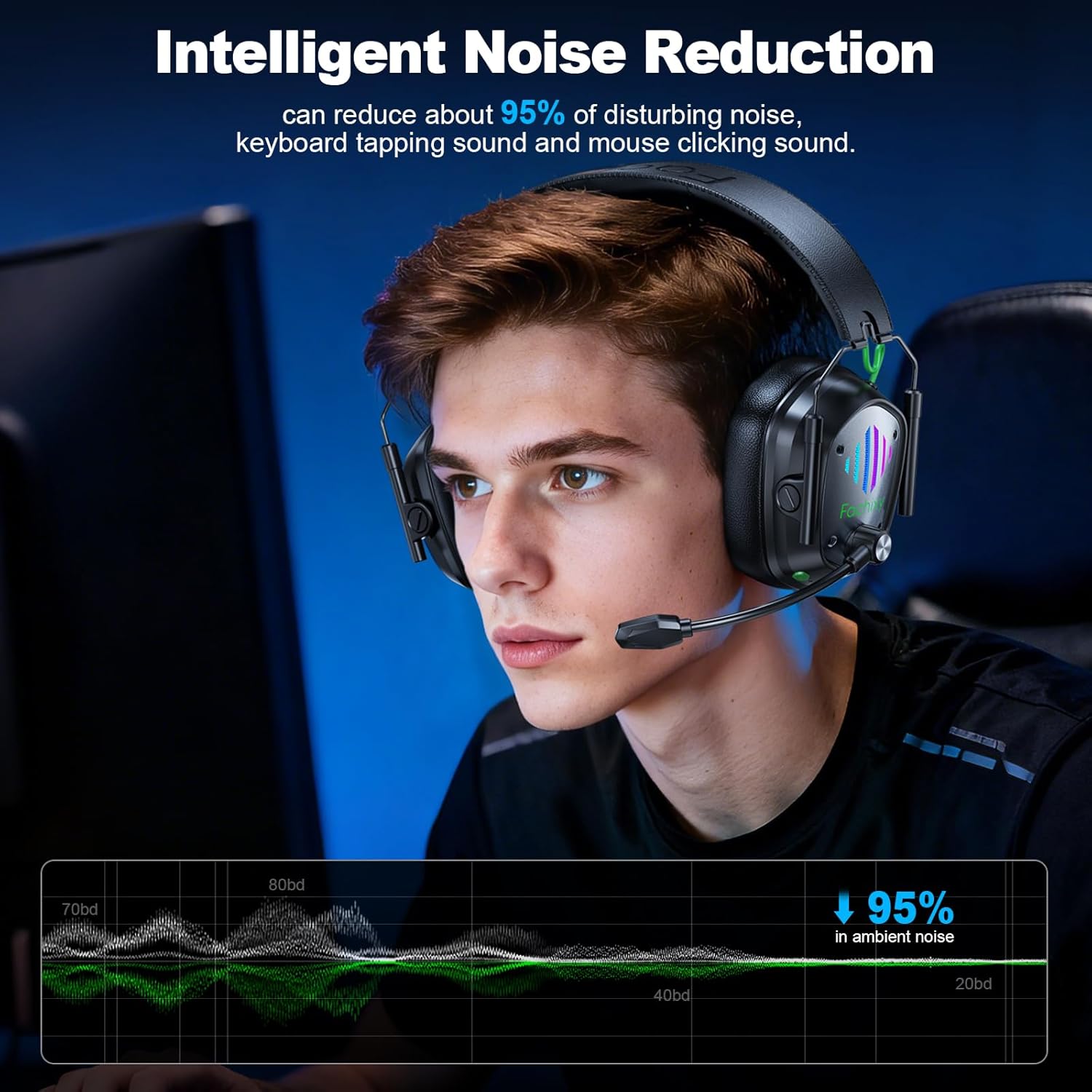
Image: Headset in use, demonstrating noise reduction capabilities.
- Microphone On/Off: Single click the Microphone button.
- Adjust the microphone's position for optimal voice pickup.
RGB Lighting Control

Image: Headset with active RGB lighting.
- RGB On/Off: Single click the 'M' (Mode) button to toggle RGB lighting.
Game/Music Mode
- Switch Mode: Double click the 'M' (Mode) button to alternate between Game and Music audio modes.
Re-pairing (Bluetooth Mode)
- If the headset fails to connect via Bluetooth, press and hold the 'M' (Mode) button for 3 seconds to enter re-pairing mode. Then, attempt to pair from your device's Bluetooth settings again.
Multi-Platform Compatibility
The Fachixy VK81 headset offers flexible connectivity across various devices. Please refer to the table below for detailed compatibility:

Image: Compatibility table for various gaming devices.
| Gaming Device | 2.4GHz Mode (Audio) | 2.4GHz Mode (Mic) | Bluetooth 5.4 Mode (Audio) | Bluetooth 5.4 Mode (Mic) |
|---|---|---|---|---|
| PC | ✓ | ✓ | ✓ | ✓ |
| PS4/PS5 | ✓ | ✓ | ✗ | ✗ |
| Laptop | ✓ | ✓ | ✓ | ✓ |
| Switch | ✓ (Type-C) | ✓ (Type-C) | ✓ | ✗ |
| Phone/Pad | ✓ (Type-C) | ✓ (Type-C) | ✓ | ✓ |
| All Xbox Series | ✗ | ✗ | ✗ | ✗ |
Note: 1. All modes do not support the entire Xbox series. 2. Microphone is not compatible with Switch in Bluetooth mode. 3. Bluetooth mode is not compatible with PS4/PS5.
Charging
The Fachixy VK81 headset is equipped with a high-capacity rechargeable battery for extended use.

Image: Battery life and charging details.
- Battery Capacity: 1000mAh.
- Playtime: Up to 60 hours of continuous use on a full charge.
- Charging Time: Approximately 2.5 hours for a full charge.
- Charging Method: Connect the included USB Type-C charging cable to the headset's charging port and a power source (e.g., computer USB port, USB wall adapter).
- An indicator light on the headset will show charging status (e.g., red for charging, off or blue for fully charged).
Maintenance
Proper care ensures the longevity and optimal performance of your headset.
- Cleaning: Use a soft, dry cloth to clean the headset. Avoid liquid cleaners or abrasive materials.
- Storage: Store the headset in a cool, dry place away from direct sunlight and extreme temperatures. The foldable design allows for compact storage.
- Handling: Avoid dropping the headset or exposing it to excessive force. Do not attempt to disassemble the headset.
- Water Resistance: This headset is not water-resistant. Avoid exposure to liquids.
Troubleshooting
If you encounter issues with your Fachixy VK81 headset, refer to the following common solutions:
| Problem | Possible Cause | Solution |
|---|---|---|
| No sound from headset | Headset not powered on, low battery, incorrect audio output selected, disconnected. | Ensure headset is powered on and charged. Check device's audio settings to select VK81. Reconnect dongle or re-pair Bluetooth. Increase headset and device volume. |
| Microphone not working | Microphone muted, incorrect input device selected, compatibility issue. | Single click the Microphone button to unmute. Check device's sound settings to select VK81 microphone. Ensure compatibility (e.g., Switch mic not supported in Bluetooth mode). |
| Cannot connect wirelessly (2.4GHz) | Dongle not properly inserted, headset not in 2.4GHz mode, interference. | Ensure dongle is fully inserted. Press and hold Microphone button for 2 seconds to switch to 2.4GHz mode. Try a different USB port. Move closer to the dongle. |
| Cannot connect via Bluetooth | Headset not in Bluetooth mode, not in pairing mode, device Bluetooth off, already connected to another device. | Press and hold Microphone button for 2 seconds to switch to Bluetooth mode. Press and hold 'M' button for 3 seconds to enter re-pairing mode. Ensure device Bluetooth is on. Disconnect from other devices. |
| Short battery life | Not fully charged, RGB lighting always on, high volume usage. | Ensure headset is fully charged (approx. 2.5 hours). Turn off RGB lighting if not needed. Reduce volume. |
Specifications
| Feature | Detail |
|---|---|
| Brand | Fachixy |
| Model | VK81 |
| Connectivity | 2.4GHz RF Wireless, Bluetooth 5.4 |
| Ear Placement | Over Ear |
| Drivers | 50mm Dynamic Driver |
| Impedance | 32 ohm |
| Audio Latency | 20 milliseconds (2.4GHz mode) |
| Battery Life | Up to 60 hours |
| Charging Time | Approx. 2.5 hours |
| Weight | 280g |
| Microphone | ENC Noise-Canceling, Flexible Boom |
| Additional Features | Dynamic RGB Lighting, Foldable Design, Adjustable Headband, Volume Control, Game/Music Modes |
| Compatibility | PS5, PS4, PC, Mac, Laptops, Switch, Mobile (Xbox not supported) |
| Material | Metal, Plastic |
Official Product Video
Video: An official product video from Fachixy Tech Store showcasing the wireless gaming headset with its microphone and RGB lighting features.
Warranty and Support
For warranty information, technical support, or any inquiries regarding your Fachixy VK81 Wireless Gaming Headset, please refer to the warranty card included in the packaging or visit the official Fachixy website for customer service contact details.


