
1. Introduction
Thank you for choosing the VGR V-879T Professional Hair Clipper. This high-performance grooming tool is designed for both professional salon use and home styling, offering precision and efficiency. It features a powerful 7500 RPM motor and an innovative DLC-coated ceramic blade for a smooth, accurate cut while minimizing friction and heat. The ergonomic design includes an eye-catching ornate pattern, available in gold and blue. A convenient LED display shows battery level and operating speed. The 1500mAh lithium battery provides 300 minutes of use after a 2.5-hour charge. This manual provides essential information for safe and effective use of your new hair clipper.
2. Safety Instructions
- Read all instructions before using this appliance.
- Keep the appliance away from water. Do not use it near bathtubs, showers, basins, or other vessels containing water.
- Do not immerse the appliance in water or other liquids.
- Always unplug the appliance immediately after use and before cleaning.
- Do not use the appliance if the cord or plug is damaged, or if it is not working properly.
- Keep the cord away from heated surfaces.
- This appliance is not intended for use by persons (including children) with reduced physical, sensory or mental capabilities, or lack of experience and knowledge, unless they have been given supervision or instruction concerning use of the appliance by a person responsible for their safety.
- Children should be supervised to ensure that they do not play with the appliance.
- Use only attachments supplied by the manufacturer.
- Do not attempt to repair the appliance yourself. Contact qualified service personnel for repairs.
3. Package Contents
The VGR V-879T Professional Hair Clipper package includes the following items:
- VGR V-879T Hair Clipper
- 4 Guide Combs (3mm, 5mm, 7mm, 9mm)
- Cleaning Brush
- USB Charging Cable
- User Manual
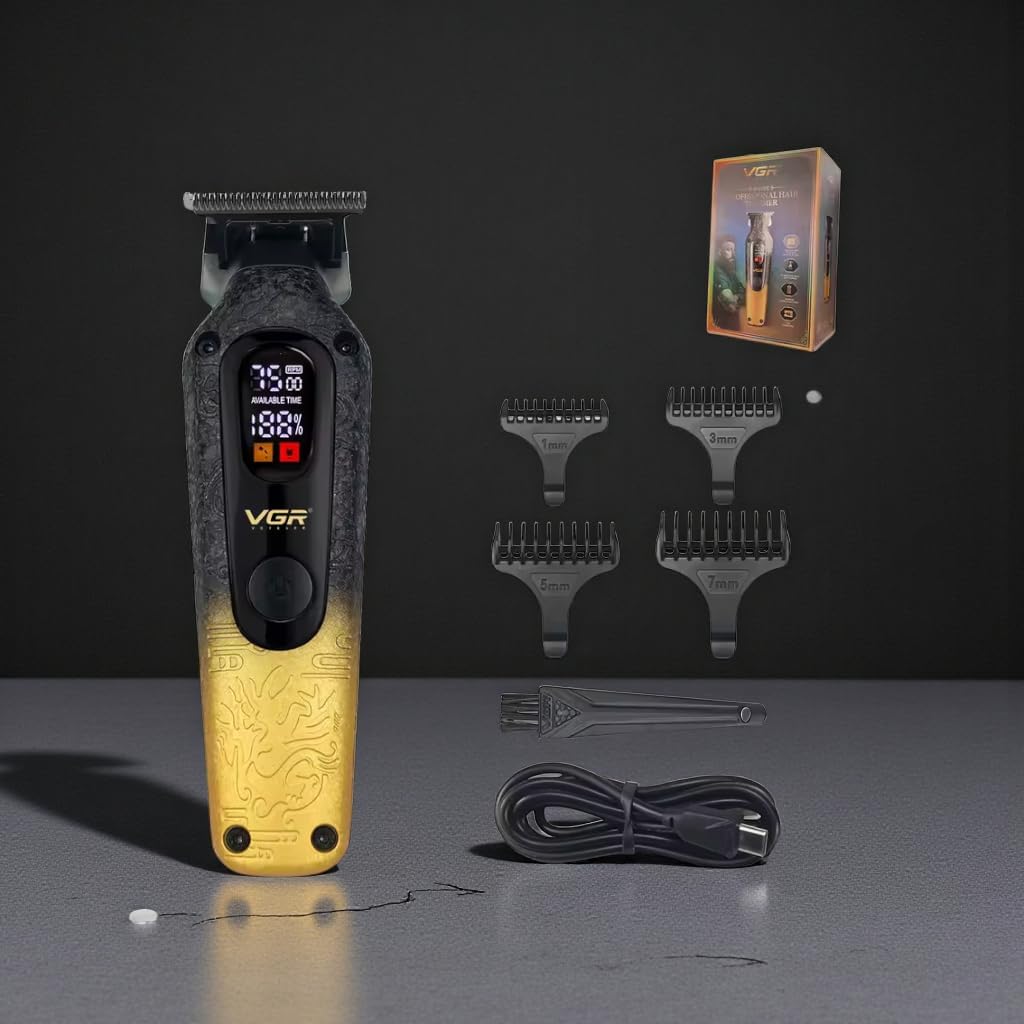
Image: VGR V-879T Hair Clipper (gold variant) with its complete set of accessories, including guide combs, cleaning brush, and USB charging cable.
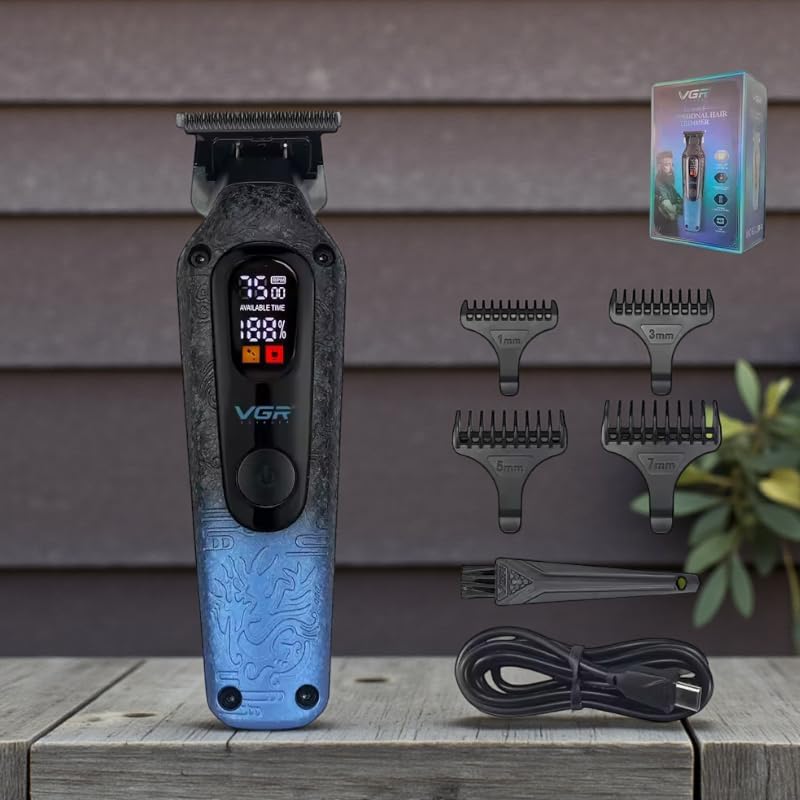
Image: VGR V-879T Hair Clipper (blue variant) with its complete set of accessories, including guide combs, cleaning brush, and USB charging cable.
4. Product Features
- Powerful Motor: Equipped with a high-performance 7500 RPM motor for efficient and precise cutting.
- Advanced DLC Ceramic Blade: Features a 4cm wide ceramic blade with a Diamond-Like Carbon (DLC) coating for ultra-sharp, smooth, and precise cuts, reducing friction and hair pulling.
- Digital LED Display: An integrated LED screen displays real-time battery percentage, available usage time, and operating speed for convenient monitoring.
- Long-Lasting Lithium Battery: Powered by a 1500mAh lithium battery, providing up to 300 minutes of continuous use with a quick 2.5-hour charging time.
- Ergonomic Design: Lightweight (200g) and compact (15cm length) with an anti-slip ornate texture for comfortable handling during extended grooming sessions.
- Versatile Guide Combs: Includes four guide combs (3mm, 5mm, 7mm, 9mm) for various hair lengths and styling options.
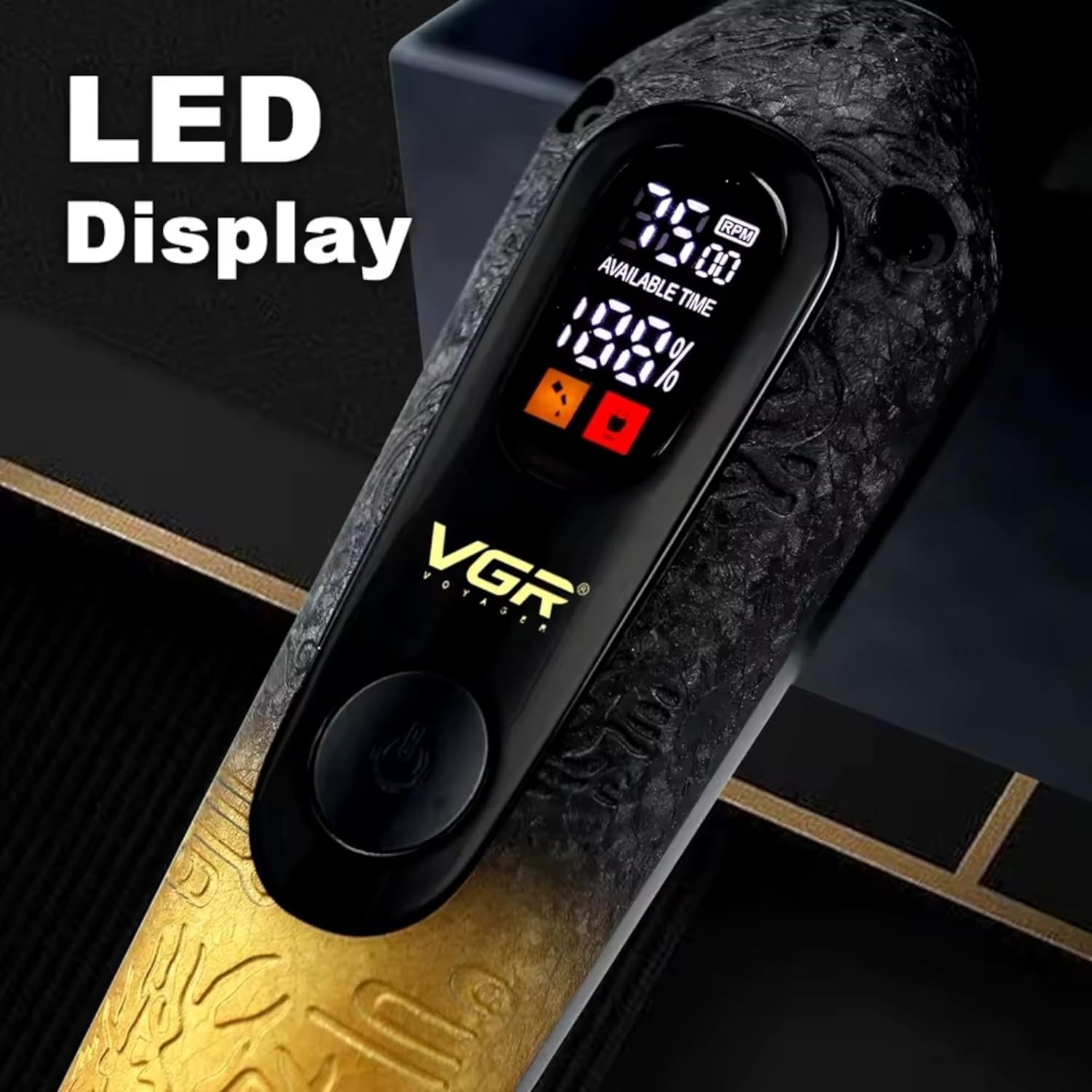
Image: Detailed view of the VGR V-879T's LED display, indicating battery level and motor speed.

Image: Close-up of the VGR V-879T's handle, highlighting the anti-slip texture and ornate pattern in both blue and gold color options.
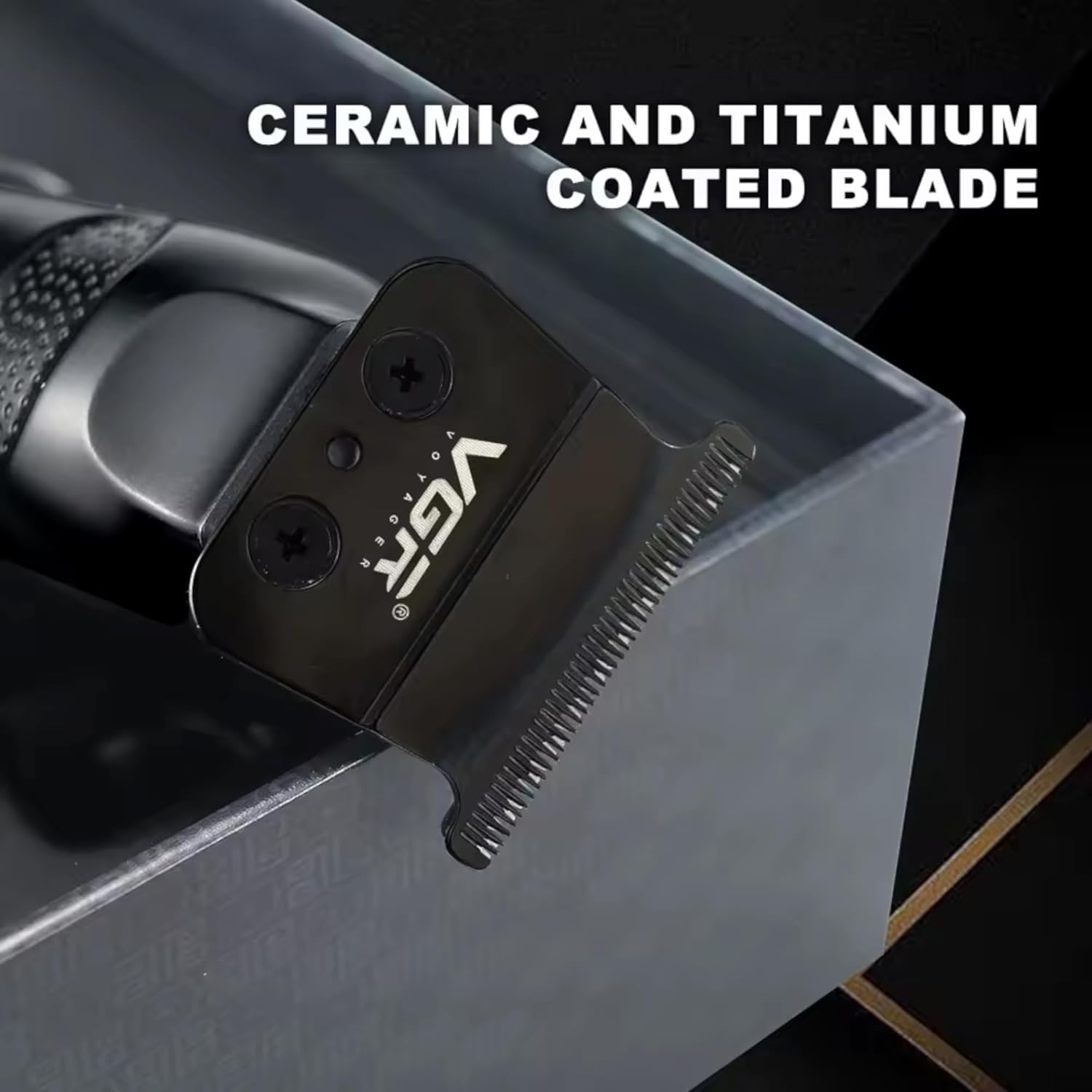
Image: Close-up of the VGR V-879T's ceramic and titanium coated blade, designed for precision cutting.
5. Setup
5.1 Charging the Clipper
- Ensure the clipper is turned off before charging.
- Connect the USB charging cable to the charging port on the bottom of the clipper.
- Plug the other end of the USB cable into a compatible USB power adapter (not included) or a USB port on a computer.
- The LED display will show the charging status. A full charge takes approximately 2.5 hours.
- Once fully charged, the display will indicate 100%. Disconnect the charger.

Image: Illustration of the VGR V-879T's battery specifications, highlighting its 1500mAh capacity, 2.5-hour charging time, and 300-minute usage time.
5.2 Attaching Guide Combs
- Select the desired guide comb (3mm, 5mm, 7mm, or 9mm) for your preferred hair length.
- Align the guide comb with the clipper blade and push it firmly until it clicks into place.
- To remove, gently pull the comb away from the blade.
6. Operating Instructions
6.1 Basic Operation
- Ensure the clipper is charged and a guide comb is attached if needed.
- Press the power button to turn on the clipper. The LED display will illuminate, showing battery and speed information.
- To adjust the speed, press the power button again to cycle through available speed settings (if applicable).
- Begin cutting hair by moving the clipper against the direction of hair growth.
- For best results, use slow, even strokes.
- After use, press and hold the power button to turn off the clipper.
6.2 Hair Cutting Tips
- For an even cut, ensure hair is clean and dry before clipping.
- Always start with a longer guide comb and gradually switch to shorter ones if a closer cut is desired.
- Comb hair frequently during the cutting process to remove loose hairs and check for evenness.
- For detailing or outlining, remove the guide comb and use the bare blade carefully.
7. Maintenance and Cleaning
7.1 Cleaning the Blades
- Turn off and unplug the clipper.
- Remove any attached guide comb.
- Use the provided cleaning brush to brush away loose hairs from the blades and the clipper body.
- For a more thorough cleaning, the blades can be carefully detached (refer to specific instructions if provided with your model for blade removal). Rinse detached blades under running water and ensure they are completely dry before reattaching. Do not rinse the clipper body.
7.2 Oiling the Blades
- After cleaning, apply a few drops of clipper oil (not included, but commonly available) to the blades.
- Turn on the clipper for a few seconds to allow the oil to distribute evenly across the blades.
- Wipe off any excess oil with a soft cloth. Regular oiling helps maintain blade sharpness and prolongs the life of the clipper.
8. Troubleshooting
| Problem | Possible Cause | Solution |
|---|---|---|
| Clipper does not turn on. | Battery is depleted. | Charge the clipper fully (approx. 2.5 hours). |
| Poor cutting performance / pulling hair. | Blades are dull or dirty. Hair buildup. | Clean blades thoroughly and apply clipper oil. Ensure hair is clean and dry before cutting. |
| Clipper gets hot during use. | Excessive friction due to lack of oil or prolonged use. | Ensure blades are oiled. Take short breaks during long grooming sessions. |
| LED display not working. | Clipper is off or battery is completely dead. | Turn on the clipper. Charge the clipper. If problem persists, contact support. |
9. Specifications
| Feature | Detail |
|---|---|
| Model Number | V-879T |
| Motor Speed | 7500 RPM |
| Blade Material | DLC Coated Ceramic |
| Blade Width | 4 cm |
| Battery Type | Lithium-ion |
| Battery Capacity | 1500mAh |
| Charging Time | Approx. 2.5 hours |
| Usage Time | Up to 300 minutes |
| Guide Combs | 3mm, 5mm, 7mm, 9mm |
| Product Dimensions | 15 cm (Length) x 4 cm (Width) |
| Product Weight | 200 grams |
| Power Source | Battery Powered |
| Country of Origin | China |

Image: Visual representation of the VGR V-879T's dimensions and weight.
10. Warranty and Support
Specific warranty information for the VGR V-879T Professional Hair Clipper is not provided in the product details. Please refer to the retailer or manufacturer's website for detailed warranty terms and conditions. For technical support or service inquiries, please contact the customer service department of your place of purchase.


