
Introduction
This manual provides detailed instructions for the safe and efficient operation, maintenance, and troubleshooting of your Blueair Premium Smart Humidifier, Model 114857. Please read this manual thoroughly before using the appliance and retain it for future reference.
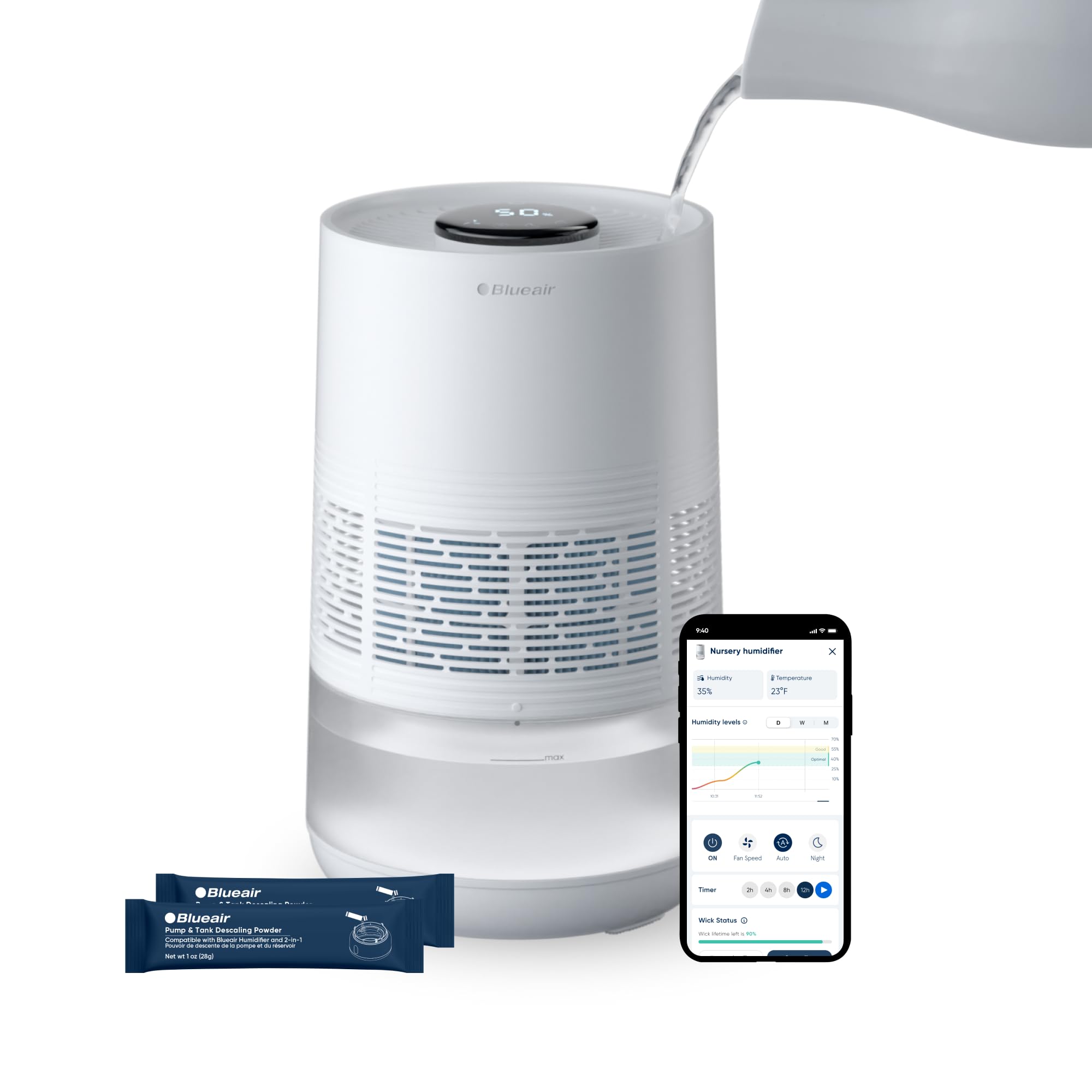
Image: The Blueair Premium Smart Humidifier, showcasing its sleek design and key features such as InvisibleMist Technology for mess-free humidification, an easily redesigned top for refills, an upgraded auto mode for peak performance, and an easy-open wick cage.
Key Features
- Mist-Free Evaporative Humidification: Utilizes InvisibleMist technology for clean, balanced moisture without residue or white dust.
- Effortless Top-Fill Design: Simplifies water refills for convenience.
- Smart Control: Manage settings and monitor humidity levels via the Blueair App, voice control, or the intuitive touchscreen.
- Auto Modes: Features AutoHydrate to maintain ideal humidity and Auto Dry mode for customized environments.
- Advanced Filtration: Includes an anti-microbial wick filter to trap minerals and pollutants.
- UV-Integrated Pump: Newly engineered pump with auto water detection and continuous recirculation to reduce bacteria growth.
- Dishwasher-Safe Tank: Facilitates easy cleaning and maintenance.
Product Components
Familiarize yourself with the main components of your humidifier:

Image: An exploded view diagram of the Blueair Humidifier, labeling key internal components such as the touchscreen controls, top pour refill opening, evaporating fan, anti-microbial wick filter, dishwasher-safe tank, and the UV-integrated pump with auto water detection.
- Humidifier Unit: The main body of the appliance.
- Pre-installed Wick Filter: Essential for clean moisture output.
- Water Tank: 3.5-liter capacity, designed for top-fill and dishwasher-safe cleaning.
- Power Adapter: For connecting the unit to an electrical outlet.
- User Manual: This document.
Setup
1. Unboxing and Placement
- Carefully remove all components from the packaging.
- Place the humidifier on a flat, stable surface in your desired room, such as a bedroom. Ensure it is away from walls and furniture to allow for optimal air circulation. The unit is designed to humidify areas up to 500 square feet.
2. Filling the Water Tank
The humidifier features a convenient top-fill design.
- Ensure the unit is powered off and unplugged before filling.
- Pour clean, cool tap water directly into the top opening of the humidifier until it reaches the 'MAX' fill line. Do not overfill. The tank has a 3.5-liter capacity, providing up to 48 hours of operation.
3. Power Connection
- Plug the power adapter into the humidifier's power port.
- Insert the other end of the power adapter into a standard electrical outlet.
4. App Connection (Optional but Recommended)
For smart control and advanced features, download the Blueair App.
- Download the Blueair App from your device's app store (available on iOS and Android).
- Follow the in-app instructions to connect your humidifier to your home Wi-Fi network. This enables remote control, scheduling, and monitoring of humidity levels.

Image: Multiple screenshots of the Blueair mobile application, illustrating its user-friendly interface for controlling the humidifier, monitoring humidity and temperature, adjusting fan speeds, and setting up custom schedules.
Operating Instructions
Your Blueair Humidifier can be operated via its intuitive touchscreen or the Blueair App.
Touchscreen Controls
The top panel features a digital display and touch-sensitive controls.

Image: A detailed view of the humidifier's touchscreen display, highlighting icons for Wi-Fi, Auto Dry mode, fan speeds, Auto mode, Night mode, display lock, expired filter indicator, low water indicator, and the current humidity percentage.
- Power Button: Tap to turn the unit on or off.
- Humidity Level Adjustment: Use the +/- icons to set your desired humidity target. The unit will automatically work to maintain this level.
- Fan Speed: Cycle through different fan speeds (1, 2, 3) to adjust humidification output.
- Auto Mode: Activates AutoHydrate, which automatically adjusts operation to maintain optimal humidity.
- Night Mode: Dims the display lights and operates at the lowest fan speed for quiet operation during sleep.
- Auto Dry Mode: Helps prevent over-humidification by adjusting output based on room conditions.
- Display Lock: Prevents accidental changes to settings.
App Control
The Blueair App offers comprehensive control and monitoring features:
- Remote Operation: Turn the humidifier on/off, change modes, and adjust settings from anywhere.
- Humidity Monitoring: View real-time humidity levels in your room.
- Scheduling: Create custom schedules for operation based on your daily routine.
- Filter Status: Monitor the lifespan of your wick filter and receive replacement reminders.
Maintenance
Regular maintenance ensures optimal performance and longevity of your humidifier.
1. Water Tank Cleaning
The water tank is dishwasher-safe for easy cleaning.
- Ensure the unit is unplugged.
- Remove the water tank from the base.
- Place the tank in your dishwasher for a thorough cleaning, or wash by hand with mild soap and water.
- Rinse thoroughly and allow to air dry completely before reassembling.

Image: A person demonstrating the ease of cleaning by placing the humidifier's water tank into a dishwasher, highlighting its dishwasher-safe design.
2. Wick Filter Replacement
The anti-microbial wick filter has an approximate lifespan of 6 months and should be replaced regularly.
- Unplug the humidifier.
- Open the wick cage (refer to product diagram for location). The easy release lock button (visible on the side of the unit) secures the device for safe carrying, fast refills, and wick replacements.
- Remove the old wick filter and dispose of it.
- Insert a new Blueair wick filter, ensuring it is properly seated.
- Close the wick cage securely.
- Reset the filter indicator via the touchscreen or Blueair App.

Image: A close-up view of the easy release lock button on the side of the humidifier, designed to secure the device for safe carrying, quick refills, and convenient wick replacements.
3. Descaling
To prevent mineral buildup and maintain consistent performance, descale your humidifier periodically.
- Unplug the unit and empty any remaining water.
- Use the provided descaling powder packets (2 included with the unit) according to the instructions on the packet.
- Rinse all components thoroughly after descaling.

Image: A hand holding a Blueair descaling powder packet, with the powder being poured into the humidifier's water tank, illustrating the process of clearing mineral buildup for smooth operation.

Image: The Blueair Humidifier highlighting its anti-scale design, which is engineered to prevent mineral buildup and ensure consistent performance over time.
Troubleshooting
If you encounter issues with your humidifier, refer to the following common problems and solutions.
- Unit Not Turning On:
- Ensure the power adapter is securely plugged into both the unit and a working electrical outlet.
- Check if the outlet is functional by plugging in another appliance.
- No Humidification Output:
- Check the water level. If the low water indicator is on, refill the tank.
- Ensure the wick filter is properly installed and not excessively dirty. Replace if necessary.
- Verify that the unit is not in Auto Dry mode if you expect continuous humidification.
- Unusual Odor:
- Clean the water tank and base thoroughly.
- Replace the wick filter.
- Use fresh, clean water.
- App Connectivity Issues:
- Ensure your home Wi-Fi network is active and the humidifier is within range.
- Restart the humidifier and your mobile device.
- Check for updates to the Blueair App.
- Expired Filter Indicator Remains On After Replacement:
- Ensure you have reset the filter indicator via the touchscreen or app after replacing the filter.
For further assistance, please contact Blueair customer support.
Specifications
| Brand | Blueair |
| Model Name | 114857 |
| Model Number | 114857 |
| Capacity | 3.5 Liters |
| Floor Area Coverage | 500 Square Feet |
| Operation Mode | Evaporative |
| Product Dimensions (D x W x H) | 23.9D x 23.9W x 37.1H centimetres |
| Material | Plastic |
| Color | White |
| Special Features | Corded, Digital Display, Dishwasher Safe, Quiet, Removable Tank |
| Control Method | App, Touchscreen |
| Included Components | Humidifier, Pre installed filter, User Manual |
| UPC | 689122002231 |
| ASIN | B0G83VQCWN |
Warranty and Support
For warranty information, please refer to the documentation included with your product or visit the official Blueair website. If you require technical support, have questions about your humidifier, or need to order replacement parts, please contact Blueair customer service through their official website or the contact information provided in your product packaging.