
1. Product Overview
The PocBuds OW7 AI Translation Earbuds are designed to facilitate communication across language barriers. These earbuds integrate AI-powered translation, audio calls, video calls, and music playback into a single device. They support real-time translation in 164 languages and offer multiple operational modes to suit various communication needs.

Image: PocBuds OW7 earbuds illustrating global language support and translation capabilities.
2. Package Contents
- PocBuds OW7 AI Translation Earbuds (Left and Right)
- Charging Case
- USB-C Charging Cable
- User Manual
3. Setup Guide
3.1 Initial Preparation
- Remove Protective Films: Before first use, carefully remove any protective films from the charging points on the earbuds.
- Charge Earbuds: Place the earbuds into the charging case. Connect the charging case to a power source using the provided USB-C cable. Ensure the earbuds are fully charged before initial use.
3.2 App Download and Installation
The PocBuds OW7 earbuds require a companion application for full translation functionality. Download the official app from your mobile device's app store (Google Play for Android or Apple App Store for iOS).

Image: Steps for app download, headphone pairing, device binding, and function guide.
3.3 Bluetooth Pairing
- Ensure your mobile device's Bluetooth is enabled.
- Open the charging case. The earbuds will automatically enter pairing mode.
- On your mobile device, search for available Bluetooth devices and select "PocBuds OW7" (or similar name) to connect.
- Once paired, open the PocBuds app and follow the on-screen instructions to bind your device and access all features.
3.4 Wearing the Earbuds
The OW7 earbuds feature an open-ear design for comfort. Gently place the earbud over your ear, ensuring the speaker is positioned correctly for optimal audio delivery without blocking your ear canal.

Image: Illustration of the open-ear design and comfortable fit.
4. Operating Modes
The PocBuds OW7 offers several translation modes to adapt to different communication scenarios:
- Free Talk Mode: Designed for face-to-face conversations. Both parties wear one earbud each for seamless two-way translation.
- Headphone + Phone Mode: Ideal for two-way dialogues where one person wears an earbud and the other speaks into the phone. Useful for interactions like ordering food or asking for directions.
- Audio/Video Call Translation: Enables real-time translation during voice and video calls, facilitating global communication in remote meetings or personal calls.
- Photo Translation: Use your phone's camera through the app to translate text from menus, signs, or documents.
- Translation Machine Mode: For structured conversations, allowing for clear, translated exchanges.
- AI Chat Mode: An integrated multilingual AI assistant that can respond to queries, provide suggestions, and assist with language practice.
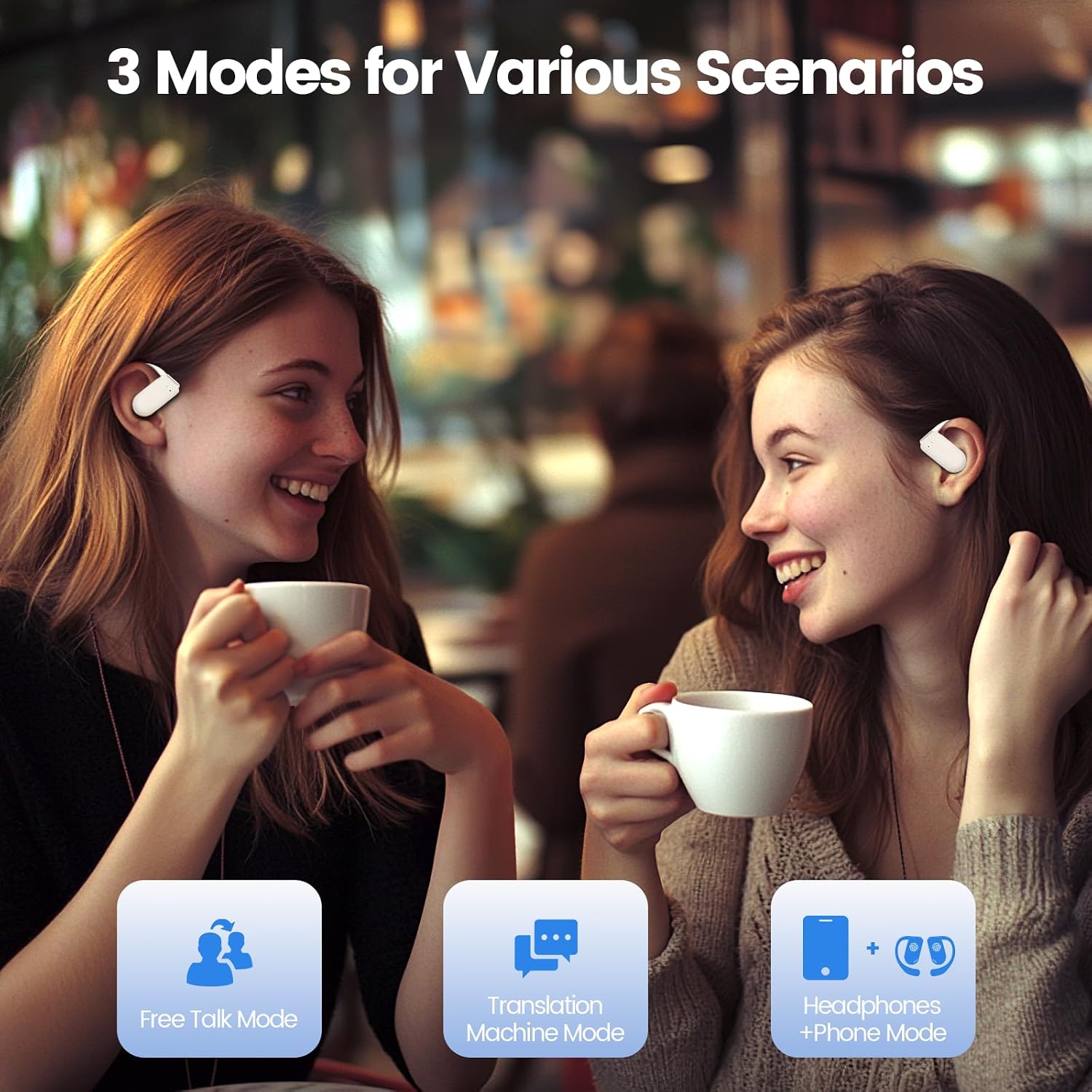
Image: Visual representation of the three primary translation modes.

Image: Free Talk Mode in use, with two individuals wearing earbuds for communication.

Image: Headphones + Phone Mode, demonstrating interaction with one earbud user and one phone user.

Image: Translation Machine Mode, showing interaction via a mobile device.

Image: Audio and Video Translation in action during a group video call.

Image: Examples of Photo Translation for books, menus, and roadmaps.
5. Charging and Battery Life
The PocBuds OW7 earbuds offer extended battery life for prolonged use:
- Earbud Playtime: Up to 10 hours on a single charge.
- Total Playtime with Charging Case: Up to 80 hours.
- Charging Time: Approximately 10 hours for a full charge of the case and earbuds.

Image: Battery life indicators for single charge and with charging case.
6. Maintenance
- Cleaning: After sweaty workouts or prolonged use, clean and dry the earbuds' charging points immediately to prevent corrosion and ensure proper charging.
- Storage: Store the earbuds in their charging case when not in use to protect them and keep them charged.
- Water Resistance: These earbuds are not water-resistant. Avoid exposure to water or excessive moisture.
7. Troubleshooting
7.1 Connection Issues
- Earbuds not pairing: Ensure earbuds are charged and protective films are removed. Restart your phone's Bluetooth and try pairing again.
- App not recognizing earbuds: Verify Bluetooth connection. Close and reopen the app. Ensure the app is updated to the latest version.
7.2 Translation Issues
- Inaccurate translation: Ensure clear speech and minimal background noise. Check that the correct source and target languages are selected in the app.
- No translation output: Verify internet connection (required for most real-time translation features). Check earbud volume and app settings.
7.3 Audio Issues
- Low or distorted sound: Clean earbuds and check for debris. Adjust volume on both the earbuds and your connected device.
8. Specifications
| Feature | Detail |
|---|---|
| Model Name | OW7 |
| Connectivity Technology | Wireless (Bluetooth) |
| Wireless Communication Technology | Bluetooth |
| Battery Life (Single Charge) | 10 Hours |
| Battery Life (with Charging Case) | 80 Hours |
| Charging Time | 10 Hours |
| Audio Driver Type | Dynamic Driver (16.2mm) |
| Noise Control | Active Noise Cancellation |
| Control Method | Touch, Voice |
| Ear Placement | Open Ear |
| Material | Silicone |
| Item Weight | 1.87 ounces (53 Grams) |
| Product Dimensions | 4.13 x 3.15 x 1.38 inches |
| Water Resistance Level | Not Water Resistant |
9. Official Product Videos
9.1 AI Translation Earbuds Real Time 164 Language Translator
Video: This video demonstrates the real-time translation capabilities of the PocBuds OW7 earbuds across 164 languages, highlighting their use in various scenarios.
9.2 Wireless Earbuds 80Hrs Playtime Open Ear Headphone
Video: This video showcases the design, comfort, and extended 80-hour playtime of the PocBuds OW7 open-ear headphones, emphasizing their suitability for long-term use.
10. Warranty and Support
For warranty information, product support, or further assistance, please refer to the official PocBuds website or contact their customer service directly. Details can typically be found on the product packaging or within the companion application.


