
1. Introduction
Thank you for choosing the KEMEI-1857 Professional Pet Grooming Clippers. This device is designed to provide a precise and comfortable grooming experience for your pets at home. Please read this manual thoroughly before first use to ensure proper operation, maintenance, and safety.

Image 1.1: The KEMEI-1857 Professional Pet Grooming Clippers.
2. Safety Instructions
To reduce the risk of injury, electric shock, fire, or damage to the product, always follow these basic safety precautions:
- Keep the appliance dry. Do not use it near water or in wet conditions.
- Do not disassemble the unit. For service or repair, contact qualified personnel.
- Keep out of reach of children and pets.
- Ensure the power adapter is compatible with your local voltage.
- Unplug the clipper before cleaning or performing maintenance.
- Do not use the clipper if the blade is damaged or bent, as this may cause injury to your pet.
- Avoid using the clipper on open wounds or irritated skin.
- Always ensure your pet is calm and comfortable before grooming.
3. What's in the Box
Your KEMEI-1857 grooming kit includes the following components:
- KEMEI-1857 Pet Grooming Clipper
- 4 Guide Combs (3mm, 6mm, 9mm, 12mm)
- Cleaning Brush
- Lubricating Oil
- Nail Clipper
- Nail File
- USB Charging Cable

Image 3.1: KEMEI-1857 clipper and included accessories.
4. Setup
4.1 Charging the Clipper
Before first use, fully charge the clipper. Connect the USB charging cable to the clipper's charging port and a compatible USB power adapter (not included). The LED display will indicate battery status. A full charge provides up to 120 minutes of cordless use.
4.2 Attaching Guide Combs
- Ensure the clipper is turned off.
- Select the desired guide comb (3mm, 6mm, 9mm, or 12mm) based on the desired hair length.
- Align the guide comb with the clipper blade and slide it on until it clicks securely into place.
- To remove, gently push the comb upwards and off the blade.

Image 4.1: Detachable blade and guide combs for different lengths.
5. Operating Instructions
5.1 Preparing Your Pet
- Brush your pet's coat thoroughly to remove any tangles or mats before clipping. This prevents the blade from snagging and ensures a smooth cut.
- Ensure your pet is calm and comfortable. Introduce the clipper slowly, allowing them to get used to the sound and vibration.
5.2 Powering On and Adjusting Speed
Press the power button to turn on the clipper. The LED display will show the current RPM and remaining battery life. You can adjust the cutting speed across 5 precise settings (7000-9000 RPM) by pressing the speed adjustment button. Choose a lower speed for sensitive areas or thin hair, and a higher speed for thick or matted fur.

Image 5.1: LED display and speed adjustment options.
5.3 Grooming Techniques
- Hold the clipper firmly and move it in the direction of hair growth.
- Use smooth, even strokes. Do not press too hard against the skin.
- For sensitive areas like paws, face, and ears, use extra caution and a smaller guide comb if necessary.
- Regularly check the blade for hair buildup and clean as needed to maintain optimal performance.

Image 5.2: Clipper suitable for trimming various body areas.
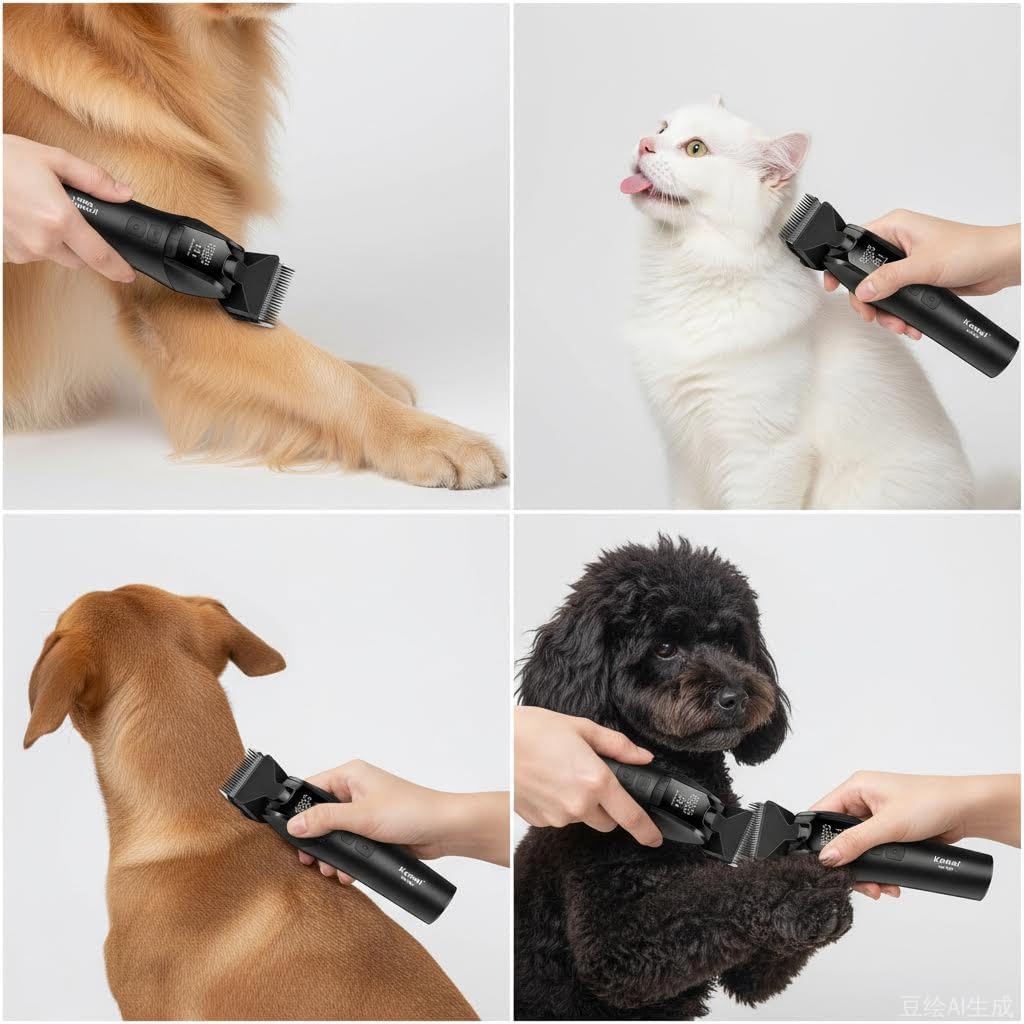
Image 5.3: Examples of grooming techniques on various pets.
Video 5.1: Demonstration of the KEMEI-1857 clipper's low noise operation and integrated blade design for pet grooming.
6. Maintenance
6.1 Cleaning the Blade
- Turn off the clipper and detach the guide comb.
- Use the included cleaning brush to remove any hair from the blade and inside the clipper head.
- The blade can be detached for thorough cleaning. Refer to the diagram for blade removal and reattachment.
6.2 Lubricating the Blade
After each cleaning, apply a few drops of the included lubricating oil to the blade teeth. This helps maintain blade sharpness and ensures smooth operation. Turn on the clipper for a few seconds to distribute the oil evenly.
6.3 Storage
Store the clipper and its accessories in a dry, cool place, away from direct sunlight and moisture. Ensure the clipper is fully charged before long-term storage to preserve battery life.
7. Troubleshooting
| Problem | Possible Cause | Solution |
|---|---|---|
| Clipper does not turn on | Low battery; Power button not pressed correctly | Charge the clipper; Press the power button firmly |
| Poor cutting performance | Blade dull; Hair buildup; Insufficient lubrication; Pet's hair tangled | Clean and oil the blade; Brush pet's hair thoroughly; Consider blade replacement if excessively dull |
| Clipper gets hot | Prolonged use; Lack of lubrication | Allow clipper to cool down; Apply lubricating oil to the blade |
| Excessive noise/vibration | Blade not properly seated; Lack of lubrication | Check blade attachment; Apply lubricating oil |
8. Specifications
- Model: KEMI-1857
- Brand: KEMEI
- Power Source: Battery Powered (USB Rechargeable)
- Battery Life: Up to 120 minutes (cordless use)
- Blade Material: Stainless Steel
- Speed Settings: 5 (7000-9000 RPM)
- Guide Combs: 3mm, 6mm, 9mm, 12mm
- Special Features: LED Display, Low Noise, Charge Indicator Light
- Dimensions: Approximately 7.48 inches (height) x 1.57 inches (width)

Image 8.1: KEMEI-1857 clipper dimensions.
9. Warranty and Support
For warranty information or technical support, please refer to the contact details provided with your purchase or visit the official KEMEI website. Keep your proof of purchase for warranty claims.