
Important Safety Instructions
- Read these instructions thoroughly before using the product.
- Keep this manual for future reference.
- Do not expose the speaker to extreme temperatures, direct sunlight, or open flames.
- Avoid dropping or subjecting the speaker to strong impacts.
- Do not disassemble, repair, or modify the speaker. Contact qualified service personnel if needed.
- Keep the speaker away from water and liquids, especially when ports are open. Ensure the port cover is securely closed for IPX6 water resistance.
- Use only the provided charging cable and a compatible power adapter (not included).
- Clean the speaker with a soft, dry cloth. Do not use abrasive cleaners.
Package Contents
Verify that all items listed below are included in your package:
- Monster S290 Portable Bluetooth Speaker x1
- AUX IN Cable x1
- USB-C Charging Cable x1
- Quick Start Guide & Warning Card x1
Product Overview
The Monster S290 is a portable Bluetooth speaker designed for high-quality audio playback in various environments. It features 30W stereo sound, Bluetooth 6.0 connectivity, and IPX6 water resistance.

Image: Monster S290 Bluetooth Speaker with internal components highlighted, demonstrating 30W audio power.
Key Features:
- Pure Monster Sound & 30W Powerful Audio: Delivers crisp highs, deep bass, and studio-quality richness for an immersive listening experience.
- Latest Bluetooth 6.0 & TWS Pairing: Ensures faster pairing, stable signal, extended range, and allows pairing two speakers for a surround sound experience.
- 15H Playtime & Type-C Fast Charge: Provides up to 15 hours of continuous playback and supports quick recharging via USB-C.
- IPX6 Waterproof & Portable Design: Splash-proof and sweat-proof, suitable for outdoor use. Its lightweight design allows for easy portability.
- Multiple Input Interfaces: Supports AUX, TF card, and USB playback for versatile connectivity options.
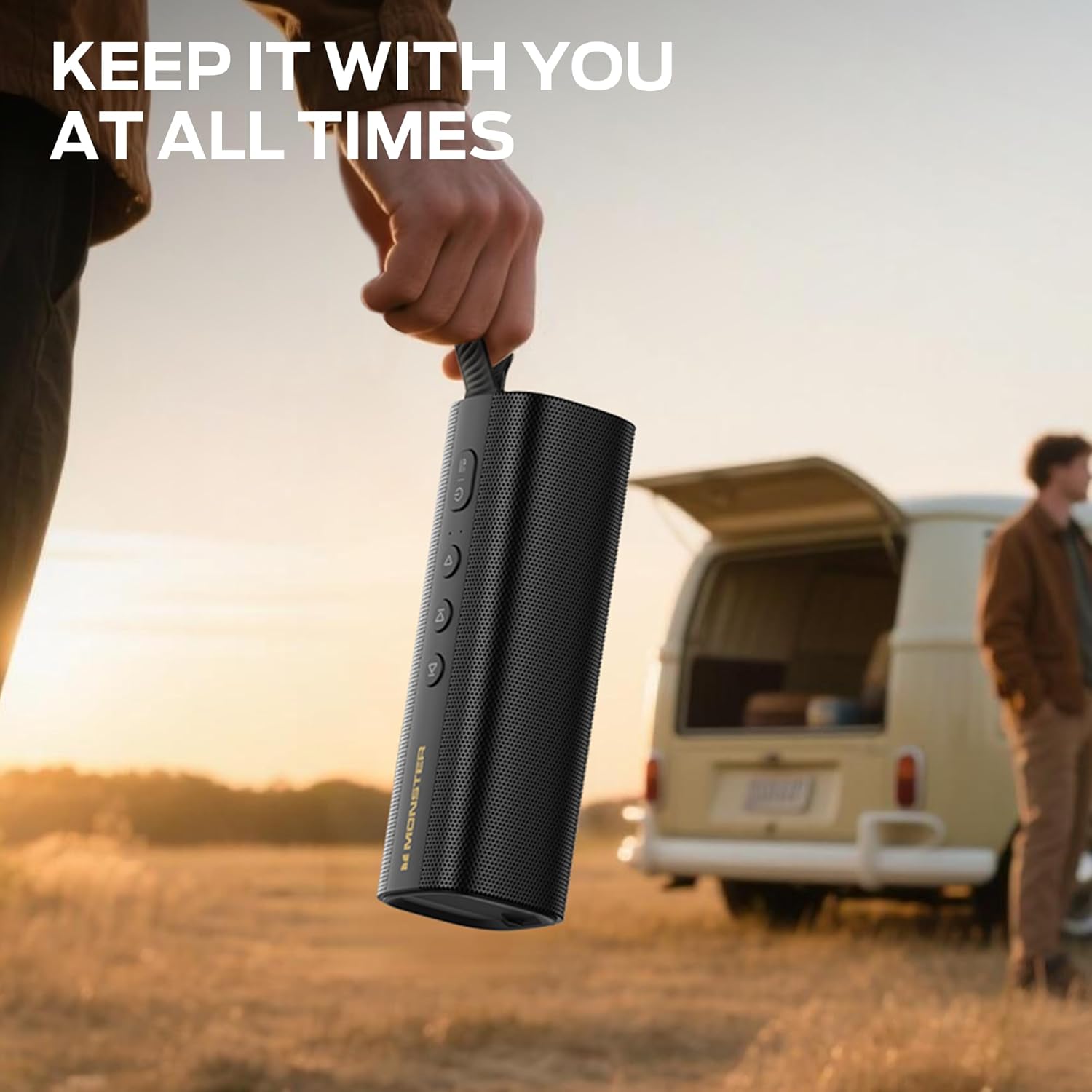
Image: A person holding the Monster S290 Bluetooth Speaker outdoors, emphasizing its portable design.

Image: Close-up view of the Monster S290 Bluetooth Speaker, illustrating the advanced Bluetooth 6.0 chip for improved connectivity and power efficiency.

Image: The Monster S290 Bluetooth Speaker positioned near a swimming pool, showcasing its IPX6 waterproof capability.

Image: A hand holding the Monster S290 Bluetooth Speaker, with a visual representation of its 15-hour playtime.

Image: Two Monster S290 Bluetooth Speakers shown paired, demonstrating the True Wireless Stereo (TWS) connectivity feature.

Image: Close-up view of the Monster S290 Bluetooth Speaker's multiple input interfaces, including TF card slot, USB port, USB-C charging port, and AUX-IN port.
Controls and Indicators
The Monster S290 speaker features intuitive controls located on the top panel and various input/output ports on the side, protected by a waterproof cover.
- Power Button: Press and hold to turn the speaker on or off.
- Mode Button: Short press to switch between input modes (Bluetooth, AUX, TF Card, USB).
- Volume Down (-): Short press to decrease volume. Long press to go to the previous track.
- Play/Pause Button: Short press to play or pause audio.
- Volume Up (+): Short press to increase volume. Long press to go to the next track.
- ADD Button: Used for TWS pairing (True Wireless Stereo).
- Extra Bass Button: Activates or deactivates the extra bass sound enhancement.
- USB-C Charging Port: For charging the speaker.
- AUX-IN Port: For connecting external audio devices via a 3.5mm audio cable.
- TF Card Slot: For playing audio directly from a TF (MicroSD) card.
- USB Port: For playing audio directly from a USB drive.
Setup
1. Charging the Speaker
- Open the waterproof cover on the side of the speaker.
- Connect the provided USB-C charging cable to the speaker's USB-C port.
- Connect the other end of the USB-C cable to a compatible USB power adapter (5V/2A recommended, not included).
- The charging indicator light will illuminate during charging. It will turn off or change color once fully charged.
- Ensure the waterproof cover is securely closed after charging to maintain IPX6 water resistance.
2. Powering On/Off
- To Power On: Press and hold the Power button for approximately 2-3 seconds until you hear an audible prompt and the indicator lights illuminate.
- To Power Off: Press and hold the Power button for approximately 2-3 seconds until you hear an audible prompt and the indicator lights turn off.
Operating Instructions
1. Bluetooth Pairing
- Power on the speaker. It will automatically enter Bluetooth pairing mode, indicated by a flashing blue LED.
- On your device (smartphone, tablet, etc.), enable Bluetooth and search for available devices.
- Select "Monster S290" from the list of devices.
- Once successfully paired, you will hear a confirmation sound, and the Bluetooth indicator light will remain solid blue.
- The speaker will automatically reconnect to the last paired device when powered on, if the device is within range and Bluetooth is enabled.
2. True Wireless Stereo (TWS) Pairing
TWS allows you to pair two Monster S290 speakers together for a stereo sound experience.
- Ensure both Monster S290 speakers are powered on and not connected to any Bluetooth device.
- On one speaker (this will be the primary speaker), short press the ADD button. The speaker will enter TWS pairing mode, indicated by a specific light pattern or audible prompt.
- The primary speaker will automatically search for and connect to the secondary speaker.
- Once successfully paired, you will hear a confirmation sound, and the speakers will function as a stereo pair.
- Now, connect your device to the primary speaker via Bluetooth as described in the "Bluetooth Pairing" section.
3. AUX-IN Mode
- Open the waterproof cover on the side of the speaker.
- Connect one end of the AUX IN cable to the speaker's AUX-IN port.
- Connect the other end of the AUX IN cable to the audio output of your external device.
- Press the Mode button until the speaker enters AUX mode.
- Control playback and volume from your external device.
- Ensure the waterproof cover is securely closed after use.
4. TF Card Playback
- Open the waterproof cover on the side of the speaker.
- Insert a TF (MicroSD) card with audio files into the TF Card slot.
- The speaker will automatically switch to TF Card mode and begin playback, or you may need to press the Mode button to select it.
- Use the Volume Up/Down buttons for volume control and long press them for track changes.
- Ensure the waterproof cover is securely closed after use.
5. USB Playback
- Open the waterproof cover on the side of the speaker.
- Insert a USB drive with audio files into the USB port.
- The speaker will automatically switch to USB mode and begin playback, or you may need to press the Mode button to select it.
- Use the Volume Up/Down buttons for volume control and long press them for track changes.
- Ensure the waterproof cover is securely closed after use.
6. Adjusting Volume and Tracks
- Volume Up: Short press the + button.
- Volume Down: Short press the - button.
- Next Track: Long press the + button.
- Previous Track: Long press the - button.
- Play/Pause: Short press the Play/Pause button.
7. Extra Bass Function
- Press the Extra Bass button to activate or deactivate the bass enhancement feature. An indicator light may show its status.
Maintenance
- Cleaning: Wipe the speaker with a soft, damp cloth. Do not use harsh chemicals or abrasive materials.
- Storage: Store the speaker in a cool, dry place away from direct sunlight and extreme temperatures.
- Battery Care: To prolong battery life, fully charge the speaker before first use and at least once every three months if not used regularly. Avoid completely draining the battery.
- Water Resistance: Always ensure the rubber port cover is securely sealed when using the speaker near water to maintain its IPX6 water resistance.
Troubleshooting
| Problem | Solution |
|---|---|
| Speaker won't turn on. | Ensure the battery is charged. Connect the speaker to a power source using the USB-C cable. |
| Cannot pair via Bluetooth. |
|
| No sound or low volume. |
|
| TWS pairing failed. |
|
Specifications
| Model Name | Monster S290 |
| Speaker Type | Portable Speaker |
| Material | Plastic |
| Output Power | 30 Watts |
| Bluetooth Version | 6.0 |
| Bluetooth Range | Up to 33 Feet (10 meters) |
| Playtime | Up to 15 hours (at 50% volume) |
| Water Resistance | IPX6 (Splash-proof, sweat-proof) |
| Connectivity Technology | Bluetooth, Auxiliary (AUX), USB, TF Card |
| Product Dimensions (D x W x H) | 2.36" x 7.24" x 2.68" |
| Item Weight | 1.08 pounds |
Warranty and Support
The Monster S290 Portable Bluetooth Speaker comes with a limited warranty. Please refer to the included "Quick Start Guide & Warning Card" for detailed warranty information, terms, and conditions.
For technical support or customer service inquiries, please contact the manufacturer or your retailer. Keep your purchase receipt as proof of purchase for warranty claims.


