
Introduction
Thank you for choosing the 1Mii R3 White Noise Sound Machine with Alarm Clock. This device is designed to enhance your sleep and relaxation experience with 30 soothing sounds, a smart app control feature, a dimmable 7-color night light, and a customizable alarm clock. This manual provides detailed instructions to help you set up, operate, and maintain your device for optimal performance.
Safety Information
Please read and follow all safety instructions carefully before using this product. Failure to do so may result in injury or damage to the device.
- Always keep the power cord out of reach of children. This product is not a toy.
- To avoid the risk of electric shock, do not immerse the power cord in water or other liquids.
- Unplug the device from the power source before cleaning.
- Do not use the device with a damaged power cord or plug.
- Always follow the instructions in this user manual for safe operation.
Package Contents
Upon unboxing your 1Mii R3 White Noise Sound Machine, please ensure all items are present:
- 1Mii R3 White Noise Sound Machine
- USB-C Power Cable
- AC Power Adapter
- User Manual (this document)

Image: The 1Mii R3 White Noise Sound Machine, its USB-C power cable, and AC adapter neatly packaged in its box, alongside the user manual.
Product Overview: Controls and Display
The 1Mii R3 features intuitive controls located on the top panel and a clear digital display on the front. Familiarize yourself with these controls for easy operation.

Image: A detailed diagram of the 1Mii R3's top panel, highlighting the functions of each button including Timer, Alarm, Clock, Night Light, Volume Down, Previous Sound, Display Brightness, Play/Pause, Next Sound, Volume Up, and White Noise buttons.
Setup
1. Powering On
Connect the provided USB-C power cable to the device and the AC adapter, then plug the adapter into a power outlet. The device display will light up.
2. Setting the Clock
- Press the 'Clock' button once to enter clock setting mode.
- Use the '+' and '-' buttons to adjust the hour.
- Press the 'Clock' button again to set the minutes.
- Use the '+' and '-' buttons to adjust the minutes.
- Press the 'Clock' button a third time to save and exit.
3. Connecting to the YeeMall App
For enhanced control and customization, connect your 1Mii R3 to the YeeMall app.
- Download the 'YeeMall' app from your smartphone's app store (available on Android and iOS).
- Ensure your R3 device is powered on.
- In the app, navigate to 'Bluetooth' > 'Add Device' > 'Health Series' > Select 'R3'.
- Search for and connect to 'R3 BLE'.

Image: A smartphone screen showing the YeeMall app interface, connected to the 1Mii R3 device, demonstrating app control over settings like night light color and display brightness.
Video: This video demonstrates how to connect the 1Mii R3 to the YeeMall app, showcasing the process of adding the device and accessing its various functions through the app interface.
Operating Instructions
1. White Noise Playback
The 1Mii R3 offers 30 soothing sounds to help you relax and sleep. You can control playback and volume directly on the device or via the app.
- Play/Pause: Press the 'Play/Pause' button (music note icon) to start or stop the sound.
- Change Sound: Use the 'Previous Track' (left arrow) or 'Next Track' (right arrow) buttons to cycle through the 30 available sounds.
- Adjust Volume: Use the '+' and '-' buttons to increase or decrease the volume (30 levels available).

Image: A baby sleeping peacefully in a crib, with the 1Mii R3 sound machine on a nearby table, highlighting the product's 30 soothing sounds feature for sleep.
Video: This video demonstrates how to play and switch between the 30 soothing sounds, and how to adjust the volume on the 1Mii R3 device.
2. Setting the Alarm
The 1Mii R3 functions as an alarm clock with 8 ringtone options and a 10-minute snooze.
- Press the 'Alarm' button once to enter alarm settings.
- Use the '+' and '-' buttons to select which of the 5 available alarms you wish to set (01-05).
- Press 'Alarm' again to turn the selected alarm ON or OFF.
- Press 'Alarm' again to set the hour. Use '+' and '-' to adjust.
- Press 'Alarm' again to set the minutes. Use '+' and '-' to adjust.
- Press 'Alarm' again to select one of the 8 alarm ringtones. Use '+' and '-' to choose.
- Press 'Alarm' a final time to save and exit.
- To snooze, when the alarm rings, press either the 'Brightness' or 'Play/Pause' button for a 10-minute snooze.
- To turn the alarm function on/off without entering settings, long press the 'Alarm' button.

Image: A person stretching in bed, indicating a refreshed wake-up, with the 1Mii R3 alarm clock displaying 8:00 AM on a nightstand.
Video: This video illustrates the steps to set an alarm on the 1Mii R3, including selecting the alarm number, setting the time, choosing a ringtone, and using the snooze function.
3. Night Light
The 1Mii R3 features a dimmable 7-color night light to create a cozy atmosphere.
- Change Color: Short press the 'Night Light' button (sun icon) to cycle through the 7 light colors.
- Turn On/Off: Long press the 'Night Light' button for 2 seconds to turn the night light directly on or off.
- Dimming: Note that light dimming is app-controlled only.

Image: A person relaxing on a couch, with the 1Mii R3 sound machine on a coffee table, showcasing its 7-color night light feature.
Video: This video demonstrates how to cycle through the night light colors and turn the night light on or off using the dedicated button on the 1Mii R3.
4. Sleep Timer
The R3 noise machine can automatically turn off after a set period, ensuring it won't disturb your restful sleep.
- Press the 'Timer' button (hourglass icon) to cycle through the available sleep timer options: 15min, 30min, 1h (60 min), 1.5h (90 min), 2h (120 min), or continuous play (OFF).
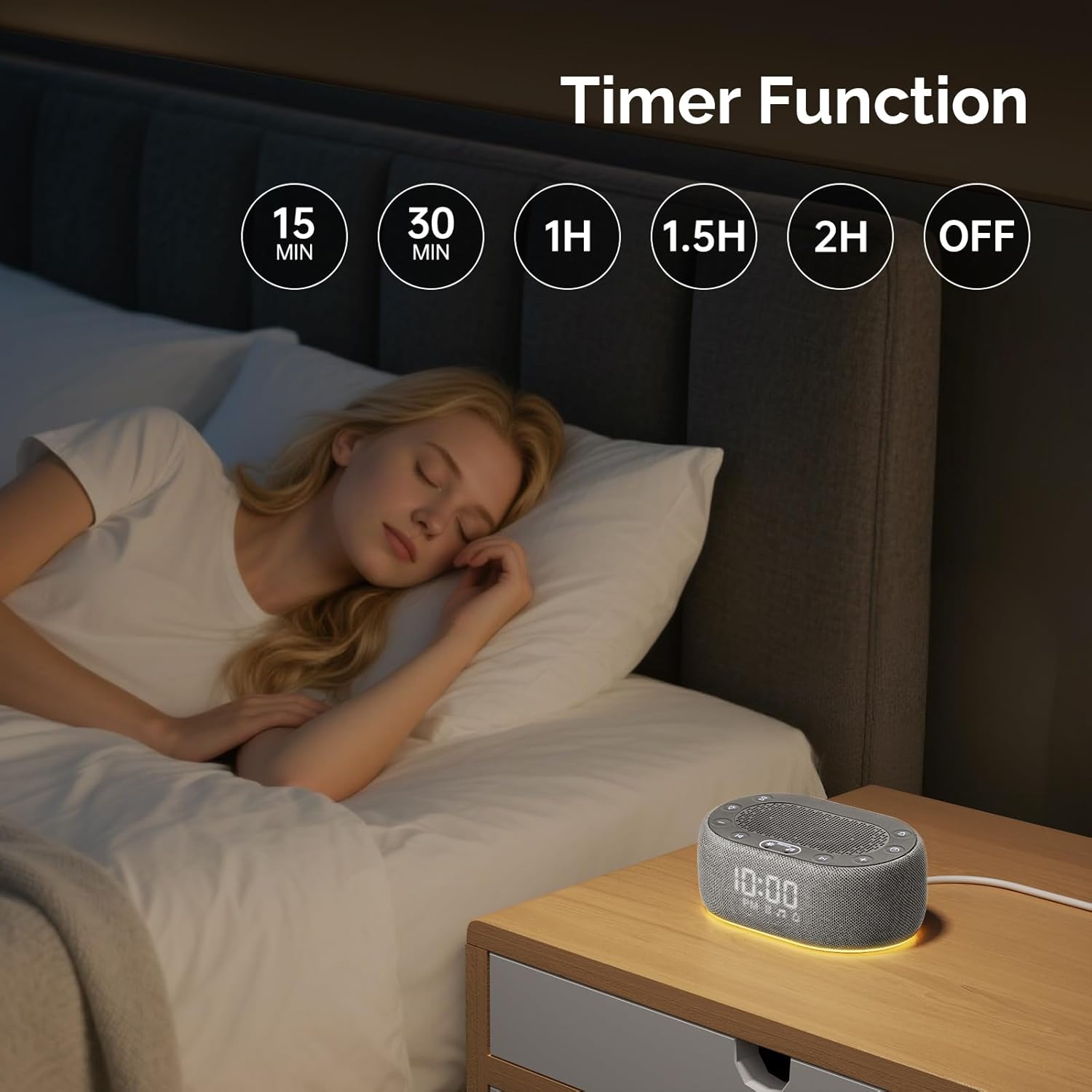
Image: A person sleeping soundly in bed, with the 1Mii R3 sound machine on a nightstand, highlighting the customizable sleep timer function.
Video: This video demonstrates how to set the sleep timer on the 1Mii R3, cycling through various duration options for automatic shut-off.
5. Display Brightness
Adjust the brightness of the time display to your preference.
- Short press the 'Brightness' button (sun icon with rays) to adjust brightness in a cycle (0%, 5%, 10%, 30%, 50%, 70%, 100%).
- Long press the 'Brightness' button for 2 seconds to turn off the screen directly.

Image: The 1Mii R3 on a nightstand, illustrating the different display brightness levels from 0% to 100% for optimal viewing in various lighting conditions.
Video: This video demonstrates how to adjust the time display brightness on the 1Mii R3, cycling through various levels and showing how to turn the display off completely.
Maintenance
To ensure the longevity and optimal performance of your 1Mii R3, follow these simple maintenance guidelines:
- Cleaning: Gently wipe the device with a soft, dry cloth. Do not use liquid cleaners or abrasive materials.
- Storage: Store the device in a cool, dry place when not in use.
- Handling: Avoid dropping the device or subjecting it to strong impacts.
Troubleshooting
If you encounter any issues with your 1Mii R3, please refer to the following common solutions:
| Problem | Possible Cause | Solution |
|---|---|---|
| Device does not power on | Power cable not connected or faulty outlet | Ensure power cable is securely connected and try a different power outlet. |
| No sound or low volume | Volume too low or sound paused | Increase volume using '+' button or unpause sound. |
| App connection issues | Bluetooth not enabled or device not discoverable | Ensure Bluetooth is enabled on your smartphone and the R3 is in pairing mode. Restart both devices if necessary. |
| Alarm does not sound | Alarm not set or turned off | Verify alarm settings and ensure the alarm is activated. |
Specifications
| Feature | Detail |
|---|---|
| Product Dimensions | 5 x 3.24 x 1.94 inches |
| Item Weight | 10.42 Ounces |
| Power Source | Corded Electric |
| Connector Type | USB Type-C |
| Color | Grey |
| Material Type | Plastic |
| Sound Options | 30 Soothing Sounds (White Noise, Pink Noise, Brown Noise, Nature Sounds) |
| Volume Levels | 30 Levels |
| Night Light | 7-Color Dimmable (App Controlled Dimming) |
| Alarm Ringtones | 8 Options |
| Snooze Function | 10 Minutes |
| Sleep Timer Options | 15min, 30min, 1h, 1.5h, 2h, Continuous |
| Display Brightness | 7-Level Adjustable |
| Memory Function | Remembers Last Settings |
Warranty and Support
The 1Mii R3 White Noise Sound Machine with Alarm Clock comes with a 1-year manufacturer warranty.
For technical support, warranty claims, or any questions regarding your product, please contact 1Mii customer service:
- Email: support@1mii.com
- Website: www.1mii.com