
1. Introduction and Overview
Thank you for choosing the TOPTRO TP2 Mini Projector. This portable smart projector is designed to deliver an immersive entertainment experience with its advanced features and compact design. This manual provides essential information for setting up, operating, and maintaining your device.
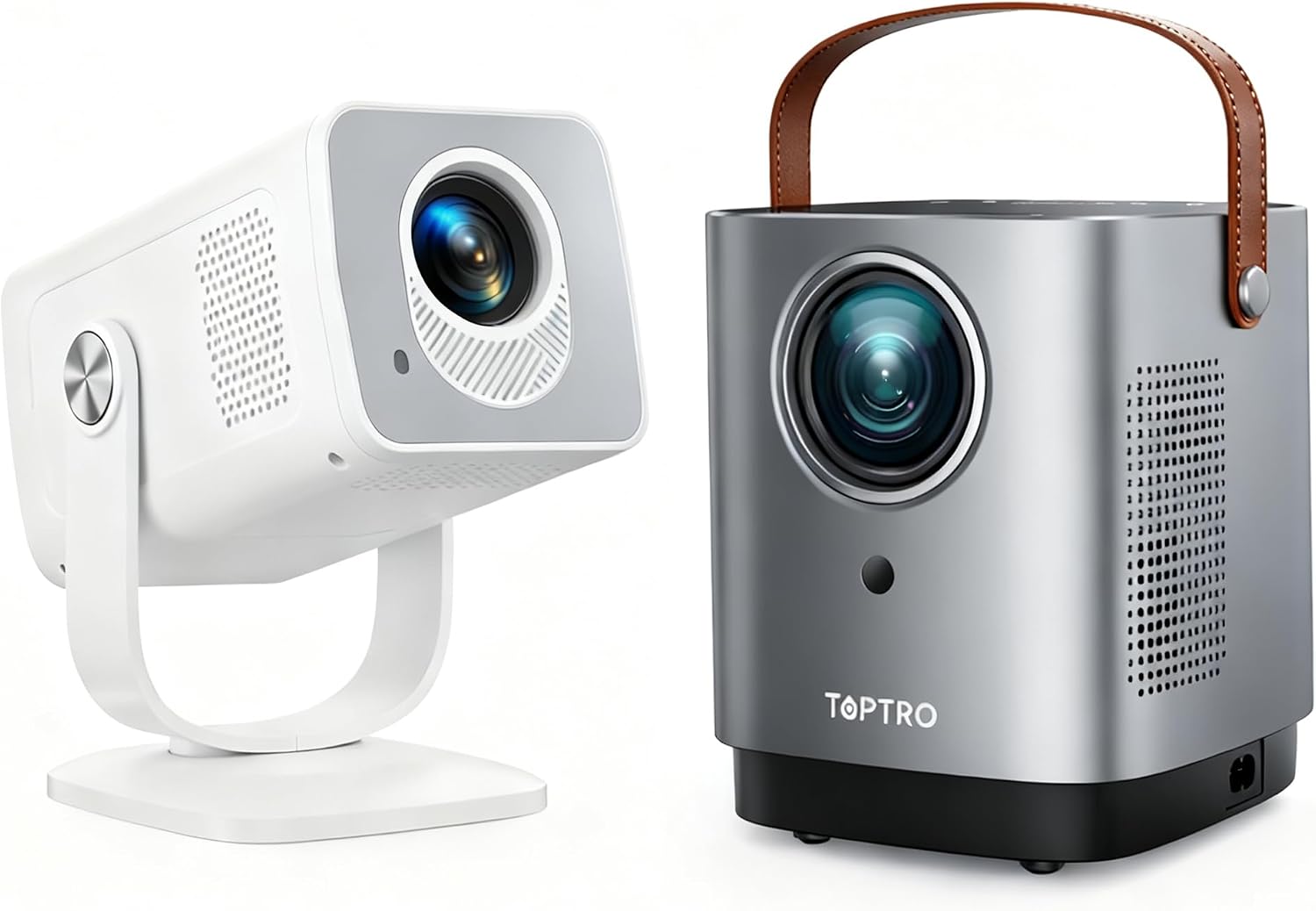
Figure 1.1: TOPTRO TP2 Mini Projector (left) and TR23 Portable Projector (right)
2. Product Features
- Smart Android 13 System: Integrated operating system with 1GB RAM and 8GB storage for smooth performance.
- Pre-installed Apps: Access to over 8,000+ official apps including Prime Video, YouTube, and Hulu.
- Portable Design: Compact dimensions (3.54" x 5.31" x 7") and lightweight (0.4kg) for easy transport.
- Ultra-Short Throw Ratio (0.82:1): Projects a 30–200 inch screen from a short distance.
- 270° Rotatable Design: Allows projection from various angles (walls, ceilings).
- Precision Manual Focus: For clear image adjustments.
- Intuitive Touch Control: Mirrored touch panel with LED backlighting.
- Extensive Connectivity: HDMI, USB, WiFi6, and Two-Way Bluetooth 5.4.
3. Package Contents
Please ensure all items are present upon unboxing:
- TOPTRO TP2 Mini Projector Unit
- Remote Control
- Power Adapter
- HDMI Cable
- User Manual (this document)
4. Physical Overview

Figure 4.1: Top Panel with Touch Controls
The top panel features a mirrored touch screen with illuminated LED backlighting for intuitive control. This allows for easy navigation through menus and settings.

Figure 4.2: Rear Connectivity Ports
The rear of the projector includes essential ports: an HDMI input for external devices, a USB port for media playback, and the power input. These ports ensure broad compatibility with various media sources.
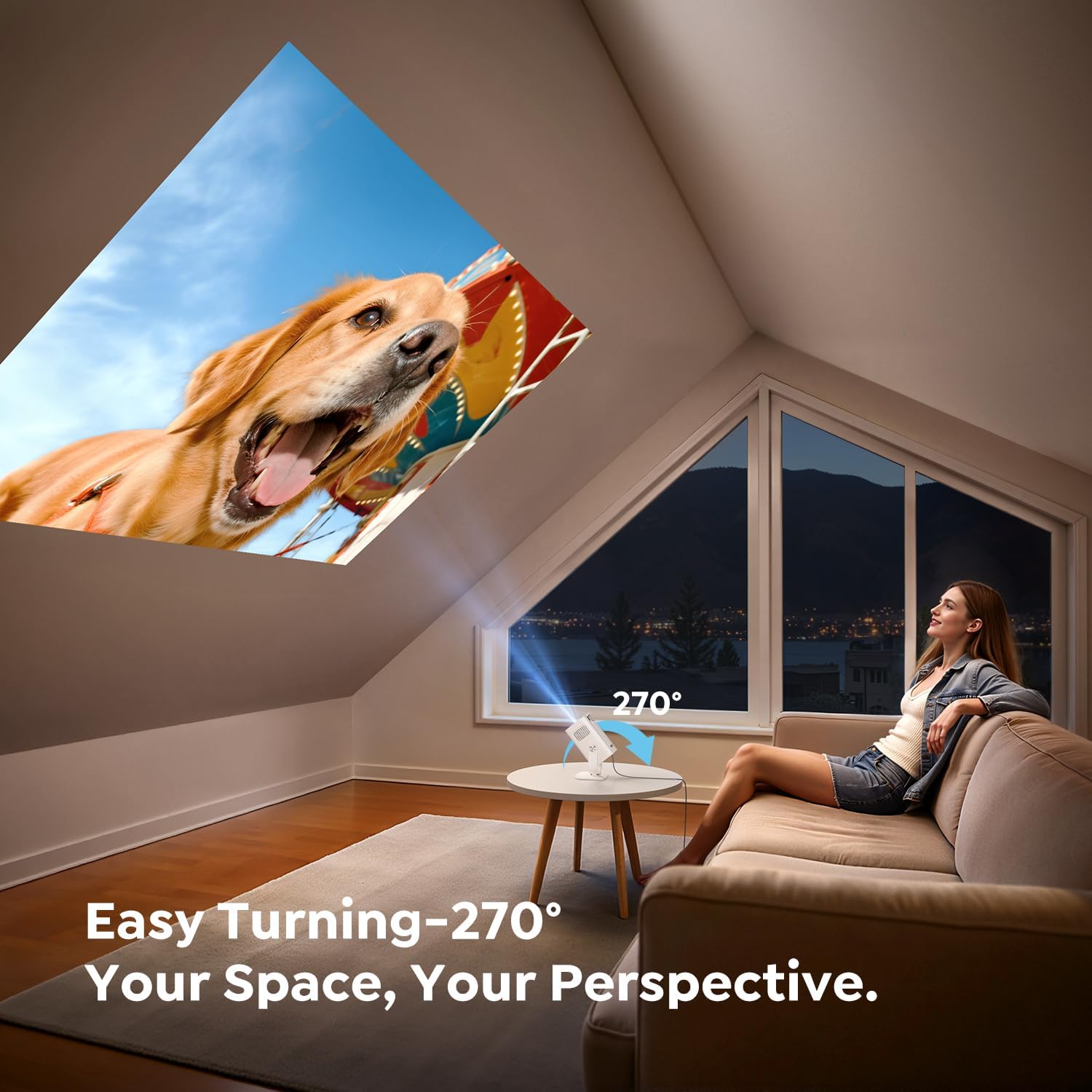
Figure 4.3: 270° Rotatable Design
The projector features a unique 270° rotatable design, allowing you to adjust the projection angle to suit various surfaces, including walls and ceilings, without needing to reposition the entire unit.

Figure 4.4: Compact Size for Portability
Weighing only 0.4kg and measuring 9.00" x 13.50" x 17.80cm, the TP2 is ultra-mini and easy to carry, comparable in size to a 330ml soda can. This makes it ideal for travel and outdoor use.
5. Setup
5.1 Powering On
- Connect the power adapter to the projector's power input port (refer to Figure 4.2).
- Plug the power adapter into a wall outlet.
- Press the power button on the projector or the remote control to turn on the device.
5.2 Initial Placement and Adjustment
- Place the projector on a stable surface.
- Utilize the 270° rotatable design (Figure 4.3) to direct the projection onto your desired surface (wall, screen, or ceiling).
- Adjust the manual focus wheel (located near the lens) until the image is clear and sharp.
- The projector features automatic keystone correction to adjust the image shape. If further adjustment is needed, navigate to the Projection Settings in the menu.
5.3 Network Connection
- Wi-Fi Connection: Navigate to 'Settings' > 'Network Settings' to connect to your Wi-Fi 6 network.
- Bluetooth Connection: Navigate to 'Settings' > 'Bluetooth Settings' to pair with external Bluetooth speakers or headphones for enhanced audio.
5.4 Input Sources
- HDMI: Connect devices like TV sticks, game consoles, or laptops using an HDMI cable to the HDMI port. Select 'HDMI' as the input source from the main menu.
- USB: Insert a USB drive into the USB port to access and play media files directly. Use the 'File Manager' app to browse content.
- Screen Mirroring: Use the 'ScreenCast' app to mirror your smartphone or tablet screen wirelessly (supports AirPlay for iOS and Miracast for Android).
6. Operating Instructions
6.1 Navigation
Use the included remote control or the mirrored touch screen on the projector's top panel to navigate through the Android 13 interface.
6.2 Smart Android 13 System

Figure 6.1: Smart Android 13 Interface
The projector comes with Android 13 pre-installed, offering a user-friendly interface. You can access popular streaming services directly from the home screen, including Netflix, YouTube, Prime Video, and Hulu.
6.3 App Store
To expand your entertainment options, navigate to the 'App Store' icon on the home screen to download and install additional applications.
6.4 Media Playback
Use the 'File Manager' app to play videos, music, or view photos stored on a connected USB drive.
6.5 Image and Audio Adjustment
- Digital Zoom: Adjust the projection size without moving the projector via the 'Projection Settings' menu.
- Screen Ratio: Select between 16:9 or 4:3 aspect ratios in 'Projection Settings'.
- Audio: The projector has built-in speakers (Figure 4.4). For enhanced audio, connect external Bluetooth speakers (Section 5.3).
7. Maintenance
- Lens Cleaning: Gently clean the projector lens with a soft, lint-free cloth. Avoid abrasive materials.
- Ventilation: Ensure the projector's ventilation openings are clear and unobstructed to prevent overheating.
- Software Updates: Periodically check for system updates via 'Settings' > 'System Upgrade' to ensure optimal performance and access to new features.
8. Troubleshooting
- No Picture: Ensure the power adapter is securely connected and the projector is turned on. Check the input source selection.
- Blurry Image: Adjust the manual focus wheel until the image is sharp. Ensure the projection surface is flat.
- No Sound: Check the volume settings on the projector and any connected external audio devices. Verify Bluetooth connection if using external speakers.
- Wi-Fi/Bluetooth Connectivity Issues: Ensure the projector is within range of the network/device. Restart the projector and try reconnecting.
9. Specifications
| Feature | Specification |
|---|---|
| Model | TP2 |
| Operating System | Android 13 |
| RAM | 1GB |
| Storage | 8GB |
| Throw Ratio | 0.82:1 |
| Projection Size | 30-200 inches |
| Weight | 0.4kg |
| Rotation Angle | 270° |
| Wireless Connectivity | WiFi 6, Bluetooth 5.4 |
| Wired Connectivity | HDMI, USB |
10. Warranty and Support
TOPTRO is committed to providing excellent customer service and product quality:
- Customer Service: 24/7 support available.
- Replacement Policy: 2-year hassle-free replacement.
- Quality Maintenance: 3-year quality maintenance.
- Technical Support: Lifetime technical support.
For assistance, please refer to the quick start guide, video tutorials (available on YouTube), or contact TOPTRO customer support.


