
SUNMORN SUNMORN Underwater Fishing Camera 03
SUNMORN Underwater Fishing Camera 03 Instruction Manual
Model: SUNMORN Underwater Fishing Camera 03 | Brand: SUNMORN
Introduction
This manual provides detailed instructions for the setup, operation, and maintenance of your SUNMORN Underwater Fishing Camera 03. This device is designed to enhance your fishing experience by providing clear underwater visibility in various conditions.
What's in the Box
Verify that all components are present upon unboxing:
- Underwater Fishing Camera
- 4.3-inch HD Display
- 50 feet Cable
- Exquisite Handheld Storage Box
- USB Charging Cable
- Pole Connection Bracket
- Instruction Manual (this document)

Image: All components included in the SUNMORN Underwater Fishing Camera 03 package, including the camera, display, cable, storage box, charging cable, and bracket.
Setup Instructions
- Charge the Device: Before first use, fully charge the 6000mAh built-in battery using the provided USB charging cable. The device offers 10-12 hours of runtime on a full charge and can be used while charging.
- Attach the Display: Secure the 4.3-inch FHD IPS screen to your fishing rod using the 360° rotatable pole connection bracket. Ensure it is firmly attached for stable viewing.
- Connect the Camera: Connect the 50-foot super-strong, tangle-free waterproof cable to the display unit and the underwater camera. The cable is designed to resist tangling and supports up to 220LB.
- Position the Camera: Lower the camera into the water. The 220° ultra-wide lens and infrared LEDs provide clear visibility in various water conditions, including dark or murky environments.
- Adjust Viewing Angle: The display supports 45°/90°/180° viewing angles. Adjust the screen and camera rotation via the bracket to find the optimal view of the underwater scene.

Image: Illustration of the camera and display mounted on a fishing rod, ready for deployment.
Operating Instructions
Powering On/Off
Press and hold the power button on the display unit to turn the device on or off. The screen will illuminate, showing the live feed from the underwater camera.
Viewing Modes and Clarity
The 4.3-inch HD IPS screen provides crisp, vibrant underwater footage. The camera features an enhanced high-definition lens and a 220° ultra-wide viewing angle to capture a broad perspective of the underwater environment.
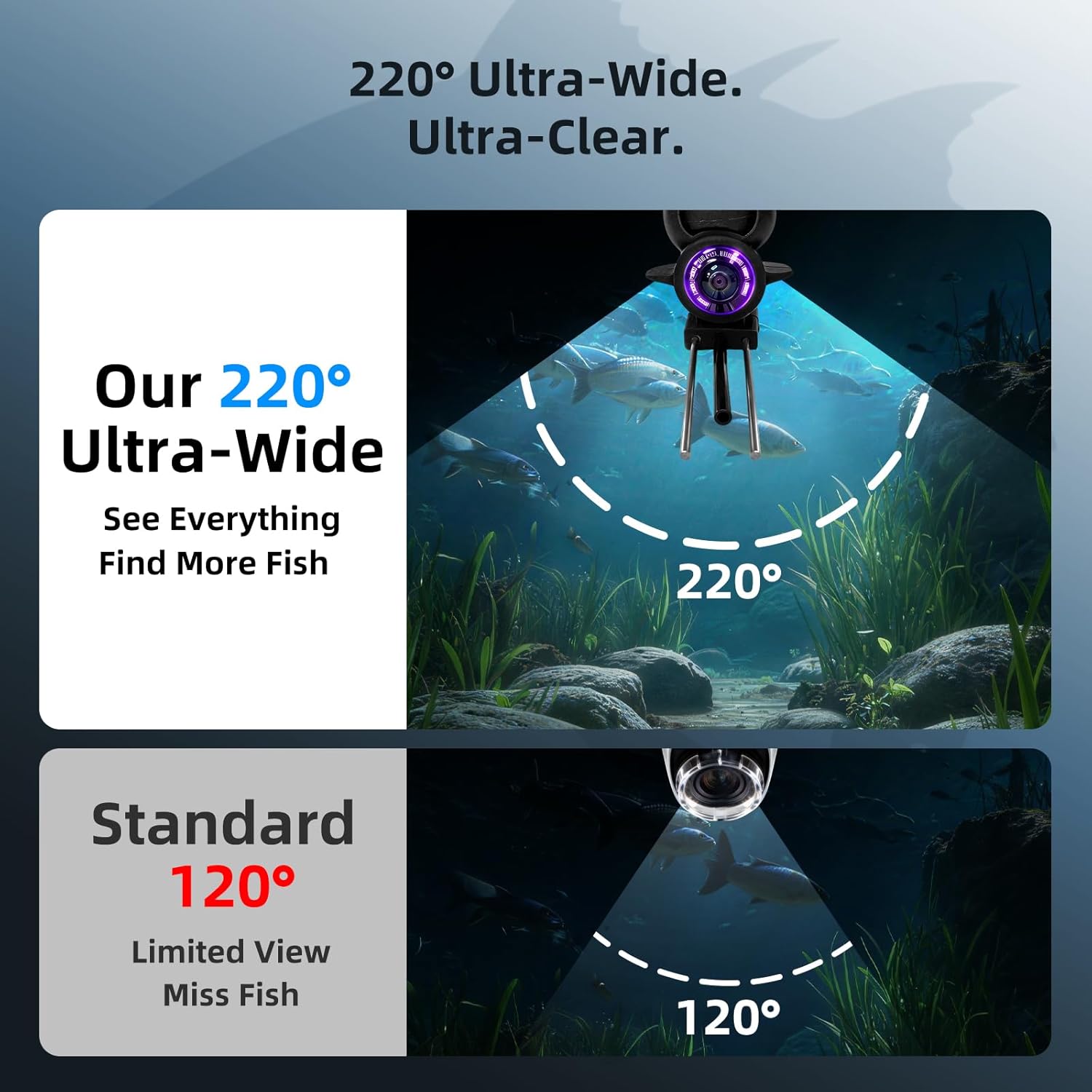
Image: Visual comparison demonstrating the expanded field of view provided by the 220° ultra-wide camera.
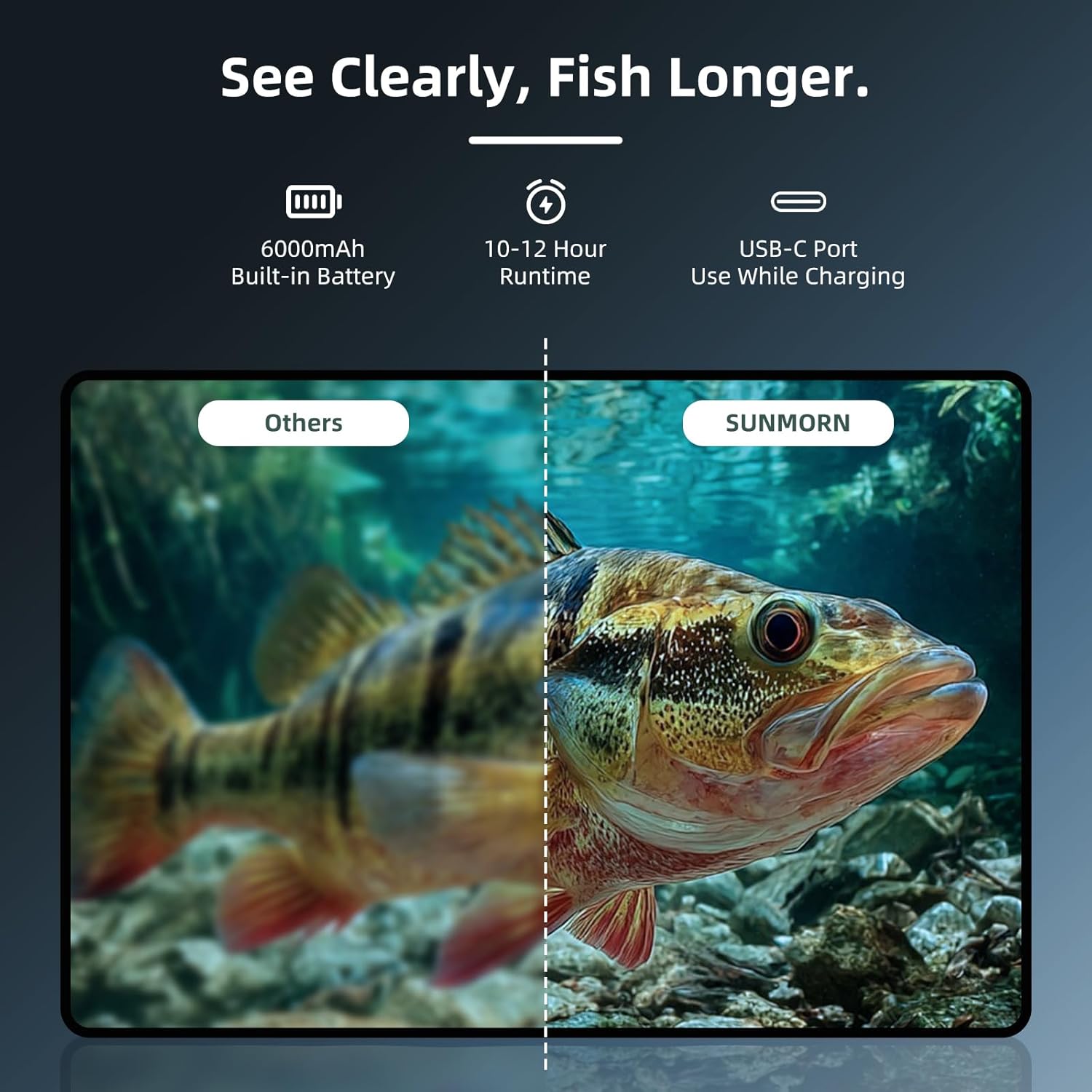
Image: Side-by-side comparison illustrating the superior image clarity of the SUNMORN camera display.
Night Vision
The camera is equipped with infrared LEDs for clear visibility in low-light conditions, such as deep water or night fishing. The display may offer different viewing modes (Normal, IR Mode, Monochrome, Muddy Water Mode) to optimize visibility.

Image: Examples of various display modes, including normal, infrared, monochrome, and muddy water, demonstrating the camera's adaptability.
Cable Management
The 50-foot cable comes with a smooth retractable reel to prevent tangling. Ensure the cable is properly spooled when not in use to maintain its integrity.

Image: Depiction of the durable 50ft cable and its reel, highlighting its strength and tangle-free design.
Applications
This camera is engineered for versatility across various fishing scenarios, including ice fishing, lake fishing, boat fishing, and kayak fishing. Its rugged, cold-resistant housing ensures performance in harsh environments.

Image: Collage showing the camera being used in diverse fishing environments such as ice fishing, night fishing, sea fishing, and kayak fishing.
Maintenance
- Cleaning: After each use, especially in saltwater, rinse the camera and cable with fresh water. Wipe the display screen with a soft, dry cloth.
- Storage: Store the device in its provided handheld storage box in a cool, dry place away from direct sunlight. Ensure the cable is neatly spooled to prevent damage.
- Battery Care: For optimal battery life, avoid fully discharging the battery frequently. Charge the device regularly, even during periods of non-use, to maintain battery health.
- Cable Inspection: Periodically inspect the 50ft cable for any signs of wear, cuts, or damage. Replace if necessary to ensure waterproof integrity and reliable performance.
Specifications
| Feature | Detail |
|---|---|
| Brand | SUNMORN |
| Model Name | Underwater Fishing Camera |
| Model Number | SUNMORN Underwater Fishing Camera 03 |
| Screen Size | 4.3 Inches FHD IPS |
| Camera Resolution | 1080P HD |
| Viewing Angle | 220° Ultra-Wide |
| Night Vision | Infrared LEDs |
| Cable Length | 50 feet |
| Cable Strength | Supports up to 220LB, Tangle-Free |
| Battery Capacity | 6000mAh |
| Battery Runtime | 10-12 Hours |
| Charging Port | USB-C |
| Included Components | Underwater Camera, 4.3” Display, 50ft Cable, USB Charger, Rotatable Bracket, Carrying Case, Manual |
Warranty and Support
The SUNMORN Underwater Fishing Camera 03 comes with a 2-Year Warranty. For any questions, technical assistance, or warranty claims, please refer to the contact information provided with your purchase or visit the official SUNMORN website. Our customer-focused support team is ready to assist you.
Ask a question about this manual
Ask about setup, troubleshooting, compatibility, parts, safety, or missing instructions. Manuals+ will review the question and use this page’s manual context to help answer it.