
Introduction
Thank you for choosing the Oaks Aura 52-Inch Chandelier Ceiling Fan. This manual provides essential information for the safe installation, operation, and maintenance of your new ceiling fan. Please read all instructions carefully before beginning installation and retain this manual for future reference.
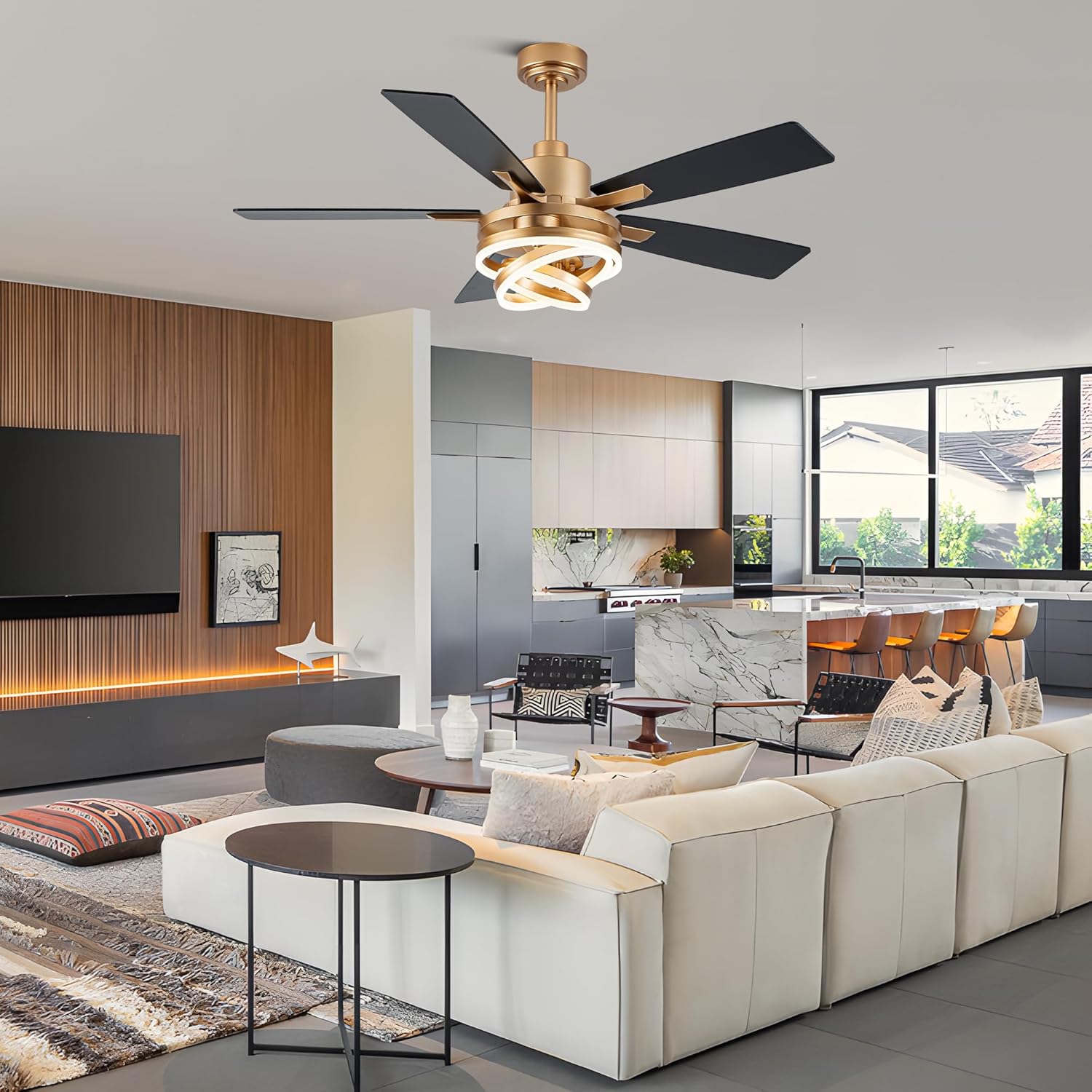
Image: The Oaks Aura 52-inch Chandelier Ceiling Fan with lights and remote control, shown installed in a modern living room setting.
Product Features
- Integrated Chandelier Design: Combines a 52-inch ceiling fan with an elegant LED chandelier light, featuring DIY adjustable rings.
- Remote Control Operation: Easily adjust 6 wind speeds, set 1/4/8-hour timers, and control lighting functions.
- Adjustable Lighting: Offers 3 lighting colors (warm, neutral, white) and dimmable brightness to suit various preferences and moods.
- Reversible DC Motor: Features a quiet DC motor with a reversible function for year-round comfort. Downward airflow for cooling in summer, upward airflow for air circulation in winter.
- Quiet Operation: The DC motor ensures silent performance, ideal for bedrooms and living areas.
- Dual-Sided Blades: Includes 5 fan blades with dual finishes (e.g., black and walnut) for versatile aesthetic options.

Image: The ceiling fan showcased in different environments, including a dining room, kitchen, bedroom, and living room, highlighting its versatile design.

Image: Visual representation of the three adjustable light color temperatures: 3000K (Warm Light), 4000K (Natural Light), and 6000K (Cold Light).
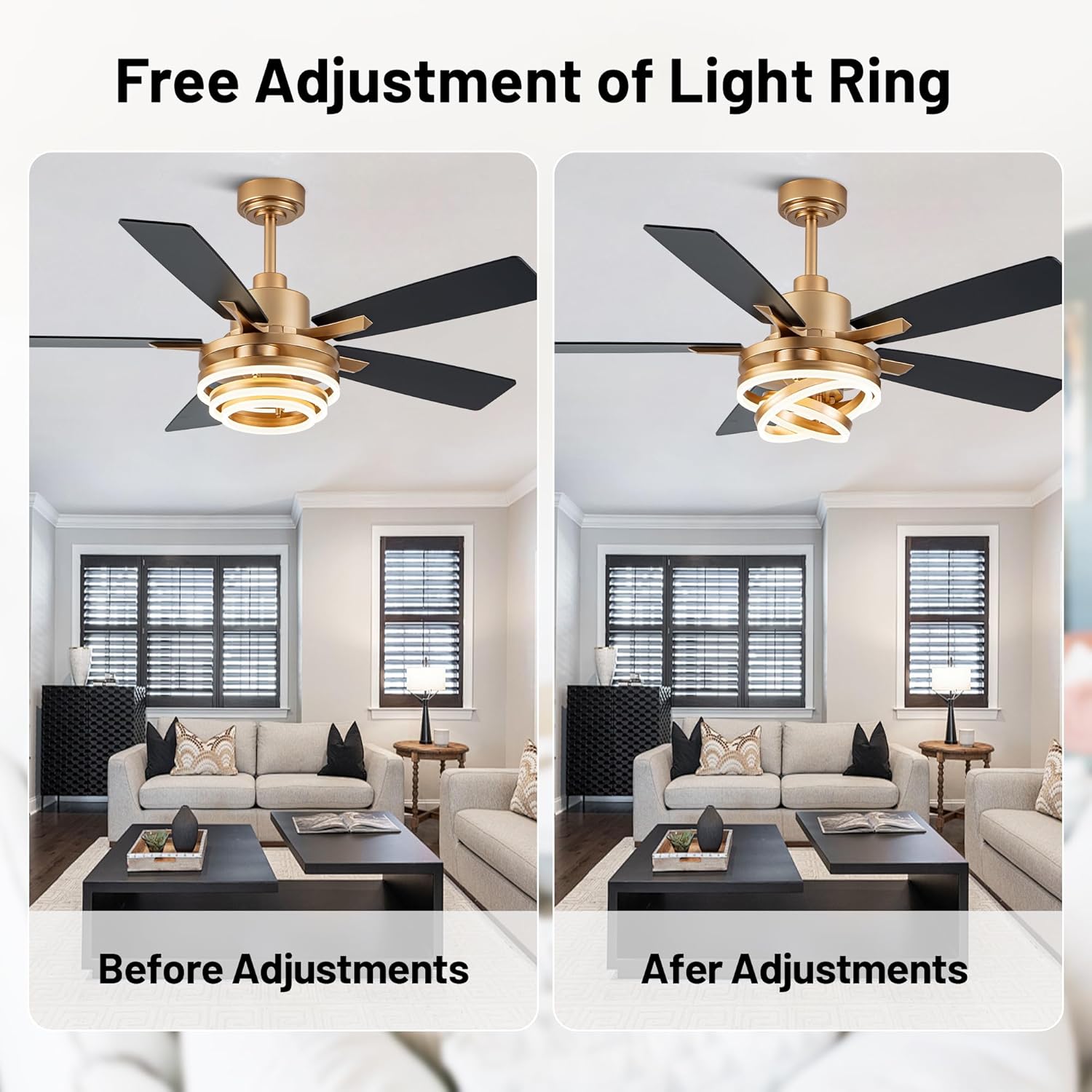
Image: Demonstrates the free adjustment capability of the light ring, showing its appearance before and after adjustments.

Image: Explains the two operational modes: Summer Downdraft Mode for cooling and Winter Upward Mode for air circulation, helping to reduce energy costs.

Image: Highlights the mute motor for comfortable sleep and the timing setting feature for environmental friendliness, beneficial for light sleepers.

Image: A detailed view of the ceiling fan, pointing out key components such as the adjustable light ring, five fan blades, DC Inverter Motor, and double-sided blades.

Image: Illustrates the five dual-finish fan blades made of plywood, available in Walnut and Black, emphasizing lighter weight for higher efficiency and lower noise.

Image: A visual comparison of the ceiling fan installed with walnut-finished blades and black-finished blades in a living room, demonstrating aesthetic versatility.
Installation
Installation of this ceiling fan requires electrical wiring knowledge. It is highly recommended to have the fan installed by a qualified electrician to ensure safety and proper functionality. Please refer to the detailed installation instructions provided in the separate printed manual included with your product for step-by-step guidance.
What's in the Box:
- Light Kit
- Remote Control
- Cord

Image: A diagram illustrating the dimensions of the 52-inch ceiling fan (52"L x 52"W x 19"H) and indicating suitability for large rooms up to 15 ft. x 18 ft. Also shows adaptable sloped ceiling up to 15 degrees.
Operating Instructions
Your Oaks Aura ceiling fan is operated using the included remote control. Ensure 2 AAA 1.5V batteries are inserted correctly before use.
Remote Control Functions:
- Turn on/off the fan and light.
- Alternate the fan's rotation between forward (summer) and reverse (winter).
- Select fan speeds: 1, 2, 3, 4, 5, or 6.
- Set timing for 1, 4, or 8 hours.
- Adjust light brightness (+/-).
- Turn on/off the light.
- Turn on/off sound (beeps).
- Turn off the fan.
- Quickly switch light colors (warm, neutral, white).

Image: The remote control with a clear diagram of its buttons and their respective functions for operating the fan and light.

Image: Depicts the three categories of wind speeds: 1-2 (Smooth Wind), 3-4 (Medium Wind), and 5-6 (High Speed Wind), suitable for various activities from sleeping to exercise.

Image: Shows the light dimming capabilities from 10% to 100% brightness and the three color temperature options: 3000K (Warm), 4500K (Neutral), and 6000K (White).
Video: This video demonstrates the features of the 52-inch Chandelier Ceiling Fan, including its DIY Rings LED, remote control functions for light color and brightness adjustment, fan speed control, reversible mode, and timing settings. The video highlights the fan's aesthetic appeal and functional versatility in a home environment.
Maintenance
Regular maintenance ensures the longevity and optimal performance of your ceiling fan.
- Cleaning: To clean the fan, wipe with a soft, damp cloth. Do not use abrasive cleaners or solvents, as these may damage the finish. Ensure the power is off before cleaning.
- Blade Inspection: Periodically check the fan blades for any signs of damage or imbalance. Tighten any loose screws.
- Light Fixture: The LED light source is designed for long-term use. If replacement is ever needed, contact customer support.
Troubleshooting
If you encounter issues with your ceiling fan, refer to the following common troubleshooting steps:
- Fan Does Not Operate:
- Check if the main power supply to the fan is on.
- Ensure the remote control batteries are correctly installed and not depleted.
- Verify all wiring connections are secure (consult an electrician if unsure).
- Light Does Not Work:
- Check the light switch on the remote control.
- Ensure power is supplied to the fan.
- Excessive Wobbling:
- Ensure all blade screws are tightened.
- Check that the fan is securely mounted to the ceiling junction box.
- Verify blades are not bent or damaged.
- Remote Control Not Responding:
- Replace the remote control batteries.
- Ensure there are no obstructions between the remote and the fan receiver.
For issues not resolved by these steps, please contact customer support.
Specifications
| Attribute | Detail |
|---|---|
| Brand | Oaks Aura |
| Model Number | DC2062 |
| Size | 52 Inch |
| Color | Gold-MD-DC2062-G-52IN |
| Material | Metal, Plastic |
| Style | Modern |
| Light Fixture Form | Ceiling Fan Light |
| Room Type | Dining Room, Game Room, Kids Room, Kitchen, Living Room |
| Indoor/Outdoor Usage | Indoor |
| Power Source | Corded Electric |
| Control Method | Remote Control |
| Voltage | 110 Volts |
| Mounting Type | Ceiling Mount |
| Required Assembly | Yes |
| Item Dimensions (L x W x H) | 52"L x 52"W x 19"H |
Warranty and Support
Oaks Aura provides a 2-year manufacturer warranty for this product. This warranty covers defects in materials and workmanship under normal use.
For any questions regarding product installation, operation, or quality issues, our professional customer service team is available to assist you. We also offer a free replacement service for damaged parts.
Please contact us through the retailer's platform or refer to the contact information provided in your product packaging for support.


