
Introduction
This manual provides detailed instructions for the safe and efficient operation of your Fanttik S2 Pro Max Electric Screwdriver. Please read this manual thoroughly before using the product and retain it for future reference. Proper use and maintenance will ensure optimal performance and extend the lifespan of your device.
Package Contents
Verify that all items listed below are included in your package:
- Fanttik S2 Pro Max Electric Screwdriver (1.46 x 7.23 inches)
- Pop-up Storage Case (2.42 x 8.42 inches)
- 16 Pcs 1/4" Hex Shank Bits
- L-Shaped Adapter
- User Manual

Product Features
Powerful Torque Output
Equipped with a 250 RPM MagnaStorm motor, the Fanttik S2 Pro Max electric screwdriver delivers up to 6N·m of torque, suitable for common household tasks such as computer assembly, furniture installation, and home appliance repairs.

Precision Torque Control
The mechanical-electronic hybrid torque control system offers 7 adjustable torque settings (0.5, 1, 2, 3, 4, 5, 6N·m), allowing for smooth power adjustments. The lowest setting (0.5N·m) is ideal for delicate electronic repairs.

One-Press Pop-Out Design
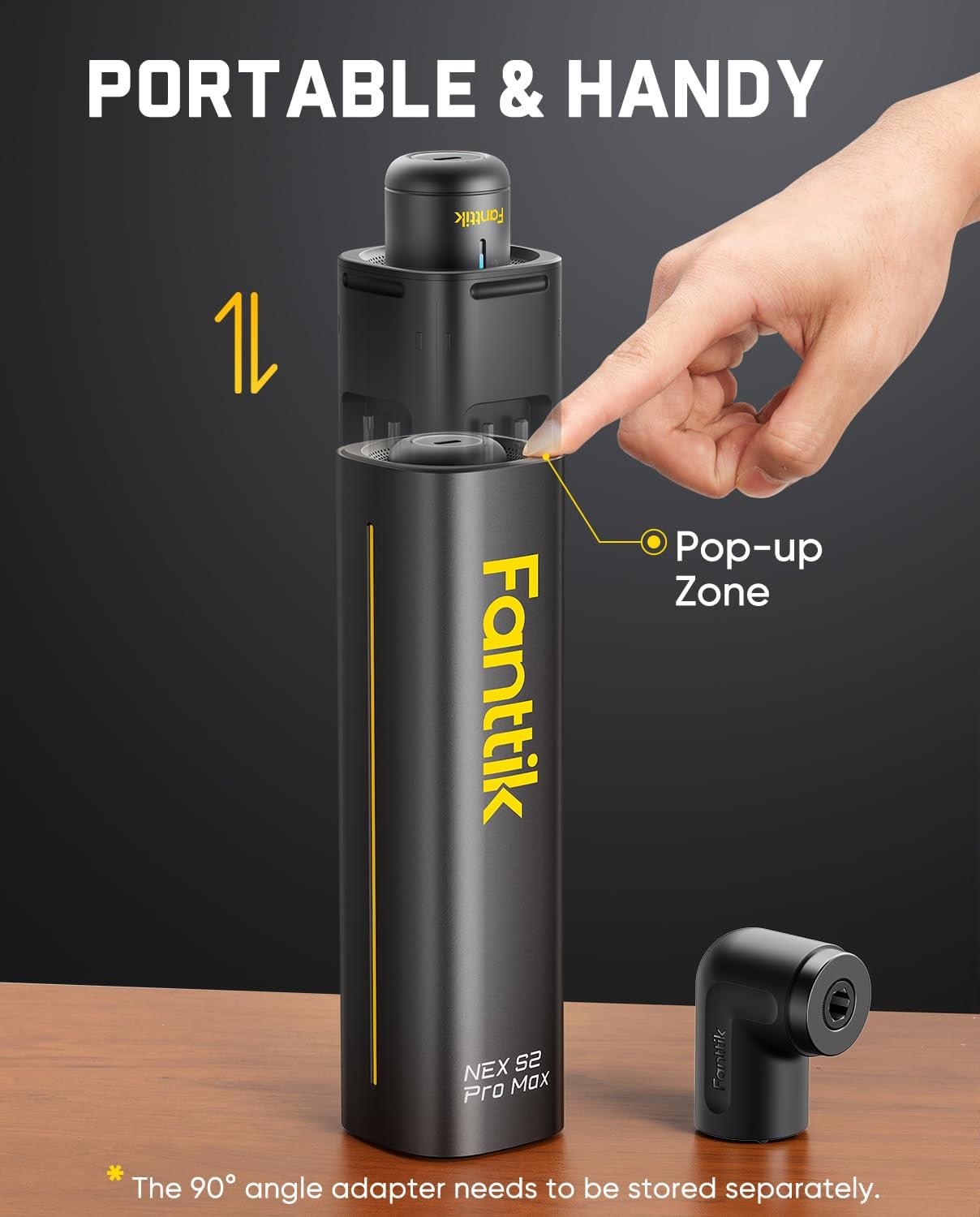
A simple press instantly reveals the driver and its storage case for easy access and hassle-free storage. This design enhances portability for outdoor work. The kit includes 16 selected long household bits to meet common DIY needs with smooth, seamless operation.
90° Angle Adapter
For tight spaces, the included 90° angle adapter facilitates operation and improves comfort. Note that the adapter needs to be stored separately from the main unit.

Long-Lasting Battery and Faster Charging
Powered by a 2000mAh rechargeable battery, the screwdriver offers extended use and reduces the need for frequent charging. The 5V/2A Type-C charging port ensures universal compatibility, making it faster and easier to recharge.

Smart Lighting Interaction
The device is equipped with an LED work light to illuminate dim workspaces. The charging indicator ring signals low battery and charging status, while the energy bar displays torque strength and motor direction (forward/reverse), providing a user-friendly experience through lighting interactions.

Setup
Initial Charging
Before first use, fully charge the screwdriver. Connect the provided Type-C charging cable to the charging port at the bottom of the screwdriver and to a 5V/2A power adapter (not included). The charging indicator ring will show the charging status. A solid green light indicates a full charge.
Inserting a Bit
- Press the pop-up zone on the storage case to reveal the screwdriver.
- Select the appropriate 1/4" hex shank bit from the storage case.
- Insert the bit firmly into the magnetic bit holder on the screwdriver.
Attaching the 90° Angle Adapter
- Ensure no bit is currently inserted in the screwdriver.
- Align the 90° angle adapter with the bit holder and push it firmly into place until it clicks.
- Insert the desired 1/4" hex shank bit into the adapter.
Operating Instructions
Power On/Off
The screwdriver is activated by pressing the forward or reverse button. It will automatically power off after a period of inactivity.
Adjusting Torque Settings
Rotate the top section of the screwdriver to cycle through the 7 torque settings (0.5 to 6 N·m). The gradient indicator bar will visually display the selected torque level. Always start with the lowest torque setting and increase as needed to prevent overtightening or stripping screws.
Forward/Reverse Operation
Use the rocker switch on the side of the screwdriver to select the desired rotation direction: press the top for forward (tightening) and the bottom for reverse (loosening). The energy bar will indicate the motor direction.
Using the LED Work Light
The integrated LED work light automatically illuminates when the screwdriver is in operation, providing clear visibility in dimly lit areas.
Practical Applications
The Fanttik S2 Pro Max is versatile for various tasks:
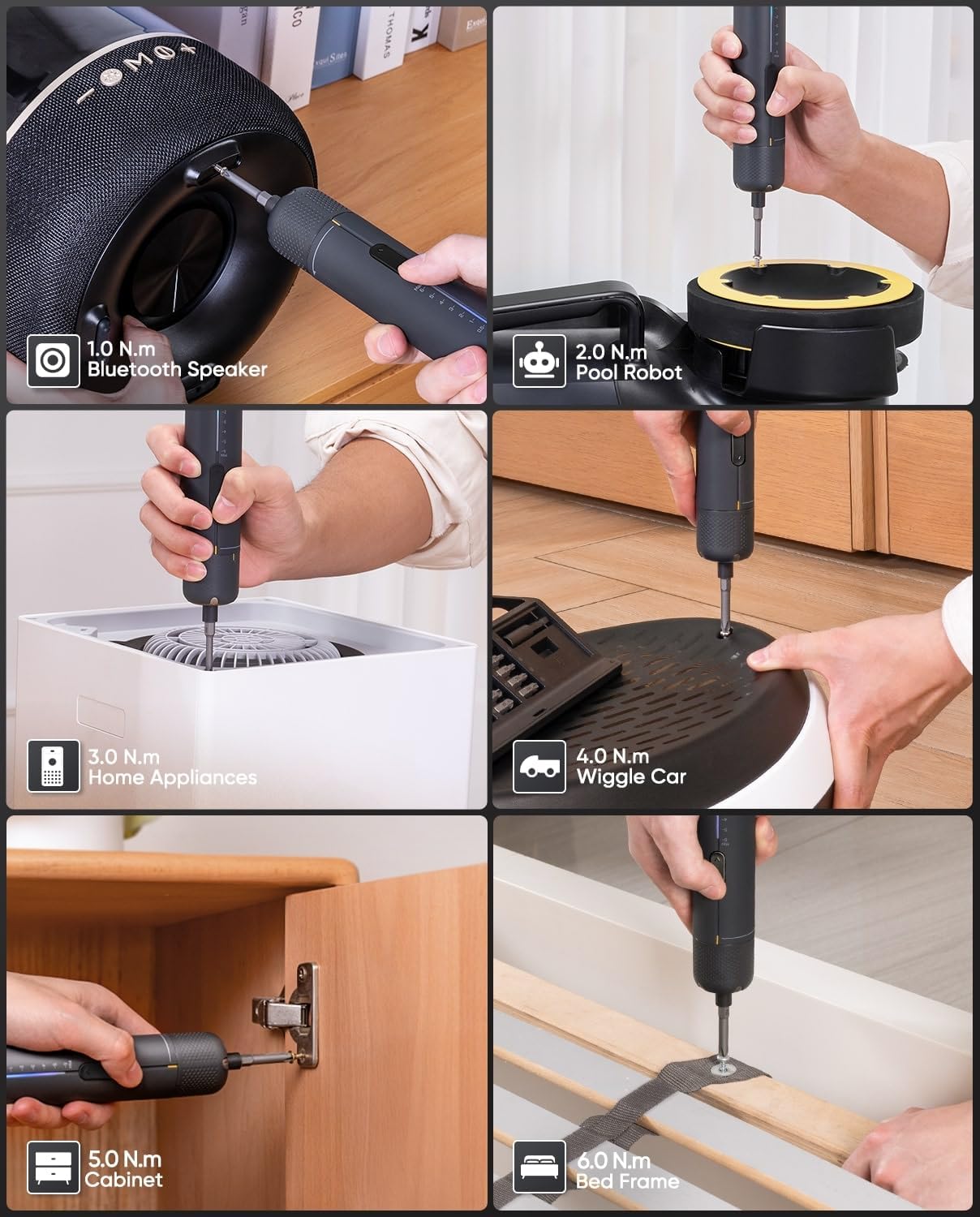
- 0.5 N·m: Ideal for delicate electronics like Bluetooth speakers.
- 1-2 N·m: Suitable for small appliances or toys.
- 3-4 N·m: Good for home appliances and light furniture assembly.
- 5-6 N·m: For heavier tasks like cabinet installation or bed frame assembly.
Official Product Videos
Video 1: Demonstrating the Fanttik S2 Pro Max Electric Screwdriver for household DIY tasks.
Video 2: Unboxing the Fanttik S2 Pro Max Electric Screwdriver and its components.
Maintenance
- Keep the screwdriver and its accessories clean and dry.
- Store the device in its pop-up case to protect the bits and the screwdriver from damage.
- Regularly check bits for wear and replace as necessary to ensure optimal performance and prevent screw damage.
- Avoid exposing the device to extreme temperatures or direct sunlight.
Troubleshooting
Screwdriver Not Turning On
- Ensure the battery is charged. Connect to a power source using the Type-C cable.
- Check if the power button is fully pressed.
Insufficient Torque
- Verify the torque setting. Increase the torque level if the current setting is too low for the task.
- Ensure the bit is correctly seated and not worn out.
- Check battery level; low battery can reduce torque output.
Bit Slipping or Stripping Screws
- Ensure you are using the correct bit type and size for the screw head.
- Apply firm, steady pressure while operating the screwdriver.
- Reduce the torque setting if screws are being stripped.
Specifications
| Brand | Fanttik |
| Model | S2 Pro Max |
| Material | Aluminum |
| Speed | 250 RPM |
| Power Source | Battery Powered |
| Voltage | 3.7 Volts |
| Item Torque | 0.5 to 6 Newton Meters |
| Battery Capacity | 2000mAh |
| Charging Port | 5V/2A Type-C |
| Special Features | Adjustable Torque, LED Light, Magnetic Tip |
| Product Dimensions | 2.42 x 2.42 x 8.42 inches |
| Item Weight | 2.18 pounds |
Warranty and Support
For warranty information and customer support, please refer to the official Fanttik website or contact their customer service directly. Keep your purchase receipt as proof of purchase for warranty claims.


