1. Introduction
Thank you for choosing the Wenoker Magnetic Rowing Machine. This manual provides essential information for the safe assembly, operation, maintenance, and troubleshooting of your new fitness equipment. Please read this manual thoroughly before use and retain it for future reference.
The Wenoker Magnetic Rowing Machine is designed to provide a low-impact, full-body workout, engaging major muscle groups including the arms, legs, core, and back. Its compact design and 16-level silent magnetic resistance make it suitable for home use.

Image 1.1: The Wenoker Magnetic Rowing Machine in operation, demonstrating its compact design and user experience.
2. Important Safety Information
Before using this equipment, please observe the following safety precautions:
- Consult your physician before starting any exercise program.
- Keep children and pets away from the machine during operation.
- Place the rowing machine on a flat, stable surface with adequate clearance around it.
- Inspect the machine for loose or damaged parts before each use. Do not use if damaged.
- Wear appropriate athletic clothing and footwear.
- Do not overexert yourself. Stop exercising immediately if you feel faint, dizzy, or experience pain.
- Ensure all bolts and nuts are securely tightened after assembly and checked periodically.
- The maximum user weight capacity for this machine is 350 lbs (158 kg).
3. Package Contents
Carefully unpack all components and ensure you have received the following items. If any parts are missing or damaged, please contact customer support.
- Main Frame Assembly
- Seat
- Front Stabilizer
- Rear Stabilizer
- Foot Pedals (Left and Right)
- Handlebar
- LCD Monitor
- Tablet Holder
- Hardware Kit (bolts, washers, nuts, tools)
- User Manual

Image 3.1: All components of the rowing machine, including the main frame, seat, pedals, and hardware, ready for assembly.
4. Assembly Instructions
Assembly typically takes approximately 30 minutes. Follow these steps carefully:
- Attach Stabilizers: Secure the front and rear stabilizers to the main frame using the provided bolts and washers. Ensure they are firmly tightened.
- Install Seat: Slide the seat onto the rail of the main frame. Ensure it moves smoothly.
- Mount Foot Pedals: Attach the left and right foot pedals to their respective positions on the main frame.
- Connect Handlebar: Attach the handlebar to the pull strap.
- Install LCD Monitor and Tablet Holder: Secure the LCD monitor and tablet holder to the designated bracket. Connect any necessary sensor cables.
- Final Check: Verify that all connections are secure and that the machine is stable before first use.

Image 4.1: Visual guide to the quick and stress-free assembly process, highlighting key components.
5. Operating Instructions
5.1 Getting Started with Rowing
To begin your workout, sit on the seat, place your feet firmly on the foot pedals, and secure them with the adjustable straps. Grasp the handlebar with both hands. The rowing motion involves a coordinated sequence:
- The Catch: Knees bent, shins vertical, arms extended forward, back straight, shoulders relaxed.
- The Drive: Push off with your legs, then swing your back, and finally pull with your arms towards your abdomen.
- The Finish: Legs extended, back slightly reclined, arms pulled in, handlebar near your lower ribs.
- The Recovery: Extend arms forward, then pivot hips forward, and finally bend knees to return to the catch position.

Image 5.1: Illustration of the major muscle groups targeted during a rowing exercise, including back, arms, core, hamstrings, glutes, quads, and calves.
5.2 Adjusting Resistance
The Wenoker Magnetic Rowing Machine features 16 levels of silent magnetic resistance. To adjust the resistance, locate the resistance knob, typically found on the main console or flywheel housing. Turn the knob clockwise to increase resistance and counter-clockwise to decrease it. Start with a lower resistance level and gradually increase as your fitness improves.

Image 5.2: The adjustable magnetic resistance system, offering 16 levels for varied workout intensities from leisure to physical training.
5.3 Using the LCD Monitor and Tablet Holder
The integrated LCD monitor tracks your workout data, including Time, Count (strokes), Calories burned, Distance, and Strokes per Minute (Reps/Min). Use the MODE button to cycle through display functions and the RESET button to clear your workout data.
The built-in tablet holder allows you to place your smart device for entertainment or to follow guided workouts during your session.

Image 5.3: The LCD monitor displaying workout metrics and the integrated tablet holder for convenience during exercise.
5.4 Ergonomic Features
The rowing machine is designed with user comfort in mind:
- Ergonomic Seat: Provides comfort and support during extended workouts.
- Wider Non-Slip Footrests: Designed to accommodate various foot sizes and ensure stability with adjustable straps.
- Anti-Slip Handlebars: Offer a secure and comfortable grip, preventing hand fatigue.

Image 5.4: Detailed view of the ergonomic seat, wider non-slip footrests, and anti-slip handlebars, designed for user comfort and proper form.
6. Maintenance
6.1 Cleaning
Regularly wipe down the machine with a damp cloth after each use to remove sweat and dust. Avoid using abrasive cleaners or solvents that could damage the finish or electronic components.
6.2 Storage
The Wenoker Magnetic Rowing Machine is designed for compact storage. To store, simply fold the rail upwards. The built-in transport wheels allow for easy movement. Store in a dry, cool place away from direct sunlight and moisture.

Image 6.1: The rowing machine folded for compact storage, highlighting its space-saving design and ease of movement with built-in wheels.
6.3 Periodic Checks
- Check all bolts and nuts for tightness every few months.
- Inspect the pull strap and handlebar for any signs of wear or damage.
- Ensure the seat rollers move smoothly along the rail. Clean the rail if necessary.
7. Troubleshooting
If you encounter any issues, refer to the table below for common problems and solutions. If the problem persists, contact customer support.
| Problem | Possible Cause | Solution |
|---|---|---|
| LCD Monitor not displaying | Batteries are low or incorrectly installed. | Replace batteries or ensure correct polarity. |
| Resistance feels inconsistent | Magnetic mechanism issue or resistance knob not fully engaged. | Check resistance knob. If issue persists, contact support. |
| Squeaking or grinding noise | Loose bolts, dirty seat rail, or internal component friction. | Tighten all bolts. Clean seat rail. If noise continues, contact support. |
| Seat does not slide smoothly | Debris on the rail or worn seat rollers. | Clean the seat rail thoroughly. Inspect seat rollers for damage. |
8. Specifications
| Feature | Detail |
|---|---|
| Brand | Wenoker |
| Model | Magnetic Rower Machine (B0FZKJCVCT) |
| Resistance Mechanism | Magnetic, 16 Levels |
| Maximum Weight Capacity | 350 lbs (158 kg) |
| Product Dimensions (L x W x H) | 85" x 25" x 30" (216 cm x 63.5 cm x 76 cm) |
| Frame Material | Metal |
| Special Features | Digital Monitor, Tablet Holder, Foldable Design, Low Noise (<10dB) |
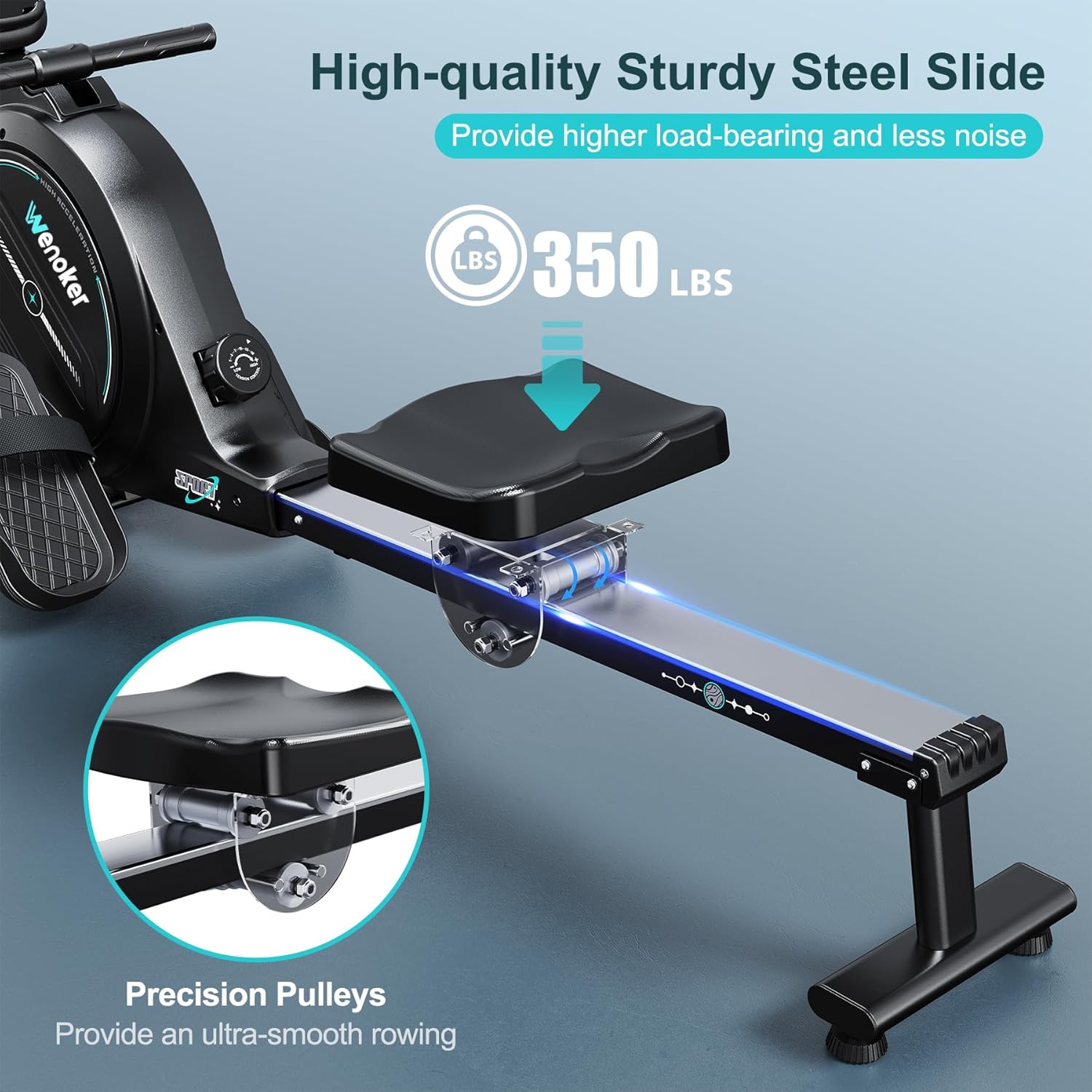
Image 8.1: The high-quality sturdy steel slide, designed for durability and supporting a maximum weight capacity of 350 lbs.
9. Warranty and Customer Support
9.1 Warranty Information
This Wenoker Magnetic Rowing Machine comes with a 2-year protection plan, ensuring coverage for manufacturing defects and functional issues under normal use. Please retain your proof of purchase for warranty claims.
9.2 Customer Support
For any questions, assistance with assembly, troubleshooting, or warranty claims, please contact Wenoker customer support. You can reach us through the following methods:
- Via Amazon: Log in to your Amazon account, navigate to "Your Orders," find your order ID for this product, and click "Contact Seller."
- Direct Email: Refer to the after-sales mailbox address provided in your product packaging or on the physical manual.

Image 9.1: Wenoker customer service team available to provide support and solutions.


