
1. Product Overview
The Cassida 7710R is a top-loading mixed denomination money counter and bill sorter designed for efficient and accurate cash handling. It automatically reads and sorts mixed denominations at speeds up to 1,200 bills per minute, providing a total value count. Equipped with advanced counterfeit detection technologies, it supports multiple currencies and offers various operational modes to streamline cash management tasks.

Figure 1: Front view of the Cassida 7710R Mixed Denomination Money Counter.
2. Setup and Initial Operation
2.1 Unpacking
Carefully remove the Cassida 7710R from its packaging. Ensure all components, including the power cable and any external displays, are present. Retain the packaging for future storage or transport.
2.2 Power Connection
- Place the unit on a stable, flat surface.
- Connect the power cable to the machine's power input and then to a suitable electrical outlet.
- Press the power button to turn on the device. The 4.3-inch TFT touchscreen will illuminate.
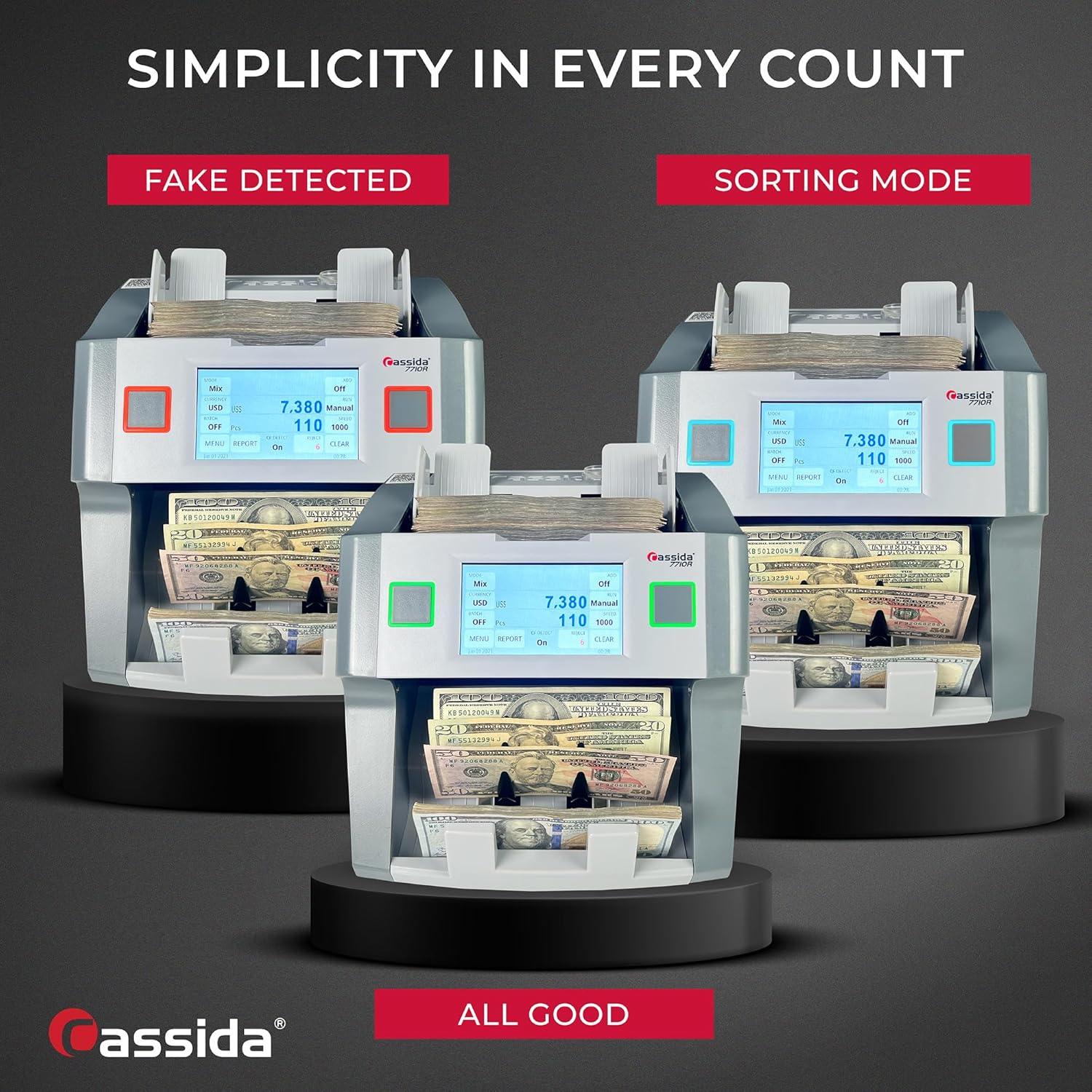
Figure 2: The 4.3-inch TFT touchscreen provides an intuitive user interface.
3. Operating Modes
The Cassida 7710R offers multiple counting and sorting modes to accommodate various cash handling needs. Navigate through the modes using the touchscreen interface.
3.1 Mix Mode
In Mix mode, the machine counts a stack of mixed denomination bills and provides the total value and quantity for each denomination. This mode is ideal for quick verification of cash deposits.
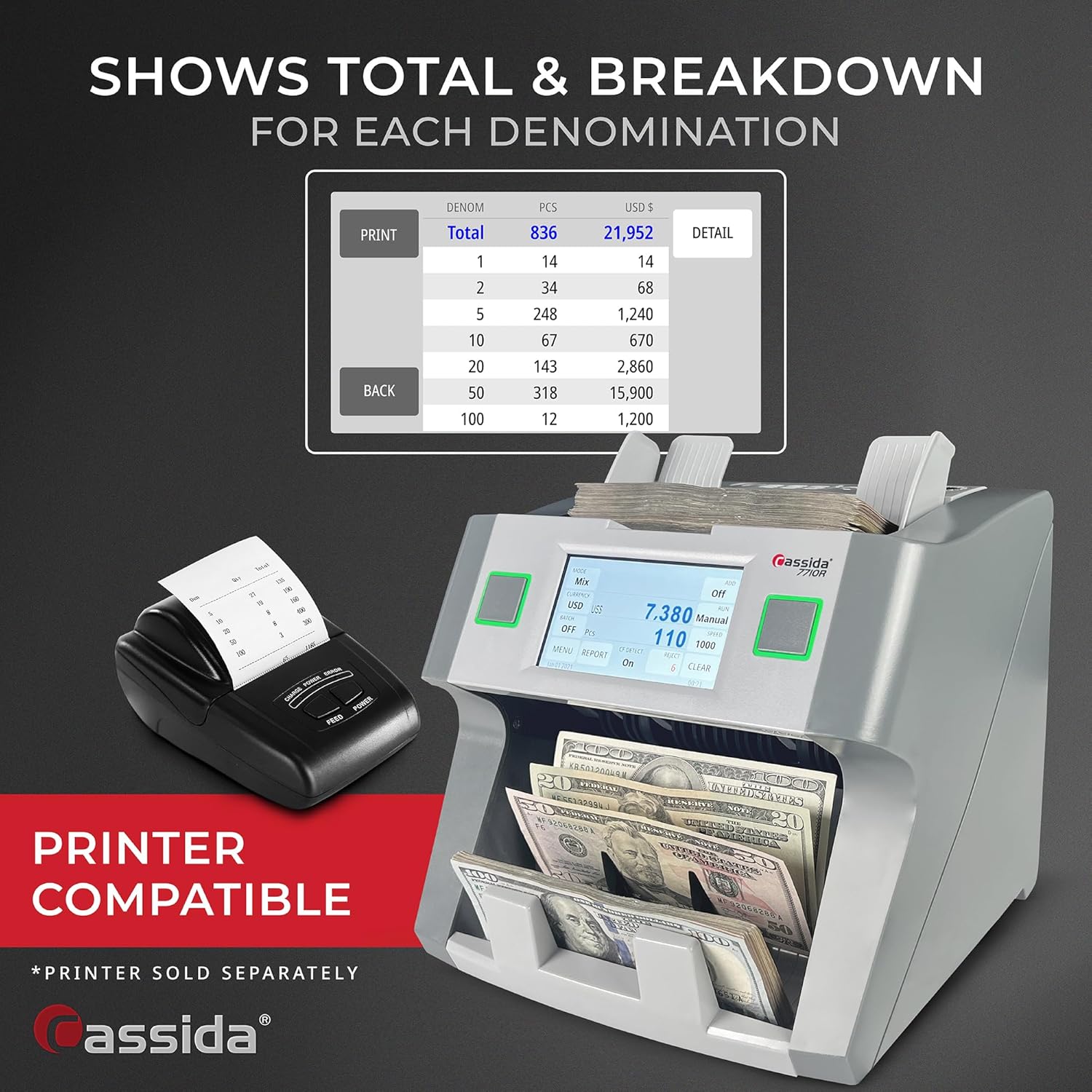
Figure 3: Bills loaded into the hopper for mixed denomination counting.
3.2 Sort Mode
Sort mode allows you to sort bills by a specific denomination. The machine identifies the first bill in the stack and sorts out all other denominations into the reject pocket. You can also select multiple denominations to keep in the main stack.
3.3 VSort Mode
VSort mode is designed to separate a mixed stack of bills into individual denominations. This is particularly useful for cashiers or when preparing cash for specific purposes.
3.4 Face Mode
Face mode sorts bills based on their front or back side orientation. This ensures all bills in a stack are facing the same direction, which can be useful for banking or specific cash handling procedures.
3.5 Orient Mode
Orient mode sorts bills by their orientation, ensuring all bills are facing the same direction and are right-side up. This provides a uniform stack of bills.
3.6 Multi-Currency Mode
The 7710R supports multiple major currencies including USD, CAD, MXN, EUR, and GBP. In Multi-Currency mode, the machine automatically detects, counts, and sorts bills by both denomination and currency type, simplifying international cash operations.

Figure 4: Multi-Currency mode interface showing supported currencies.
4. Counterfeit Detection
The Cassida 7710R incorporates professional-grade counterfeit detection to protect against fraudulent bills. It scans each bill using a combination of advanced technologies:
- CIS (Contact Image Sensors): For detailed image analysis.
- UV (Ultraviolet): Detects security features visible under UV light.
- IR (Infrared): Verifies infrared security markings.
- MG (Magnetic): Checks for magnetic ink and threads.
- DB (Double Bill Detection): Identifies instances where two bills are stuck together.
- DD (Dimensional Detection): Checks for correct bill dimensions.
The system also identifies half bills and chain bills, ensuring accuracy and security.

Figure 5: Visual representation of the counterfeit detection process.
5. Reporting and Printing
The 7710R provides comprehensive on-screen reports detailing total counts, reject summaries, and reasons for rejection. This information can be accessed via the touchscreen.
5.1 Printing Reports
For record-keeping, reports can be printed using a compatible external printer (printer not included). Connect the printer to the appropriate port on the 7710R and select the print option from the report screen.

Figure 6: The Cassida 7710R with an optional printer for report generation.
6. Specifications
| Feature | Detail |
|---|---|
| Brand | Cassida |
| Model Number | 7710R |
| Item Weight | 14.8 pounds |
| Package Dimensions | 13.6 x 12.8 x 11.6 inches |
| Manufacturer Part Number | 1052408821R56650 |
| Hopper Capacity | 500 bills |
| Stacker Capacity | 200 bills |
| Counting Speed | Up to 1200 bills/minute |
| Counterfeit Detection | UV, IR, MG, CIS, DB, DD |
| Supported Currencies | USD, CAD, MXN, EUR, GBP |
| Display | 4.3-inch TFT touchscreen |
7. Troubleshooting
This section provides solutions to common issues encountered during the operation of the Cassida 7710R.
7.1 Bill Jams
If a bill jam occurs, the machine will typically stop and display an error message. Carefully open the access covers and remove any jammed bills. Ensure bills are properly aligned and not excessively worn or damaged before re-feeding.
7.2 Counterfeit Detection Alerts
If the machine alerts for a potential counterfeit, remove the suspect bill from the reject pocket. Inspect the bill manually using known security features. If confirmed counterfeit, follow local regulations for handling. Ensure bills are clean and flat to minimize false positives.
7.3 Inaccurate Counts
If counts appear inaccurate, ensure bills are properly fanned and placed squarely in the hopper. Clean the sensors regularly as dust or debris can affect counting accuracy. Verify the selected operating mode matches the type of count desired.
8. Maintenance
Regular maintenance ensures optimal performance and longevity of your Cassida 7710R.
8.1 Cleaning
Periodically clean the bill pathways and sensors using a soft, lint-free cloth. For stubborn dust or debris, a small brush or compressed air can be used. Always power off and unplug the machine before cleaning.
8.2 Software Updates
Check the official Cassida website for any available software updates. Updates can improve performance, add new features, or enhance counterfeit detection capabilities.
9. Warranty and Support
The Cassida 7710R comes with a 3-year parts and labor warranty. Cassida also provides lifetime support for its products. For technical assistance, warranty claims, or general inquiries, please contact Cassida customer service.
Contact Information:
- Phone: +1(866)710-9980
- Physical Engagement Location: 10730 Thornmint Road, San Diego, California 92127
- Website: Visit the Cassida Store on Amazon

Figure 7: Cassida's commitment to warranty and customer support.
10. Product Video
Watch the official product video for a visual guide on the features and operation of the Cassida 7710R.
Video 1: Cassida 7710R Showcase Video. This video demonstrates the various counting and sorting modes, counterfeit detection, and reporting features of the money counter.