
SEDETA B0G1M8F9FC
SEDETA Electric Standing Desk with 6 Drawers Instruction Manual
Model: B0G1M8F9FC
Brand: SEDETA
Introduction
This manual provides detailed instructions for the assembly, operation, and maintenance of your SEDETA Electric Standing Desk with 6 Drawers. Please read this manual thoroughly before assembly and use to ensure safe and efficient operation. This desk is designed to provide a versatile workspace with adjustable height, ample storage, and integrated power solutions.
Safety Information
- Always ensure the desk is properly anchored to the floor. Do not use the desk if it wobbles or feels unstable.
- Keep fingers and other body parts away from the moving parts when adjusting the height.
- Do not exceed the maximum weight limit of 220 pounds (approximately 100 kg).
- Ensure all cables are properly managed to prevent tripping hazards or damage during height adjustments.
- Do not allow children to operate the desk without adult supervision.
Package Contents
Your SEDETA Electric Standing Desk package includes all necessary components for assembly. Please verify that all parts are present and undamaged before beginning assembly. Refer to the included detailed instructions and numbered parts for a complete list.

Image: Overview of the desk dimensions (55.1" W x 23.6" D x 28.3"-47.2" H) and maximum load capacity (200 lbs), indicating that the product ships in 2 boxes.
Assembly Instructions
To assemble your SEDETA Electric Standing Desk, follow the clear and detailed instructions provided in the separate assembly manual. All parts are numbered to facilitate the process. While assembly instructions are provided, please note that all assembly tools are not included. It is recommended to have basic tools such as screwdrivers and wrenches available.
If any parts are damaged, scratched, or missing upon arrival, please contact customer service for a free replacement or partial refund.
Operating Instructions
Height Adjustment
The desk features an electric lifting system allowing height adjustment from 28.3 inches to 47.2 inches. Use the control panel located on the underside of the desktop to adjust the height.

Image: Close-up of the multi-function control panel with an LED screen displaying current height, up/down arrows for precise adjustment, three memory height buttons (1, 2, 3), and an RST button for reset.
- Up/Down Arrows: Press and hold the up or down arrow to continuously adjust the desk height. Release to stop.
- Memory Presets (1, 2, 3): The desk has three programmable height presets. To save a height, adjust the desk to your desired position, then press and hold one of the number buttons (1, 2, or 3) until the display flashes or beeps, indicating the height is saved. To recall a saved height, simply press the corresponding number button.
- RST Button: Use the RST button to reset the desk's height calibration if needed. Refer to the detailed assembly manual for specific reset procedures.

Image: Illustration showing the desk adjusting between its minimum height of 28.3 inches (sitting position) and maximum height of 47.2 inches (standing position), highlighting the flexibility for different postures.
Built-in Power Outlets
The desk includes a built-in charging station with four AC power outlets (120V/12A) and two USB ports (5V/2A). This allows you to power up to six devices simultaneously. A one-touch power switch is included for safety and convenience.

Image: Close-up of the built-in power strip featuring four AC outlets, two USB ports, and a red on/off switch. A phone and smartwatch are shown charging, demonstrating its utility.
Features
- Spacious Desktop: The 55.1-inch x 23.6-inch desktop provides ample space for your work or gaming setup.
- Integrated Storage: Equipped with 6 large drawers, the desk offers significant storage for files, office supplies, and personal items, helping to keep your workspace organized.
- Smooth and Quiet Operation: The powerful lifting system ensures smooth and quiet height adjustments, operating below 30 decibels.
- Durable Construction: Features a heavy-coated steel tube frame (65mm x 45mm industrial frame) designed for stability and durability, supporting up to 220 lbs. The desk has undergone over 60,000 lift tests under full load.
- Engineered Wood Surface: The desktop is made of engineered wood, offering waterproof, scratch-resistant, and easy-to-clean properties.
- Cambered Table Corner: Designed with rounded corners for enhanced safety and comfort.

Image: Top-down view of the desk showing an organized workspace with monitors and accessories, and the six drawers open to display storage capacity for various items.

Image: Graphic illustrating the low noise level (below 30dB) of the SEDETA desk during operation compared to normal voice (60dB) and engine sound (80dB), emphasizing smooth and quiet movement.
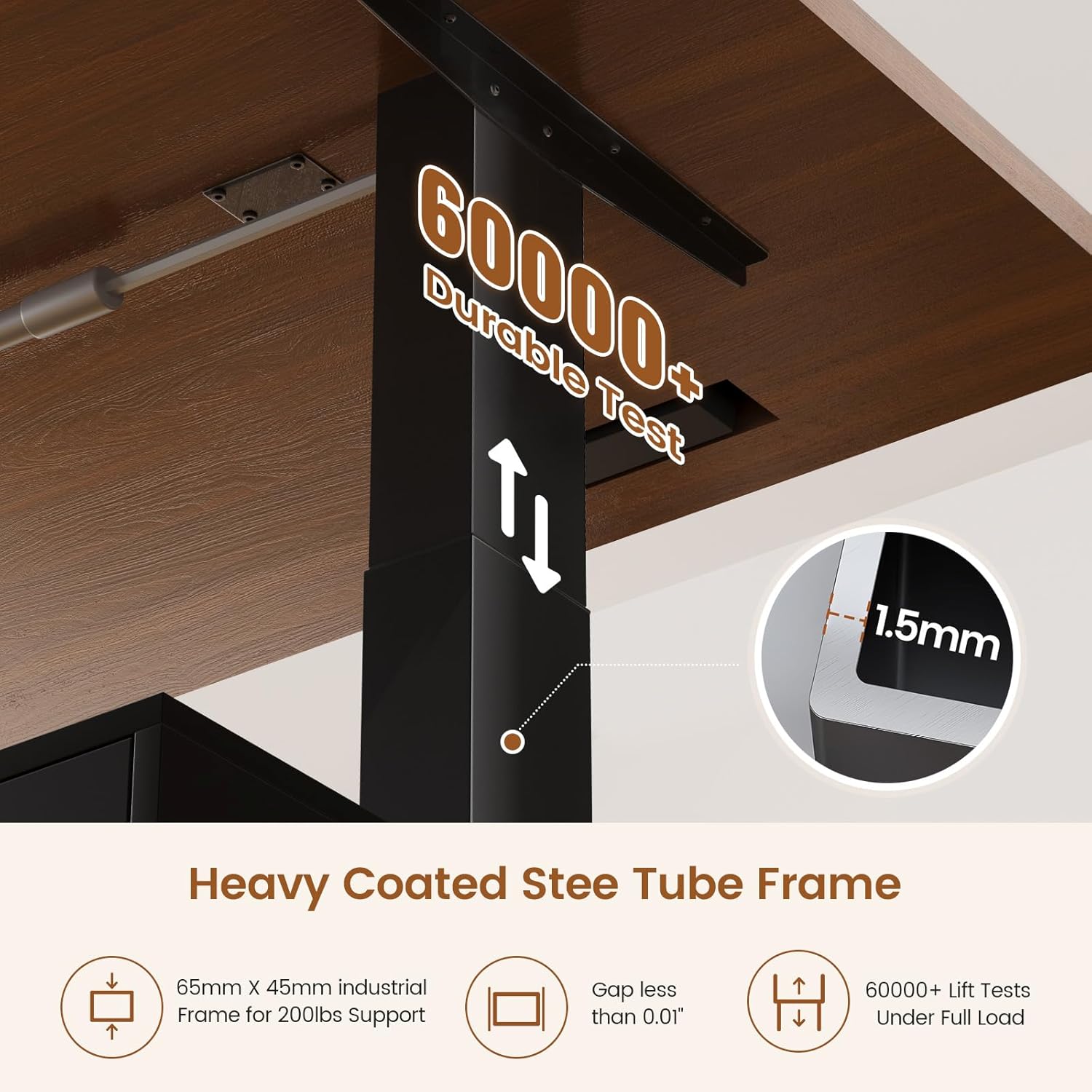
Image: Close-up of the desk's lifting column, highlighting the heavy-coated steel tube frame (65mm x 45mm) and its durability, having passed over 60,000 lift tests under full load with a gap less than 0.01 inches.
Maintenance
- Regularly wipe the desktop surface with a soft, damp cloth. Avoid abrasive cleaners.
- Check all screws and fasteners periodically to ensure they are tight. Tighten if necessary.
- Keep the electrical components dry and free from dust.
- Do not place hot items directly on the desktop without protection.
Troubleshooting
If you encounter any issues with your SEDETA Electric Standing Desk, please refer to the following common troubleshooting tips:
- Desk Not Adjusting:
- Check if the power cord is securely plugged into both the desk and a working wall outlet.
- Ensure the one-touch power switch for the built-in outlets is in the "ON" position.
- Perform a reset using the RST button on the control panel. Refer to the detailed assembly manual for specific reset procedures.
- Unstable Desk:
- Verify that all assembly screws are tightened.
- Ensure the desk is placed on a flat, even surface.
- Error Codes: If an error code appears on the LED display (e.g., "rE5" as mentioned in some user feedback), consult the detailed assembly manual for specific instructions on how to resolve it. If the issue persists, contact customer service.
Specifications
| Feature | Detail |
|---|---|
| Brand | SEDETA |
| Model Number | B0G1M8F9FC |
| Product Dimensions | 55.1" W x 23.6" D x 28.3"-47.2" H |
| Color | Black |
| Material Type | Engineered Wood (Desktop & Base) |
| Number of Drawers | 6 |
| Minimum Height | 28.3 Inches |
| Maximum Height | 47.2 Inches |
| Maximum Weight Recommendation | 220 Pounds (100 kg) |
| Power Outlets | 4 AC Outlets (120V/12A) |
| USB Ports | 2 USB Ports (5V/2A) |
| Noise Level | Below 30 Decibels |
| Required Assembly | Yes (Assembly instructions provided, tools not included) |
Product Video Overview
Video: An official product video from SEDETA showcasing the electric standing desk with 6 drawers. The video demonstrates the adjustable height feature, the spacious desktop, the integrated storage drawers, and the built-in power outlets. It highlights the smooth operation and overall design of the desk.
Customer Support
For any questions, concerns, or assistance with your SEDETA Electric Standing Desk, please contact SEDETA customer service. If your product arrives damaged, scratched, or with missing parts, please reach out to us for a free replacement or partial refund.
You can typically find contact information on the product packaging or through the retailer where you purchased the desk.
Ask a question about this manual
Ask about setup, troubleshooting, compatibility, parts, safety, or missing instructions. Manuals+ will review the question and use this page’s manual context to help answer it.