
1. Introduction
The Generico Otag GPS Locator is a smart tracker designed to help you find lost items. It connects wirelessly via Bluetooth to your Android smartphone and utilizes the "Find HUB" application for precise network positioning. This device is ideal for tracking keys, wallets, luggage, and other personal belongings.
Important Note: This device is compatible only with Android operating systems. It does not support iOS.
2. Safety Information
- Keep the device away from extreme temperatures and direct sunlight.
- Do not attempt to disassemble or modify the device.
- Dispose of batteries according to local regulations.
- Keep out of reach of small children and pets to prevent choking hazards.
3. Package Contents
Please check the package for the following items:
- 1 x Generico Otag GPS Locator
- 1 x Battery (pre-installed or separate)
- 1 x Keychain
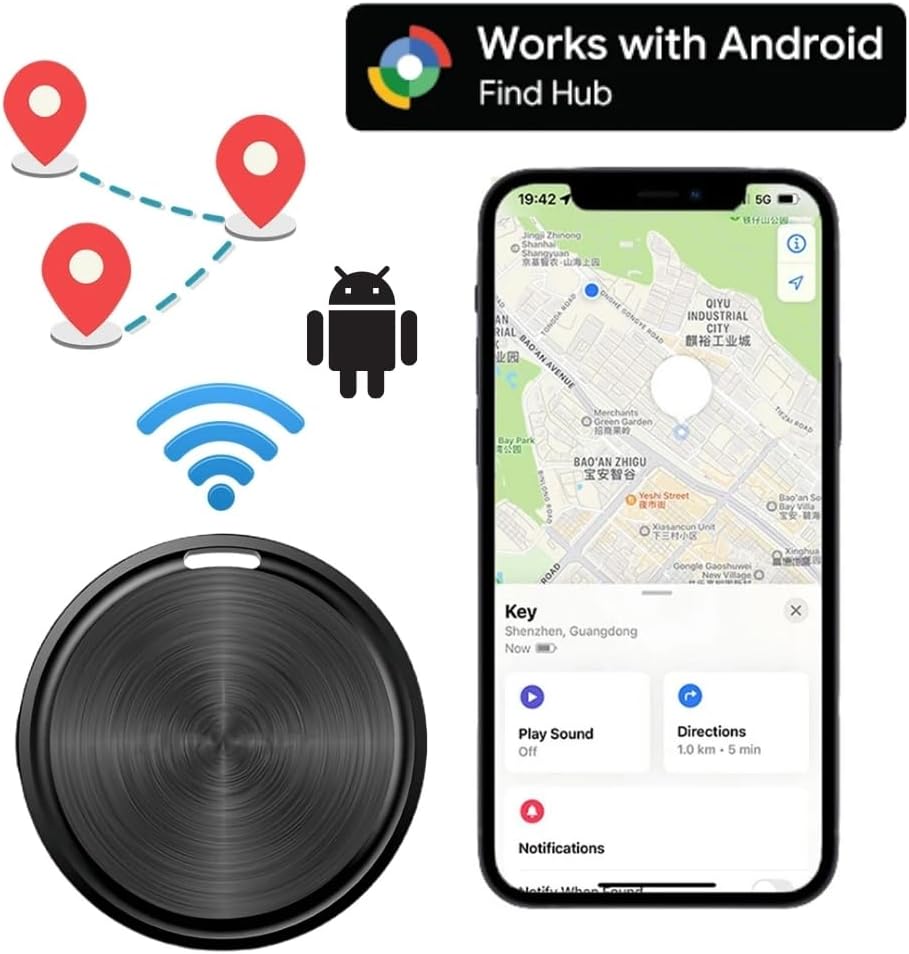
Image: The Generico Otag GPS Locator shown with its packaging.
4. Setup
4.1. Initial Activation and App Installation
- Power On: Ensure the Otag device is powered on. If it has a power button, press and hold it until an indicator light appears or a sound is heard.
- Android Compatibility: Confirm your smartphone is running an Android operating system. This device is not compatible with iOS.
- Bluetooth Activation: On your Android phone, open the Bluetooth settings and ensure Bluetooth is enabled.
- App Download: The Otag locator uses its own application called "Find HUB". Search for "Find HUB" in the Google Play Store and download it.
- Launch App: Open the "Find HUB" application on your Android phone.

Image: The Otag device next to an Android phone displaying the "Find HUB" application interface with a map.
4.2. Pairing the Device
- Proximity: Place the Otag device close to your Android phone.
- Automatic Pairing: Within the "Find HUB" app, the device should automatically detect and prompt you to pair with the Otag. Follow the on-screen instructions to complete the pairing process.
- Data Security: The network connection is encrypted and anonymous to ensure data security and privacy.
5. Operating the Otag GPS Locator
5.1. Locating Lost Items
If you believe a tagged item is nearby but out of sight, you can use the audible alert feature:
- Open the "Find HUB" app on your Android phone.
- Select the Otag device associated with the lost item.
- Tap the "Ring" or "Play Sound" button within the app. The Otag will emit a familiar ringtone at the set volume, helping you pinpoint its location.

Image: The Otag device attached to a set of keys, indicating an audible alert, with a smartphone displaying its location on a map.
5.2. Real-time Tracking and Location History
The "Find HUB" app provides precise network positioning, allowing you to view the current location of your Otag device on a map. You can also access the location history to see where your item has been.

Image: An Otag device attached to a dog's collar, demonstrating its use for pet tracking, with a smartphone displaying the tracking application.
5.3. Water Resistance
The Otag anti-loss locator supports IPX5 water resistance. This means it is protected against low-pressure water jets from any direction. You do not need to worry about damage from rain or water splashes, but it is not designed for submersion.

Image: A circular diagram illustrating multiple applications for the Otag device, such as tracking keys, pets, suitcases, umbrellas, cameras, purses, rucksacks, and thermoses.
6. Maintenance
6.1. Battery Replacement
The Otag device features a long-lasting battery, typically lasting 4-6 months. When the battery is depleted, it can be easily replaced in a few seconds. Replacement batteries are widely available, including in supermarkets.
- Locate the battery compartment on the Otag device.
- Carefully open the compartment (refer to the device's physical design for specific opening mechanism, e.g., twist, pry).
- Remove the old battery.
- Insert a new, compatible battery, ensuring correct polarity.
- Close the battery compartment securely.
6.2. Cleaning
To clean your Otag device, wipe it gently with a soft, dry cloth. Avoid using harsh chemicals or abrasive materials, as these may damage the device's surface or internal components. While the device is IPX5 water-resistant, do not submerge it in water for cleaning.
7. Troubleshooting
| Problem | Possible Cause | Solution |
|---|---|---|
| Device does not power on. | Battery is dead or incorrectly installed. | Replace the battery or ensure it is installed with correct polarity. |
| Cannot connect/pair with Android phone. | Bluetooth is off on phone; Otag is out of range; "Find HUB" app not open; device already paired to another phone; Otag not powered on. |
|
| Audible alert is not loud enough or not working. | Volume setting in app is low; device is too far; battery is low. |
|
| Inaccurate location tracking. | Weak Bluetooth signal; environmental interference; app not updated. |
|
8. Specifications
| Model: | AT001RTG |
| Brand: | Generico |
| Dimensions: | 4 x 1 x 4 cm |
| Weight: | 30 grams |
| Connectivity: | Bluetooth |
| Compatible Devices: | Android Smartphones |
| App Supported: | Find HUB |
| Special Features: | Location History, Real-time Tracking, IPX5 Water Resistance |
| Material: | Acrylonitrile Butadiene Styrene (ABS) |
| Battery Life: | Approximately 4-6 months (replaceable) |
9. Warranty and Support
9.1. Warranty Information
Specific warranty details for the Generico Otag GPS Locator are typically provided by the seller at the time of purchase. Please refer to your purchase documentation or contact the retailer for information regarding warranty coverage and terms.
9.2. Customer Support
For technical assistance, troubleshooting not covered in this manual, or other inquiries, please contact the seller or manufacturer directly. Contact information can usually be found on the product packaging or the retailer's website.
