
1. Introduction
This manual provides detailed instructions for the installation, operation, and maintenance of your AWESAFE 2GB+64GB Car Stereo. This unit is designed for specific vehicle models, including Jeep Wrangler JK (2007-2018) and Dodge Ram 1500 (2008-2012). Please read this manual thoroughly before use to ensure proper functionality and safety.
2. Vehicle Compatibility
This AWESAFE car stereo is compatible with the following vehicle models:
- Jeep Wrangler/Unlimited: 2007-2018
- Jeep Compass: 2009-2016
- Jeep Patriot: 2009-2016
- Jeep Grand Cherokee: 2005-2011
- Jeep Liberty: 2008-2011
- Jeep Commander: 2008-2011
- Chrysler Sebring: 2007-2010
- Chrysler Town & Country: 2007-2010
- Dodge Grand Caravan: 2011-2014
- Dodge Charger: 2008-2010
- Dodge Ram Pickup 1500/2500/3500: 2009-2012

Image: AWESAFE Car Stereo installed in various compatible vehicle dashboards, showing the fit for Jeep Wrangler, Patriot, Compass, Liberty, Commander, Chrysler Sebring, Town & Country, Dodge Grand Caravan, Charger, and Ram Pickup models.
3. Installation Guide
Proper installation is crucial for optimal performance. It is recommended that installation be performed by a qualified professional.
3.1. Package Contents
Verify all components are present before beginning installation:
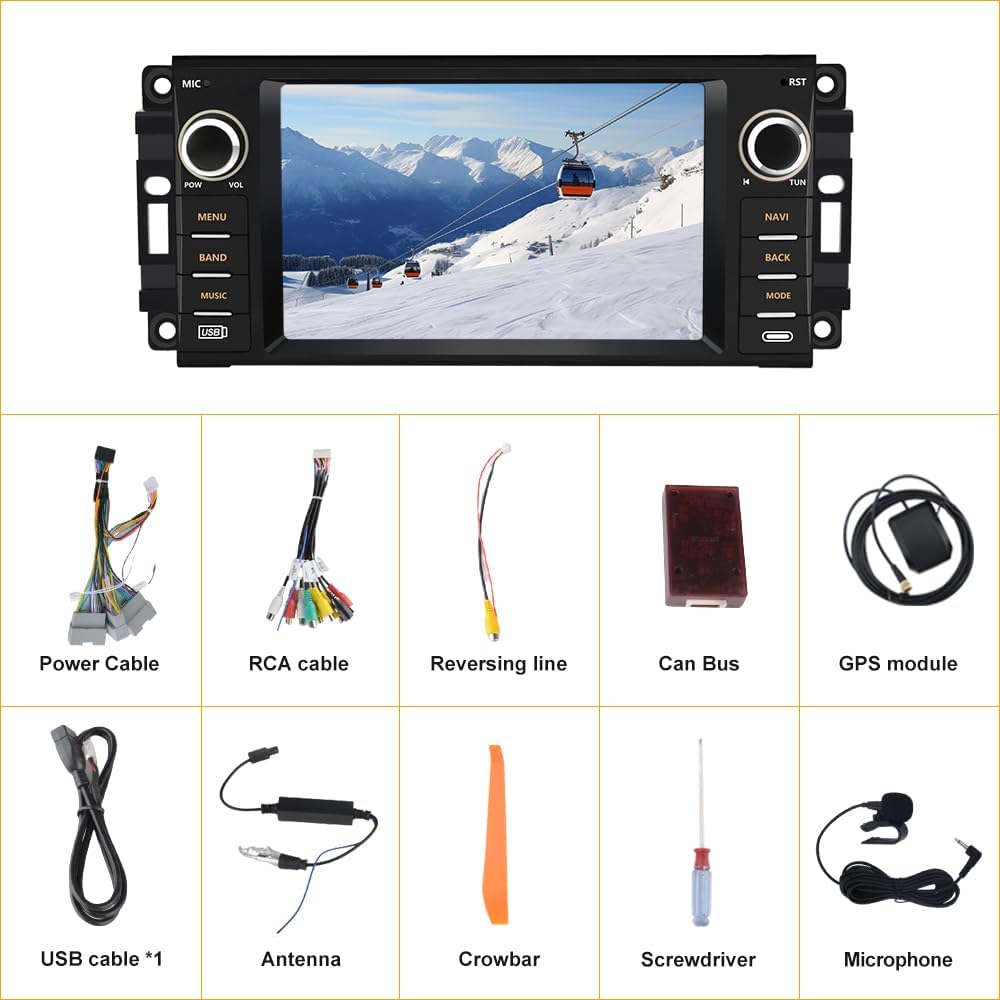
Image: Contents of the AWESAFE Car Stereo package. Includes the main car radio unit, power cable, RCA cable, reversing line, Can Bus module, GPS module, USB cable, antenna, a plastic crowbar tool, a screwdriver, and an external microphone.
- Car Radio Unit
- Power Cable
- RCA Cable
- Reversing Line
- Can Bus Module
- GPS Module
- USB Cable (x1)
- Antenna
- Crowbar Tool
- Screwdriver
- Microphone
3.2. Wiring Diagram
Refer to the following diagram for correct wiring connections. Ensure all connections are secure to prevent malfunctions.

Image: Detailed wiring diagram for the AWESAFE Car Stereo. It illustrates connections for GND, ACC, BACK, KEY1, KEY2, ILL, ANT-12V, speaker outputs (FR+, FR-, FL+, FL-, RL+, RL-, RR+, RR-), GPS antenna, RCA cables, 8-PIN Canbus connector, 4-PIN USB, 6-PIN USB, and camera signal input with +12V reversing lights trigger.
Important: For Jeep Wrangler models, select the appropriate plug based on your original sound system. If your original car has an Alpine or Infinity sound system, use the 7-pin plug. If your original car does not have an original amplifier, use the 11-pin plug.

Image: Wiring harness selection guide. Shows a 12-pin connector for Chrysler models, an 11-pin connector for Jeep models without an original amplifier, and a 7-pin connector for Jeep models with an original amplifier.
4. Operating Instructions
4.1. Wireless CarPlay Connection
Connect your iPhone wirelessly to the car stereo for access to navigation, music, and other apps.
- Open the Zlink5 app on the car stereo.
- Note the Bluetooth name of the device (e.g., "Car BT").
- On your iPhone, go to Settings > Bluetooth and turn on Bluetooth. Pair with "Car BT".
- Turn on Wi-Fi on your iPhone and connect to the car stereo's Wi-Fi hotspot (e.g., "AndroidAP_8191").
- Once connected, CarPlay will launch automatically. You can now use online maps and play music.
Video: Instructions on how to connect your iPhone to the AWESAFE Car Stereo using wireless CarPlay. The video demonstrates opening the Zlink5 app, pairing via Bluetooth, connecting to the device's Wi-Fi, and accessing CarPlay features like maps and music.
4.2. Wireless Android Auto Connection
Connect your Android phone wirelessly to the car stereo for seamless integration.
- Open the Zlink5 app on the car stereo.
- Note the Bluetooth name of the device (e.g., "Car BT").
- On your Android phone, go to Settings > Bluetooth and turn on Bluetooth. Pair with "Car BT".
- Turn on Wi-Fi on your Android phone and connect to the car stereo's Wi-Fi hotspot (e.g., "AndroidAP_8191").
- Once connected, Android Auto will launch automatically. You can now use online maps and play music.
Video: Instructions on how to connect your Android phone to the AWESAFE Car Stereo using wireless Android Auto. The video demonstrates opening the Zlink5 app, pairing via Bluetooth, connecting to the device's Wi-Fi, and accessing Android Auto features like maps and music.
4.3. GPS Navigation
The unit supports both offline and online maps. Download global offline map data packs through online updates. After connecting to Wi-Fi, you can use GPS Navigation anywhere.

Image: The AWESAFE Car Stereo screen showing a GPS navigation map with a route displayed. The image also highlights the GPS Navigation feature with a map icon.
4.4. Bluetooth Functionality
The built-in Bluetooth allows for hands-free calls and mobile music streaming. Synchronize your phonebook and call logs for convenience.

Image: The AWESAFE Car Stereo screen showing a Bluetooth call interface with a dial pad and an incoming call notification. The image also depicts a phone connected via Bluetooth for hands-free communication and music streaming.
4.5. FM Radio
Enjoy FM radio with 18-station presets. Listen to real-time traffic, news, and weather forecasts.
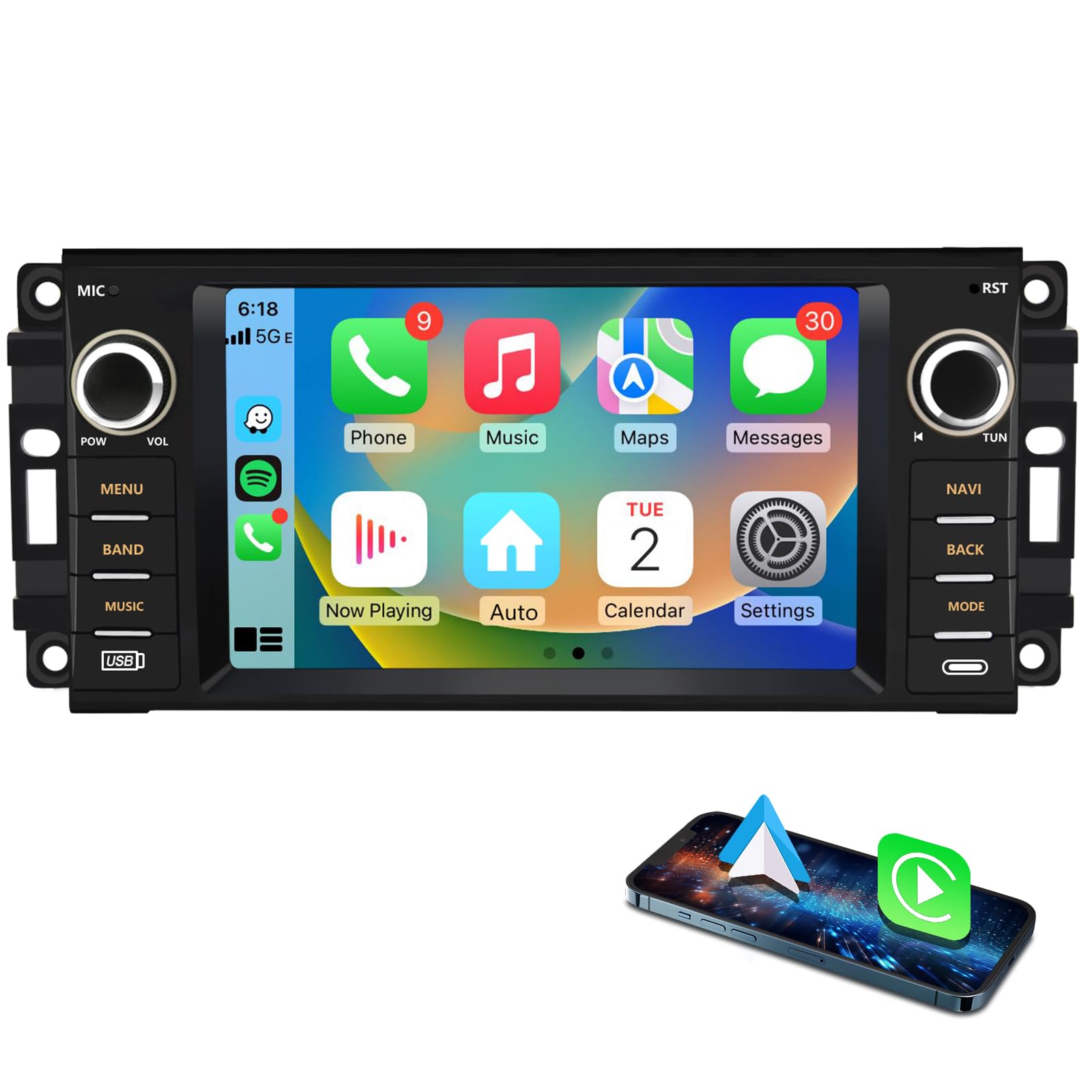
Image: The AWESAFE Car Stereo screen displaying the FM radio interface, showing the current frequency and preset stations. The image also includes a graphic of a radio, emphasizing the FM radio feature.
4.6. Steering Wheel Control (SWC)
The unit supports original steering wheel control button learning. Ensure the CANBUS and 8-pin extend CAN bus cable are connected. Note that original voice control via SWC is not supported.

Image: Diagram illustrating the connection of the AWESAFE Car Stereo to the vehicle's steering wheel controls. The image shows the steering wheel buttons and how they interact with the car radio screen for functions like volume, track change, and mode selection.
4.7. DSP Sound & Multi-EQ Settings
Utilize the built-in DSP processor with customizable EQ settings to enhance your audio experience. Adjust balance, bass, treble, and surround settings.

Image: The AWESAFE Car Stereo screen displaying the Digital Sound Processor (DSP) and Equalizer (EQ) adjustment interface. It shows various frequency bands that can be adjusted to customize the audio output.
4.8. Split Screen Function
The split-screen function allows you to view two applications simultaneously on the same screen, such as navigation and music playback.
4.9. Wi-Fi Connection and App Installation
Connect to Wi-Fi to browse the internet, download apps from the Application Store, and update maps, similar to a smartphone.
Image: The AWESAFE Car Stereo screen demonstrating Wi-Fi connectivity and the ability to browse websites or use various applications. The image shows multiple browser tabs open, indicating internet access.
5. Specifications
| Feature | Specification |
|---|---|
| Brand | AWESAFE |
| Model Number | 2GB+64GB Car Stereo |
| Operating System | Android 13 |
| Memory (RAM) | 2 GB |
| Storage (ROM) | 64 GB |
| Screen Size | 7 Inches |
| Display Type | Capacitive Touch Screen |
| Connectivity | Bluetooth, Wi-Fi |
| Navigation System | GPS (North America maps included) |
| Audio Output Mode | Stereo |
| Special Features | Wireless CarPlay, Wireless Android Auto, DSP Sound, Multi-EQ Settings, Split Screen, Steering Wheel Control (SWC) support, HD Rear Camera Video Input (camera not included) |
| Item Dimensions (L x W x H) | 9"L x 4"W x 2"H |
| Item Weight | 1 Kilogram |
6. Troubleshooting
This section addresses common issues you might encounter with your AWESAFE Car Stereo.
6.1. No Power
- Check Power Connections: Ensure the power cable is securely connected to the car stereo and the vehicle's power source. Verify the ACC and GND wires are correctly wired.
- Check Fuses: Inspect the vehicle's fuse box and the stereo's inline fuse for any blown fuses. Replace if necessary.
- Vehicle Compatibility: Confirm the stereo is compatible with your vehicle model and year.
6.2. Bluetooth Connection Issues
- Forget Device: On your phone, forget the "Car BT" device and attempt to pair again.
- Restart Devices: Restart both your phone and the car stereo. Turn off the vehicle completely and restart.
- Bluetooth Visibility: Ensure Bluetooth is enabled and visible on both devices.
6.3. CarPlay/Android Auto Not Connecting
- Zlink5 App: Ensure the Zlink5 app is open on the car stereo.
- Bluetooth & Wi-Fi: Verify both Bluetooth and Wi-Fi are enabled and connected as per the operating instructions.
- USB Connection (Wired): If attempting a wired connection, ensure the USB cable is functional and properly connected.
- Phone Settings: Check your phone's settings for any permissions or restrictions related to CarPlay/Android Auto.
6.4. Steering Wheel Controls Not Working
- CANBUS Connection: Confirm the CANBUS module and the 8-pin extend CAN bus cable are correctly installed and connected.
- Learning Function: Access the steering wheel control learning function in the stereo's settings to program the buttons.
- Voice Control: Note that original voice control via SWC is not supported by this unit.
6.5. Static on FM Radio
- Antenna Connection: Ensure the radio antenna is securely connected to the unit.
- Signal Strength: Static may occur in areas with weak FM signals. Try tuning to a different station or moving to an area with better reception.
7. Maintenance
- Cleaning the Screen: Use a soft, lint-free cloth to gently wipe the touch screen. Avoid abrasive cleaners or solvents.
- Software Updates: Periodically check for software updates via Wi-Fi to ensure optimal performance and access to new features.
- Environmental Conditions: Avoid exposing the unit to extreme temperatures, direct sunlight for prolonged periods, or excessive moisture.
8. Warranty and Support
The AWESAFE Car Stereo comes with a one-year warranty from the date of purchase. This warranty covers manufacturing defects and malfunctions under normal use.
For technical support, troubleshooting assistance, or warranty claims, please contact AWESAFE customer service:
- Email: AWESAFE-US@outlook.com
- Online Support: Visit the AWESAFE Store on Amazon for additional resources.

Image: A customer service representative wearing a headset, symbolizing AWESAFE's 24-hour customer support.


