
1. Introduction
Thank you for choosing TRAUSI i27 Wireless Earbuds. These earbuds are designed to provide a high-quality audio experience with advanced features such as Bluetooth 5.4 connectivity, IPX7 waterproofing, and intuitive touch controls. This manual provides detailed instructions to help you set up, operate, and maintain your earbuds for optimal performance.
2. What's in the Box
Upon opening your TRAUSI i27 Wireless Earbuds package, you should find the following items:
- i27 Wireless Earbuds (2 units)
- Charging Case (1 unit)
- Eartips with 3 Sizes (S, M, L)
- Type-C Charging Cable (1 unit)
- User Manual (this document)

Image: All components included in the TRAUSI i27 Wireless Earbuds package.
3. Product Overview
The TRAUSI i27 Wireless Earbuds feature an ergonomic over-ear hook design for secure and comfortable fit, ideal for active use. The charging case is compact and includes an LED display to show battery status.

Image: TRAUSI i27 Wireless Earbuds and charging case.

Image: Secure and comfortable fit of the earbuds.
Each earbud is equipped with a noise-cancelling microphone for clear calls and touch controls for easy management of audio and calls.
4. Setup
4.1 Charging the Case and Earbuds
Before first use, fully charge the charging case and earbuds.
- Place the earbuds into the charging case. Ensure they are properly seated to initiate charging.
- Connect the Type-C charging cable to the charging port on the case and to a USB power source.
- The LED display on the charging case will show the battery percentage. The earbuds will also show charging indicators (red light on earbuds, blue bars on case display).
- A full charge for the case takes approximately 1.5 hours. A 10-minute quick charge provides 2 hours of playback.

Image: Earbuds and charging case battery life indication.
4.2 Pairing with a Device
The earbuds support instant pairing for seamless connectivity.
- Open the charging case. The earbuds will automatically power on and enter pairing mode.
- On your device (smartphone, tablet, laptop), enable Bluetooth.
- Search for available Bluetooth devices and select "i27" from the list.
- Once connected, you will hear an audio prompt, and the earbuds' indicator lights will change.

Image: One-step pairing process with a mobile device.
5. Operating Instructions
5.1 Wearing the Earbuds
To ensure optimal sound quality and a secure fit, follow these steps:
- Identify the left (L) and right (R) earbuds.
- Gently place the earbud into your ear canal and hook the ear hook over your ear.
- Adjust the earbud and hook until it feels comfortable and secure. Experiment with different eartip sizes for the best seal and comfort.
5.2 Touch Controls
The TRAUSI i27 earbuds feature intuitive touch controls on the outer surface of each earbud:
- Play/Pause: Tap twice on either earbud.
- Previous Track: Press and hold the left earbud for 2 seconds.
- Next Track: Press and hold the right earbud for 2 seconds.
- Volume Up: Single tap on the right earbud.
- Volume Down: Single tap on the left earbud.
- Answer Call: Tap once on either earbud.
- End/Reject Call: Press and hold either earbud for 2 seconds.
- Activate Voice Assistant (Siri/Google Assistant): Quickly tap three times on either earbud.

Image: Overview of touch control functions.
6. Maintenance
Proper maintenance ensures the longevity and performance of your earbuds.
- Cleaning: Regularly clean the earbuds and charging case with a soft, dry, lint-free cloth. Do not use harsh chemicals or abrasive materials. Remove eartips and clean them separately with mild soap and water if necessary, ensuring they are completely dry before reattaching.
- Storage: When not in use, store the earbuds in their charging case to protect them from dust and damage. Store in a cool, dry place away from extreme temperatures.
- Water Resistance: The earbuds are IPX7 waterproof, meaning they can withstand sweat and splashes. However, they are not designed for swimming or prolonged submersion. Ensure the charging port is dry before charging.
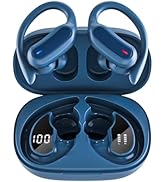
Image: IPX7 Waterproof and Sweatproof feature.
7. Troubleshooting
If you encounter issues with your TRAUSI i27 Wireless Earbuds, refer to the following common solutions:
| Problem | Possible Cause | Solution |
|---|---|---|
| Earbuds not pairing | Bluetooth off, earbuds not in pairing mode, device too far. | Ensure Bluetooth is on. Place earbuds in case, close, then open to re-enter pairing mode. Keep device within 15m range. |
| No sound | Volume too low, earbuds not connected, media paused. | Increase device volume. Reconnect earbuds. Check if media is playing. |
| Charging issues | Cable not connected, dirty charging contacts, faulty cable/adapter. | Ensure cable is securely connected. Clean charging contacts on earbuds and case. Try a different Type-C cable or power adapter. |
| Uncomfortable fit | Incorrect eartip size. | Try different eartip sizes (S, M, L) included in the package to find the best fit for your ears. |
8. Specifications
| Feature | Detail |
|---|---|
| Model Name | i27 |
| Brand | TRAUSI |
| Connectivity Technology | Wireless (Bluetooth 5.4) |
| Bluetooth Range | Up to 15 meters (50ft) |
| Noise Control | Environmental Noise Cancellation (ENC) |
| Water Resistance Level | IPX7 (Waterproof) |
| Battery Life (Earbuds) | Up to 6 hours per charge |
| Total Playback Time (with Case) | Up to 54 hours |
| Charging Time (Case) | 1.5 hours (Type-C) |
| Control Type | Touch Control |
| Ear Placement | Open Ear (with ear hooks) |
| Material | Plastic |
| Item Weight | 5 ounces |
9. Warranty and Support
TRAUSI products are manufactured to high-quality standards. For warranty information, technical support, or customer service inquiries, please refer to the contact details provided on the product packaging or visit the official TRAUSI website.
10. Safety Information
- Do not disassemble or modify the earbuds or charging case.
- Avoid exposing the device to extreme temperatures, direct sunlight, or fire.
- Keep out of reach of children and pets.
- Use only the provided charging cable or a certified equivalent.
- Avoid listening at high volume levels for extended periods to prevent hearing damage.