
1. Important Safety Instructions
Please read all safety information and operating instructions before using this product. Failure to follow these instructions may result in electric shock, fire, or serious injury.
- Keep the unit away from children.
- Do not short-circuit the unit. Avoid contact between the positive and negative clamps.
- Do not expose the unit to extreme temperatures (above 60°C/140°F) or direct sunlight for extended periods.
- Do not immerse the unit in water or expose it to rain.
- Use the unit in a well-ventilated area.
- Wear eye protection when operating the jump starter.
- Do not attempt to jump start a frozen or visibly damaged battery.
- Ensure all connections are secure before operating.
- Disconnect the unit from the vehicle battery immediately after the vehicle starts.
2. Product Overview
The Sharmeal GL995 is a versatile portable device designed to jump start 12V vehicle batteries, inflate tires, and serve as a power bank for electronic devices. It also features an integrated flashlight with multiple modes.
Package Contents:
- Sharmeal GL995 Host Unit
- Smart Jumper Cables
- Blower Compression Tube
- Air Hose
- Blower Nozzles (various types)
- USB-A to USB-C Charging Cable
- Nozzle Kits (for tire inflation)
- User Manual (this document)

Image: Sharmeal GL995 unit with all included accessories: smart jumper cable, blower compression tube, air hose, blower nozzles, USB-A to USB-C cable, nozzle kits, and user manual.
3. Setup
3.1 Charging the Unit
Before first use, fully charge the Sharmeal GL995 unit. It is recommended to fully charge the unit after each use and at least every 3-6 months if stored, to maintain battery health.
- Connect the provided USB-A to USB-C charging cable to the unit's Type-C input port.
- Connect the other end of the cable to a suitable USB power adapter (not included). A 30W fast charger can charge the unit to 80% in approximately 1 hour.
- The digital display will show the charging progress. The unit is fully charged when the display indicates 100%.
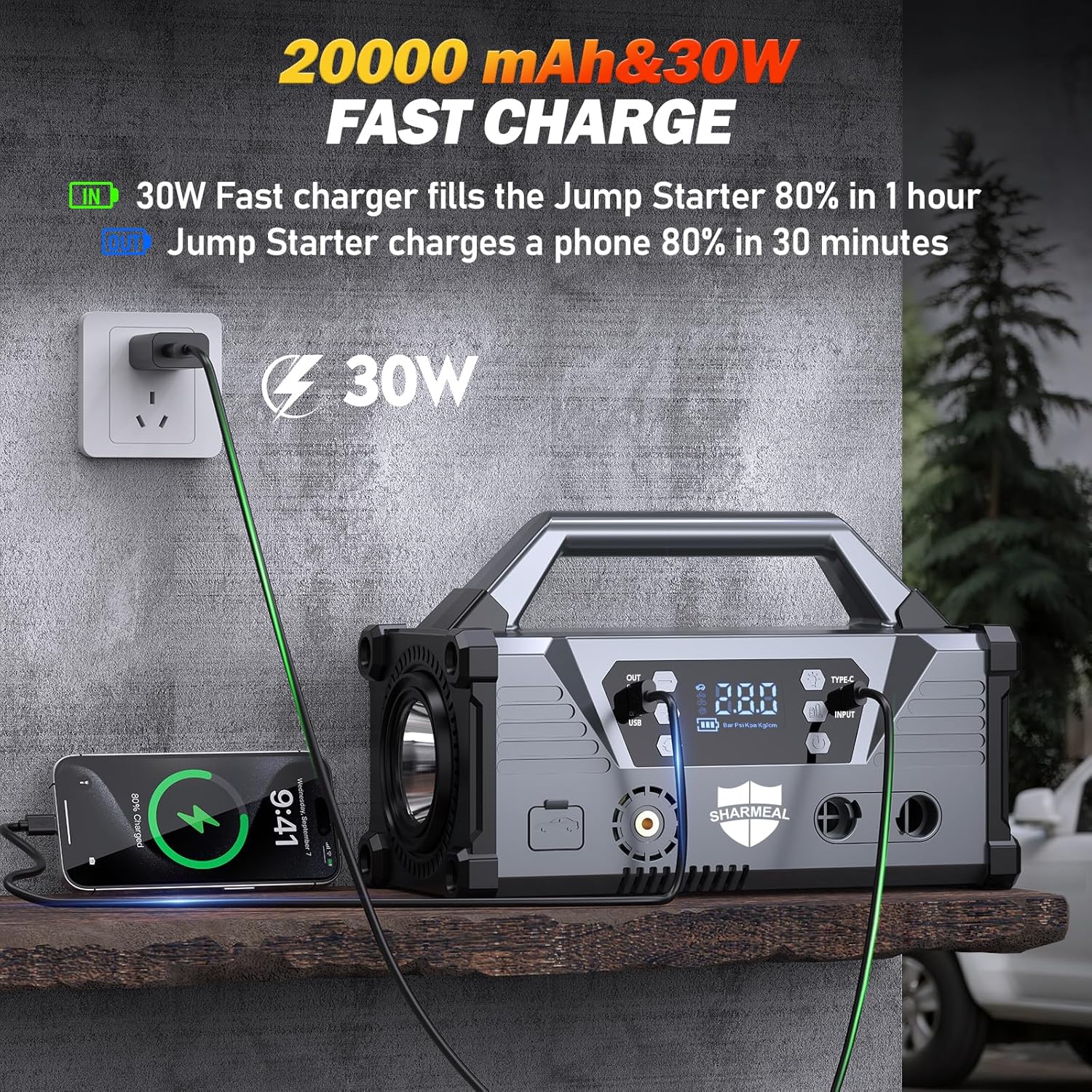
Image: The Sharmeal GL995 unit connected to a wall charger via its Type-C input, demonstrating its fast charging capability. A smartphone is also shown being charged by the unit's USB output.
4. Operating Instructions
4.1 Jump Starting a Vehicle
Ensure the Sharmeal GL995 unit is sufficiently charged (above 50% recommended) before attempting to jump start a vehicle.
- Turn off the vehicle's ignition and all accessories (headlights, radio, air conditioning).
- Connect the red (+) clamp of the smart jumper cables to the positive (+) terminal of the vehicle's battery.
- Connect the black (-) clamp of the smart jumper cables to the negative (-) terminal of the vehicle's battery.
- Ensure the clamps are securely attached and there is no contact between the red and black clamps.
- Plug the smart jumper cable connector into the jump starter port on the Sharmeal GL995 unit.
- Start the vehicle's engine. If the vehicle does not start immediately, wait 30 seconds before trying again. Do not crank for more than 3 seconds per attempt.
- Once the vehicle starts, immediately disconnect the smart jumper cable connector from the Sharmeal GL995 unit.
- Then, disconnect the black (-) clamp from the vehicle battery, followed by the red (+) clamp.

Image: The Sharmeal GL995 jump starter unit with its smart jumper cables connected to a vehicle battery, ready for operation. The unit's digital display is visible.
4.2 Using as a Power Bank
The Sharmeal GL995 features dual USB (5V/2A) output ports to charge your electronic devices.
- Connect your smartphone, tablet, laptop, or other USB-powered device to one of the USB output ports on the unit using your device's charging cable.
- The unit will automatically begin charging your device.
4.3 Using the Tire Inflator
The integrated tire inflator can inflate tires up to 150 PSI with an air flow volume of 35L/min.
- Screw the air hose onto the inflator port on the unit.
- Attach the appropriate nozzle from the nozzle kit to the air hose and then securely connect it to the tire valve.
- Turn on the unit and use the digital display and control buttons to set the desired tire pressure.
- Press the start button to begin inflation. The unit will automatically stop when the preset pressure is reached.
- Disconnect the nozzle from the tire valve and then unscrew the air hose from the unit.

Image: The Sharmeal GL995 unit actively inflating a car tire, showcasing its 150 PSI super fast tire inflator feature with a digital display showing pressure readings.
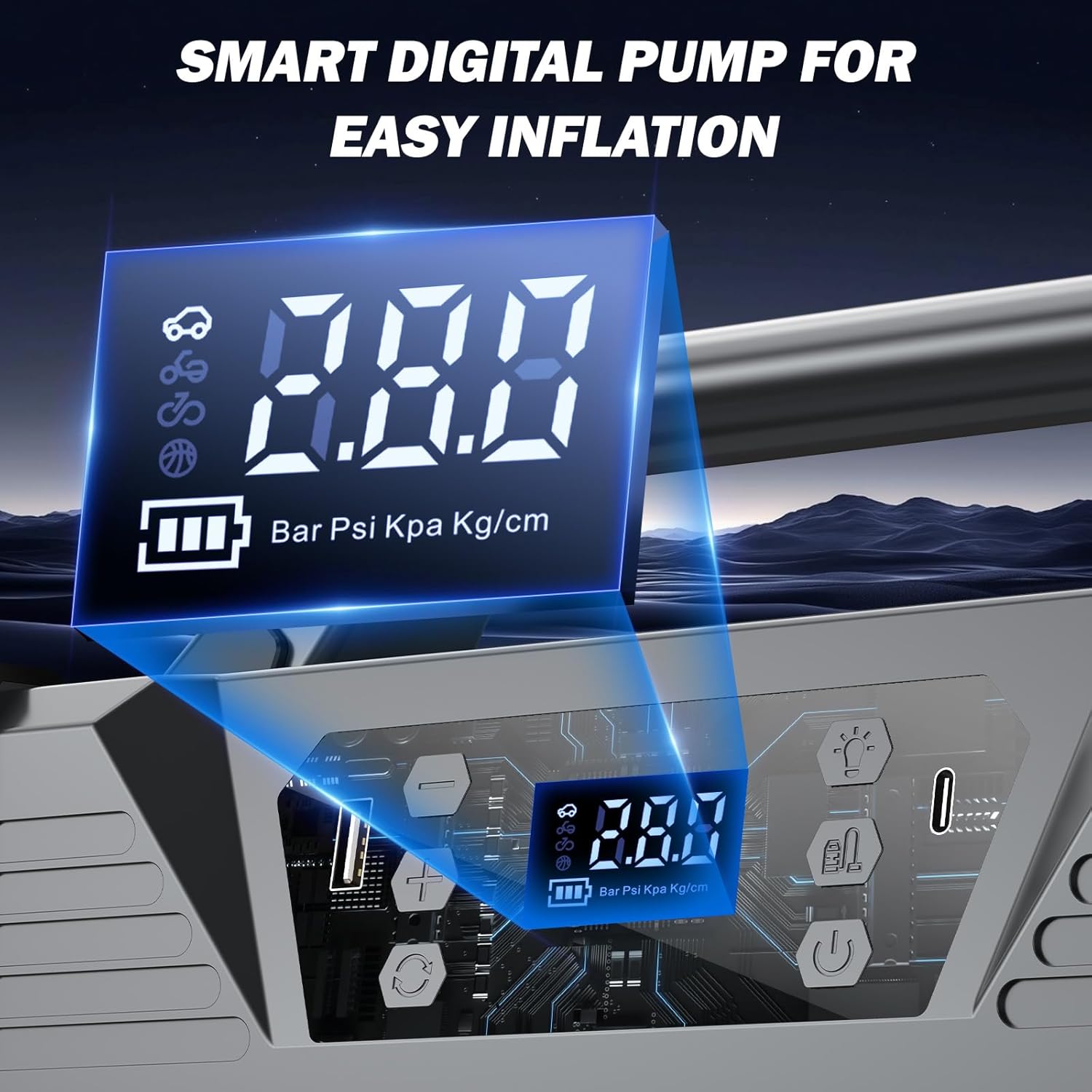
Image: A close-up view of the Sharmeal GL995's smart digital pump display, showing pressure units (Bar, Psi, Kpa, Kg/cm) and control buttons for easy inflation.
4.4 Using the Additional Air Pump (Blower)
The unit includes an additional air port for a blower function, suitable for various inflatables.
- Connect the blower compression tube to the additional double air port on the unit.
- Attach the appropriate blower nozzle for your item (e.g., air beds, inflatable boats, vacuum storage bags, swimming rings/inflatable toys).
- Turn on the unit and activate the blower function.
- Inflate or deflate the item as needed.

Image: The Sharmeal GL995 unit demonstrating its additional double air port with various nozzles for different applications such as air beds, inflatable boats, vacuum storage bags, and inflatable toys.
4.5 Using the Flashlight
The Sharmeal GL995 features a powerful 8W, 1200 lumen flashlight and an 800 lumen LED panel with multiple modes.
- Press the flashlight button to turn on the main flashlight.
- Press the button again to cycle through the available modes: Flashlight (steady beam), Strobe, and SOS signal.
- Press and hold the button to turn off the flashlight.

Image: The Sharmeal GL995 unit's powerful 8W, 1200 lumen flashlight illuminating a dark outdoor environment, demonstrating its strong light output.

Image: The Sharmeal GL995 unit displaying its 800-lumen LED flashlight with three modes: steady flashlight, strobe, and SOS, useful for various emergency situations.
5. Maintenance
- Recharge After Use: Always recharge the unit after each jump start or significant use of the power bank/inflator functions to ensure it's ready for the next emergency.
- Regular Charging: If the unit is not used frequently, charge it every 3-6 months to prevent battery degradation.
- Storage: Store the unit in a cool, dry place, away from direct sunlight and extreme temperatures.
- Cleaning: Clean the unit with a soft, dry cloth. Do not use harsh chemicals or abrasive cleaners.
- Inspect Cables: Periodically inspect the jumper cables and other accessories for any signs of damage, wear, or corrosion. Replace if necessary.
6. Troubleshooting
- Unit Not Turning On:
Ensure the unit is charged. Connect it to a power source and allow it to charge for at least 30 minutes before attempting to turn it on. - Vehicle Not Starting:
Check that the jumper cable clamps are securely connected to the correct battery terminals (red to positive, black to negative). Ensure the unit has sufficient charge. The vehicle's battery might be severely discharged or damaged, or there might be another issue with the vehicle. - Tire Inflator Not Working:
Verify that the air hose is securely screwed onto the unit and the nozzle is properly attached to the tire valve. Check the digital display for any error messages. Ensure the unit has enough power. - Flashlight Not Working:
Ensure the unit is powered on. If the unit is charged and powered on but the flashlight does not work, contact customer support.
7. Specifications
| Feature | Specification |
|---|---|
| Brand | Sharmeal |
| Model Number | GL995 |
| Peak Amperage | 20000 Amps |
| Voltage | 12 Volts |
| Battery Cell Composition | Lithium Ion (4 x 12V internal batteries) |
| Item Weight | 1.76 pounds |
| Product Dimensions | 1.1 x 7 x 3 inches (2.79 x 17.78 x 7.62 cm) |
| USB Output | Dual USB (5V/2A) |
| Charging Input | Type-C (Supports 30W Fast Charge) |
| Tire Inflator Max Pressure | 150 PSI |
| Tire Inflator Air Flow | 35 L/min |
| Flashlight Power | 8W, 1200 Lumen (main flashlight) |
| LED Panel Brightness | 800 Lumen (with Flashlight, Strobe, SOS modes) |
8. Warranty and Support
8.1 Warranty Information
For detailed warranty information, please refer to the warranty card included with your product packaging. Alternatively, you may contact Sharmeal customer support directly for specific warranty terms and conditions.
8.2 Customer Support
If you encounter any issues, have questions about your Sharmeal GL995 unit, or require technical assistance, please contact Sharmeal customer support. Contact details are typically provided in the product packaging or on the official Sharmeal website.