
1. Introduction
Welcome to the Fajocru Smart Health Watch (Model v46) user manual. This device is designed to provide enhanced safety and connectivity for seniors and individuals requiring special care, such as those with dementia or Alzheimer's. It integrates advanced features like 4G GPS tracking, fall detection, SOS emergency calling, and two-way communication to offer peace of mind for both users and their caregivers.
Please read this manual carefully to ensure proper setup and optimal use of all features.
2. Package Contents
Verify that all items are present in your package:
- Fajocru Smart Health Watch (Model v46)
- Charging Cable
- User Manual (this document)
Note: A SIM card is not included and must be purchased separately. The watch is compatible with 2G, 3G, 4G, and 5G SIM cards (0.43 x 0.31 inch size) that support both call and network functions.
3. Setup Guide
3.1. Charging the Watch
Before initial use, fully charge the watch using the provided charging cable. Connect the cable to the watch's charging port and a standard USB power adapter (not included).
3.2. SIM Card Installation
Important: Ensure the watch is powered off before inserting the SIM card. If the watch is accidentally powered on, go to Settings and select 'Power Off' before proceeding.
- Locate the SIM card slot on the side of the watch.
- Carefully insert the activated SIM card (0.43 x 0.31 inch) into the slot, ensuring the correct orientation.
- Close the SIM card slot cover securely to maintain water resistance.
3.3. App Download and Pairing
The caregiver needs to download the companion application, "Se Tracker", available for both iOS and Android devices. This app is essential for managing watch settings, tracking location, and receiving alerts.
- Download and install the "Se Tracker" app from your smartphone's app store.
- Register an account and log in.
- Follow the in-app instructions to bind the watch to your account. This typically involves scanning a QR code displayed on the watch or entering its unique ID.
4. Operating Instructions
4.1. Basic Functions
- Power On/Off: Press and hold the power button for a few seconds to turn the watch on or off.
- Touch Screen Navigation: Swipe left/right, up/down, and tap to navigate through menus and select options.
- Making Calls: Access the 'Phone' or 'Contacts' menu on the watch to dial numbers or select from pre-set contacts.
- Voice Chat: Use the built-in voice chat feature for quick communication with pre-approved contacts.
4.2. SOS Emergency Button
In an emergency, press and hold the SOS button (usually located on the side of the watch) for 3 seconds. The watch will automatically dial the pre-set emergency contacts until one answers.
4.3. GPS Tracking and Safe Zones
The watch features built-in GPS with multiple positioning modes (GPS+Beidou+LBS+WIFI+TDOA+Inertial gyroscope) for precise real-time location tracking. Caregivers can view the watch's current location and historical routes (up to 1 month) via the "Se Tracker" app.

Image: The watch utilizes multiple positioning modes for accurate location tracking, displayed on a smartphone map interface.
Setting Safe Zones: Through the "Se Tracker" app, caregivers can define virtual geographic boundaries (safe zones). If the watch user leaves a designated safe zone, the app will send an immediate notification to the caregiver, enhancing safety for vulnerable individuals.

Image: The watch enables caregivers to stay connected and monitor loved ones remotely through the companion app.
4.4. Fall Detection
The watch is equipped with intelligent fall detection. In the event of an accidental fall, the watch automatically sends an alarm to pre-set family members or caregivers, ensuring timely assistance and additional protection.
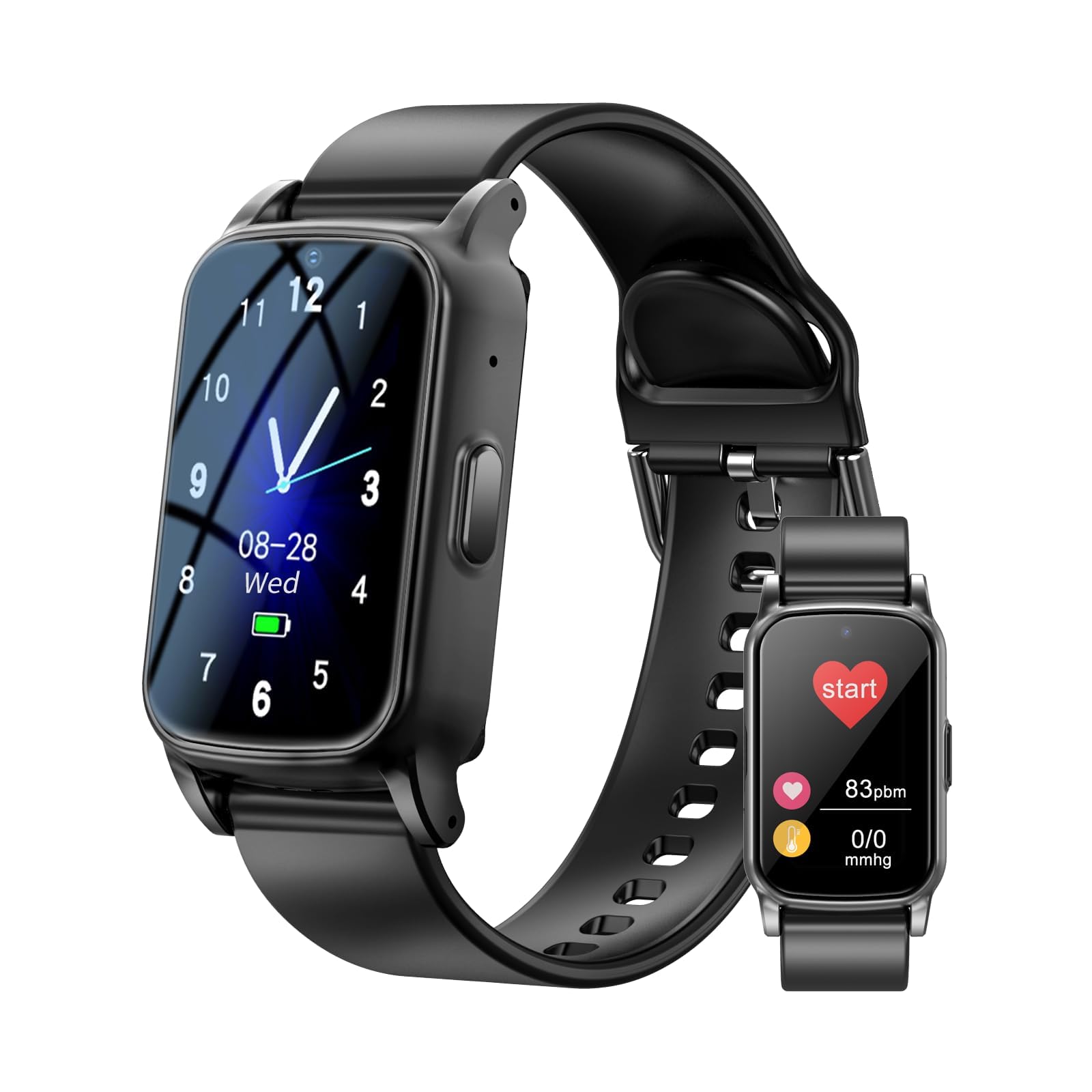
Image: The watch's fall detection feature automatically alerts caregivers when a fall is detected.
4.5. Health Monitoring
The watch includes various health monitoring features:
- Pedometer: Tracks daily steps and activity levels.
- Heart Rate & SpO2: Monitors heart rate and blood oxygen levels.
- Sleep Monitor: Analyzes sleep patterns.
- Medicine Reminder: Set reminders for medication schedules.
- Sedentary Reminder: Alerts the user to move after periods of inactivity.
4.6. Additional Features
The watch offers a range of other useful functions:
- Alarm Clock: Set multiple alarms for daily routines.
- Stopwatch: Basic timekeeping function.
- Calculator: Simple arithmetic tool.
- Camera & Photo Album: Capture and view photos directly from the watch.
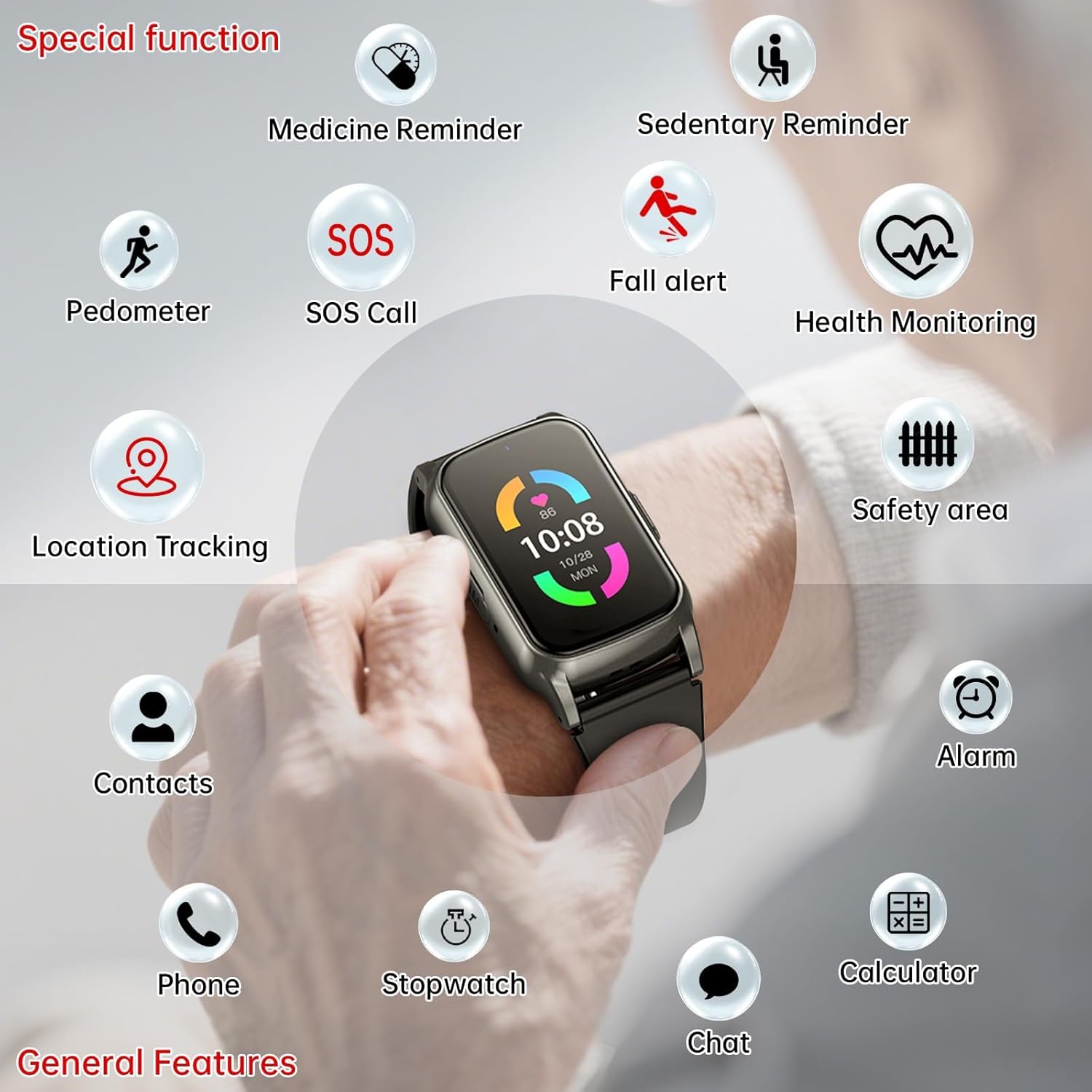
Image: An overview of the watch's diverse functions, including health monitoring, safety features, and daily utilities.
5. Maintenance
5.1. Water Resistance
The Fajocru Smart Health Watch is IP67 waterproof, meaning it can withstand water splashes, rain, and brief immersion up to 1 meter. It is suitable for daily use but not recommended for swimming or showering with hot water.

Image: The watch is designed to withstand water splashes and brief immersion, making it suitable for everyday use.
5.2. Cleaning
Wipe the watch and strap regularly with a soft, damp cloth. Avoid using harsh chemicals or abrasive materials that could damage the device.
5.3. Battery Care
To prolong battery life, avoid extreme temperatures and fully discharge and recharge the watch periodically. The 600mAh battery typically provides up to 5 days of average use.

Image: The watch features a 600mAh battery, offering approximately 5 days of usage on a single charge.
6. Troubleshooting
6.1. No Network/SIM Card Issues
- Ensure SIM is active: Verify that your SIM card is activated and has both call and data functions.
- Correct insertion: Make sure the SIM card was inserted while the watch was powered off. If not, power off, reinsert, and restart.
- SIM card size: Confirm the SIM card is the correct size (0.43 x 0.31 inch).
- Network coverage: Check if there is adequate 4G/5G network coverage in your area.
6.2. Watch Not Connecting to App
- Check network: Ensure the watch has a stable network connection (SIM card working).
- Re-bind: Try unbinding and re-binding the watch in the "Se Tracker" app.
- App version: Ensure you are using the latest version of the "Se Tracker" app.
6.3. Inaccurate GPS Location
- Outdoor use: GPS accuracy is best outdoors with a clear view of the sky.
- Network signal: A strong network signal is crucial for accurate location updates.
- Multiple positioning: The watch uses multiple positioning methods; allow time for it to acquire the most accurate signal.
7. Specifications
| Model Name | S5 (v46) |
| Brand | Fajocru |
| Operating System | Android and iOS compatible |
| Connectivity Technology | Cellular (4G, 5G), Bluetooth |
| Memory Storage Capacity | 1 GB |
| Screen Size | 2.64 Inches |
| Display Type | OLED |
| Battery Capacity | 600 mAh (Lithium Polymer) |
| Battery Average Life | Up to 5 days |
| GPS | Built-in GPS (GPS+Beidou+LBS+WIFI+TDOA+Inertial gyroscope) |
| Water Resistance Level | IP67 (Waterproof up to 1 meter) |
| Band Material Type | Silicone |
| Case Material Type | Metal |
| Dimensions (Band Width) | 0.8 Inches |
| Dimensions (Band Length) | 10.12 Inches |
8. Warranty and Support
8.1. Warranty Information
Specific warranty details are not provided in this manual. Please refer to the product packaging or the retailer's website for information regarding the warranty period and terms.
8.2. Customer Support
If you have any questions, require assistance with activation, or encounter issues not covered in this manual, please contact Fajocru customer service. You can typically reach support by sending an email to the seller via your order number on the platform where the product was purchased.


