
1. Introduction
This manual provides essential instructions for the safe and effective use of your PROHEAR 039 Bluetooth 6.0 Hearing Protection Headphones. Please read this manual thoroughly before using the product and retain it for future reference.
2. Safety Information
Your PROHEAR 039 headphones are designed to provide hearing protection in noisy environments. They are OSHA compliant with a 26dB Noise Reduction Rating (NRR). Always ensure the earmuffs fit snugly over your ears to achieve optimal noise reduction. Do not modify the device, as this may compromise its protective capabilities and void the warranty. Keep the charging port clean and dry to prevent damage.
3. What's in the Box
- 1 x PROHEAR 039 Safety Earmuffs
- 1 x USB Charging Cable
- 1 x Carrying Bag
- 1 x User Manual (this document)
4. Setup
4.1 Charging the Headphones
Before first use, fully charge your headphones. Locate the USB-C charging port at the base of one earcup. Connect the provided USB charging cable to the port and a suitable USB power source. A red LED indicator will illuminate during charging and turn off once fully charged. A full charge provides over 4 weeks of runtime.

Image: The USB-C charging port is located on the bottom of the right earcup. A lightning bolt icon indicates charging status.
4.2 Bluetooth Pairing
- Ensure the headphones are powered off.
- Press and hold the Power/Multi-function button until you hear an audible message indicating 'Power On' and then 'Pairing Mode'. The LED indicator will flash blue.
- On your device (smartphone, tablet, laptop), enable Bluetooth and search for available devices.
- Select 'EM039-BT' from the list of devices.
- Once connected, you will hear a confirmation tone or voice prompt. The LED indicator will show a steady blue light.

Image: The headphones can connect to various Bluetooth 6.0 enabled devices, including phones, tablets, and laptops.
5. Operating the Headphones
5.1 Controls
The headphones feature large, glove-friendly buttons for easy operation. The main controls are located on the right earcup:
- Power/Multi-function Button: Press and hold to power on/off. Short press to play/pause music or answer/end calls.
- Volume Control Knob: Rotate up or down to adjust the listening volume.
- Track Navigation Buttons: Use the dedicated buttons for skipping tracks forward or backward.

Image: The large, tactile buttons are designed for easy use, even when wearing work gloves.
5.2 Audio Quality and Noise Reduction
Experience clear, high-fidelity audio for music, podcasts, and audiobooks. The headphones provide a powerful volume output suitable for noisy environments. With a certified 26dB NRR, they effectively reduce harmful noise levels, protecting your hearing while allowing you to enjoy your audio content.
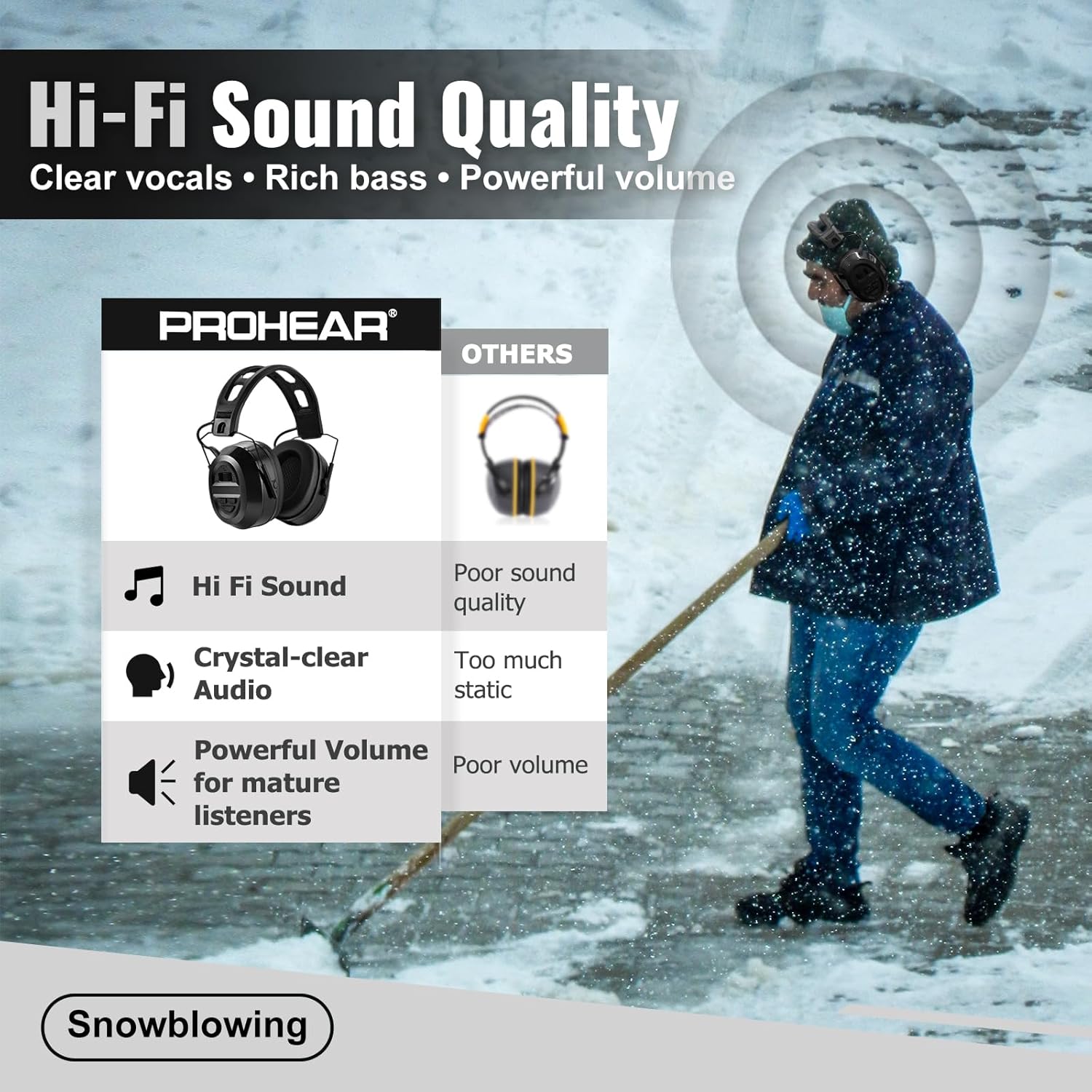
Image: The headphones deliver Hi-Fi sound quality with clear vocals, rich bass, and powerful volume, ideal for use during activities like snowblowing.

Image: Certified 26dB NRR ensures effective hearing protection, compliant with OSHA standards, as indicated by various certifications like RoHS, FC, MSDS, CE, and Prop 65.
5.3 Comfort and Fit
The PROHEAR 039 headphones are designed for long-lasting comfort. They feature soft, ventilated ear cups and a breathable headband. The headband is also detachable, allowing for compatibility with hard hats for use in workshops, gardening, or light industrial settings.

Image: Features like soft ear cushions and a breathable headband enhance comfort during extended wear.

Image: The detachable headband allows for easy integration with hard hats, making the headphones suitable for various work environments.
5.4 Official Product Video
Video: This official product video demonstrates the Hi-Fi sound, Bluetooth 6.0 connectivity, and noise reduction capabilities of the PROHEAR 039 headphones, highlighting their use in various noisy work environments.
6. Maintenance
6.1 Cleaning
Wipe the headphones with a soft, damp cloth. Do not use harsh chemicals or abrasive cleaners. Ensure the charging port is free of dust and debris. Do not submerge the headphones in water.
6.2 Storage
When not in use, store the headphones in the provided carrying bag to protect them from dust and damage. Store in a cool, dry place away from direct sunlight and extreme temperatures.
7. Troubleshooting
- No Power: Ensure the headphones are fully charged. Connect to a power source and check the charging indicator.
- Cannot Pair Bluetooth: Ensure the headphones are in pairing mode (flashing blue LED). Turn off and on your device's Bluetooth. Move closer to the headphones.
- Poor Audio Quality/Low Volume: Adjust the volume control knob on the headphones and your connected device. Ensure the earcups are properly sealed around your ears.
- Microphone Issues: The built-in microphone is designed for hands-free calls. In very noisy environments, background noise may affect call clarity for the other party.
- Uncomfortable Fit: The headband is adjustable. Adjust the earcups to find a comfortable and secure fit.
8. Specifications
| Feature | Detail |
|---|---|
| Brand | PROHEAR |
| Model Number | EM039 |
| Bluetooth Version | 6.0 |
| Noise Reduction Rating (NRR) | 26dB |
| Battery Capacity | 1500mAh |
| Battery Life | Up to 4+ weeks on one charge |
| Charging Port | USB-C |
| Ear Placement | Over Ear |
| Control Type | Button Control & Siri |
| Weight | 16 ounces |
| Material | Durable ABS Shell & Ultra soft Cushion |
9. Warranty and Support
PROHEAR provides a 1-year warranty for this product. For warranty claims, technical support, or further assistance, please contact PROHEAR customer service through their official website or the retailer where the product was purchased. Please have your model number (EM039) and proof of purchase ready.


