1. Introduction
Thank you for choosing the CYKOV Ergonomic Office Chair with Footrest. This manual provides essential information for the safe and efficient assembly, operation, and maintenance of your new chair. Designed for optimal comfort and support, this chair features multiple adjustment systems to enhance your work, gaming, or relaxation experience.
2. Important Safety Information
Please read and understand all instructions before assembly and use. Keep this manual for future reference.
- Always assemble the chair according to the provided instructions.
- Do not exceed the maximum weight recommendation of 330 pounds.
- Keep the chair away from heat sources and sharp objects to prevent damage to the material.
- Ensure all screws and bolts are tightened securely before use. Periodically check and re-tighten if necessary.
- Avoid standing on the chair or using it as a step stool.
3. Package Contents
Before beginning assembly, ensure all components are present and undamaged. Refer to the included assembly instructions for a detailed list of parts and hardware.

Image: All components of the CYKOV Ergonomic Office Chair laid out for assembly, including the seat, backrest, headrest, armrests, base, wheels, and hardware.
4. Assembly Instructions
Your CYKOV office chair is designed for straightforward assembly. An Allen wrench and all necessary hardware are included. For detailed step-by-step instructions, please refer to the separate assembly manual provided in the packaging.
General Assembly Steps:
- Attach the wheels to the chair base.
- Insert the gas lift cylinder into the center of the base.
- Secure the mechanism plate to the underside of the seat cushion.
- Attach the backrest to the seat cushion.
- Install the armrests to the sides of the seat.
- Mount the headrest to the top of the backrest.
- Place the assembled seat onto the gas lift cylinder.
5. Operating Adjustments
Your CYKOV chair offers multiple adjustments for personalized comfort.
5.1. Seat Height Adjustment
To adjust the seat height, pull the lever located on the right side of the seat upwards while applying or releasing body weight. The chair offers a 4-inch height lift to fit various desk heights.

Image: The chair's height adjustment lever and a visual representation of its 360-degree swivel capability.
5.2. Lumbar Support Adjustment
The chair features a 2-way lumbar support system. Use the knob on the backrest to adjust the depth (1.18 inches) and height (2 inches) of the lumbar support to perfectly hug your lower back.

Image: A detailed view of the chair's adjustable lumbar support mechanism, showing controls for height and depth.
5.3. Headrest Adjustment
The headrest offers 4.72 inches of height adjustment and a 60° swivel. Press the buttons on the sides of the headrest to slide it up or down, and pivot it to find your ideal neck and head support.
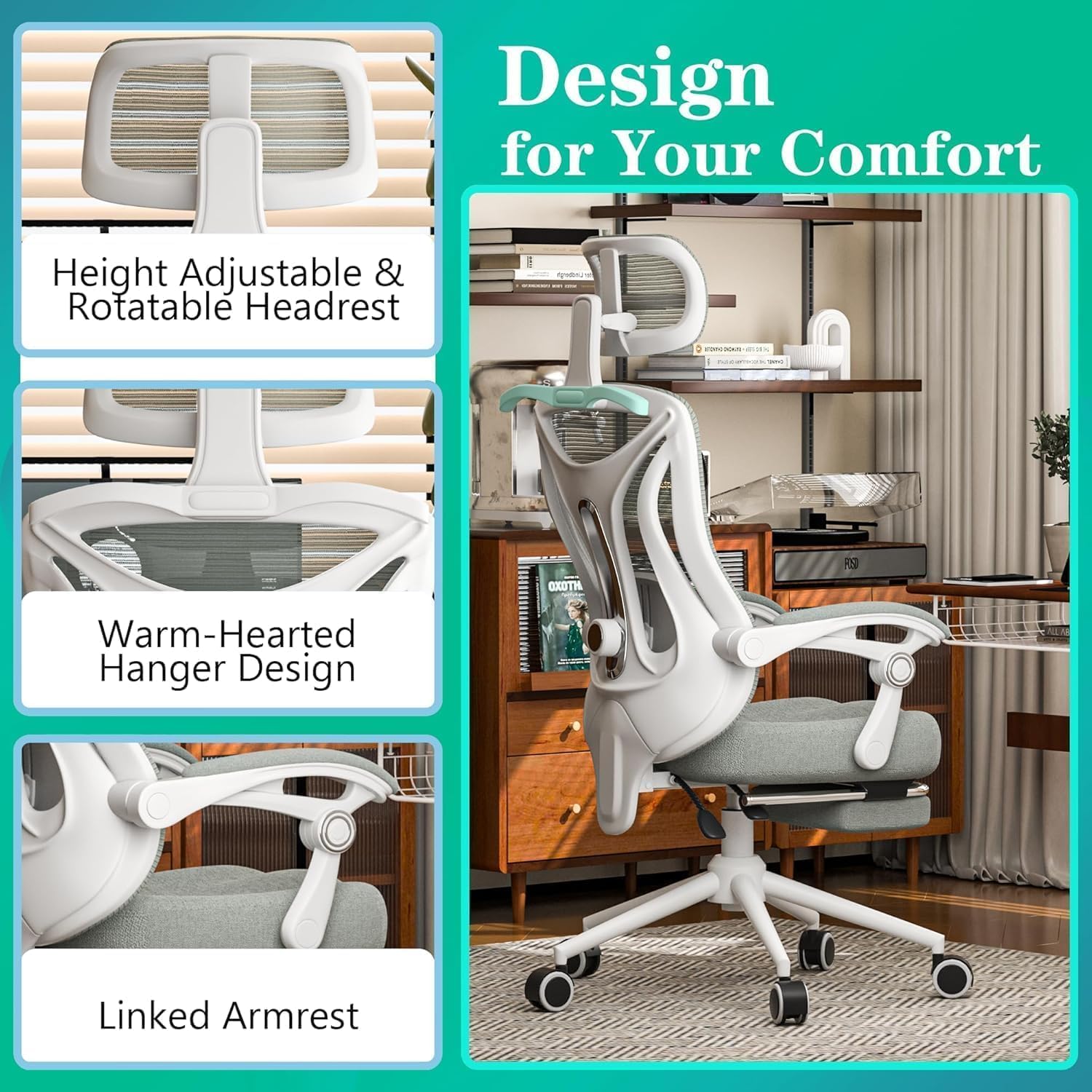
Image: The chair's headrest demonstrating its height and angle adjustment capabilities.
5.4. Armrest Adjustment
The armrests can be adjusted in height and can also slide forward/backward and pivot inward/outward. They also feature a flip-up design, allowing you to push the chair closer to your desk or customize your seating position.
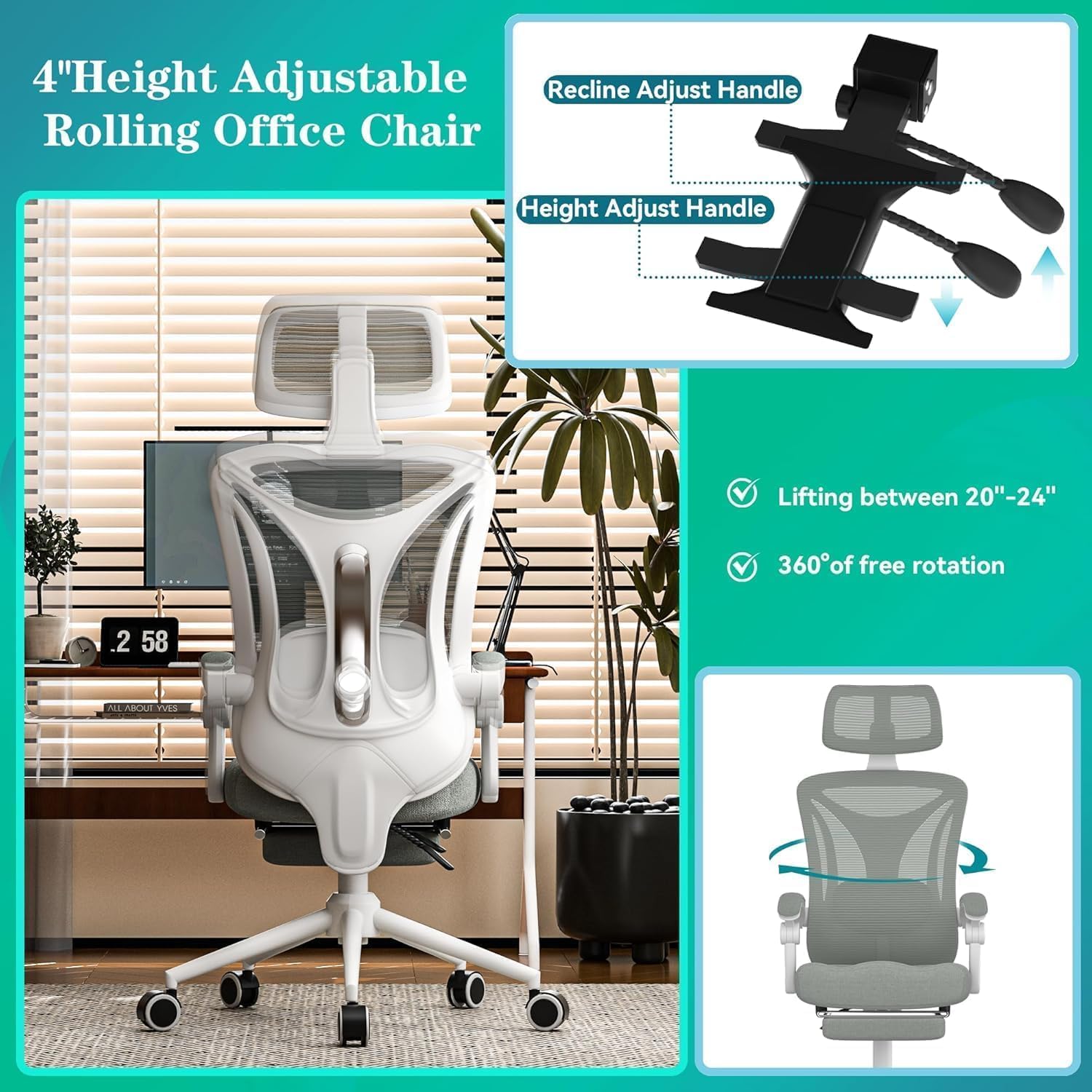
Image: The chair's armrests illustrating their height adjustment and pivot functionality.
5.5. Recline and Footrest
The chair reclines from 90° (work mode) to 160° (nap mode) with lockable angles. Pull the lever on the left side of the seat outwards to recline, and push it inwards to lock the desired angle. The retractable footrest can be pulled out and extended to transform your chair into a comfortable lounging position.
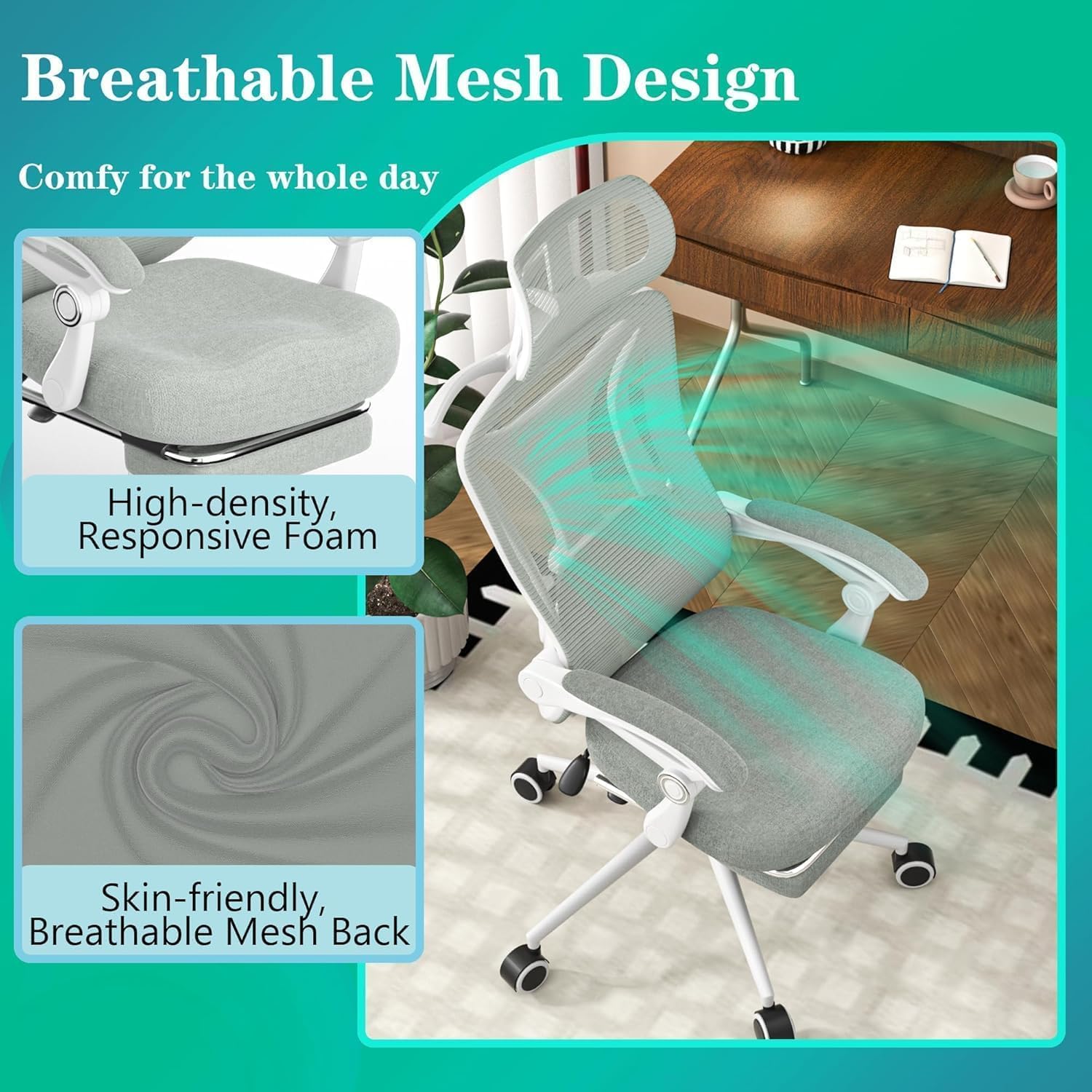
Image: The CYKOV chair fully reclined with its footrest extended, demonstrating a comfortable lounging position.
5.6. Breathable Mesh and Seat Cushion
The chair features a skin-friendly, breathable mesh back for optimal airflow, preventing heat buildup. The seat cushion is made with high-density foam for lasting comfort and support.

Image: A close-up view highlighting the breathable mesh material of the backrest and the high-density foam of the seat cushion.
5.7. Built-in Hanger
A convenient built-in hanger is located on the back of the chair, perfect for hanging jackets, headsets, or bags to keep your workspace tidy.
5.8. Product Videos
Video: This video demonstrates the various ergonomic adjustments and features of the CYKOV Comfy Ergonomic Office Desk Chair with Footrest, including the headrest, lumbar support, armrests, recline function, and footrest.
Video: This video showcases the ergonomic design and home office suitability of the CYKOV Ergonomic Home Office Desk Chair with Footrest, highlighting its comfort and adjustability.
6. Maintenance
To ensure the longevity and performance of your CYKOV office chair, follow these maintenance guidelines:
- Cleaning: Wipe mesh and foam surfaces with a damp cloth and mild soap. Avoid harsh chemicals that may damage the materials.
- Inspection: Periodically check all screws and bolts to ensure they are tight. Re-tighten if any looseness is detected.
- Moving Parts: Keep moving parts (wheels, gas lift) free from dust and debris to ensure smooth operation.
7. Troubleshooting
If you encounter any issues with your chair, please refer to the following common solutions:
- Chair not adjusting height: Ensure the gas lift lever is fully engaged and that there are no obstructions.
- Squeaking noises: Check and tighten all assembly screws. Lubricate moving parts if necessary.
- Chair feels unstable: Verify that all components are correctly assembled and tightened according to the instructions.
For further assistance, please contact customer support.
8. Specifications
| Feature | Detail |
|---|---|
| Brand | CYKOV |
| Model Name | home office chair |
| Item Model Number | CY59KT-AU |
| Color | Light Grey |
| Product Dimensions | 22"D x 20"W x 40"H |
| Maximum Weight Recommendation | 330 Pounds |
| Material | Nylon, Foam |
| Back Style | Mesh Back |
| Special Feature | Adjustable Height, Lumbar Support, Headrest, Reclining, Footrest |
| Reclining Position Count | 3 (90°-160°) |
| Item Weight | 28.6 pounds |
9. Warranty & Support
Your CYKOV Ergonomic Office Chair is backed by a 5-Year Warranty. We stand behind our product and are committed to ensuring your satisfaction. For any quality issues or support needs, please contact our customer service team.
Customer Support: Please refer to the contact information provided on your warranty card or product packaging for assistance.