
1. Introduction
The PCCOOLER DA240 ARGB Liquid CPU Cooler is an all-in-one (AIO) liquid cooling solution designed to provide efficient heat dissipation for your CPU. Featuring a 240mm aluminum radiator, dual 120mm ARGB PWM fans, and a full ceramic bearing pump, this cooler offers stable performance and customizable lighting effects. It is compatible with a wide range of Intel and AMD sockets, including the latest LGA1851/1700 and AM5 platforms.
2. Package Contents
Please verify that all components are present before proceeding with installation.
- PCCOOLER DA240 ARGB 240mm Liquid CPU Cooler (Pre-assembled with pump, radiator, and two 120mm ARGB PWM fans)
- Intel Backplate
- AMD Bracket
- Intel Bracket
- Intel & AMD Universal Screws and Nuts
- Intel 20XX Screws
- Radiator Screws
- Thermal Paste (Note: The thermal paste will be shipped in either the new or old version at random. Please refer to the actual product received.)

Image: Included mounting hardware and accessories for Intel and AMD platforms.
3. Setup and Installation
This section outlines the general installation process. Specific steps may vary slightly based on your PC case and motherboard. Always refer to your motherboard manual for precise component placement.
3.1 Compatibility
The PCCOOLER DA240 ARGB is compatible with the following CPU sockets:
- Intel: LGA115X/1200/1700/1851/20XX
- AMD: AM4/AM5
3.2 Pre-Installation Steps
- Power off your computer and disconnect all cables.
- Open your PC case to access the motherboard and CPU area.
- Remove any existing CPU cooler. Clean the CPU surface thoroughly to remove old thermal paste.
3.3 Installing the Radiator and Fans
The two 120mm ARGB PWM fans are pre-installed on the 240mm aluminum radiator for convenience.

Image: High-capacity radiator with dense fin array for efficient heat transfer.

Image: Advanced 120mm ARGB PWM fan with specifications for speed, airflow, and static pressure.
- Determine the optimal mounting location for the 240mm radiator in your PC case (e.g., top, front).
- Secure the radiator to the case using the provided radiator screws. Ensure proper airflow direction (intake or exhaust) based on your case's cooling design.
3.4 Installing the Pump Block

Image: Exploded view of the low-noise pump featuring a large copper base for CPU heatsource coverage.
- Select the appropriate mounting bracket (Intel or AMD) and backplate for your motherboard socket.
- Attach the backplate to the rear of your motherboard, aligning the holes with the CPU socket.
- Apply a small amount of thermal paste to the center of your CPU's integrated heat spreader (IHS).
- Carefully place the pump block onto the CPU, ensuring the copper base makes full contact.
- Secure the pump block with the universal screws and nuts, tightening them in a diagonal pattern until snug. Avoid over-tightening.
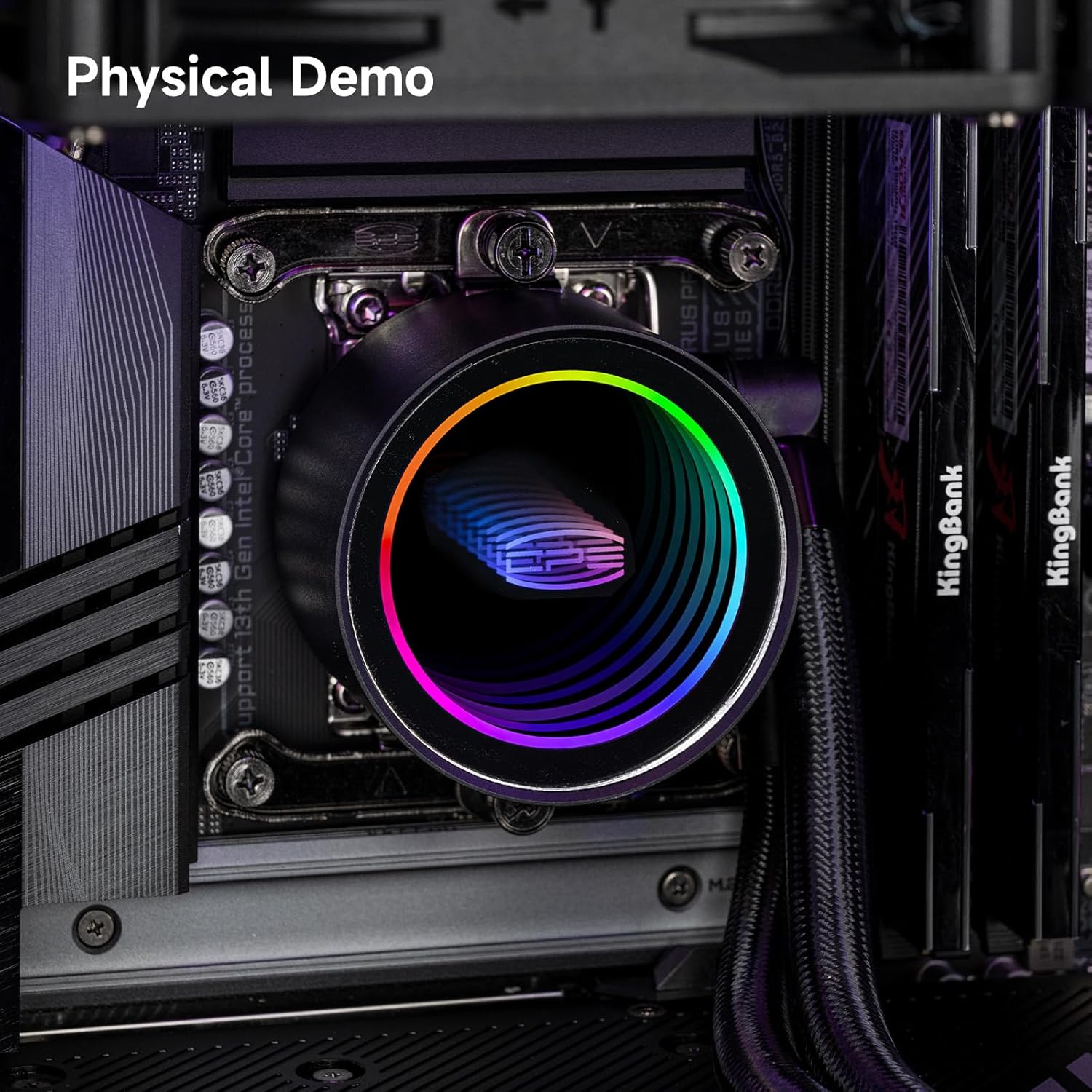
Image: The PCCOOLER DA240 ARGB Liquid CPU Cooler fully installed within a computer system.
3.5 Cable Management
The pre-installed fans feature a hidden daisy-chain connection, simplifying cable management.

Image: Durable, wear-resistant tubes ensuring maximum safety and longevity for the liquid cooling system.
- Connect the 4-pin PWM fan cable from the radiator to an available CPU_FAN or SYS_FAN header on your motherboard.
- Connect the 3-pin 5V ARGB cable from the pump head to a compatible 5V ARGB header on your motherboard.
- Route all cables neatly to ensure proper airflow and a clean build aesthetic.
4. Operating Instructions
4.1 ARGB Lighting Control
The pump head and fans support 5V 3-pin ARGB synchronization. This allows for customizable lighting effects.

Image: The infinitive ARGB halo lighting effect on the pump head, creating a vivid visual.
- To control the ARGB lighting, use your motherboard's RGB software (e.g., ASUS Aura Sync, MSI Mystic Light Sync, GIGABYTE RGB Fusion, ASRock Polychrome Sync).
- Ensure the 5V ARGB cable is correctly connected to the motherboard header.
- Refer to your motherboard's manual for specific instructions on using its RGB software.
4.2 PWM Fan Control
The 120mm fans are PWM (Pulse Width Modulation) controlled, allowing for dynamic fan speed adjustments based on CPU temperature.
- Fan speed can be managed through your motherboard's BIOS/UEFI settings or dedicated fan control software.
- Configure fan curves to balance cooling performance and noise levels according to your preferences.
5. Maintenance
Regular maintenance helps ensure optimal performance and longevity of your liquid CPU cooler.
- Dust Removal: Periodically clean the radiator fins and fan blades to prevent dust buildup, which can impede airflow and reduce cooling efficiency. Use compressed air or a soft brush.
- Cable Inspection: Check all cables (PWM, ARGB) for secure connections and signs of wear.
- Tubing Inspection: Visually inspect the wear-resistant tubes for any kinks, leaks, or damage.
- Pump Operation: Listen for any unusual noises from the pump. The full ceramic bearing pump is designed for low noise and durability.
6. Troubleshooting
If you encounter issues with your PCCOOLER DA240 ARGB, refer to the following common troubleshooting steps:
| Problem | Possible Cause | Solution |
|---|---|---|
| High CPU Temperatures | Improper thermal paste application; Loose pump block; Insufficient airflow; Dust buildup on radiator. | Reapply thermal paste; Ensure pump block is securely mounted; Check fan orientation and clean radiator; Adjust fan curves in BIOS. |
| Fans Not Spinning / No ARGB Lighting | Loose or incorrect cable connections; Motherboard RGB software not configured; Faulty fan/pump. | Verify all 4-pin PWM and 3-pin 5V ARGB cables are correctly connected; Check motherboard BIOS/software settings; Contact support if components are faulty. |
| Unusual Noise from Cooler | Air bubbles in the loop (new installation); Fan rubbing against cables; Pump malfunction. | Allow system to run for a while to circulate coolant and remove air bubbles; Ensure no cables obstruct fan blades; Contact support if pump noise persists. |
7. Specifications
Key technical specifications for the PCCOOLER DA240 ARGB Liquid CPU Cooler:
- Model: DA240
- Cooling Method: Liquid (AIO)
- Radiator Size: 240mm (277mm × 120mm × 27mm)
- Fan Size: Dual 120mm ARGB PWM Fans
- Fan Speed: 400-1800 RPM ±10% (Max 2500 RPM)
- Fan Airflow: Up to 80.74 CFM (Max 73.6 CFM)
- Fan Static Pressure: Up to 2.91 mmH₂O (Max 2.43 mmH₂O)
- Noise Level: 36 Decibels (Max)
- Pump Type: Full Ceramic Bearing Pump
- Pump Speed: 2600 RPM (Max 3000 RPM ±10%)
- Power Connector Type: 4-Pin (PWM)
- ARGB Connector: 3-Pin 5V
- Voltage: 12 Volts
- Wattage: 15 Watts
- Compatible Devices: Desktop
- Item Weight: 2.87 Pounds
8. Warranty and Support
PCCOOLER products are designed for reliability and performance.
- Warranty: This product comes with a 2-year warranty from the date of purchase, ensuring long-lasting reliability and performance.
- Technical Support: For technical assistance, troubleshooting beyond this manual, or warranty claims, please contact PCCOOLER customer support through their official website or the retailer where the product was purchased.

