
Introduction
Thank you for choosing the ZYHKON SU9 Sleep Earbuds. These ultra-light wireless earbuds are designed for comfort and an immersive audio experience, especially for side sleepers. Featuring a smart touchscreen charging case, Bluetooth 5.4 connectivity, and customizable sound modes, the SU9 earbuds aim to enhance your sleep and audio experience. This manual provides detailed instructions for setup, operation, maintenance, and troubleshooting to ensure optimal performance.
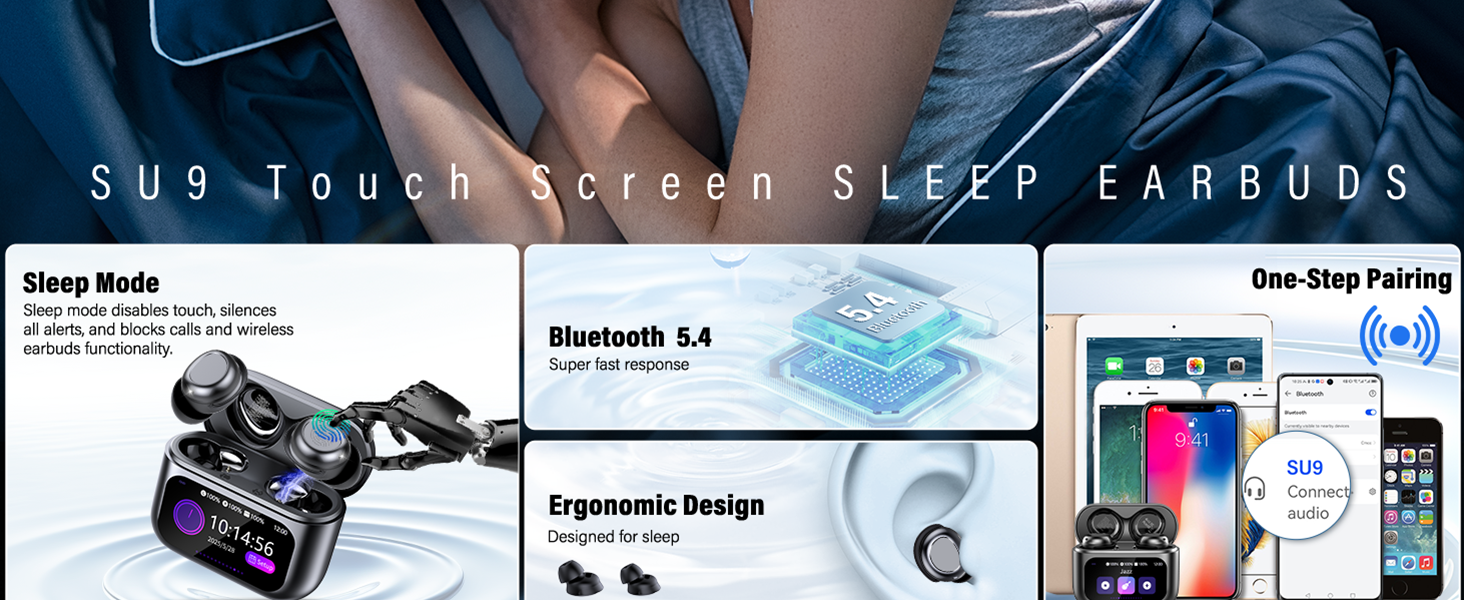
Overview of ZYHKON SU9 Sleep Earbuds features, including sleep mode, Bluetooth 5.4, ergonomic design, and one-step pairing.
What's in the Box
Please check the package contents to ensure all items are present:
- 2 x SU9 Sleep Earbuds (Left and Right)
- 1 x Portable Charging Case
- 1 x USB-C Charging Cable
- 1 x User Manual
- 2 x Pairs of Earcaps (various sizes)
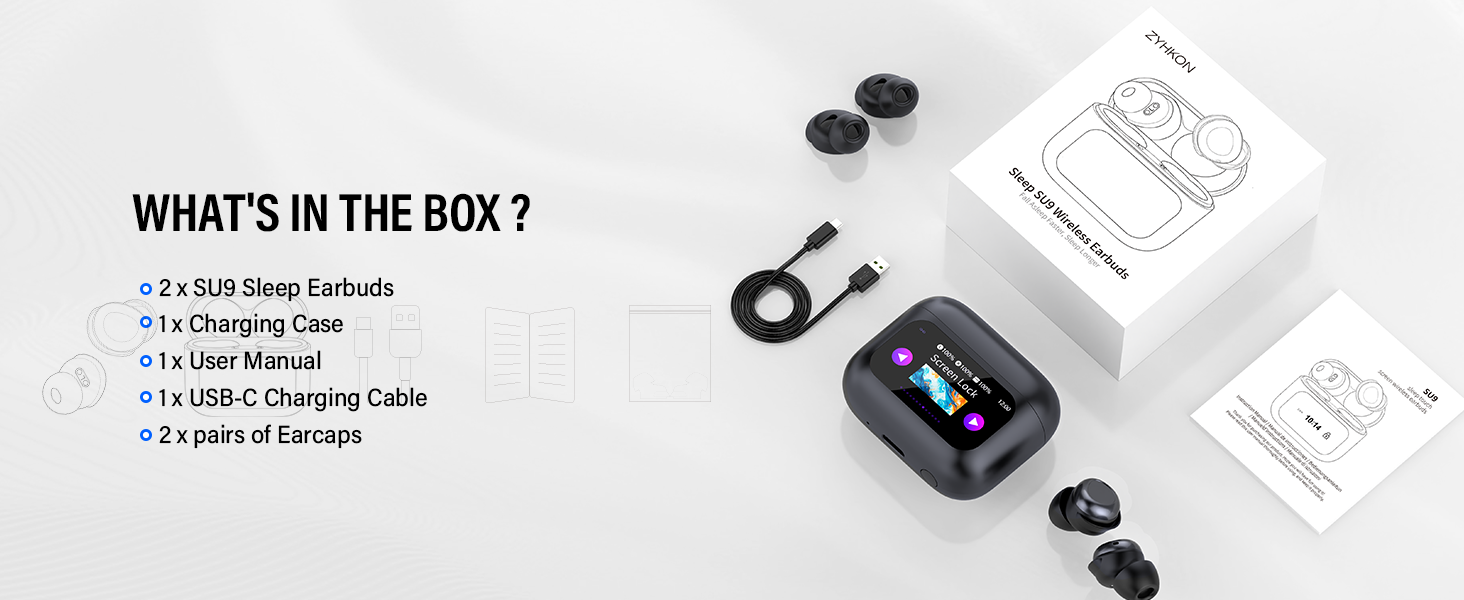
Illustration of all items included in the ZYHKON SU9 Sleep Earbuds package.
Product Overview
- Model: SU9
- Weight: Approximately 3.0 grams per earbud
- Connectivity: Bluetooth 5.4
- Drivers: 13mm Dynamic Drivers
- Control Method: Touchscreen on charging case, touch controls on earbuds
- Special Features: Sleep Mode, Ergonomic Design, Custom EQ Modes, Water Resistant
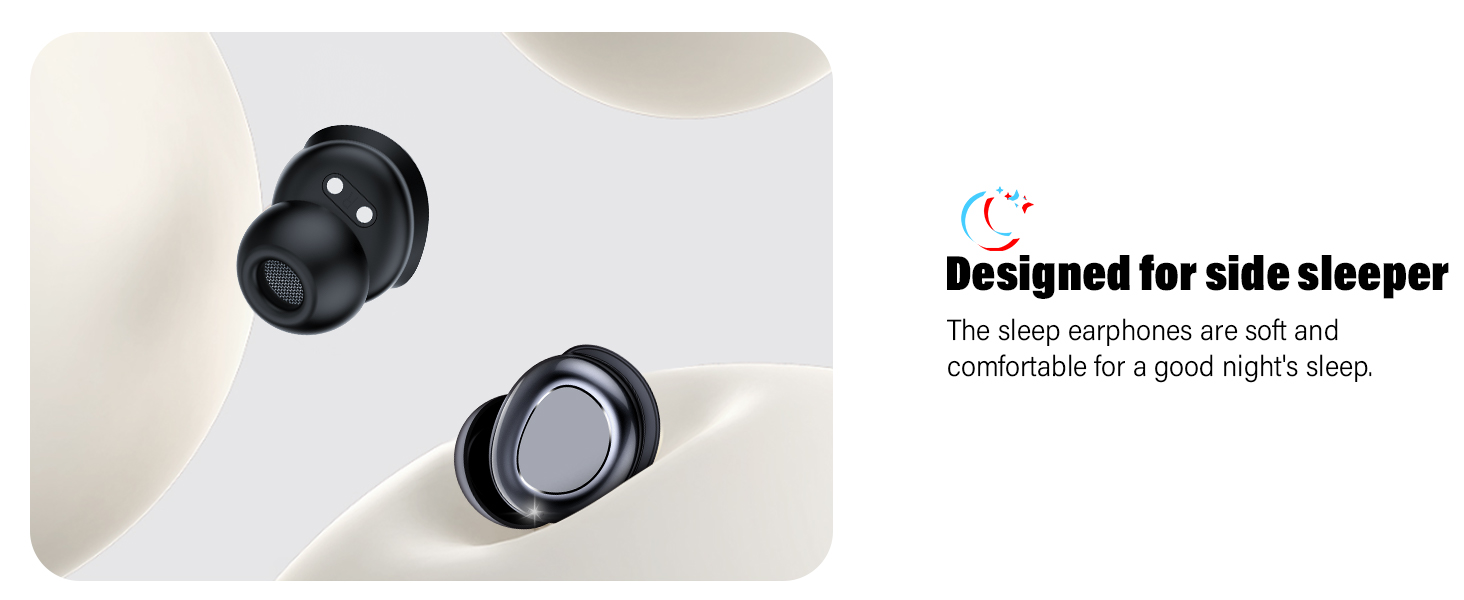
The feather-light design of the SU9 earbuds, weighing only 3.0 grams each.
The ergonomic design of the SU9 earbuds, optimized for comfort during side sleeping.
Setup
1. Charging the Earbuds and Case
Before first use, fully charge the earbuds and the charging case. Connect the provided USB-C charging cable to the charging case and a power source. A full charge for the case and earbuds takes approximately 1.5 hours.
- Earbud Playtime: Up to 6-8 hours on a single charge.
- Total Playtime: Up to 48 hours with the charging case.
To ensure uninterrupted sleep, check the battery level before going to bed. The earbuds will remain silent in sleep mode and will not issue low-battery or power-off voice prompts.
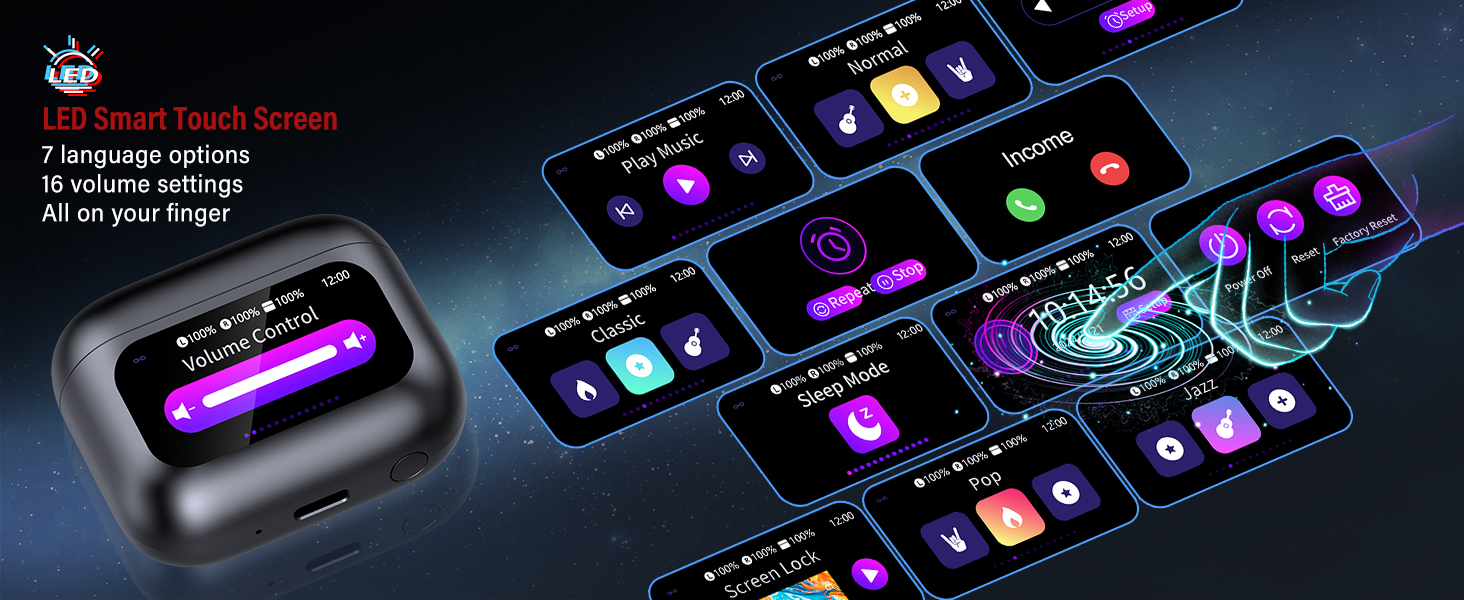
Charging illustration showing single charge playtime and total playtime with the charging case.
2. Bluetooth Pairing
- Open the charging case. The earbuds will automatically enter pairing mode.
- On your device (smartphone, tablet, etc.), enable Bluetooth.
- Search for "SU9" in the list of available Bluetooth devices and select it to connect.
- Once paired, the earbuds will automatically connect to your device when removed from the case.
Wearing Instructions
For optimal sound quality and comfort, ensure the earbuds are properly fitted in your ears.
- Select the appropriate ear tips that provide a secure and comfortable fit.
- Place the earbud into your ear canal with the ear cap pointing downwards.
- Slightly rotate the earbud to ensure a secure and snug fit.
- Adjust as needed for maximum comfort, especially when lying on your side.
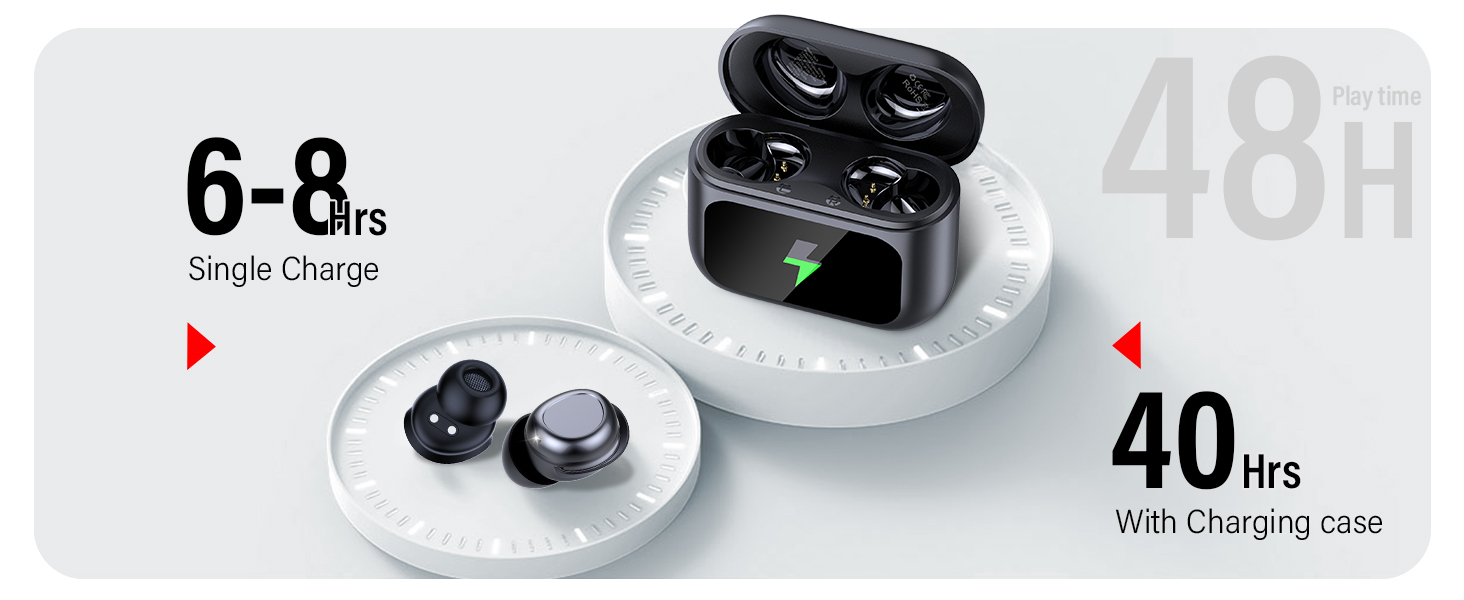
Step-by-step guide on how to properly wear the SU9 earbuds.
Operating Instructions
1. Smart Touchscreen Control (Charging Case)
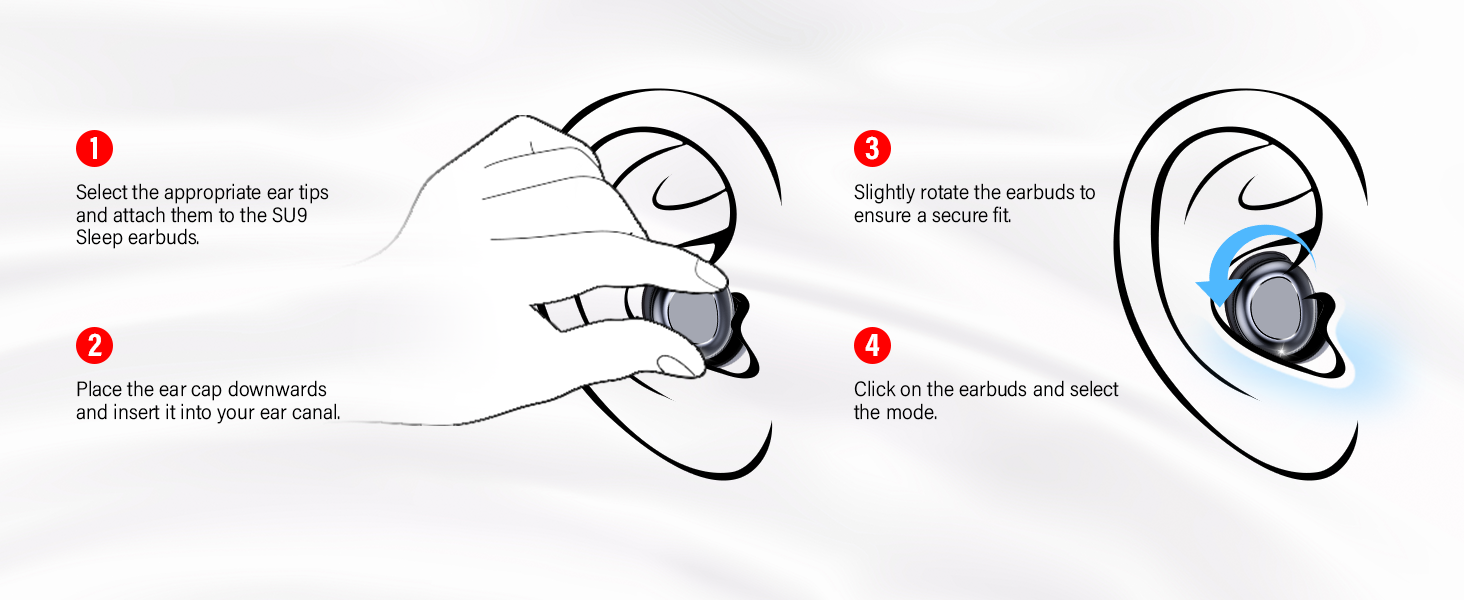
The charging case features a full-color LED touchscreen for intuitive control and customization.
- Sleep Mode Activation: Enable sleep mode directly from the touchscreen.
- Language Options: Choose from 7 language options.
- Wallpaper & Brightness: Adjust the screen's appearance.
- Volume Control: Adjust playback volume.
- EQ Modes: Select from 5 custom EQ modes.

Examples of the LED Smart Touch Screen interface and its functions.
2. Earbud Touch Controls
The earbuds themselves also feature touch controls for common functions:
For Calls:
- Answer Call: Tap 1x (Left or Right earbud)
- Hang Up: Tap 1x (Left or Right earbud)
- Reject Call: Press and hold for 2 seconds (Left or Right earbud)
For Music:
- Play/Pause: Tap 2x (Left or Right earbud)
- Previous Track: Press and hold for 2 seconds (Left earbud)
- Next Track: Press and hold for 2 seconds (Right earbud)
- Volume Up: Tap 1x (Right earbud)
- Volume Down: Tap 1x (Left earbud)
Other Functions:
- Voice Assistant: Tap 3x (Left or Right earbud)
- Enable Sleep Mode: Tap 4x (Left or Right earbud)
- Exit Sleep Mode: Tap 4x (Left or Right earbud)
Note: Sleep mode is not available when using only one earbud. If the primary earbud is turned off, the secondary earbud will automatically exit sleep mode.
Detailed touch control gestures for calls, music, and other functions.
3. Custom EQ Modes
The SU9 earbuds offer five expertly tuned EQ modes to customize your listening experience:
- Standard
- Classic
- Jazz
- Rock
- Pop
These modes can be selected via the touchscreen on the charging case to match your audio preference.
Maintenance
- Cleaning: Regularly clean the earbuds and charging case with a soft, dry cloth. Avoid using harsh chemicals or abrasive materials.
- Ear Tips: Remove and clean the ear tips periodically to prevent wax buildup, which can affect sound quality.
- Charging Port: Keep the USB-C charging port free of dust and debris.
- Storage: When not in use, store the earbuds in their charging case to protect them and maintain battery life.
- Water Resistance: The earbuds are water resistant, but not waterproof. Avoid submerging them in water or exposing them to heavy rain. Dry them thoroughly if they get wet.
Troubleshooting
| Problem | Possible Cause | Solution |
|---|---|---|
| Earbuds not pairing | Bluetooth off on device, earbuds not in pairing mode, out of range. | Ensure Bluetooth is enabled on your device. Place earbuds in case, close, then open to re-enter pairing mode. Ensure earbuds are within 10 meters of your device. |
| No sound or low volume | Volume too low, ear tips blocked, improper fit, un-paired. | Adjust volume on device and earbuds. Clean ear tips. Re-seat earbuds for a secure fit. Re-pair earbuds if necessary. |
| Earbuds not charging | Charging cable issue, dirty charging contacts, case battery low. | Check USB-C cable and power source. Clean charging contacts on earbuds and case. Ensure charging case has sufficient battery. |
| Sleep mode voice prompts | Sleep mode not activated, or only one earbud in use. | Activate sleep mode via touch controls (4x tap) or charging case touchscreen. Ensure both earbuds are in use for sleep mode to function correctly. |
| Touch controls unresponsive | Earbuds need reset, temporary software glitch. | Place earbuds back in the charging case, close the lid, then open again. If issue persists, consult the charging case touchscreen for a factory reset option. |
Specifications
| Feature | Detail |
|---|---|
| Model Name | SU9 |
| Connectivity Technology | Wireless (Bluetooth 5.4) |
| Audio Driver Type | Dynamic Driver (13mm) |
| Earbud Weight | 3.0 grams per ear |
| Charging Time | 1.5 Hours (for full charge) |
| Battery Life (Earbuds) | 6-8 Hours (single charge) |
| Total Battery Life (with Case) | Up to 48 Hours |
| Control Method | Touch (earbuds), Touchscreen (charging case) |
| Water Resistance Level | Water Resistant |
| Compatible Devices | iOS, Android, and all devices with Bluetooth connectivity |
| Special Features | Sleep Mode, Ergonomic Design, Touchscreen Control, Custom EQ Modes |
Warranty and Support
ZYHKON is committed to providing quality products. Your SU9 Sleep Earbuds come with lifetime product quality support. If you encounter any issues or have questions regarding your product, please contact our customer support team. We offer 24/7 quick reply service and free replacements for eligible issues.
For assistance, please refer to the contact information provided on the ZYHKON official website or your purchase platform.