
1. Introduction
Thank you for choosing the Electactic Nugget Ice Maker Countertop. This appliance is designed to produce soft, chewable nugget ice, perfect for various beverages. Please read this manual thoroughly before operation to ensure safe and efficient use of your ice maker.
2. Safety Instructions
- ETL Certified: This ice maker is ETL-certified, ensuring it meets safety standards for reliable home use.
- Electrical Safety: Ensure the appliance is plugged into a grounded 110-Volt outlet. Do not operate with a damaged cord or plug.
- Ventilation: Maintain at least 6 inches of clearance around the ice maker's vents to ensure proper airflow and prevent overheating.
- Water Quality: Use potable water only.
- Placement: Place the ice maker on a stable, level surface away from direct sunlight or heat sources.
- Children: Keep children away from the appliance during operation.
3. Product Overview
The Electactic Nugget Ice Maker is designed for convenience and efficiency. Key components include:
- Transparent Lid: Allows you to monitor ice production without opening.
- Control Panel: Features LED indicators for 'Ice Full', 'Add Water', and an 'Ice/Clean' button.
- Ice Basket: Removable basket for collecting and serving ice.
- Water Reservoir: Located beneath the ice basket, for water storage.
- Handle: For portable transport of the unit.
- Drain Plug: Located at the bottom for easy water drainage during cleaning.

Figure 3.1: Electactic Nugget Ice Maker with its components.
4. Setup
4.1 Unboxing and Initial Placement
- Carefully remove the ice maker and all packaging materials from the box.
- Place the unit on a flat, stable surface. Ensure there is at least 6 inches of space around the sides and back for proper ventilation.
- Remove any protective tapes from the unit, including those inside the ice basket and on the control panel.
4.2 Handle Installation
The portable handle can be easily installed by sliding it over the designated slots on the sides of the ice maker until it locks securely into place.
4.3 Initial Cleaning
Before first use, it is recommended to run a self-cleaning cycle:
- Fill the water reservoir with clean, potable water up to the MAX fill line.
- Press and hold the 'Ice/Clean' button for 5 seconds. The blue light will illuminate, indicating the self-cleaning cycle has started.
- The cycle takes approximately 15 minutes. Once complete, drain the water using the drain plug at the bottom of the unit.
- Wipe the interior dry with a soft cloth.

Figure 4.1: Quick start guide for the ice maker.
5. Operating Instructions
5.1 Making Ice
- Ensure the unit is clean and the water reservoir is filled with potable water up to the MAX line.
- Press the 'Ice/Clean' button briefly to enter the ice-making mode. The white light will illuminate.
- The first batch of nugget ice will be ready in approximately 6 minutes.
- The ice maker can produce up to 35 lbs of ice per day.

Figure 5.1: The ice maker's efficient production capabilities.
5.2 Indicator Lights
- 'Ice Full' (Green LED): Illuminates when the ice basket is full, and the machine will automatically pause ice production.
- 'Add Water' (Red LED): Illuminates when the water level in the reservoir is low, and the machine will pause. Refill the reservoir to resume operation.
- 'Ice Making' (White LED): Indicates the machine is actively producing ice.
- 'Self-Cleaning' (Blue LED): Indicates the machine is running a cleaning cycle.

Figure 5.2: The intuitive one-touch control panel.
6. Maintenance
6.1 Regular Cleaning
Regular cleaning ensures optimal performance and hygiene. It is recommended to clean the unit weekly or monthly, depending on usage.
- Self-Cleaning Cycle: Follow the steps in Section 4.3 for a quick automated clean.
- Deep Cleaning: For a more thorough clean, remove the ice basket and manually wipe down the interior with a soft cloth and mild detergent. Rinse thoroughly.
- Draining: To completely empty the water reservoir, locate the drain plug at the bottom of the unit. Place a container underneath and remove the plug to drain the water. Reinsert the plug firmly after draining.
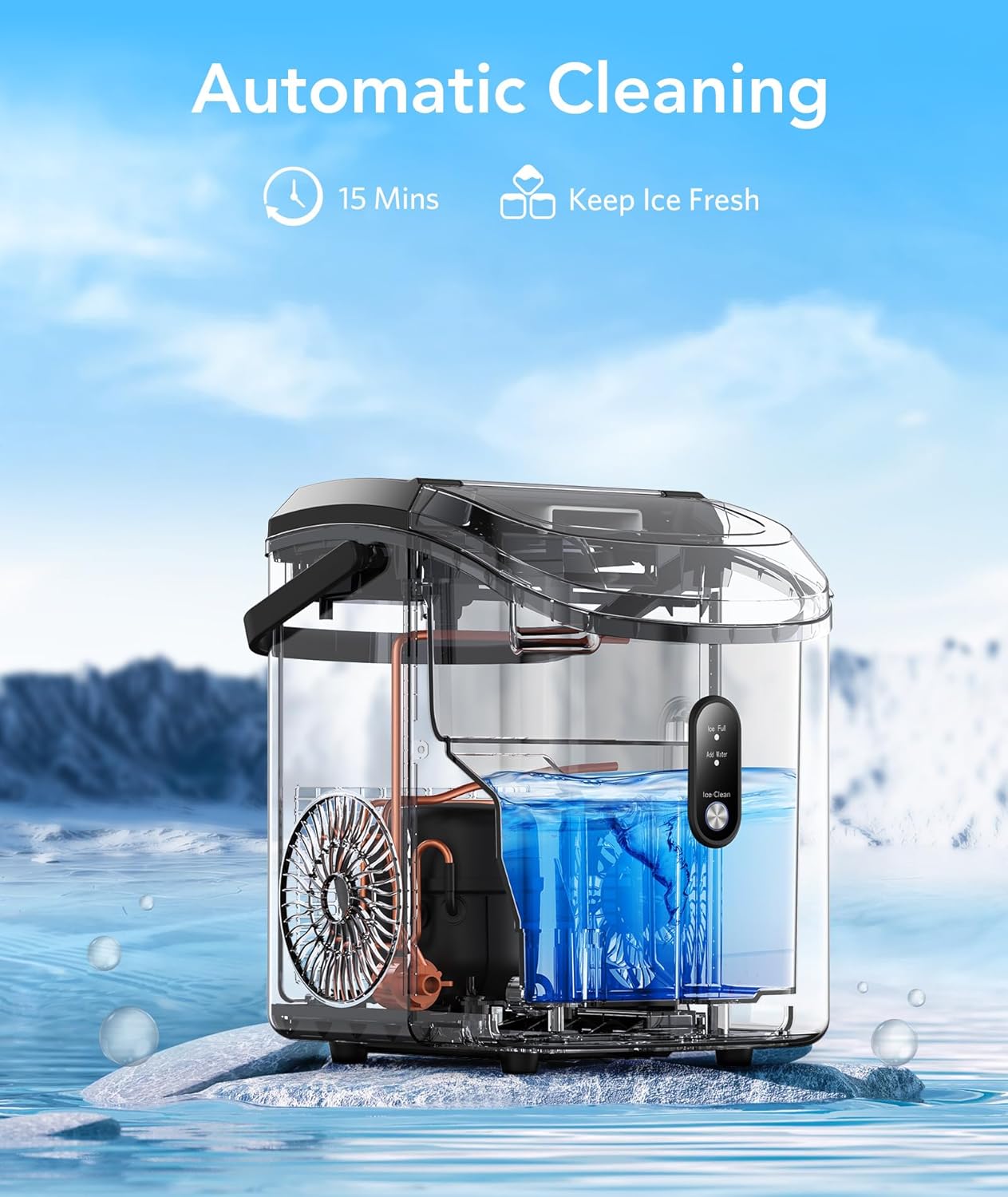
Figure 6.1: The automatic cleaning process in action.
6.2 Descaling
Over time, mineral deposits can build up in the ice maker. Use citric acid descaling powder (8 packs included with some models) to remove these deposits. Follow the instructions provided with the descaling powder for proper use.
7. Troubleshooting
| Problem | Possible Cause | Solution |
|---|---|---|
| No ice production | No water in reservoir; 'Add Water' light on. | Fill water reservoir to MAX line. |
| Ice production stopped; 'Ice Full' light on. | Ice basket is full. | Remove ice from the basket. |
| Ice melts quickly. | Ice storage area is not refrigerated. | Transfer ice to a freezer for long-term storage. |
| Unusual noise during operation. | Normal operation sounds (fan, water pump). | This is normal. If noise is excessive or unusual, contact support. |
8. Specifications
| Feature | Specification |
|---|---|
| Brand | Electactic |
| Model Name | Z5815SNH-BLACK |
| Product Dimensions | 12.99"D x 9.06"W x 11.81"H |
| Capacity | 35 Pounds/Day |
| Voltage | 110 Volts |
| Refrigerant | R600a |
| Material | Metal |
| Item Weight | 20.3 pounds |
9. Official Product Video
Video 9.1: An overview of the Electactic Nugget Ice Maker's features and operation.
10. Warranty and Support
For warranty information, technical support, or any inquiries regarding your Electactic Nugget Ice Maker, please refer to the contact details provided in your product packaging or visit the official Electactic website.


