
NOUUI NU-HS012
NOUUI NU-HS012 Open Ear Headphones User Manual
Model: NU-HS012 | Brand: NOUUI
Introduction
Thank you for choosing the NOUUI NU-HS012 Open Ear Headphones. These headphones are designed to provide high-definition stereo sound while allowing you to remain aware of your surroundings. Featuring an AI noise-cancelling microphone, Bluetooth 5.3, and dual device connectivity, they are suitable for various activities including work, workouts, and calls. This manual provides essential instructions for setup, operation, and maintenance to ensure optimal performance and longevity of your device.
Package Contents
- NOUUI NU-HS012 Open Ear Headphones
- Magnetic Induction Charger
- User Manual
Product Overview
Familiarize yourself with the components of your NOUUI NU-HS012 headphones.

Image 1: NOUUI NU-HS012 Open Ear Headphones. This image displays the overall design of the headphones, highlighting the open-ear hooks and the adjustable microphone boom.
- Open-Ear Hooks: Designed to rest gently on the outer ear, providing comfort and situational awareness.
- Adjustable Microphone: A 270° rotatable boom microphone with AI noise cancellation for clear voice pickup.
- Multifunction Button (MFB): Controls power, calls, and music playback.
- Volume Controls: Buttons located on the side for adjusting audio levels.
- Charging Port: For connecting the magnetic induction charger.
Setup
1. Charging the Headphones
Before first use, fully charge your NOUUI NU-HS012 headphones.
- Connect the magnetic induction charger to a USB power source.
- Place the headphones onto the charging base, ensuring the magnetic contacts align.
- The indicator light on the headphones will show charging status (refer to LED indicator section for details).
- A full charge takes approximately 2 hours and provides up to 14 hours of playback time.
2. Bluetooth Pairing
Pair your headphones with your device (smartphone, tablet, laptop, etc.) via Bluetooth.
- Ensure the headphones are powered off.
- Press and hold the Multifunction Button (MFB) until the LED indicator flashes blue and red, indicating pairing mode.
- On your device, enable Bluetooth and search for available devices.
- Select "NOUUI NU-HS012" from the list.
- Once connected, the LED indicator will flash blue slowly.
Note: The effective Bluetooth range is up to 15 meters (49 feet).
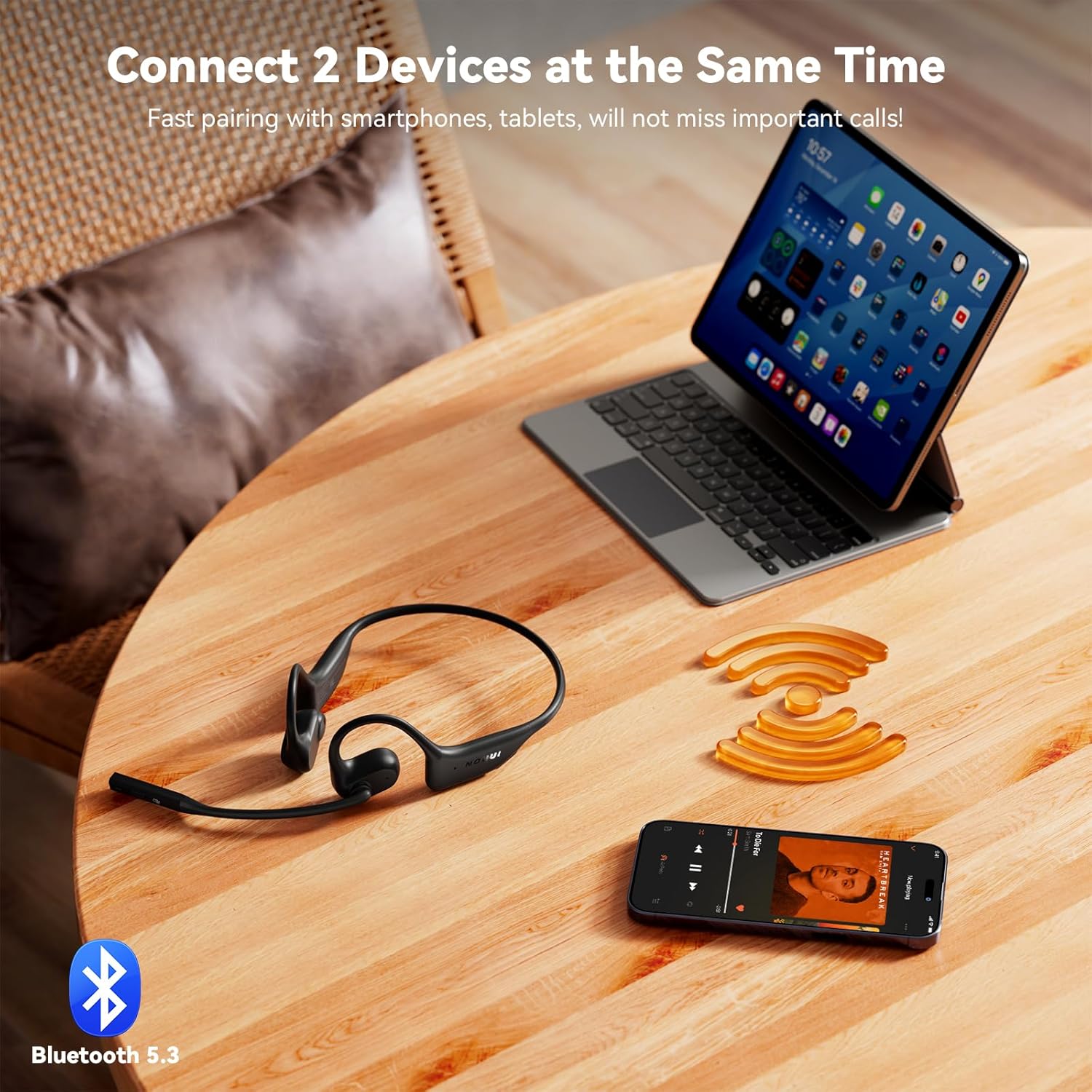
Image 2: NOUUI NU-HS012 Headphones demonstrating dual connection. The headphones are shown wirelessly connected to both a smartphone and a tablet, illustrating the ability to pair with two devices simultaneously.
Operating Instructions
Power On/Off
- Power On: Press and hold the MFB for 3 seconds. The LED indicator will flash blue.
- Power Off: Press and hold the MFB for 5 seconds. The LED indicator will flash red and then turn off.
Call Management
- Answer/End Call: Press the MFB once.
- Reject Call: Press and hold the MFB for 2 seconds.
- Mute Microphone: During a call, press the dedicated mute button on the microphone boom. Press again to unmute.
- Adjust Microphone: The microphone boom can be rotated 270° to position it optimally for clear voice pickup.

Image 3: Illustration of AI Noise Cancelling for clear calls. This image shows a person using the headphones while running, with a graphic demonstrating how background noise is reduced for clearer communication.
Music Playback
- Play/Pause: Press the MFB once.
- Next Track: Double-press the MFB.
- Previous Track: Triple-press the MFB.
Volume Control
- Increase Volume: Press the Volume Up button.
- Decrease Volume: Press the Volume Down button.
Dual Device Connection
The NOUUI NU-HS012 headphones can be connected to two Bluetooth devices simultaneously.
- Pair the headphones with the first device as described in the "Bluetooth Pairing" section.
- Disable Bluetooth on the first device. The headphones will re-enter pairing mode.
- Pair the headphones with the second device.
- Re-enable Bluetooth on the first device. The headphones should automatically connect to both devices.
- Audio will switch between devices based on which one is actively playing media or receiving a call.
Maintenance
Cleaning
- Wipe the headphones with a soft, dry, lint-free cloth.
- Do not use abrasive cleaners, solvents, or aerosol sprays.
Storage
- Store the headphones in a cool, dry place away from direct sunlight and extreme temperatures.
- Avoid placing heavy objects on the headphones.
Water Resistance
Important: The NOUUI NU-HS012 headphones are not water resistant. Avoid exposure to water, rain, sweat, or other liquids to prevent damage.
Troubleshooting
| Problem | Solution |
|---|---|
| Headphones do not power on. | Ensure the headphones are fully charged. Connect to the magnetic charger for at least 30 minutes. |
| Cannot pair with device. |
|
| No sound or low volume. |
|
| Microphone not working. |
|
Specifications
| Feature | Detail |
|---|---|
| Model Name | NU-HS012 |
| Brand | NOUUI |
| Connectivity Technology | Wireless (Bluetooth 5.3) |
| Bluetooth Range | Up to 15 meters (49 feet) |
| Ear Placement | Open Ear |
| Microphone | AI Noise Cancelling, 270° Rotating |
| Battery Life | Up to 14 hours |
| Charging Time | Approximately 2 hours |
| Weight | 29 grams (0.99 ounces) |
| Water Resistance | Not Water Resistant |
| Included Components | Headphones, Magnetic Induction Charger, User Manual |
Warranty and Support
NOUUI products are designed and manufactured to the highest quality standards. For information regarding warranty coverage, technical support, or customer service, please refer to the warranty card included with your product or visit the official NOUUI website.
Optional protection plans may be available for purchase separately. Please check with your retailer for details.
Safety Information
- Do not disassemble, repair, or modify the product.
- Keep the product away from extreme temperatures, humidity, and corrosive environments.
- Avoid dropping or subjecting the product to strong impacts.
- Do not expose the product to water or other liquids.
- Dispose of the product and its battery responsibly according to local regulations.
- Using headphones at high volume for extended periods can cause permanent hearing damage.
- Maintain awareness of your surroundings when using open-ear headphones, especially in traffic or other potentially hazardous situations.

Image 4: A man driving a car while wearing NOUUI NU-HS012 headphones. This image emphasizes the importance of maintaining situational awareness, especially when driving, even with open-ear headphones.
Ask a question about this manual
Ask about setup, troubleshooting, compatibility, parts, safety, or missing instructions. Manuals+ will review the question and use this page’s manual context to help answer it.