
Homedics SS-WB100
Homedics WakeBand Silent Vibrating Alarm Wristband User Manual
Model: SS-WB100
1. Introduction
Welcome to your Homedics WakeBand Silent Vibrating Alarm Wristband. This manual provides essential information for setting up, operating, and maintaining your device. The WakeBand is designed to offer a gentle, silent wake-up experience through customizable vibrations, ensuring you wake without disturbing those around you.

The Homedics WakeBand provides a silent, vibrating alarm to wake you gently without disturbing others.
2. Setup
2.1 Charging Your WakeBand
- Before first use, fully charge your WakeBand.
- Connect the magnetic charging cable to the charging port on the back of the WakeBand.
- Connect the USB end of the cable to a compatible USB power source.
- A full charge takes approximately 120 minutes and provides up to 6 days of battery life.
2.2 Downloading the App
- Search for the "Homedics" app on the Apple App Store (for iOS devices) or Google Play Store (for Android devices).
- Download and install the application on your smartphone.
2.3 Pairing Your WakeBand
- Ensure Bluetooth is enabled on your smartphone.
- Open the Homedics app and follow the on-screen instructions to pair your WakeBand.
- The app will guide you through the pairing process, typically involving selecting your device from a list.
2.4 Setting Your Alarm
- Within the Homedics app, navigate to the alarm settings.
- Set your desired wake-up time.
- Choose from 9 vibration patterns and 9 intensity levels to create your preferred alarm experience. This offers 81 customizable combinations.
- Save your alarm settings.
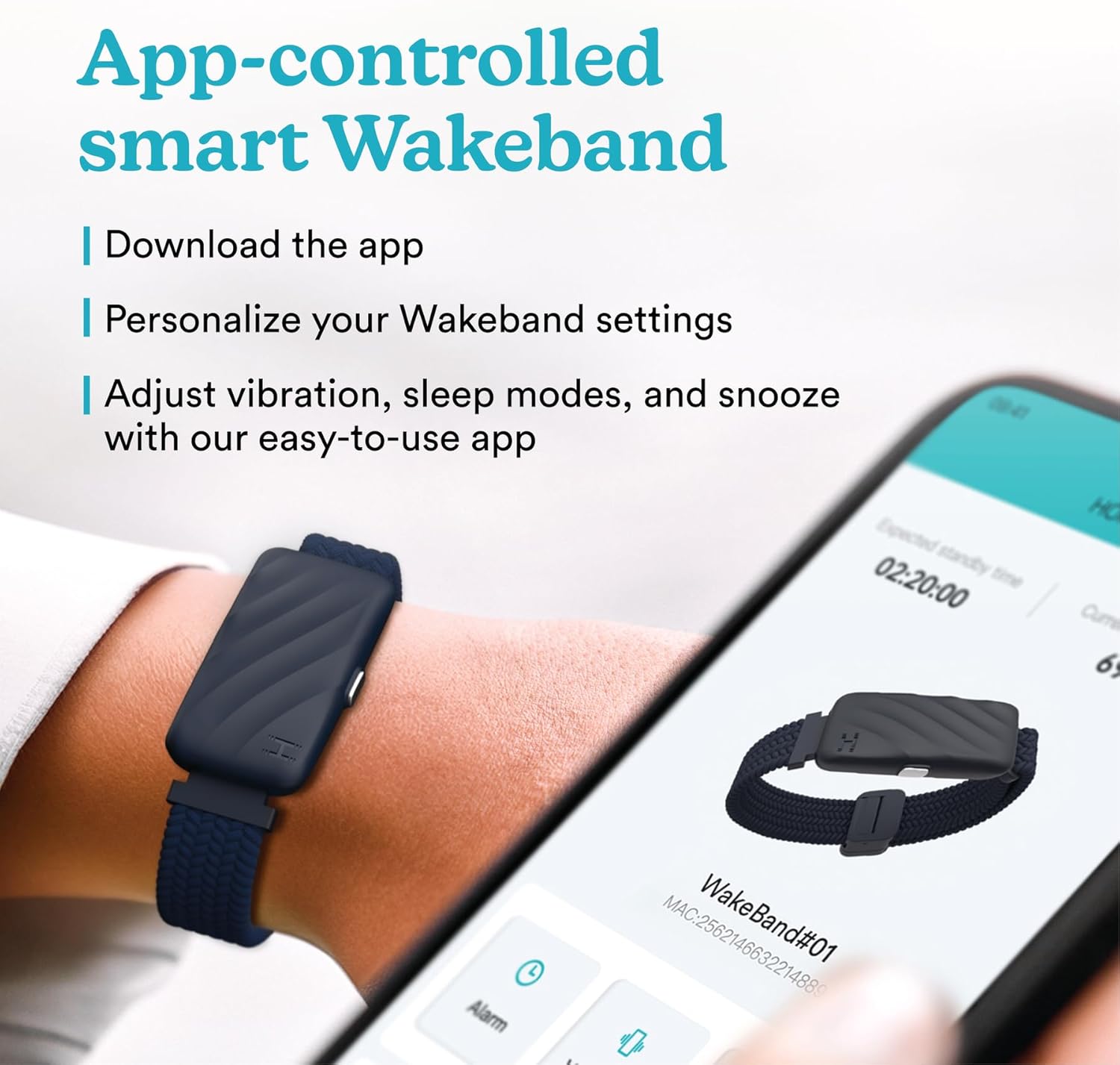
Manage your WakeBand settings, including alarms and vibration patterns, using the intuitive iOS/Android application.

The WakeBand offers easy setup and a convenient snooze function for additional rest.
3. Operating
3.1 Activating/Deactivating Alarms
All alarm settings are managed through the Homedics app. Ensure your WakeBand remains connected via Bluetooth to your smartphone for reliable alarm activation.
3.2 Snooze Function
When an alarm activates, press the button on the WakeBand to activate the snooze function for additional rest.
3.3 Vibration Customization
Use the app to experiment with different vibration patterns and intensities to find the setting that best suits your waking needs.

Experience personalized wake-ups with 81 customizable vibration combinations, a lightweight design for comfort, and long-lasting battery life.

The ultra-light design and adjustable magnetic strap ensure comfort throughout the night.

Ideal for parents or those with different schedules, the WakeBand allows for quiet wake-ups without disturbing others.
4. Maintenance
4.1 Cleaning
- Gently wipe the WakeBand with a soft, damp cloth.
- Avoid using harsh chemicals or abrasive cleaners.
- Ensure the charging port is dry before charging.
4.2 Storage
Store your WakeBand in a cool, dry place when not in use.
5. Troubleshooting
5.1 WakeBand Not Vibrating
- Check App Connection: Ensure your WakeBand is continuously connected to the Homedics app via Bluetooth. The alarm relies on this connection.
- Battery Level: Verify the WakeBand has sufficient battery charge. Recharge if necessary.
- Alarm Settings: Confirm the alarm is set correctly in the app, including time, pattern, and intensity.
- Device Power: Ensure the WakeBand is powered on.
5.2 Connectivity Issues
- Bluetooth Range: Keep your smartphone within close proximity to the WakeBand.
- Restart Devices: Try restarting both your smartphone's Bluetooth and the WakeBand (if applicable, by holding the button for a few seconds to power cycle).
- Re-pair Device: If issues persist, unpair and re-pair the WakeBand through the app.
5.3 Charging Problems
- Cable Connection: Ensure the magnetic charging cable is securely attached to the WakeBand and the USB power source.
- Power Source: Try a different USB power adapter or port.
- Clean Contacts: Gently clean the charging contacts on both the WakeBand and the cable.
6. Specifications
| Model Name | WakeBand |
| Model Number | SS-WB100 |
| Connectivity | Bluetooth |
| Battery Life | Up to 6 days |
| Charging Time | Approximately 120 minutes |
| Vibration Settings | 9 patterns, 9 intensities (81 combinations) |
| Compatibility | iOS and Android devices |
| Dimensions | 0.91 x 1.5 x 0.44 inches |
| Special Feature | Silent Wake-Up |
| Clasp Type | Magnetic |
7. Warranty
The Homedics WakeBand comes with a 1-year limited warranty. Please refer to the warranty card included in your product packaging or visit the Homedics website for full details and terms.
8. Support
For further assistance, frequently asked questions, or to contact customer support, please visit the official Homedics website or refer to the contact information provided in your product packaging.
An official overview of the Homedics WakeBand Silent Vibrating Alarm Wristband, demonstrating its features and benefits.
Ask a question about this manual
Ask about setup, troubleshooting, compatibility, parts, safety, or missing instructions. Manuals+ will review the question and use this page’s manual context to help answer it.