
1. Introduction
This manual provides detailed instructions for the safe and efficient operation of the Jesverty SPS-3030N DC Power Supply. This is a variable, regulated bench power supply designed for various applications requiring precise voltage and current control. Please read this manual thoroughly before using the device.
2. Safety Precautions
- Always connect the power supply to a grounded outlet.
- Do not operate the device in wet or damp conditions.
- Ensure proper ventilation around the unit to prevent overheating.
- Do not open the casing; there are no user-serviceable parts inside. Refer all servicing to qualified personnel.
- Verify the input voltage requirements match your local power supply before connecting. This model does NOT have a 115V/230V input selectable switch. The power cords and AC input settings vary depending on the destination for the product at the factory-shipment.
- Always set the current and voltage correctly before connecting a load, especially when charging batteries.
3. Product Overview
3.1 Front Panel
The front panel features a large 4-digit LED display for real-time voltage and current readings, encoder adjustment knobs for precise control, and front output terminals.

Figure 3.1: Front view of the Jesverty SPS-3030N DC Power Supply, highlighting the 4-digit LED display and encoder adjustment knobs for voltage and current.
- 4-Digit LED Display: Shows output voltage (V) and current (A) with a resolution of up to 0.01V and 0.001A.
- Voltage Adjustment Knob: Encoder knob for setting the output voltage.
- Current Adjustment Knob: Encoder knob for setting the output current limit.
- Front Output Terminals: Positive (+) and Negative (-) terminals for connecting loads, typically used for lower current applications (e.g., 5A max).
3.2 Rear Panel
The rear panel includes the main power input, fuse holder, and auxiliary output terminals for higher current applications.

Figure 3.2: Rear view of the Jesverty SPS-3030N DC Power Supply, illustrating the main output terminals, intelligent cooling fan, power input, and fuse.
- Main Output Terminals: Red for positive (+), Black for negative (-). These are the primary output terminals for the full rated current.
- Intelligent Cooling Fan: Temperature-controlled fan for efficient heat dissipation.
- AC Power Input: Connector for the power cord.
- Fuse Holder: Contains the protective fuse for the unit.
4. Setup
- Unpacking: Carefully remove the power supply from its packaging. Inspect for any signs of damage during transit.
- Placement: Place the unit on a stable, level surface with adequate ventilation. Ensure no objects obstruct the cooling fan vents on the rear panel.
- Power Connection: Connect the provided power cord to the AC power input on the rear panel and then to a suitable grounded electrical outlet.
- Initial Power On: Turn on the power switch. The LED display should illuminate, showing default voltage and current settings.
5. Operating Instructions
5.1 Basic Operation
- Setting Voltage: Rotate the Voltage Adjustment Knob to set the desired output voltage. The 4-digit LED display will show the set value.
- Setting Current Limit: Rotate the Current Adjustment Knob to set the maximum output current. This acts as a current limit to protect your load.
- Connecting Load: Connect your device or circuit to the output terminals. For higher currents, use the main output terminals on the rear. For lower currents (up to 5A), the front terminals can be used. Ensure correct polarity (+ to +, - to -).
- Applying Power: Once voltage and current limits are set and the load is connected, the power supply will deliver power according to the set parameters. The display will show the actual output voltage and current.
5.2 Constant Voltage (C.V.) Mode
In C.V. mode, the power supply maintains a constant output voltage as long as the load current does not exceed the preset current limit. If the load resistance decreases, the current will increase until it reaches the set current limit, at which point the unit will switch to C.C. mode.
5.3 Constant Current (C.C.) Mode
In C.C. mode, the power supply maintains a constant output current at the preset limit. This occurs when the load resistance is low enough to draw more current than the set limit. The output voltage will automatically adjust to maintain the constant current. The V and A settings you set are the crossover point at which the mode switches.
5.4 Battery Charging Function
The SPS-3030N can be used for charging various battery types, including Ni-MH, Lithium, LiFePO4, and Lead-Acid batteries. Important: Always set the correct voltage and current limits appropriate for the specific battery type and capacity before connecting the battery for charging.
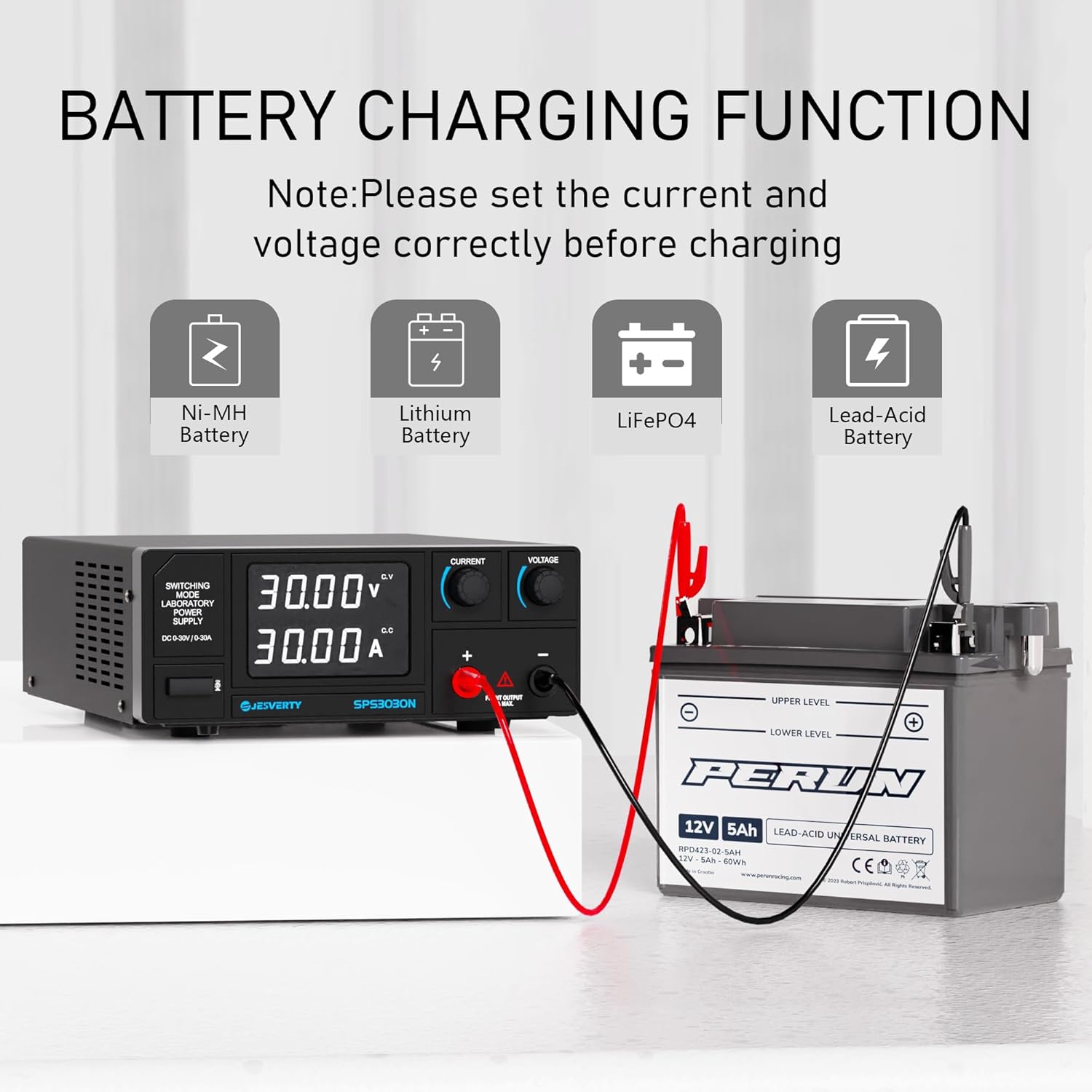
Figure 5.4: The Jesverty SPS-3030N DC Power Supply demonstrating its battery charging capability for various battery chemistries.
6. Maintenance
- Cleaning: Disconnect the power supply from the AC outlet before cleaning. Use a soft, dry cloth to wipe the exterior. Do not use abrasive cleaners or solvents.
- Ventilation: Regularly check that the cooling fan vents are free from dust and obstructions.
- Fuse Replacement: If the unit fails to power on, check the fuse located on the rear panel. Replace it only with a fuse of the same type and rating.
7. Troubleshooting
| Problem | Possible Cause | Solution |
|---|---|---|
| No power/Display off | Power cord not connected; Power switch off; Blown fuse | Check power cord connection; Turn on power switch; Replace fuse with correct rating. |
| No output voltage/current | Output terminals not connected; Voltage/Current set to zero; Overload protection activated | Connect load correctly; Adjust voltage/current knobs; Reduce load or check for short circuit. |
| Unit overheats | Blocked ventilation; Excessive load | Ensure clear airflow around vents; Reduce load or operating time. |
8. Specifications

Figure 8.1: Physical dimensions and weight of the Jesverty SPS-3030N DC Power Supply.
| Feature | Specification |
|---|---|
| Model | SPS-3030N |
| Output Voltage | 0-30V (Adjustable) |
| Output Current | 0-30A (Adjustable) |
| Output Power | 900W Max |
| Display | 4-Digit LED (0.01V, 0.001A resolution) |
| Control Method | Encoder Knobs |
| Cooling | Temperature Controlled Fan |
| Dimensions (D x W x H) | 290mm x 210mm x 80mm (approx. 11.4 x 8.3 x 3.15 inches) |
| Weight | Approx. 3.0 kg (6.4 lbs) |
| Connector Type | Binding Posts, Banana Jacks, Aux Output Terminal |
| Safety Certification | CE |
9. Warranty and Support
Jesverty provides professional technical support for this product. If you encounter any problems or have questions regarding your order or the device's operation, please contact Jesverty Customer Service via Amazon or email. Refer to the contact information provided with your purchase or on the official Jesverty website.


