
Introduction
Thank you for choosing the Coaster Home Furnishings Hewitt Dual Power Recliner Chair. This manual provides essential information for the safe assembly, operation, maintenance, and troubleshooting of your new recliner. Please read these instructions carefully before use and retain them for future reference.
The Hewitt recliner is designed for comfort and functionality, featuring top-grain leather upholstery, channel tufting, dual power recline controls, and integrated USB ports for convenient device charging. Its wall-hugger design allows for placement closer to walls, optimizing space.

Image: The Hewitt Dual Power Recliner Chair, showcasing its design and black leather finish.
Safety Information
Please observe the following safety precautions to prevent injury or damage to the product:
- Read All Instructions: Familiarize yourself with all assembly and operating instructions before using the recliner.
- Keep Children and Pets Away: Do not allow children or pets to play on or around the recliner, especially during operation. Moving parts can cause injury.
- Clear Surroundings: Ensure the area around the recliner is clear of obstructions before reclining to prevent damage to the chair or surrounding furniture.
- Weight Limit: Do not exceed the maximum weight recommendation of 300 pounds. Exceeding this limit may cause damage to the recliner and void the warranty.
- Power Cord Safety: Ensure the power cord is not pinched, tangled, or placed in a high-traffic area where it could be tripped over or damaged. Unplug the recliner from the power outlet before cleaning or maintenance.
- Proper Use: Use the recliner only for its intended purpose. Do not stand on the footrest or armrests.
- Avoid Liquids: Keep liquids away from the control panel and power mechanisms to prevent electrical shock or damage.
Package Contents
Before beginning assembly, verify that all components are present and undamaged. If any parts are missing or damaged, do not proceed with assembly. Contact customer support immediately.
- One (1) Power Recliner (main body)
- One (1) Backrest
- One (1) Power Adapter and Cord
- Instruction Manual (this document)
Assembly Instructions
Assembly of the Hewitt Dual Power Recliner Chair is straightforward and typically requires two adults. No additional tools are required.
- Unpack Components: Carefully remove all components from the packaging. Place them on a soft, clean surface to prevent scratching.
- Attach Backrest: Align the metal brackets on the backrest with the receiving posts on the main body of the recliner. Slide the backrest down firmly until it locks into place. You should hear a click.
- Connect Power: Locate the power cord extending from the recliner's base. Connect it to the power adapter, then plug the adapter into a standard wall outlet. Ensure the connection is secure.
- Test Functionality: Once assembled and plugged in, test the recline functions using the control panel to ensure proper operation.
Operating Instructions
The Hewitt recliner features dual power controls and integrated USB ports for ease of use.
Power Recline Function
The recliner is equipped with a built-in control panel, typically located on the side of the armrest. This panel contains buttons to control the recline mechanism.

Image: Detailed view of the control panel, showing recline buttons and USB ports.
- To Recline: Press and hold the button with the forward-facing arrow (or similar recline icon) to extend the footrest and recline the backrest simultaneously. Release the button when you reach your desired position.
- To Return to Upright Position: Press and hold the button with the backward-facing arrow (or similar upright icon) to retract the footrest and bring the backrest to its original position. Release the button when fully upright.
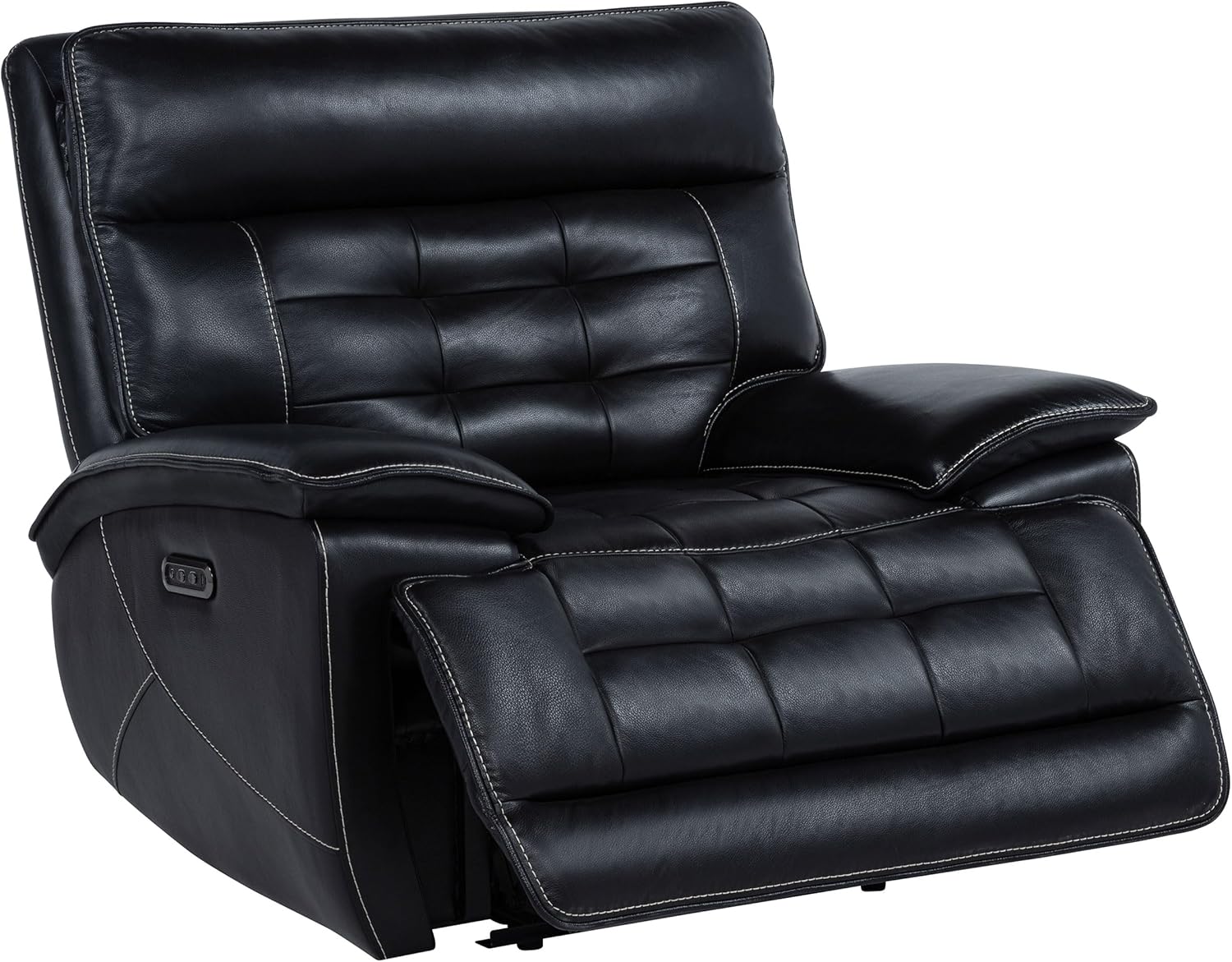
Image: The recliner in a partially reclined position, demonstrating the footrest extension.
USB Charging Ports
The control panel includes two USB ports for charging electronic devices.
- Simply plug your device's USB charging cable into one of the available ports.
- Ensure the recliner is plugged into a power outlet for the USB ports to function.
Maintenance and Care
Proper care will extend the life and appearance of your top-grain leather recliner.
General Care
- Dusting: Regularly dust the leather with a soft, dry cloth to prevent dust buildup.
- Avoid Direct Sunlight: Position the recliner away from direct sunlight and heat sources to prevent fading and drying of the leather.
- Avoid Sharp Objects: Keep sharp objects away from the leather to prevent punctures or scratches.
- Even Wear: Rotate cushions (if removable) periodically to ensure even wear.
Cleaning Top-Grain Leather

Image: A close-up view of the top-grain leather, highlighting its texture and quality.
- Spot Cleaning: For spills, immediately blot with a clean, dry cloth. Do not rub.
- Mild Soap Solution: For more stubborn spots, dampen a soft cloth with a solution of mild soap (e.g., saddle soap or a specialized leather cleaner) and distilled water. Test on an inconspicuous area first.
- Wipe Gently: Gently wipe the affected area, then wipe with a clean, damp cloth to remove any soap residue.
- Dry Thoroughly: Allow the leather to air dry completely. Do not use heat.
- Conditioning: Periodically apply a high-quality leather conditioner to keep the leather supple and prevent cracking. Follow the conditioner manufacturer's instructions.
- Avoid Harsh Chemicals: Do not use abrasive cleaners, solvents, or harsh chemicals, as these can damage the leather finish.
Troubleshooting
If you encounter issues with your recliner, refer to the following common problems and solutions:
| Problem | Possible Cause | Solution |
|---|---|---|
| Recliner does not operate (no movement, no power to USB). | 1. Power cord not securely plugged in. 2. Power outlet not functioning. 3. Power adapter faulty. | 1. Ensure all power connections are secure, from the wall outlet to the recliner. 2. Test the outlet with another device. 3. Contact customer support if the adapter is suspected to be faulty. |
| Recliner makes unusual noises during operation. | 1. Loose components. 2. Mechanism requires lubrication. | 1. Check for any loose bolts or connections (do not overtighten). 2. Apply a silicone-based lubricant to moving metal parts (avoid contact with leather). If noise persists, contact customer support. |
| Backrest feels loose or wobbly. | Backrest not fully engaged in brackets. | Ensure the backrest is fully pushed down and locked into the receiving posts on the main body. |
| USB ports not charging devices. | 1. Recliner not powered. 2. Device cable faulty. 3. Device not compatible. | 1. Verify the recliner is plugged in and receiving power. 2. Try a different USB cable or device. 3. Ensure your device is compatible with standard USB charging. |
If these solutions do not resolve the issue, please contact Coaster Home Furnishings customer support for further assistance.
Specifications
Detailed product specifications for the Hewitt Dual Power Recliner Chair:

Image: Dimensional diagram of the Hewitt recliner, indicating width, depth, and height measurements.
| Feature | Detail |
|---|---|
| Brand | Coaster Fine Furniture |
| Model Name | Hewitt |
| Model Number | 609613PP |
| Color | Black |
| Material | Top Grain Leather, Foam, Asian Hardwood |
| Product Dimensions (D x W x H) | 39.25"D x 45.75"W x 40.25"H |
| Seat Dimensions (W x D x H) | 29"W x 22"D x 20"H |
| Maximum Weight Recommendation | 300 Pounds |
| Item Weight | 123.5 pounds |
| Special Features | Built-in USB Port, Channel Tufted, Pillow Top Arm, Power Reclining, Upholstered Leather |
| Included Components | Power Recliner |
| UPC | 021032673581 |
Warranty Information
Coaster Home Furnishings products are manufactured with quality and care. For specific warranty details regarding your Hewitt Dual Power Recliner Chair, please refer to the warranty card included with your purchase or visit the official Coaster Fine Furniture website. Warranty coverage typically includes manufacturing defects for a specified period from the date of purchase.
Customer Support
If you have any questions, require assistance with assembly, or need to report missing or damaged parts, please contact Coaster Home Furnishings customer support. Have your model number (609613PP) and purchase information ready when contacting support.
For the most current contact information, please visit the official Coaster Fine Furniture website or refer to your purchase documentation.


